











Table of Contents
- 1 Write Better Meta Descriptions Fast with an AI Meta Description Generator
- 1.1 Why Meta Descriptions Still Matter for Organic Traffic
- 1.2 How an AI Meta Description Generator Works and What to Expect
- 1.3 Five Copy Ready Templates and Exact AI Prompts for Different Page Types
- 1.4 Step by Step Ranklytics Workflow to Generate and Deploy Meta Descriptions at Scale
- 1.5 Optimize for SERP Realities and Google Rewrites
- 1.6 Measuring Impact: Metrics, A B Tests, and Timeframes
- 1.7 Common Pitfalls and How to Fix Them
- 1.8 Examples and Real Page Case Studies
- 1.9 Checklist for Rollout and Governance
- 1.10 Frequently Asked Questions
Write Better Meta Descriptions Fast with an AI Meta Description Generator
Scaling high-quality meta descriptions across hundreds or thousands of pages is slow, inconsistent, and drains writer bandwidth. An ai meta description generator can produce intent-matched, brand-aligned variants in seconds, but only if you use precise prompts, templates, and a quality assurance workflow. This guide provides copy-ready templates, exact prompts, a practical Ranklytics batch workflow for generation and deployment, and measurement tactics to validate CTR improvements.
Why Meta Descriptions Still Matter for Organic Traffic
Direct impact on clicks: Meta descriptions do not change ranking signals, but they shape which result a searcher clicks. A carefully written meta is often the first clear promise a user sees about what the page delivers, and that promise frequently determines whether a user clicks through when multiple results look relevant.
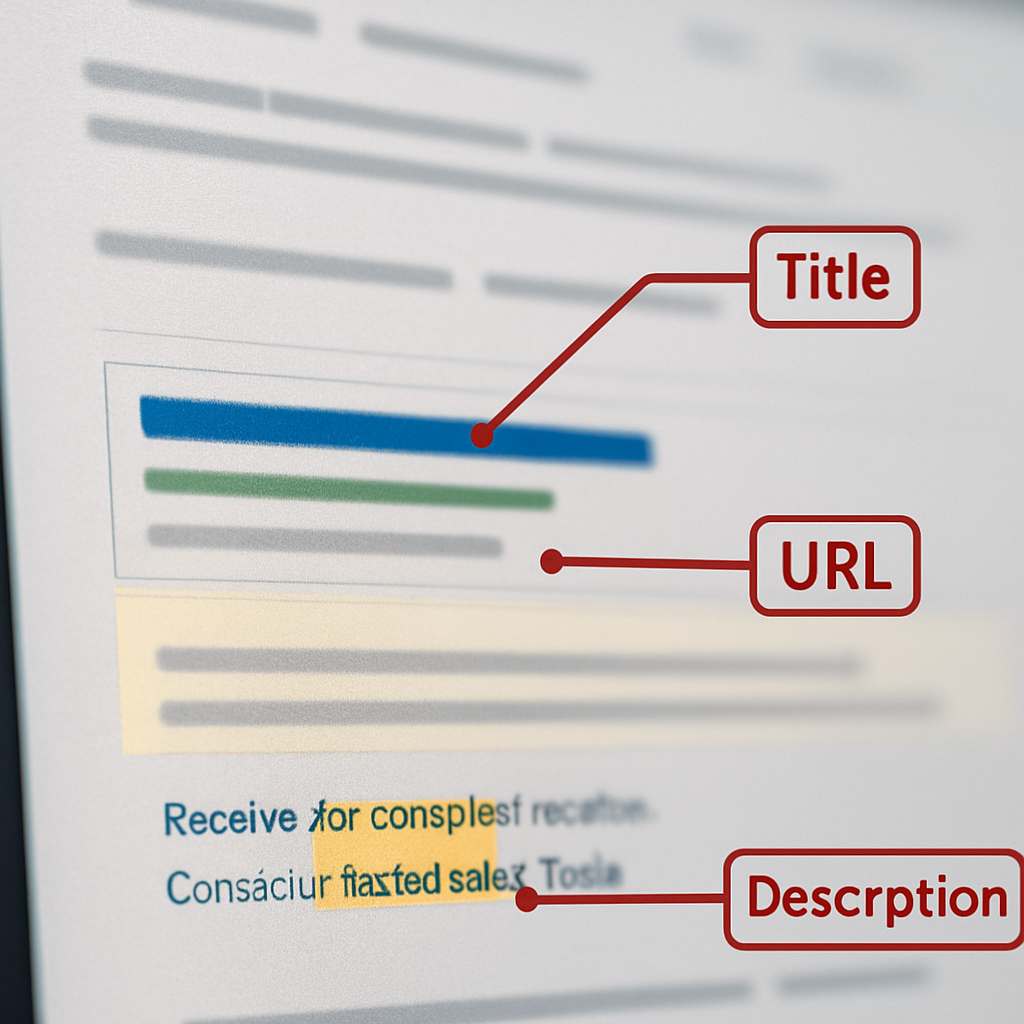
Google may rewrite submitted metas, but that does not make them pointless. Google chooses snippets to match a query when it thinks the page text is a better match; see Google Search Central. The practical consequence is this – write metas to align with query intent and on page content so Google has less reason to replace your wording.
Practical limitation to keep in mind: If a meta description is overtly promotional, keyword stuffed, or disconnected from the page, two things happen. Google will often substitute a snippet that matches the query, and human reviewers will ignore the result because the snippet feels inauthentic. The tradeoff is time: hyper-optimizing every meta yields diminishing returns versus targeting pages with high impressions and mediocre CTR.
Concrete Example: A retailer replaced generic product metas like Free Shipping on All Orders with specific callouts – insulated 24 oz bottle, keeps drinks cold 24 hours, free 2 day shipping. The page did not move in rankings, but the sharper description increased relative clicks on mobile and desktop because it answered the searcher question faster. That is the real win for meta work.
Judgment from real practice: Meta work matters most where snippets are contested – positions three through ten and category pages with multiple ambiguous intents. For pages already owning position one with a strong brand, the incremental CTR gain is smaller. Allocate effort where impressions are high and CTR lags expected benchmarks.
- Match intent early: place the primary keyword or intent phrase in the first 100 characters so the snippet reads as relevant to the query
- Mirror page copy: use one sentence from the H1 or first paragraph as source material so Google finds the meta credible
- Avoid generic CTAs: replace Buy Now with a specific value proposition or timeframe to reduce rewrite risk
- Use variants selectively: generate three variants with an ai meta description generator and test which tone performs rather than deploying the same pattern site wide
How an AI Meta Description Generator Works and What to Expect
Core point: An ai meta description generator is a pipeline, not a black box. It needs structured page inputs, a generation model tuned for short persuasive copy, and post generation controls to produce usable variants at scale.
What you feed the generator and why it matters
- Target keyword / query intent: precise phrase and whether the page is informational, navigational, or transactional
- Page anchors: title and H1 text so the meta echoes on page language and reduces rewrite risk
- Two line page summary: one or two sentences describing the key benefit or answer on the page – avoid generic summaries
- Constraints and voice: desired length cap, tone (professional, conversational), include or exclude CTAs
- Context flags: whether pricing, availability, or promo claims appear on the page so the generator does not invent facts
Practical sample input: For a SaaS pricing page supply a short structured brief: Target keyword – pricing calculator SaaS; Intent – transactional; Title – Pro Plan Pricing | Acme Analytics; H1 – Pro Plan; Page summary – Pro plan includes 10 seats, priority support, and 1 TB data; Tone – concise and confident; Length – 130 characters. Feeding that exact brief produces focused outputs that match the page and cut hallucinations.
Typical outputs and control knobs
Generators normally return multiple variants, each with metadata you can use downstream: tokenized length, confidence or novelty score, and the variant type such as benefit lead, price lead, or trust cue. Control knobs worth using in production are number of variants, hard length cap, keyword anchor enforcement, and a flag to ban speculative claims like numbers not in the page.
Tradeoff to accept: speed versus precision. At scale you can create thousands of candidates fast, but quality will vary. The practical fix is a lightweight human in the loop and automated filters that reject any meta making factual claims not present in the page summary.
Concrete use case: A mid market SaaS generated three variants for 200 feature pages: one emphasizing value, one emphasizing price, one highlighting support. The team used staged rollouts to 20 percent of traffic per variant and replaced underperforming metas. The result was a clear winner they pushed site wide while rapidly removing poor performers.
Judgment from practice: The best ROI is not from letting the AI write everything unchecked. Use the generator to create controlled, intent matched variants, apply simple factual filters, and prioritize human review on high impression pages. That pattern delivers the speed advantage of automated meta descriptions while avoiding generic, rewrite prone outputs.
Five Copy Ready Templates and Exact AI Prompts for Different Page Types
Practical point: Use one precise template per page intent and three controlled variants per page. That combination gives you predictable outputs from an ai meta description generator and enough variety to A B test without creating noise.
Templates + paste-ready prompts
How to use these: Copy the prompt, replace the bracketed fields, set variants:3 and a hard length cap, then paste into Ranklytics or your AI UI.
- Product page template: Benefit lead + spec + quick CTA. Prompt:
Target keyword: [product keyword]. Intent: transactional. Page summary: [1-2 sentence product facts]. Tone: concise, trust-forward. Length cap: 130 characters. Output variants: 3 (benefit, spec, urgency). Do not invent specs.Examples (Shopify product): Benefit: Organic cotton tee that breathes and lasts. Spec: 95% organic cotton, machine wash, returns 30 days. Urgency: Limited run — order today for next week delivery. - Category page template: Comparison + scope + navigation cue. Prompt:
Target keyword: [category keyword]. Intent: navigational/comparative. Page summary: [what this category covers and unique filters]. Tone: neutral, helpful. Length cap: 150 characters. Variants: 3 (compare, filter callout, best for).Examples (Etsy mugs category): Compare: Find handmade ceramic mugs by price, size, and kiln finish. Filter callout: Browse dishwasher-safe options under $30. Best for: Perfect gifts for coffee lovers—shop curated picks. - Blog post template: Issue statement + value deliverable + hook. Prompt:
Target keyword: [article keyword]. Intent: informational. Page summary: [one-sentence thesis and key takeaway]. Tone: authoritative, readable. Length cap: 160 characters. Variants: 3 (how-to, list, benefit-first).Examples (HubSpot-style post): How-to: Learn three steps to double demo requests from inbound leads. List: 7 proven email subject lines that lift open rates. Benefit-first: Stop losing top leads with simple follow-up templates. - Landing page template: Outcome headline + social proof or metric + CTA. Prompt:
Target keyword: [landing keyword]. Intent: conversion. Page summary: [primary offer, one metric or trust cue]. Tone: confident, clear. Length cap: 140 characters. Variants: 3 (metric-led, trust-led, urgency-led).Examples (Intercom-style): Metric-led: Cut response time by 40 with conversational support tools—book a demo. Trust-led: Used by teams at fast-growing SaaS brands—see live demo. Urgency-led: Start a free trial and onboard in under 24 hours. - FAQ / help article template: Direct answer + where to find details + next step. Prompt:
Target keyword: [help keyword]. Intent: informational/transactional. Page summary: [exact problem and resolution path]. Tone: clear, utilitarian. Length cap: 160 characters. Variants: 3 (direct answer, step-by-step, link-out).Examples (Netflix help article): Direct answer: How to change billing — update payment method in Account settings. Step-by-step: Sign in, open Account, select Billing, update card. Link-out: See full billing steps with screenshots in Account Help.
Tradeoff to accept: Tighter prompts reduce hallucination but produce more similar-sounding variants. If you need radical tone tests, loosen the tone field for one variant only and label it so QA knows which to treat as exploratory.
Concrete example: A Shopify merchant fed the product template for 120 seasonal SKUs, generating three variants per SKU. They staged the spec-led variant to 30 percent of traffic, then shifted the winner site wide after two weeks when CTR rose 18 percent on mobile. The controlled prompt and small rollout made the result measurable and reversible.
do not invent line in the prompt when facts matter, and generate exactly three variants so testing and deployment remain manageable.
Step by Step Ranklytics Workflow to Generate and Deploy Meta Descriptions at Scale
Direct claim: Use a repeatable Ranklytics workflow to turn an ai meta description generator from a one off toy into an operational capability that ships controlled variants, gathers clean metrics, and lets you iterate without breaking the site.
Operational steps
- Step 1 — Export and prioritize: Export pages, their current meta descriptions, impressions, CTR, and target keywords from Ranklytics keyword tracker and Google Search Console export. Prioritize pages with high impressions and CTR below benchmark so effort targets highest ROI.
- Step 2 — Segment by intent and template: Tag pages in Ranklytics by intent (informational, transactional, navigational) and assign the template type you will feed into the ai meta description generator. Keep segments under 5,000 rows for batch sanity checks.
- Step 3 — Batch generate variants: Use Ranklytics batch mode to generate exactly three variants per page with
lengthcap and ado not inventconstraint. Add a column that records the prompt version so you can trace which prompt produced the winner. - Step 4 — Lightweight QA: Apply automated filters to remove any variant that asserts facts not in the page summary. Then perform human spot checks on the top 10 percent by impressions and on all pages that mention pricing or legal claims.
- Step 5 — Staged deployment and tracking: Deploy variants via your CMS bulk upload or an SEO plugin to 20 percent of traffic per variant. Record the publish timestamp and chosen variant in Ranklytics to enable clean pre/post comparisons in Search Console.
Practical tradeoff: Batch generation buys time but sacrifices nuance. The correct trade is to accept broader coverage while reserving detailed human editing for a small subset of pages that drive most impressions or revenue. That allocation reduces review cost without letting low quality AI outputs scale.
QA checklist and bulk upload sample
QA checklist: Confirm intent alignment, ensure primary keyword appears in the first 100 characters where natural, verify no invented specifications, check brand voice consistency, and confirm CTA matches page conversion path.
| CSV Column | Purpose | Sample Value |
|---|---|---|
| page_url | Target page to update | https://example.com/article/how-to-scale-seo |
| target_keyword | Seed query used by ai meta description generator | scale seo content |
| page_intent | Intent tag for template selection | informational |
| variant_a|b|c | Generated meta variants | Variant A text || Variant B text || Variant C text |
| chosen_variant | Variant selected for deployment | variant_b |
| publish_timestamp | When the new meta went live | 2026-05-12T10:00:00Z |
Concrete example: A national publisher used this workflow to update 1,200 evergreen articles. They generated three variants per article, QA sampled the top 200 by impressions, and rolled winners to 25 percent segments before full rollout. Within three weeks the team could attribute CTR changes to specific prompt tweaks and revert versions that underperformed.
Optimize for SERP Realities and Google Rewrites
Practical point: Google will rewrite metas when the engine thinks a different snippet better matches the query. The objective is not to guarantee your exact text appears, but to reduce needless rewrites on pages that drive volume and to make rewrites more useful when they happen.
How to reduce rewrite risk: Anchor the meta to on page language and query intent. Use the H1 or the first paragraph sentence as the source of truth, put the primary query or intent phrase inside the first 100 characters, and never assert facts the page does not contain. In your ai meta description generator prompt include a clear anchor instruction such as anchor: h1firstsentence and a hard do not invent constraint.
Tradeoff to accept: Highly literal metas reduce rewrite likelihood but can sound bland. The working compromise is to produce three variants: one literal anchor, one benefit-led sentence that reuses page wording, and one slightly more persuasive line that is carefully factual. Test these variants rather than assuming the most creative copy will win.
When structured data changes what the SERP shows
Key interaction: If your page exposes schema that produces a rich result – for example FAQ, product, or review snippets – Google may prefer structured content over your meta description. Do not try to override schema by stuffing the meta with the same fields. Instead, make the meta complementary – a short human summary that adds context the schema does not provide.
Concrete example: A travel booking site had its hotel description metas repeatedly rewritten to show nightly price snippets taken from structured data. The team updated the meta to mirror the room type and cancellation policy language already on the page and added a second variant that called out free breakfast when applicable. After staging variants to segments they saw fewer wholesale rewrites and a 12 percent relative CTR gain on high impression listings. Use SERP snapshots or Ranklytics SERP monitoring to record rewrite frequency and which variant reduced replacements.
Operational judgment: Do not chase zero rewrites. Long tail queries will usually generate query-specific snippets no matter what you write. Focus effort on pages with high impressions where a stable meta can meaningfully change click behavior, and automate the rest with conservative prompts in your ai meta description generator.
Focus human review on high impression pages and use anchored, fact-checked variants for everything else.

Measuring Impact: Metrics, A B Tests, and Timeframes
Direct point: You will not know if new meta descriptions help until you define the metric, isolate the change, and accept that organic tests are noisy. Measurement is not optional when you use an ai meta description generator at scale; it is the control that separates an experiment from guesswork.
What to measure and why it matters
Track impressions, clicks, and CTR as primary signals, with average position as a control variable. Secondary signals to monitor are time on page and pages per session for pages where the meta promises a specific deliverable. If average position moves more than one slot during a test, treat CTR changes as suspect because position shifts strongly confound click behavior.
Practical A B test approach you can run today
You cannot reliably randomize search query exposure. Work at the URL level using controlled rollouts and temporal windows. Below is a lightweight sequence that works in real teams.
- Select test cohort: pick pages with similar intent and at least 1,000 impressions in the prior 28 days or aggregate similar low traffic pages into a group.
- Generate variants: produce exactly three ai-generated metas per page with tracking tags that record the prompt version and variant id.
- Staged rollout: deploy each variant to a disjoint subset of pages or a traffic share – common splits are 20/20/60 so you keep a larger control if needed.
- Monitor controls: compare CTR by variant and check average position. Pause any variant where position shifts by more than 1 or where Google consistently rewrites the meta.
- Declare winner and iterate: promote the winner site wide for that cohort, but preserve prompt version and timestamp so you can trace effects later.
A key tradeoff is speed versus statistical power. Faster rollouts show results quicker but increase the chance of false positives. For low volume pages, group by template or category and test at the segment level rather than per URL.
Sample size and timeframe guidance: aim for a minimum of 1,000 impressions and 100 clicks per variant when possible. For high volume pages you can shorten to two weeks; for lower volume segments run tests four to six weeks to pass weekly seasonality and weekday bias. Always run through at least one full business cycle.
Real use case: A regional ecommerce team tested three product meta variants across 300 medium-traffic SKUs. They rolled variant A to 25 percent of SKUs, B to 25 percent, and left 50 percent as control. After three weeks they found variant B lifted relative CTR by 14 percent while average position stayed constant. Because each deployment recorded the prompt version in Ranklytics, the team traced the lift to a tweak that moved the benefit statement earlier in the description.
Next consideration – log prompt versions and SERP snapshots with each publish. Without that traceability you cannot separate effects from Google rewrites or position movement. Use Ranklytics AI for prompt versioning and refer to Google Search Central for how served snippets may alter what users actually see.
Common Pitfalls and How to Fix Them
Direct problem: When teams scale an ai meta description generator they trade manual control for volume, and the common result is systematic quality degradation rather than random errors. Fixes are rarely big rewrites; they are precise prompt edits, lightweight automation checks, and a ruleset for human review.
Fast signals that something is wrong
Watch three quick indicators: rising frequency of Google rewrites for a page, a sustained CTR decline after deployment, and metas that make unverified claims or repeat keywords verbatim. Any one of these is enough to pause a rollout and run targeted diagnosis.
Pitfall – Bland, interchangeable copy. This happens when prompts are too generic or the generator uses the same template across heterogeneous pages. Fix by adding one highly specific field to the input – for product pages include material or SKU; for articles include the exact takeaway sentence. Tradeoff: more specific prompts reduce throughput slightly but cut rewrite risk and improve CTR on contested pages.
Pitfall – Keyword stuffing and awkward phrasing. AI will obey a heavy keyword list and produce unnatural text that users skip. Remedy with a soft constraint in the prompt like use keyword naturally and a post generation readability filter that flags repeated tokens. Accept that exact-match keyword density will fall, but searchers prefer readable snippets.
Pitfall – Fabricated facts. Generators invent specs, dates, or guarantees when the prompt lacks verified inputs. Practical fix: supply a short fact block in the input and include do not invent as an enforced instruction. Add an automated check that rejects any meta containing numbers or claims not present in the fact block.
Pitfall – Inconsistent brand voice. Different prompt versions or ungoverned vendor tools create a noisy tone across pages. Fix by embedding a three line voice sample in every prompt and by keeping a small style guide file that the generator references. This is faster than editing outputs one by one.
Pitfall – Poor deployment hygiene. Teams often deploy winners without an easy rollback path or without tracking the prompt that produced them. Mitigate by adding a changelog column in your bulk upload CSV that records prompt id, variant id, and a rollback tag in the CMS metadata so you can revert in hours instead of days.
Concrete example: A direct to consumer apparel team auto-generated metas for 400 SKUs and saw traffic patterns shift unfavorably because the AI replaced material details with generic CTAs. The fix was surgical: add a material field to the prompt, force the material into the first sentence, and re-run for the top 80 SKUs. CTR recovered on those SKUs within two weeks and the team then applied the prompt update site wide in controlled batches.
Four quick prompt edits that convert generic outputs into on page, brand aligned metas:1. anchor: use H1 or first paragraph sentence as the source text2. do not invent; do not add numbers or specs not provided in facts field3. place primary keyword within first 100 characters, but use it naturally4. voice: short sample (three words) e.g., frank, helpful, professional
Focus manual review on high impression pages and on any page where the generated meta introduces a new factual claim.

Next consideration – treat the generator as a feature in your content pipeline, not as a replacement for editorial judgement. Build small, repeatable prompt fixes into your release process and make rollback simple so experiments stay reversible.
Examples and Real Page Case Studies
Direct point: Seeing original metas next to AI variants makes the tradeoffs concrete. Below are three real page examples that show what an ai meta description generator gets right, where it fails, and the exact change I would deploy.
Ecommerce product page (Shopify style)
Original meta: Generic copy that highlights free shipping and returns but omits key specs. AI variants: Variant A benefit-first mentioning fabric and comfort, Variant B spec-first listing material and size, Variant C urgency-first with limited run messaging. Recommended final: Blend spec and benefit in one sentence so the snippet answers the searcher question fast and matches on page product details. This reduces Google rewrite risk and gives users a clear purchasing cue.
Practical insight: If the product page contains verified specs, force those into the prompt with a do not invent constraint. The tradeoff is that a spec-led meta can sound less emotional, so keep one variant that leans benefit-led for testing.
SaaS feature page (HubSpot or Intercom style)
Original meta: Long feature list that reads like documentation. AI variants: Variant A outcome-led describing a primary business result, Variant B metric-led containing a percentage improvement, Variant C trust-led with partner logos mentioned. Recommended final: Use the outcome-led variant only if the page contains the supporting claim. Do not surface unverified metrics in the meta because Google or users will penalize mismatch on click.
Real sample use case: A feature page with an H1 and a one line case study benefit produced the best meta when the generator was prompted to anchor the first sentence of the H1 and include a short CTA like Book a demo. The team avoided claiming any percentage improvements unless they appeared on the page or in linked case studies.
Editorial blog post (New York Times or The Conversation style)
Original meta: Teaser that repeats the title. AI variants: Variant A how-to focus that lists the promised takeaway, Variant B curiosity angle with an intriguing stat, Variant C summary that states the main conclusion plainly. Recommended final: Pick the summary variant that mirrors the first paragraph sentence. That reduces the chance Google will craft a query specific snippet and keeps expectation matching between SERP and article content.
Meaningful judgment: Creative hooks win clicks in low competition niches, but in contested SERPs the safest path is a short, factual meta that matches the page copy. Creative testing belongs in a measured rollout, not site wide immediate replacement.
Ranklytics customer workflow example
Before: The content team spent days editing hundreds of product and article metas manually, with inconsistent voice and no traceability. Action: Exported prioritized page list from Ranklytics, batched generation with variants:3 and do not invent enforced, QA sampled the top 10 percent by impressions, then staged winners to traffic segments while logging prompt version and publish timestamp. After: The team completed the same scope in a single afternoon and gained clear signals on which prompts produced lift.
Metrics to monitor with each case: impressions and CTR as primary signals, rewrite frequency from SERP snapshots, and conversion rate for pages where the meta promises a transactional outcome. If average position shifts during a test, treat CTR changes as confounded and pause the rollout.
Next consideration: For any batch, prioritize traceability and small staged rollouts. If you cannot version prompts and capture SERP snapshots you will not be able to tell whether CTR moves came from wording, position shifts, or Google rewrites. Use Ranklytics AI for prompt versioning and refer to Google Search Central for how served snippets are chosen.
Checklist for Rollout and Governance
Clear starting point: Treat an ai meta description generator as a deployable system, not a one time script. Without explicit rules for which pages to touch, who approves variants, and how to reverse changes, you will create operational debt rather than faster copy.
Scope and prioritization: Choose pages by impact first: high impressions with below benchmark CTR, revenue generating landing pages, and category hubs. Accept that micro-optimizing low impression pages wastes time; batch those into conservative templates and defer human editing until they aggregate to meaningful volume.
Template locking and prompt governance: Lock a definitive prompt per template version and store it with a version id. Each generated meta must reference that prompt id in CMS metadata so you can trace back which prompt produced which snippet when performance moves unexpectedly.
Approval workflows and ownership: Assign a single owner for each cohort (search or product vertical) who can approve candidate variants. Owners run spot QA on top impression pages and sign off before any wide rollout. This prevents inconsistent brand voice and reduces the risk of fabricated claims slipping live.
Deploy, monitor, revert: Deploy in small slices and record publish timestamp, prompt id, and variant id. Monitor CTR, impression shifts, and rewrite frequency. If CTR drops or Google begins replacing your metas frequently, revert to the prior prompt id within the agreed rollback window.
Tradeoff and limit: Heavy governance slows time to full coverage. The right balance in practice is strict rules for high value pages and lighter automation for the long tail. That tradeoff preserves ROI from automated meta generation while keeping editorial control where it matters most.
Concrete example: A national retailer ran three prompt versions for seasonal product pages. They recorded prompt ids in the CMS, staged each variant to 25 percent of SKUs, and monitored CTR and rewrite frequency for 21 days. One prompt produced a consistent CTR decline and was reverted within 48 hours because the recorded prompt id made rollback immediate and auditable.
Governance rules to enforce
- Naming convention: prompt_v{major}.{minor} – include short descriptor of intent
- Prompt trace: store prompt id and full prompt text in page metadata for every update
- Batch cap: limit automated runs to 5,000 pages per prompt version and require a QA sample for each batch
- Experiment label: tag each variant with an experiment code for clean analytics joins
- Access control: restrict who can approve production publishes and who can trigger rollbacks
- Audit cadence: snapshot SERP and rewrite frequency weekly for cohorts under test
- Accessibility check: verify metas remain readable by screen readers and avoid emoji or markup that harms assistive tech
Frequently Asked Questions

Written by
Emma RodriguezEmma is a digital marketing consultant specializing in technical SEO and international search strategy. With a background in linguistics and data analytics, she helps brands expand into new markets through multilingual SEO and structured content frameworks.