











Table of Contents
- 1 Your Keyword Ranks Are Lying to You: The Hidden Flaws in Most Rank Checkers
- 1.1 1. Why a Single Keyword Position Is a Fragile Signal
- 1.2 2. How Rank Checkers Differ Under the Hood
- 1.3 3. Audit Checklist: Validate Whether a Rank Drop Is Real
- 1.4 4. Metrics That Replace Single-Keyword Position
- 1.5 5. Practical Reporting Templates and Alert Rules
- 1.6 6. Tooling Recommendations and Tradeoffs
- 1.7 7. Mini Case Study: Diagnosing and Fixing a False Drop
- 1.8 8. Implementation Checklist: How to Move from Ranks to Business Signals
Your Keyword Ranks Are Lying to You: The Hidden Flaws in Most Rank Checkers
A single keyword rank check looks authoritative, but it is one of the least reliable signals in your SEO toolbox. Device, location, personalization, SERP features, and sampling mean position-only reports disagree, create false alarms, and steer teams toward the wrong fixes. Read on for a short audit you can run in under an hour, practical metrics that replace raw positions, and what to look for when you evaluate rank tracking tools.
1. Why a Single Keyword Position Is a Fragile Signal
Hard fact: a reported position for one keyword is a simulation, not an authoritative measure of visibility. Most rank trackers synthesize a single SERP snapshot for a device and location and present that number as if it represents all users. In practice that number collapses multiple realities into one fragile metric.
Device, location, and personalization move the needle
Device and location matter more than most teams expect. A query that ranks position 3 on desktop in New York can be position 8 on mobile in London because of local results and differing SERP layouts. Personalization and signed-in results add further divergence for logged users versus anonymous queries.
Practical consideration: if your reporting aggregates positions from mixed device or default geos you will see churn that is not actionable. Configure sampling deliberately – decide which device and city combinations actually drive your business and track those, not an arbitrary global average.
SERP features change effective organic position
Key point: SERP features such as featured snippets, local pack, image carousels, knowledge panels, and product carousels reduce the effective clickability of organic listings. A page can drop from position 2 to position 7 yet retain or even increase clicks because it now owns a featured snippet or appears in a rich result.
Tradeoff: rank trackers that ignore SERP feature detection report raw positions with no context. Trackers that include SERP feature flags cost more and require more configuration, but they stop you chasing irrelevant position moves.
Search volatility, query ambiguity, and intent drift
Reality check: many queries are unstable because intent varies day to day or because Google experiments with result mixes. Low-volume or ambiguous queries will bounce widely in position without changing traffic. High-frequency position checks amplify this noise and cause overreaction.
- Sampling artifacts: different trackers sample different datacenters and windows so reported positions diverge.
- SERP feature interference: features can push organic results down without removing visibility.
- Intent variance: seasonal or news-driven intent causes transient rank shifts that do not reflect page quality.
Concrete example: an ecommerce page tracked for a commercial keyword fell from position 2 to position 12 in a third-party tracker after Google inserted a shopping carousel and a local pack for nearby sellers. Google Search Console showed impressions steady and clicks up 4 percent for the same period, indicating the apparent rank drop did not reduce business traffic. The tracker number triggered a needless content rewrite before the team validated traffic signals.
Bottom line: single-keyword position is an alarm bell, not a diagnosis. Use it to flag potential issues, then move immediately to traffic, page-level visibility, and SERP feature checks before allocating resources.

Next consideration: configure your rank tracking to match the business realities that drive conversions – specific devices, priority cities, and SERP feature detection – then treat single-keyword positions as inputs to a validation workflow rather than as final answers. For guidance on building reports that emphasize business impact, see How to Build a Keyword Rankings Report That Drives Smarter SEO Decisions – Ranklytics.
2. How Rank Checkers Differ Under the Hood
Plain fact: a single keyword rank check value is only as honest as the system that produced it. Different trackers are running different experiments under different assumptions, then returning a single number that looks authoritative but is not equivalent across tools.
Data sources and measurement model
Two broad approaches matter most: tools that rely on simulated SERP snapshots via SERP APIs and scrapers, and tools that report aggregated user data from Google Search Console. Each is useful, but they answer different questions. GSC measures real user impressions and clicks for your site; it will not tell you what a competitor ranks for. SERP API providers like SerpApi and DataForSEO simulate queries from specific geos/devices so you can compare results across competitors or run high-frequency checks. See Google Search Console guidance and SerpApi documentation.
- Default geo and device: Some trackers default to country-level checks while others run city- or ZIP-level queries. A rank in New York will differ from a rank in Dallas for the same keyword.
- Sampling and frequency: Tools with hourly sampling expose short-term volatility; weekly snapshots mute noise but miss spikes. Higher frequency costs more and can create false alarms.
- SERP feature detection: Not all trackers report whether a featured snippet, local pack, or product carousel is present. Presence of a SERP feature changes effective visibility even if numeric position is unchanged.
- Personalization and deduplication: Some services try to remove personalization by clearing cookies and headers; others accept residual personalization. Duplicate content handling and result deduplication differ across providers.
Practical tradeoff: use SERP-simulation trackers for competitive benchmarking and feature detection, but treat their positions as approximations. Use Google Search Console for traffic attribution and to validate whether a reported rank move actually affected users.
Concrete example: A regional SaaS company saw Semrush report a 12 position drop for a commercial keyword while Ahrefs reported a three position gain. A live SERP snapshot revealed a new local pack appearing for queries from certain ZIP codes and a product carousel for mobile users. Semrush was sampling at a city granularity that hit affected ZIPs; Ahrefs used a broader country-level check. Traffic from Google Search Console remained stable, showing the position change did not reduce clicks.
| Tracker | Data source | Default geo/device | Frequency | SERP feature support |
|---|---|---|---|---|
| Ahrefs Rank Tracker | SERP API / internal scraping | Country-level by default | Daily/weekly | Covers major features |
| Semrush Position Tracking | SERP API + own infrastructure | City-level options | Daily | Feature flags and local packs |
| Moz Pro Rank Tracker | Scraping + APIs | Country or city options | Daily/weekly | Basic feature detection |
| Google Search Console | Actual user data | Aggregated by query/page | Daily to multi-day lag | No direct SERP feature snapshots |
| SerpApi / DataForSEO | SERP API provider | Fine-grained geo and device | On demand | Full feature detection (varies by endpoint) |
Sampling windows and geo defaults are the single biggest reason trackers diverge consistently, not random error.
Takeaway: treat a numeric keyword rank check as a directional signal, not a truth. Verify tracker configuration and align your next action to traffic or page-level visibility rather than chasing a single tool number.
3. Audit Checklist: Validate Whether a Rank Drop Is Real
Start here: not every reported rank drop requires action. The purpose of this checklist is to separate noise from signal so you spend time fixing pages that actually lost visibility or traffic, not chasing position numbers that mean nothing to the business.
Step 1 – Confirm traffic impact in Google Search Console
Check impressions and clicks first. Pull the query and landing page data for the same date window the tracker flagged and compare impressions, clicks, and CTR. Use Google Search Console as your primary source for user-facing metrics.
Practical limitation – GSC is authoritative for traffic but not real-time. Expect aggregation delays and dropped low-volume queries. If a tracked position moves but clicks and impressions are stable, the drop is probably cosmetic.
Step 2 – Capture live SERP snapshots across device and geo
Recreate the user experience. Run searches from the device types and locations your users use – incognito, logged-out, and with region set – and save screenshots or HTML snapshots. For scale, use a SERP API provider or your rank tracking tool's live snapshot feature.
Tradeoff – manual checks are accurate but slow; API snapshots scale but cost money and still sample. Use manual checks for priority queries and API sampling for broader verification. See how rank trackers behave in practice in the Ahrefs guide to rank tracking.
Step 3 – Inspect SERP features and landing page status
Look for SERP feature shifts. Featured snippets, knowledge panels, local packs, shopping carousels, and image or video blocks change where organic links appear. A page can drop in position but keep or even gain clicks if a SERP feature draws attention to it.
Check the page itself. Confirm canonical tags, accidental noindex, major content rewrites, or tracking changes that could affect clickability. If the page was changed recently, that often explains correlated drops in impressions and clicks.
Step 4 – Verify keyword-to-page mapping and group by intent
Avoid one-to-one assumptions. Confirm the tracked keyword maps to the landing page you think it does. Many trackers assign a keyword to the wrong URL or fail to group intent variations, which produces misleading position shifts.
Practical consideration – scale the audit by value. Prioritize keywords that drive the most impressions, clicks, or conversions for each landing page. For long tail sets, audit at the page level rather than every keyword.
- Quick audit triggers: run this checklist when a page shows >10 percent drop in sessions, >15 percent drop in impressions, or when a priority keyword moves out of the top 10.
- Document findings: capture GSC charts, SERP screenshots, and the page version at time of the drop – this makes root-cause analysis reliable.
- Decide by impact: if clicks and conversions are unchanged, deprioritize position-only fixes.
Concrete example: A B2B SaaS article reported a five-position drop in a third-party rank checker. GSC showed impressions and clicks falling at the same time. Live SERP snapshots revealed a competitor captured a featured snippet and the article had an accidental meta robots noindex tag from a CMS update. Removing the noindex and optimizing the snippet-targeted paragraph restored impressions within three weeks.
If you run audits on more than a handful of keywords, shift to page-level verification and value-based thresholds – it saves time and prevents chasing vanity movements.

Next consideration: If you want a repeatable process for reports and alerts that use these checks, see the reporting approach in How to Build a Keyword Rankings Report That Drives Smarter SEO Decisions.
4. Metrics That Replace Single-Keyword Position
Positions are noisy; visibility is directional. Replace single-keyword position reports with metrics that estimate real exposure and business impact — visibility score, page-level rank distribution, and traffic-first KPIs from Google Search Console and Analytics.
Visibility score: a practical replacement
What it measures: Visibility score converts a set of keyword positions into expected share of clicks by applying a CTR weight to each SERP position and optionally weighting by search volume or impressions. It tells you how much attention your tracked keywords are likely to get, which maps to traffic better than average position.
Simple formula (useable immediately): Visibility = 100 (sum over keywords of (SearchVolumei CTRWeight(Positioni))) / (sum over keywords of SearchVolume_i). Use an industry CTR curve or your own measured CTR from Google Search Console.
Concrete Example: Suppose a landing page ranks for three keywords: K1 volume 10,000 at position 3 (CTR weight 0.10), K2 volume 2,000 at position 12 (CTR weight 0.02), K3 volume 500 at position 28 (CTR weight 0.005). Weighted clicks = 10,0000.10 + 2,0000.02 + 500*0.005 = 1,042.5. Divide by total volume 12,500 = 0.0834, so Visibility ~ 8.3%. The average position is 14.3, which hides that a single high-value keyword (K1) drives the bulk of expected clicks.
Trade-off to consider: Visibility needs search volume or reliable impression estimates. Using default CTR curves introduces bias; using Google Search Console impressions is preferable but GSC samples and aggregates lower-volume queries. Expect small discrepancies, but the metric is more stable and business-relevant than raw positions.
Page-level and traffic-first metrics
Track landing pages, not single keywords. Aggregate the top 10 keywords per page, measure the page's visibility and the share of organic clicks it receives, and prioritize pages by traffic and conversion potential instead of position movements for isolated queries.
- Landing page rank distribution: List the top 10 keywords that land on a page with positions, volumes, and expected clicks. This shows which keywords actually move the needle.
- Organic clicks and impressions from GSC: Use Google Search Console as the authoritative source for traffic attribution, then cross-check with visibility for opportunity sizing.
- Share of voice and SERP feature ownership: Measure percent of organic real estate you control for target queries and whether you own featured snippets, knowledge panels, or local pack spots.
Real-world application: In a recent ecommerce audit a third-party SEO rank checker flagged a 10-position drop for a best-selling product phrase. GSC showed impressions and clicks stable for that page; visibility score fell only 1 point because the product still controlled the featured snippet. The team stopped chasing a keyword position recovery and instead optimized the product description to maintain snippet ownership, which preserved conversions.
Practical insight: Use multiple signals together. A visibility score flags meaningful exposure shifts; GSC confirms whether those shifts translate to impressions and clicks; Analytics shows whether conversions moved. Relying on any one of those alone recreates the exact problem you already have with a raw keyword rank check.
5. Practical Reporting Templates and Alert Rules
Start reports with impact, not positions. Replace long tables of single-keyword ranks with a tight roster of pages and the concrete business signals that matter: sessions, impressions, conversions, and a compact visibility delta for the page over the reporting period.
Weekly report template (practical)
Report scope: One page per row, prioritized by week-over-week traffic variance or conversion importance. Limit to the top 25 pages to avoid signal fatigue.
| Column | What to include |
|---|---|
| Page | Landing page URL and title |
| Primary intent group | Short label (informational, transactional, local) |
| Sessions (W vs W %) | Absolute and percent change in organic sessions |
| Impressions (W vs W %) | GSC impressions change to show visibility |
| Visibility delta | Weighted visibility change (CTR-weighted score) — small formula note in footnote |
| Top SERP features | List features the page holds or lost (snippet, local pack, product carousel) |
| Action required | None / Investigate / Priority fix — with brief rationale |
Alert rules that actually reduce false alarms
- Combine signals: Trigger alerts only when both traffic and visibility move. For example, require Sessions drop >20% AND Impressions drop >15% over 7 days before flagging.
- SERP-feature aware alerts: If a page loses position but retains impressions and clicks, suppress position-only alerts. Configure an alert to fire when a page loses a SERP feature it previously owned AND sessions fall.
- Noise control: Use rolling median smoothing for daily data and evaluate week-over-week changes. This avoids daily volatility from automated alerts.
- Priority tiers: Split alerts into Critical (immediate investigation) and Watch (monitor 2–3 reports). Critical examples include conversion pages losing >15% sessions with matching impressions loss.
Tradeoff to accept: Tightening thresholds reduces false positives but delays detection of real regressions. Expect to tune thresholds for your site size and seasonality; larger brands can tolerate narrower thresholds because sample sizes are bigger.
Language and visualization for stakeholders
Use one-line diagnostic statements. Replace rank-focused headlines with language that links cause to impact. Example: Page X: organic sessions down 28% W/W; impressions stable — likely SERP feature displacement rather than loss of interest.
- Visuals: Small multiple charts per row — sessions sparkline, impressions bar, visibility delta heat cell, and SERP feature badge. Stakeholders read visuals faster than tables of positions.
- Narrative snippet: Two-sentence summary: current state and action. Keep the first sentence the outcome, the second sentence the recommended next step.
- Owner assignment: Each row should show who owns the investigation and the expected SLA for updates.
Concrete example: A retail category page shows Sessions down 22% W/W while GSC Impressions are flat. The alert rule suppresses a position alarm because impressions did not fall; the one-line diagnostic reads: Investigate SERP features — product carousel added for similar queries; consider schema updates or product feed fixes. The investigation found a competitor product carousel that pushed organic results visually down but did not reduce clicks overall.
Operational considerations: Live SERP snapshots and geo/device permutations reduce ambiguity but add API costs and complexity. If you cannot afford exhaustive snapshots, prioritize them for pages flagged Critical, and rely on Google Search Console for routine verification — see Google Search Console guidance.
Judgment call: Many teams cling to rank tables because they are easy to produce. That convenience comes at the cost of time wasted chasing noise. Use this template to force the conversation to outcomes: traffic, impressions, conversions, and clear next steps — not position gymnastics. For a practical blueprint on building reports that drive decisions, see How to Build a Keyword Rankings Report That Drives Smarter SEO Decisions.
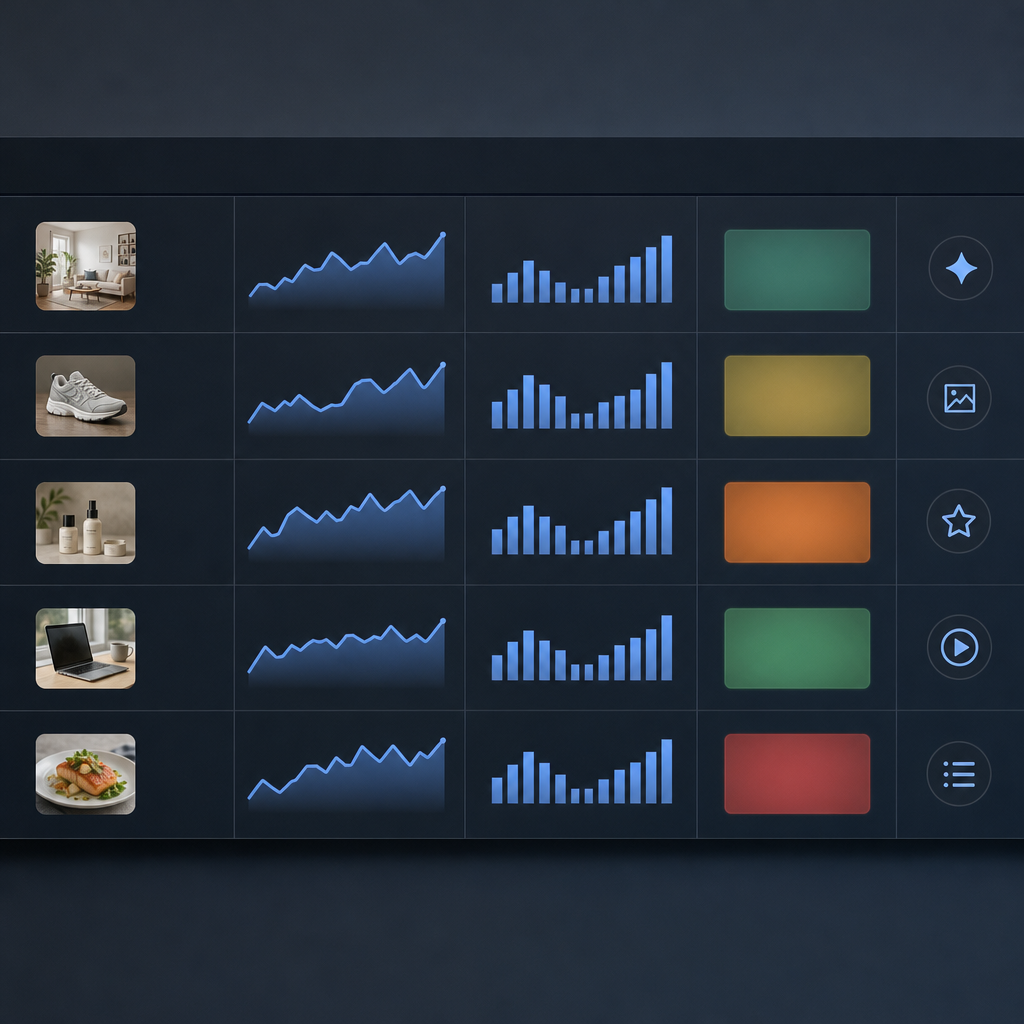
Next step: Pick three priority pages and run these report and alert settings for 30 days; compare the number of true incidents found to the old position-only alerts and adjust thresholds accordingly.
Focus alerts on business impact: an automated rule should point you to pages losing traffic or conversions, not to fluctuating positions.
6. Tooling Recommendations and Tradeoffs
No single tool gives you the whole truth. Pick tools against the specific signal you care about: authoritative traffic attribution, competitive benchmarking, or fast SERP snapshots. Each category forces tradeoffs in cost, sampling, and actionable accuracy.
Authoritative vs approximate signals
Google Search Console for attribution. Use GSC as your ground truth for impressions, clicks, and query-level traffic because it reports actual user behavior. It is not a real-time SERP simulator and it undercounts some low-volume queries; expect delays and aggregation that blunt short-term experiments. See Google Search Console documentation for limits.
Third-party rank trackers for benchmarking. Tools like Ahrefs, Semrush, and Moz run active queries and approximate what users see from configured locales and devices. They are useful for competitor snapshots and trend detection but their numbers are sampled and methodologically opaque—treat positions as directional, not precise.
| Tool | Best for | Strength | Key tradeoff |
|---|---|---|---|
| Ahrefs Rank Tracker | Competitive research and backlink-aware ranking trends | Large index, good historical depth | Less granular geo/device control compared with SERP APIs; premium pricing |
| Semrush Position Tracking | Campaign-level tracking with rich reporting | Flexible device/geo settings and SERP feature detection | Can be noisy at daily frequency; costs rise with increased keyword sets |
| Moz Pro Rank Tracker | Straightforward reporting for small teams | Clean UI and simple projects | Smaller index and fewer enterprise features; slower feature detection |
| SerpApi / DataForSEO (SERP APIs) | Real-time, highly localized SERP snapshots | Precise control over geo/device and high fidelity | Per-query cost makes broad, frequent tracking expensive |
| Google Search Console | Traffic attribution and CTR measurement | Authoritative impressions/clicks for your site | Aggregated and delayed; not useful for competitor positions |
Practical tradeoffs that actually matter
- Frequency vs cost: High-frequency snapshots reduce sampling noise but multiply API/query costs. Only use daily or hourly checks for a small set of priority queries during active tests.
- Localization vs scale: Geotargeted SERP checks reveal local behavior but tracking thousands of keywords across many locales is prohibitively expensive—decide which markets justify the budget.
- SERP feature coverage: Some tools detect featured snippets, local pack, and shopping carousels better than others. If SERP features matter for your category, prioritize feature detection over raw position accuracy.
Concrete example: An ecommerce brand tracked 2,000 keywords weekly with Semrush and watched a sudden 12-position drop reported for a top-seller. The team used GSC and found clicks unchanged; a quick SerpApi snapshot showed a product carousel introduced above organic results. The team switched to a hybrid approach: keep Semrush for trends, use GSC for traffic attribution, and query SerpApi for high-risk keywords only. Cost fell and false alarms stopped.
Real-world judgment: For most mid-market teams, a blended stack wins: GSC + one third-party tracker (Ahrefs or Semrush) + selective SERP API checks. Buying premium real-time coverage for every keyword is a common, expensive mistake that yields little extra decision value.
Next consideration: Before changing subscriptions, map your decision points (attribution, competitor moves, experiments) to the minimal set of signals that will change actions. Over-monitoring creates noise; under-monitoring creates blind spots.
7. Mini Case Study: Diagnosing and Fixing a False Drop
Concrete observation: A product category page showed a 12 position drop in the team’s third-party rank tracker the Monday after a site release, but organic sessions and conversions for that page were essentially unchanged.
The initial hypotheses
- Algorithmic penalty: the page was deprioritized by Google and lost clicks.
- Tracker error or sampling: the rank monitoring tool used the wrong device or location and misreported position.
- SERP feature interference: a new product carousel or local pack pushed the listing down visually but not functionally.
- Landing page mismatch: the tracked keyword no longer maps to the page the tracker expects.
What we actually did and found
Quick validation first: We pulled Google Search Console for impressions, clicks, and average position for the same query and landing page over the prior 14 days using the Google Search Console docs as reference. Impressions were flat, clicks were flat, and CTR shifted minimally.
Live SERP checks: We ran live SERP snapshots from three coordinates: desktop US, mobile US, and mobile in the primary city where 70 percent of customers live. The snapshots showed a new product carousel and a local pack that only appeared on mobile in that city and pushed the organic result from position 6 to position 15 visually.
Tracker misconfiguration discovered: The third-party rank tool was set to desktop and a generic US location. The tracked position reflected a desktop-only simulation while the business gets most queries on mobile local — so the drop was a mismatch between tracker sampling and user reality.
Remediation and the tradeoffs we chose
- Fix the tracker, not the page first: Reconfigured the rank tracker to mobile and the target city. Within 48 hours the reported position returned to the top 10. Tradeoff: more accurate geo/device sampling costs more in API credits and setup time, but it prevents pointless content rewrites.
- Treat the carousel as a structural change: We added product schema and clarified pricing snippets so our listing could appear in the carousel instead of being buried. Tradeoff: owning a SERP feature is opportunistic and often requires structured data plus product feed work rather than copy tweaks.
- Switch reporting to page-level visibility: Stopped sending position-only alerts and switched the page to a visibility score based on impressions and expected CTR for the top 10. This prevented future false alarms and aligned the team with traffic impact instead of a single number.
Concrete example: After changing the tracker to mobile, ZIP-level location, and increasing snapshot frequency to weekly, the monitored position for the query moved from reported position 18 back to position 7 in the tracker. Google Search Console confirmed impressions and clicks never dropped, so the content team avoided an unnecessary rewrite and focused on schema improvements that increased the page's share in the product carousel.
Key judgment: When a rank drop contradicts traffic data, assume sampling or SERP feature shifts before rewriting content. Fix your monitoring configuration first.

8. Implementation Checklist: How to Move from Ranks to Business Signals
Start by stopping the meaningless alerts. Most teams get immediate value by turning off position-only notifications and replacing them with a small set of page- and traffic-based triggers. That single change cuts noise, reduces frantic firefighting, and forces decisions to be rooted in user impact.
Practical rollout steps (30-60 day plan)
- Inventory current reports: Export all rank reports, alert rules, and dashboard widgets. Note which ones are position-only and which map to a landing page or measurable traffic outcome.
- Map keywords to landing pages: Create a canonical mapping spreadsheet so every tracked keyword points to a primary page. Do not rely on keyword-level alerts when multiple pages compete for the same query.
- Reconfigure trackers: For each rank tracking tool, set location and device segments that match your audience. Enable SERP feature detection and assign the tracked keyword to its mapped landing page instead of treating keywords in isolation.
- Integrate GSC and Analytics: Pull impressions, clicks, CTR, and conversions into the same dashboard as your tracker. Use Google Search Console documentation for correct query and page exports.
- Replace alerts with business signals: Swap position alerts for rules like percent traffic drop to a page, sudden loss of impressions, or a decline in visibility score greater than a threshold. Set a minimum traffic floor to avoid noise from low-volume queries.
- Run a controlled experiment: For 30 days, make decisions for one content cohort using old position alerts and for another cohort using the new page-and-traffic signals. Log actions taken and outcomes to judge which workflow led to better traffic or conversions.
- Train stakeholders and update SLAs: Communicate the new rules and why positions will no longer trigger escalation. Provide a short playbook that tells analysts how to handle visibility drops versus position fluctuations.
- Operationalize maintenance: Schedule weekly checks to refresh keyword-to-page mappings and monthly reviews of alert thresholds. Track false positives and tune thresholds after the first two months.
Tradeoff to accept: Higher-fidelity tracking requires upfront work and some licensing cost – configuring device/geo permutations and SERP feature checks is not free. The payoff is fewer false alarms and decisions tied to real user behavior; if you keep cheap, default trackers you will keep noisy signals.
Concrete Example: A mid-market SaaS team turned off daily position alerts and replaced them with a rule: page sessions drop by 15 percent week-over-week and impressions drop 20 percent triggers investigation. In four weeks they reduced ticket noise by 60 percent and discovered two content quality issues that actually affected signups.
| Signal | When to alert | Why it matters |
|---|---|---|
| Page sessions | >= 15% week-over-week decline and >= 200 sessions baseline | Directly tied to traffic and downstream conversions |
| Impressions + CTR | Impressions -20% and CTR -10% | Indicates SERP visibility or result representation change |
| Visibility score | Score decline > 10% for a page | Aggregates position and SERP features into a traffic proxy |
Do not expect parity between a third-party rank tracker and GSC. Use trackers for competitive signal and GSC for attribution.
Judgment call for tool choice: If your goal is operational reliability, choose a tracker that lets you set landing-page monitoring, geo/device granularity, and SERP feature flags. If competitive benchmarking matters, keep a secondary tool for share-of-voice checks. Read vendor docs and test sampling behavior rather than relying on vendor claims – see Ahrefs guide for what to validate.
Next consideration: After the first 60 days, evaluate which alerts produced useful investigations. Keep what reduces risk to conversions, tune the rest, and codify the new process so rank noise does not creep back into your reporting.

Written by
ranklytics