














Table of Contents
Home Care Services Explained: How to Find Reliable In-Home Support for Your Loved One
Choosing in-home support for a parent or partner can feel like navigating a maze where mistakes cost time, money and peace of mind. This practical guide walks through types of home care, the questions that reveal reliable providers, red flags to watch for, and a vetting list you can use immediately, think of it as an seo audit checklist for the household: methodical, measurable and repeatable. You will finish with concrete steps to compare providers, check credentials, confirm safety protocols and negotiate terms that protect your loved one.
1. Confirm Indexation Status in Google Search Console
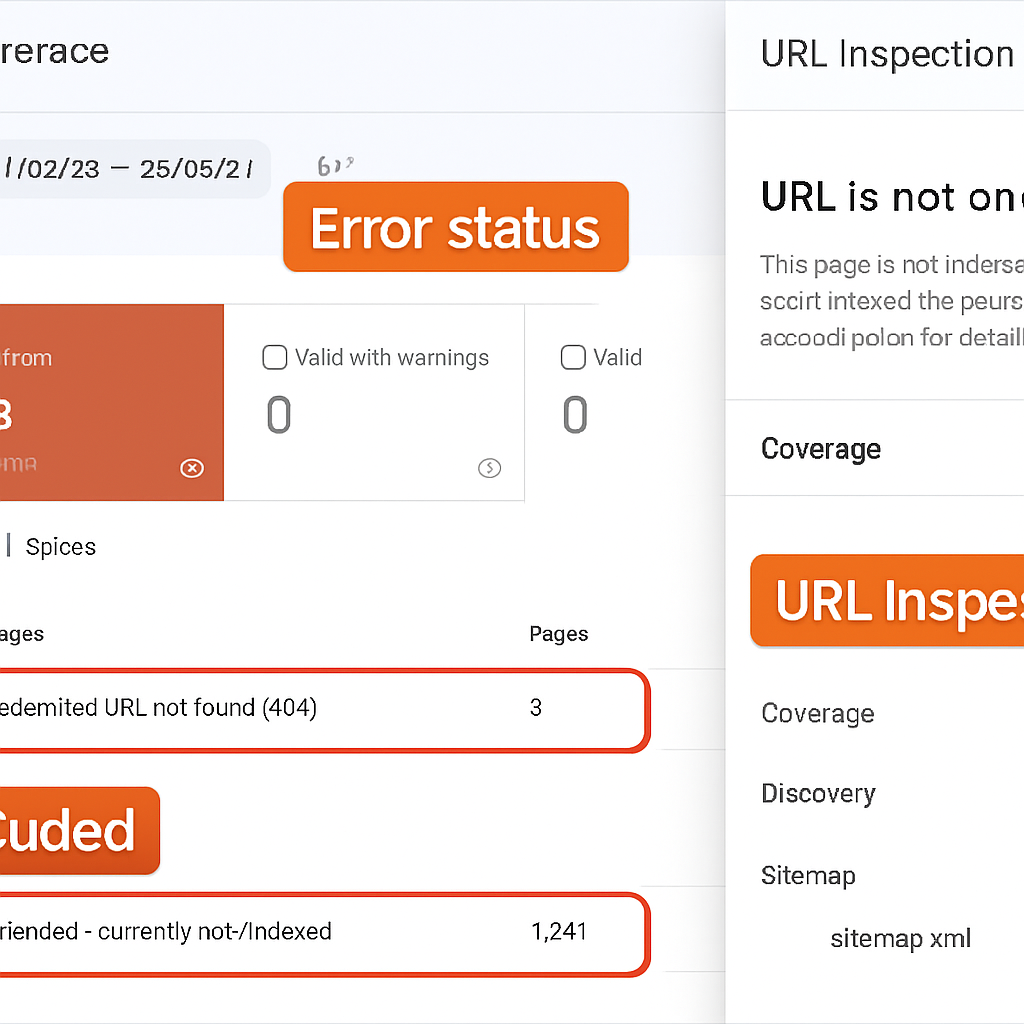
Indexation is the gatekeeper. If Google has not indexed a page, nothing you do with content, links, or speed will produce organic traffic for that URL. The definitive place to check is the Coverage report and the URL Inspection tool in Google Search Console because they show why a URL is excluded or failing to index.
What to check in Search Console
- Coverage report: Filter by Error and Excluded, then export the CSV so you can sort by page type and affected sitemap. Look for common statuses:
Submitted URL not selected,Blocked by robots.txt,Crawled - currently not indexed, andServer error. - URL Inspection: For a representative sample of pages run URL Inspection, view the rendered HTML, and use the
Test live URLoption to see real time blocking or rendering issues. - Robots and meta directives: Use the robots.txt tester and inspect meta robots to identify unintended
noindextags or disallow rules. - Sitemap alignment: Confirm sitemaps submitted in the Sitemaps report only reference canonical, indexable URLs.
Practical limitation: The Request indexing action in URL Inspection is useful for individual URLs but not for large batches. Google rate limits these requests and they do not guarantee immediate indexing. For bulk fixes push a corrected sitemap, fix server side issues, and let Google recrawl – this is slower but more reliable at scale.
Real world example: An ecommerce site launched a new collection but a staging noindex flag accidentally remained in the template. Coverage showed hundreds of URLs as Excluded – noindex. After removing the tag and resubmitting the sitemap, high priority category pages appeared in the index within 10 14 days, while low value faceted pages stayed excluded because they were canonicalized elsewhere.
Judgment you need to make: Stop chasing total indexed page counts. Prioritize high value URLs that should be indexed – landing pages, category pages, and converting content. Many exclusions are expected – parameter pages, printer friendly versions, or canonical copies – and fixing those yields little benefit but costs time.
If you want the official mechanics, read Google Search Central for Coverage details. To automate grouping and tracking of indexation fixes across many pages use a platform that ingests Search Console exports and surfaces high impact items quickly such as Ranklytics features.
Frequently Asked Questions
Practical orientation: These are the questions teams actually run into when using an seo audit checklist to fix a live site. Answers below focus on what to do first, where tools fall short, and what to expect in terms of time and measurement.
- How often should I run full audits versus automated checks: Run a comprehensive audit quarterly and set up automated weekly checks for indexation, crawl errors, and Core Web Vitals; full audits catch structural drift, automated checks catch regressions.
- Which fixes typically deliver the fastest measurable wins: Prioritize blocking or indexation errors on revenue pages, correct title/meta mismatches on top landing pages, and eliminate severe LCP/CLS problems on pages that already attract traffic.
- Can one tool do everything for a complete audit: No. Combine Search Console, a crawler like Screaming Frog, PageSpeed Insights/Lighthouse, and a backlink provider; centralize results in a task system such as Ranklytics features to avoid losing cross-tool context.
- How do I prioritize hundreds of findings with limited engineering time: Score each issue by realistic traffic impact and implementation cost, then batch small fixes that unblock multiple pages (for example, template tag fixes) before tackling large engineering projects.
- When is disavowing links the right move: Only after a documented review shows manipulative or toxic patterns and outreach fails; disavowals are a last resort and often unnecessary for modern algorithm signals.
- How long until I see changes after fixes: Small on-page changes can reflect in search results within weeks; systemic technical fixes and content consolidations commonly take 1–3 months for stable performance signals.
Trade-off to accept: Speed versus certainty. Quick fixes (titles, meta, redirects) are low risk and often measurable rapidly. Bigger wins (site architecture, server changes) require coordination and may temporarily disrupt metrics during rollout; plan staged releases and keep rollback paths.
How to apply these answers during a fast audit
Concrete example: A mid-market publisher consolidated 120 underperforming posts into 10 hub articles, updated internal linking, and corrected canonical tags. They used Screaming Frog to verify redirects, tracked impressions in Search Console, and recorded a measurable traffic recovery on the hubs within six weeks while less important pages remained deindexed.
Judgment most teams miss: Focusing only on the count of issues inflates work. Real impact comes from fixing problems on pages that actually drive conversions or organic visits. Build your short list from real traffic and conversion data, not from the raw bug count a crawler spits out.
Use a central tracker to turn audit findings into assignable tasks with owners, deadlines, and rollback plans; tools that estimate impact will save you weeks of debate.
Next concrete steps: Run the targeted exports above, score each item by impact versus effort, and create a three-tier backlog: immediate (48 hours), sprint-level (2 4 weeks), and roadmap (quarter+). Track results in Search Console and your analytics platform to confirm which fixes actually moved the needle.