











Table of Contents
- 1 SEO Content Writing Software: Tools That Speed Up High-Ranking Content
- 1.1 Ranklytics
- 1.2 SurferSEO
- 1.3 Frase
- 1.4 Clearscope
- 1.5 MarketMuse
- 1.6 Semrush SEO Writing Assistant
- 1.7 Ahrefs Content Editor
- 1.8 Jasper AI
- 1.9 Google Docs & HubSpot SEO Templates
- 1.10 Grammarly
- 1.11 3 Reproducible Content Pipelines
- 1.12 Templates and Copyable Assets
- 1.13 Implementation and Change Management for Teams
- 1.14 Decision Criteria: Which Tool to Buy Next
- 1.15 Frequently Asked Questions
SEO Content Writing Software: Tools That Speed Up High-Ranking Content
You can churn content fast or you can publish content that ranks — the right seo content writing software helps you do both. This post compares leading platforms across planning, brief generation, drafting, on-page optimization, and post-publish tracking, showing how each tool shortens specific steps in a realistic team workflow. Expect practical workflows, clear tradeoffs, and actionable guidance on which tools suit solo creators, mid-market teams, or agency scale, and what still needs a human touch.
Ranklytics
Direct problem: teams waste days exporting briefs, pasting content between editors, and then hunting down whether their edits moved rankings. Ranklytics fixes that operational gap by keeping planning, drafting, and rank measurement in one workflow so you can test changes and learn what actually moves the needle.
How Ranklytics shortens the loop
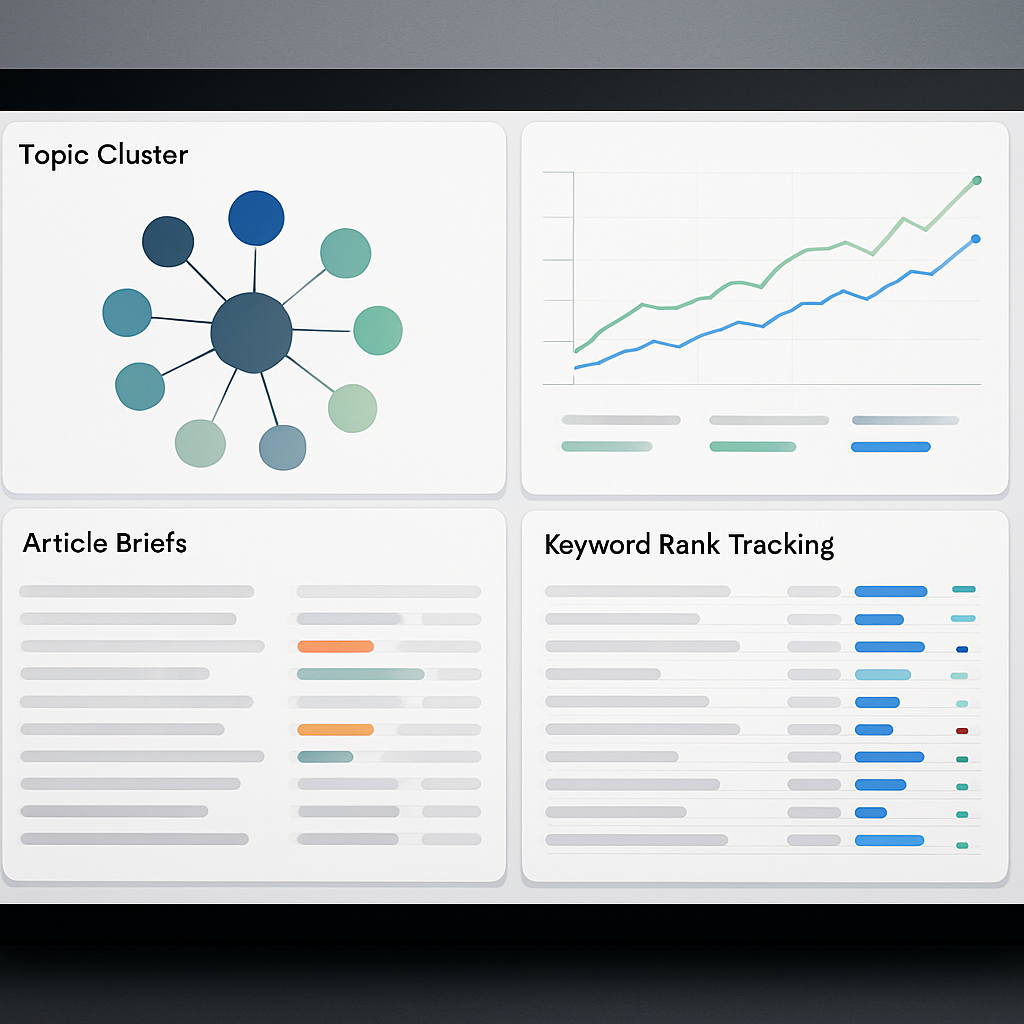
Workflow advantage: instead of separate tools for keyword research, briefs, writing, and rank tracking, Ranklytics generates intent-aware briefs, produces AI-assisted draft text, and records rank movement against the same brief and page. That makes it possible to attribute ranking changes to specific edits rather than guesswork.
- Identify target: surface high-potential keywords and intent clusters in Ranklytics.
- Auto-brief: generate a brief with SERP signals and competitor coverage metrics, then assign sections to writers.
- Draft + edit: use the AI writing assistant for an initial draft, then human-edit for expertise and brand voice.
- Publish: push to your CMS or copy the final content over; use the
APIif you automate publishing. - Measure: monitor rank and traffic changes in the same dashboard and tag experiments to compare outcomes.
Concrete example: A three-person startup marketing team used Ranklytics to test title tag and H2 rewrites across ten mid-funnel pages. They auto-generated briefs, made targeted edits, and tracked results in Ranklytics; within 60 days three pages moved into the top 5 for target keywords and organic clicks rose 18 percent. The key win was being able to run repeatable experiments instead of one-off guesses.
Practical tradeoffs: Ranklytics reduces friction and improves learning speed, but it is not a substitute for deep topical research or link acquisition. If your main problem is strategic planning at enterprise scale, MarketMuse-style topic modeling remains superior. Conversely, if your bottleneck is coordinating writers and proving impact, Ranklytics delivers more ROI than gluing separate tools together.
Important limitation: the AI drafting speeds first drafts but will produce plausible-sounding claims; teams must validate facts and cite authoritative sources. Use Ranklytics alongside Google Search Central guidance on expertise and accuracy: see SEO Starter Guide for what needs manual oversight.
Judgment call: pick Ranklytics when your priority is closing the loop — running fast content experiments and proving which edits drive rank and traffic. Skip it if your gaps are backlinks, deep topic modeling, or if you already have a best-of-breed stack you prefer to keep using.
Next consideration: if you want to dig deeper into how AI content workflows work and when to human-edit, read Ranklytics' guide on AI content writing: What Is AI Content Writing and How Does It Work? (2026 Guide).
Concrete workflow example
Concrete example: Use the Ranklytics Topic Planner to create a 10-article cluster targeting a service vertical. Export a templated brief to the Ranklytics AI writer to produce sectioned drafts, assign each draft to a human editor with a Google Docs link, and map each article to a Ranklytics tracking slug so the platform reports weekly keyword movement and click-through changes. This pipeline cut one mid-market SaaS customer's time to first draft by half while preserving a clear audit trail from brief to ranking.
Practical consideration: Map each article to a persistent content ID in Ranklytics before export. That ID is how the platform ties versioned drafts to rank changes and lets you compare optimization edits over time. Teams that skip this step lose the visibility advantage and end up recreating spreadsheets.
Integration notes: Start by exporting briefs to Google Docs and use the Ranklytics brief fields when sending content to optimization tools or CMS. See Ranklytics features for API and export options and Ranklytics templates for brief examples.
SurferSEO
Core point: SurferSEO is an on-page optimization workhorse built around SERP-driven guidelines rather than pure topic modeling. Use it when you need tight editor-to-SEO feedback loops and quantifiable recommendations that writers can act on during drafting.
How it speeds content: The Content Editor and SERP Analyzer surface what top pages cover – word counts, common headings, and frequently used terms – so writers stop guessing and focus on closing the visible gaps. In practice this shortens the research and revision loop: editors hand a Surfer brief to a writer, the draft is optimized in the editor, and the SEO score gives a concrete pass fail signal before publish.
Quick workflow example
Concrete example: A three person agency rebuilding a local service guide ran Surfer on the target keyword, exported the brief to Google Docs, and assigned H2s to a freelance writer. The writer drafted in Google Docs, synced changes back into Surfer for final scoring, and published with one round of small edits. The team cut back and forth between SEO and writer into a single, visible optimization step.
- Key features: Content Editor with live score, SERP Analyzer, Content Planner for clustering, Google Docs and WordPress integrations
- Best fit: Midmarket SEO teams and agencies that need reproducible on-page checks and structured briefs to hand to writers
- Integration note: Use alongside a rank tracker like Ranklytics or Ahrefs; Surfer does not replace long term performance dashboards
Limitations and practical cautions
Important limitation: Surfer recommendations are correlation based – they tell you what top pages do, not why they rank. That makes the tool excellent for closing tactical gaps but risky if you blindly chase metrics like word count or keyword density without validating intent and authority. Align Surfer output with Google Search Central guidance and subject matter review.
Tradeoff to accept: You get speed and repeatability at the cost of strategic depth. If you need enterprise grade topic modeling or a content inventory across hundreds of pages, pair Surfer with a content strategy tool or a platform that handles site wide audits.
Judgment: Surfer works best when treated as an execution engine not a content strategist. Teams that expect Surfer to produce angle or expertise will be disappointed. Use it to translate SERP signals into actionable briefs, then add human expertise, link acquisition, and UX improvements to actually win rankings.
Next consideration: If your priority is speeding drafts and reducing revisions, test Surfer on a pilot cluster and measure change in revision cycles and time to publish over 60 to 90 days before committing to a broader rollout. See our guide on AI content writing for how to combine automated drafts with editorial controls: What Is AI Content Writing and How Does It Work? (2026 Guide).

Frase
Practical point: Frase is fastest when your immediate problem is turning SERP signals into a structured brief and a first draft. Its value is not deep topic modeling; it is speed and intent alignment for mid-velocity teams.
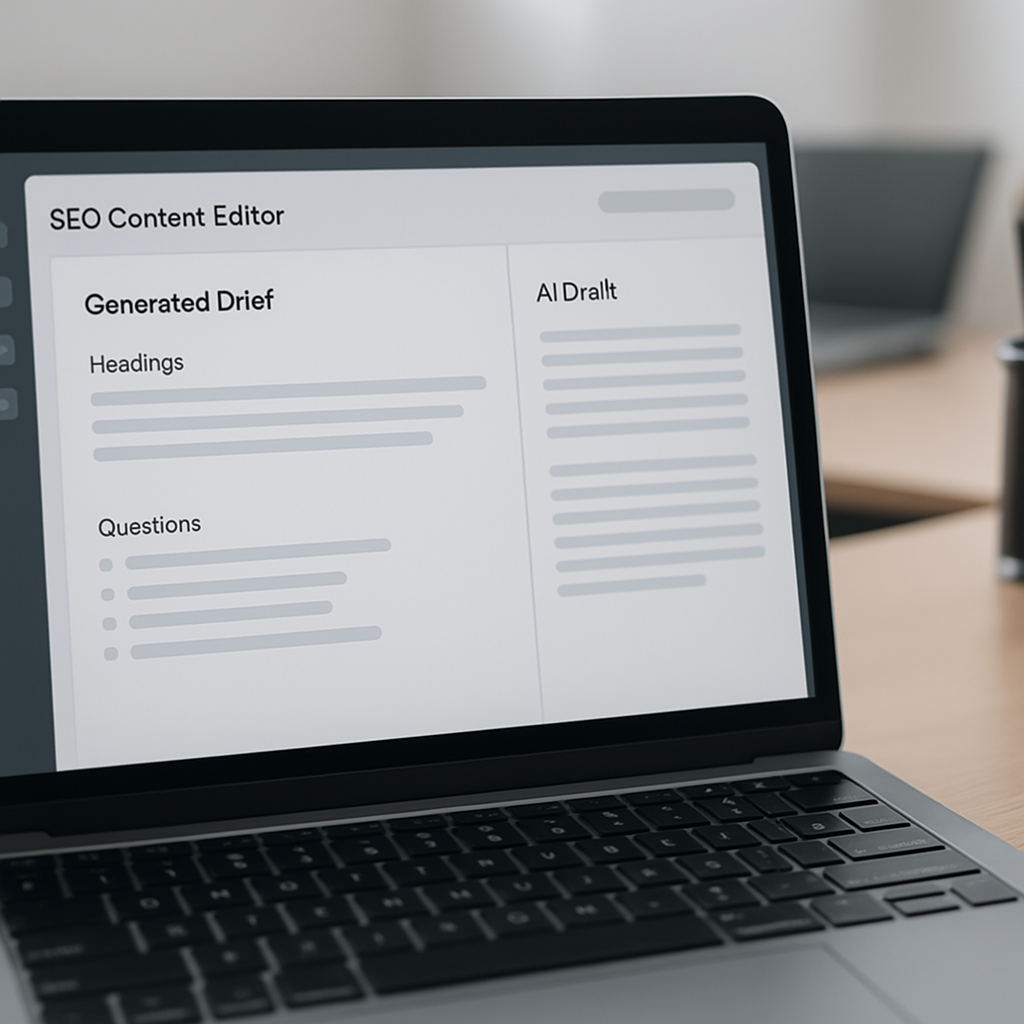
Core capability: Frase pulls top SERP pages, extracts headings and questions, and assembles an evidence-driven brief in minutes. The editor includes an AI writer tuned to that brief, a question inventory suitable for FAQ schema, and a gap list that highlights subtopics competitors cover but your page does not.
Where Frase accelerates real work
- Brief generation: Seed a keyword, get a prioritized outline with suggested headings and supporting links in under 5 minutes – useful when you need many briefs per week.
- Intent matching: The question extraction feature surfaces People Also Ask style queries so writers focus on user intent instead of chasing keyword density.
- First-draft velocity: The AI writer produces section drafts that, when edited, typically cut initial drafting time by roughly 40 to 60 percent for general informational content.
Limitation and tradeoff: The brief is only as good as the SERP snapshot. If the SERP is noisy or dominated by thin listicles, Frase will mirror that structure. That speeds output but can encourage mimicry of mediocre formats rather than original, high expertise content. Teams must audit the brief and inject unique insights or primary data when ranking depends on authority.
Collaboration fit and integrations: Frase supports assigning document sections and basic workflow status, which works for small agencies coordinating freelancers. It does not replace a full editorial calendar or enterprise content hub; use it alongside scheduling tools or a CMS integration workflow. For guidance on where AI drafting belongs in your process, see What Is AI Content Writing and How Does It Work?
Judgment: Use Frase when speed and intent alignment matter more than deep topical authority. It is a force multiplier for teams that can rapidly edit and fact check AI drafts. It is not a substitute for strategic planning when competing in high difficulty search spaces where backlinks and original research matter more.
Concrete example: A three person content shop uses Frase to generate briefs for five posts per week. The editor creates outlines in 3 to 6 minutes, the AI produces section drafts, and editors polish and add sources in about 90 minutes total per piece. The result is a 2x increase in publish cadence versus manual briefing, though the team still allocates extra time on high priority pieces to add original examples and expert quotes.
Clearscope
Direct point: Clearscope is an editorial optimization tool, not a content generator. It shines at surfacing semantic term coverage and giving editors a concise content grade so teams can close topical gaps quickly.
What it automates: Clearscope analyzes top-ranking pages and returns a prioritized list of recommended terms, a content grade, and Integrations with Google Docs and WordPress so editors can refine copy without bouncing between apps.
How to use Clearscope in a real editorial workflow
- Draft first, optimize second: Have the writer produce an initial draft for voice and structure, then run Clearscope to avoid forcing the draft into keyword-stuffed prose.
- Prioritize recommendations: Use the Clearscope term list to add missing subtopics or data points; do not treat every recommended term as mandatory — filter by intent and relevance.
- Address intent and E-E-A-T: When Clearscope suggests factual claims, validate them against authoritative sources and cite where appropriate (see Google Search Central).
- Integrate with publishing: Use the Google Docs plugin to make live edits and reduce handoffs; export to CMS when the content grade and human review are complete.
Practical trade-off: Clearscope accelerates the optimization pass and reduces churn between editors and SEOs, but it does not replace strategic brief creation or backlink work. Teams that expect a single tool to plan topics, write, optimize, and track performance will be disappointed.
Concrete example: A mid-market editorial team produced an 1,800-word pillar on sustainable packaging. The writer delivered a draft; the editor ran Clearscope for the target keyword, added five high-priority subtopics from the term list, and reordered two sections to match user intent. Optimization rounds dropped from three to one and the page achieved measurable traffic gains after targeted outreach and link building.
Common misunderstanding: People treat the Clearscope content grade as a ranking guarantee. It is a useful proxy for topical completeness, but it is not a substitute for backlinks, page experience, or unique reporting. Use the score as one signal among many.
Integration note: Clearscope is strongest inside editorial pipelines; pair it with a rank tracker or content performance platform for measurement. If you want a single platform that closes the loop from brief to rank tracking, compare how Clearscope fits alongside platforms that bundle planning and tracking, such as Ranklytics' workflow guidance in Top SEO AI Tools and How to Use Them in Your Workflow – Ranklytics.

MarketMuse
Core strength: MarketMuse is built for site-level strategy, not quick article drafts. As an enterprise-grade content strategy tool it turns a messy content inventory into prioritized topic clusters and actionable briefs, which speeds the planning step of any seo content writing software workflow.
How it accelerates planning and prioritization
What it automates: MarketMuse runs content audits, creates topic models from competitor SERPs, and scores pages against a topical authority benchmark. That replaces manual spreadsheet-heavy audits and guesswork, so teams spend less time deciding what to write and more time executing the right pieces.
- Automated content inventory: identifies thin or cannibalized pages across large sites
- Topic modeling: shows cluster opportunities and which pages to merge or create
- Brief generation: produces outlines with prioritized subtopics and target terms
- Content scoring and forecasting: estimates topical authority gaps and potential impact
- Exports and APIs: integrate recommendations into editorial calendars or CMS workflows
Practical tradeoff: It shortens strategic planning dramatically but introduces two realities: cost and complexity. MarketMuse is heavier to implement than lighter seo writing assistant tools, and it requires clean site data plus an editorial process that will act on its recommendations. If you skip the governance work, the outputs sit unused.
Concrete example: A mid-market B2B SaaS with roughly 400 pages ran a MarketMuse inventory to prioritize the product documentation section. The team consolidated eight overlapping pages into one pillar and used MarketMuse briefs for the rewrite. The immediate win was operational: scoping and briefing time dropped from two weeks to a couple of days, and writers received clearer, data-backed direction before drafting.
Judgment: MarketMuse is the right call when you need to manage topical authority at scale. It does not make sense for a solo blogger or a team focused solely on high-velocity article production. Use it when your goal is long-term cluster coverage and when you can commit editorial bandwidth to execute the recommendations.
Integration note: Export MarketMuse briefs into your editorial calendar and pair outputs with a rank tracker to measure impact over a 60 to 90 day window. Combine strategic recommendations with execution tools or platforms like Ranklytics for end-to-end tracking and to avoid leaving the planning stage as an island (Top SEO AI Tools and How to Use Them in Your Workflow – Ranklytics).

Semrush SEO Writing Assistant
Direct payoff: If your team already runs keyword research inside Semrush, the SEO Writing Assistant removes the most common friction – switching between keyword lists and the draft. It surfaces a live content score, keyword guidance, readability checks, and tone suggestions inside Google Docs or WordPress so editors can iterate without context switching.
What it solves and where it falls short
Feature snapshot: The assistant provides a real time content score based on Semrush data, recommends keyword usage and synonyms drawn from your project, flags readability issues, and offers tone and citation prompts. It links to keyword research from the Semrush Keyword Magic Tool and integrates with project-level tracking for a neat handoff to rank monitoring.
- Strength – workflow friction: Keeps writers in one editor so fewer copy paste errors and fewer missed keywords.
- Strength – consistency: Enforces a shared baseline for tone and SEO signals across multiple writers.
- Tradeoff – depth vs speed: The content score is a heuristic good for surface optimization but it does not replace topical modeling or gap analysis for complex pillar pages.
- Consideration – gamability: Writers can game the score by repeating terms; treat the score as a checklist not a final quality gate.
Practical insight: Use the assistant during the editing pass, not the initial research pass. Teams that try to build strategy inside the editor lose sight of intent signals that come only from full SERP analysis and competitive content audits.
Concrete Example: A midmarket in house content team uses Semrush Projects to maintain priority keyword lists. Editors open the target draft in Google Docs with the SEO Writing Assistant running, apply the recommended synonyms and readability fixes, then export to CMS. That workflow removes a separate optimization step and typically trims editing time by a noticeable margin because fewer rounds are needed to hit baseline SEO checks.
Next consideration: If you need both fast editorial optimization and strategic planning, run Semrush in the editor and use a separate topical tool or audit before brief creation. See Top SEO AI Tools and How to Use Them in Your Workflow for pairing ideas and follow Google Search Central on content quality rules.
Actionable next step: If your team already pays for Semrush, enable the writing assistant for editors and measure reduction in revision cycles over 60 days; if you need deeper topic modeling, plan to pair this with a content audit or a tool built for strategic clustering.
Ahrefs Content Editor
Direct verdict: Ahrefs Content Editor is most valuable when you need SEO decisions tied to backlink and traffic data rather than just a semantic keyword list. For teams already using Ahrefs for keyword research and competitive analysis, the editor shortens the feedback loop by surfacing organic traffic estimates, ranking pages, and competitor keyword coverage in one place.
- Core strengths: integrates ___CODE0 and CODE1___ metrics so writers see traffic potential and where backlinks are helping ranking pages
- What it automates: creates a topical outline, suggests target keywords, and shows a SERP overview with estimated traffic for top pages
- Where it lags: less sophisticated semantic term prioritization than Clearscope and fewer tools for large scale topic modeling compared with MarketMuse
- Workflow fit: best as the content optimization step within an Ahrefs driven process – research in Ahrefs, brief in Content Editor, publish and monitor with Rank Tracker
Practical workflow – brief to publish in an Ahrefs shop
Stepwise use case: Start in Keywords Explorer to find a keyword with manageable difficulty and meaningful traffic potential. Open Content Editor, paste your working title, then use the SERP overview to note which ranking pages rely on strong backlink profiles. Use those signals to decide whether your page must be linkable resource content or a quick informational piece. Draft in the editor, apply the structural suggestions, then export to your CMS.
Concrete example: A mid-market SaaS content lead used Ahrefs Content Editor to prioritize a how-to guide after Keywords Explorer showed modest keyword difficulty but high traffic to pages with few backlinks. The editor recommended headings and surfaced competitor keywords; the team shipped a 1,500 word guide optimized for those headings and then used Ahrefs Site Explorer to prospect for 10 outreach targets. The result was earlier ranking movement than for comparable thin pieces.
Important limitation: Ahrefs recommendations are heavily influenced by what ranks now, which often reflects backlink and domain authority advantages rather than pure content quality or true search intent. Treat its length and keyword suggestions as starting points not prescriptions. For semantic coverage and fine tuned on-page optimization, pair the editor with a content analysis tool or a readability checker.
Ahrefs Content Editor speeds decisions that require backlink context – that is its unique, practical value compared with other seo content writing software.
Next consideration: If you are evaluating seo content writing software for a team that also handles outreach and backlink building, Ahrefs is often the efficient choice because it collapses keyword research, competitor backlink signals, and content editing into one ecosystem. For teams focused purely on semantic on-page scoring or AI content generation, expect to plug Ahrefs into a broader toolchain. See more on content best practices at Google Search Central and Ahrefs guidance at Ahrefs content writing.
Jasper AI
Quick claim: Jasper is best used as a high velocity drafting engine, not a final publisher. Teams that treat Jasper as a creative assistant and enforce a strict editorial gate realize the time savings; teams that skip fact checking end up with plausible but fragile content.
How Jasper fits into an seo content writing software pipeline
Placement: Use Jasper after you have an actionable brief from Ranklytics or Frase and before on page optimization with Surfer or Clearscope. The tool excels at expanding outlines into readable sections, generating consistent tone, and producing multiple headline and intro variants in minutes.
- Strength: Rapid section-by-section generation using
Jasper Recipesor long form templates reduces first draft time by more than half for many teams. - Control levers: Lower temperature, shorter generation windows, and section prompts keep copy focused and reduce repetition.
- Operational cost: More output increases editing hours unless you lock brief quality and required source fields.
Tradeoff to accept: Jasper amplifies whatever is in the prompt. If the brief is thin or the required sources are weak, the draft will be generic and may hallucinate facts. The correct pattern in practice is to use Jasper to populate sections and then run a two step QA: factual verification against source URLs and an on page optimization pass.
Concrete example: Feed a Ranklytics brief into Jasper with a pinned list of Required Sources and section prompts. Generate the H2 sections one at a time using a reproducible prompt template, export the draft as Markdown, run the file through Surfer for semantic gaps, then assign a human editor to verify facts and add proprietary examples. This workflow turns a half day of drafting into one focused editing session that produces publishable copy.
Reality check: Jasper saves writer hours but rarely creates original insights. If your ranking strategy depends on unique research or interviews, Jasper should draft the scaffold, not the exclusive substance.
Next step to consider: If you scale Jasper across many writers, standardize prompts as templates and measure edit time per article. When edit time rises, tighten brief fields or reduce generated content length to preserve editorial quality while keeping throughput.
Google Docs & HubSpot SEO Templates
Practical point: a lightweight Google Docs template plus the HubSpot SEO Blog Post Template is often the fastest lever for teams that already use Google Docs for writing. You get immediate editorial consistency, collaborative draft control, and required metadata fields without buying another seat of specialized content optimization software.
What the template has to enforce (not just suggest)
- Persistent content ID: a stable identifier that maps the draft to tracking in Ranklytics templates and analytics.
- Intent label and SERP feature targets: pick one intent (informational, commercial, transactional) and list which SERP features you want (featured snippet, People Also Ask, video).
- Top 5 related search terms: prioritized, not exhaustive—terms writers must include verbatim or answer directly.
- Required sources with URLs and quote snippets: mandatory links writers must verify and cite.
- Internal link slots with suggested anchor text: exact anchor text and target URL to reduce post-draft linking rounds.
- Readability and length targets per section: concrete numbers for H1 intro, H2 blocks, and conclusion.
Tradeoff to accept: templates enforce discipline but add friction if they are too heavy. A 12-field mandatory template prevents content velocity for low-value blog posts. Use one compact template for short posts and a richer long-form template for pillar content that justifies the extra editorial time.
Concrete example: export a Ranklytics topic brief into the Google Docs template, fill the Intent label and Required Sources fields, then have the writer produce the draft in the same document. After the first complete draft the editor runs an optimization tool and pulls the content into HubSpot using the HubSpot template to populate CMS meta fields and canonical slug. This flow prevents duplicate work: writers do not guess intent, and the CMS receives the exact metadata it needs for publishing.
Important limitation: Google Docs templates do not replace content optimization tools. You still need an on-page SEO check with tools that analyze semantic coverage and competitor structure. The template reduces editorial back-and-forth; it does not generate backlinks, fix low domain authority, or guarantee featured snippets without evidence and promotion.
Enforcement tip: require the Intent, Required Sources, and Content ID fields to be completed before a draft can be assigned to an editor—this single rule cuts revision cycles faster than stylistic rules.
Next consideration: once the template is stable, automate sanity checks—use a simple script or HubSpot workflow to flag missing Content IDs or empty Required Sources before a piece reaches the optimization stage. That small automation removes a recurring manual gate and preserves throughput.
Grammarly
Bottom line: Grammarly is an editorial gate, not an SEO tool. Use it as the final polish and brand-voice enforcer after you finish keyword placement and on-page optimization so you do not accidentally remove or rephrase target terms during copy cleanup.
| Feature | When to use / Practical limitation |
|---|---|
| Grammar & punctuation | Run on final draft to eliminate errors; may suggest rewrites that change keyword phrasing—verify H1/H2 after edits. |
| Tone detection | Useful for consistent brand voice across authors; suggestions are blunt and can flatten distinct subject-matter voices. |
| Clarity and concision suggestions | Speeds readability fixes; aggressive shortening can remove nuance or unique examples that support topical authority. |
| Plagiarism checker (Premium) | Good for detecting copied passages on product or category pages; false positives appear for common industry phrases and boilerplate. |
| Style guide / snippets | Enforces brand rules at scale; requires initial setup and maintenance to avoid new on-boarding work for writers. |
Integration note: Install the Grammarly browser extension and enable the Google Docs integration, or use the desktop app to run checks before final push to CMS. Hook the final document back to your editorial checklist in Ranklytics templates so the publish gate confirms that keyword slots, meta fields, and content ID remained intact after grammar edits.
Practical use case: A mid-size ecommerce editorial team added a single Grammarly Premium style guide for product copy. Writers draft with required source links and target phrases, the editor fixes SEO coverage with an optimization tool, then runs Grammarly to enforce tone and strip passive constructions. The human editor then verifies that product identifiers and top keywords still appear in headings and first paragraph before publishing.
Trade-off to accept: Grammarly reduces low-value editing time but nudges writers toward generic clarity. If your ranking strategy depends on unique case studies, data, or industry voice, protect those sections with locked comments or a required manual review step. In practice, teams that let Grammarly auto-apply all suggestions lose distinctive examples that help pages earn links.
- Practical setup: Add a Grammarly style to match your brand's voice and a short approved-phrase list for common industry terms.
- Order of operations: Optimize for SEO first (brief -> draft -> Surfer/Clearscope) then run Grammarly as the final editorial pass.
- Guardrails: Freeze the title and H1 during Grammarly edits and re-check keyword presence after changes.
- Governance: Add a one-line QA checklist item to your publish workflow: Confirm no target terms were removed by automated edits.
Do not let automated clarity fixes replace a subject-matter review; Grammarly cleans prose, it does not prove expertise.
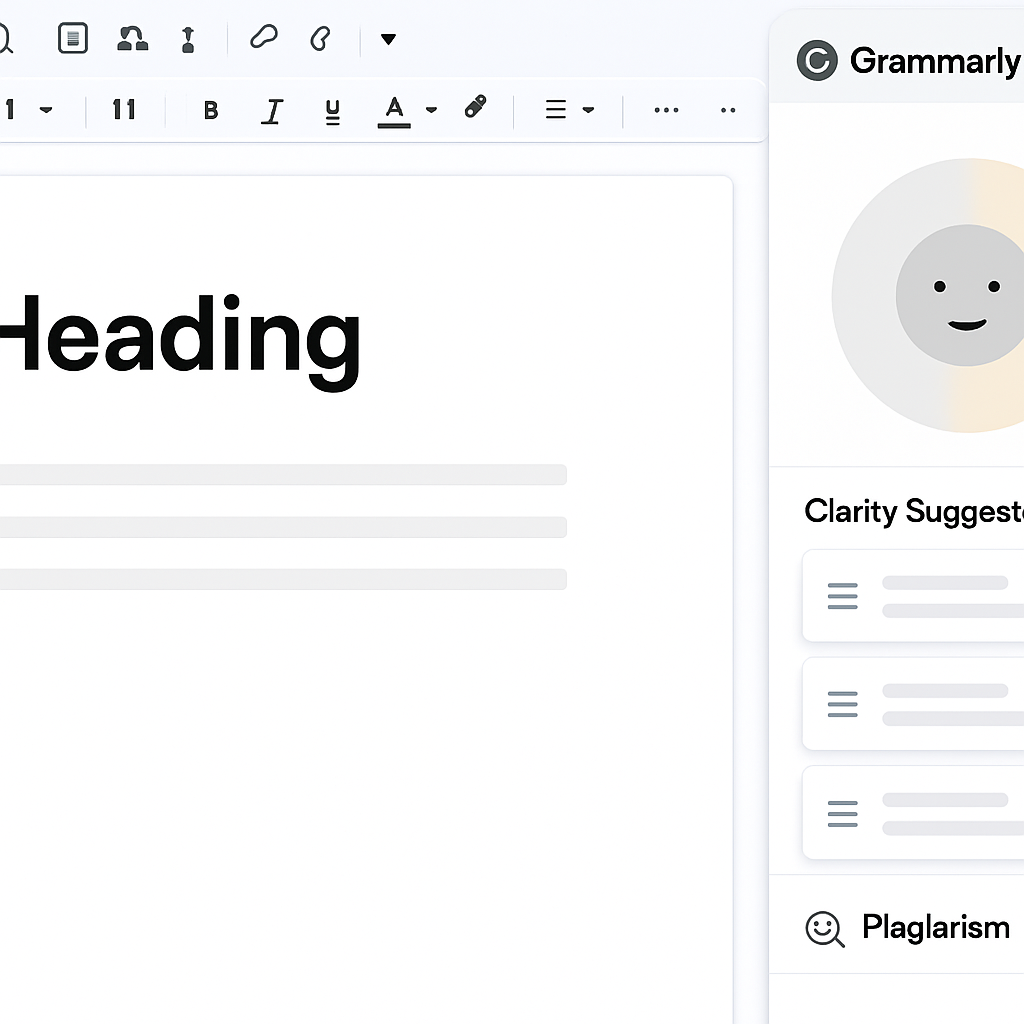
Final consideration: treat Grammarly as the last mile in your seo content writing software pipeline. It speeds editorial consistency and reduces small errors, but you must build simple checks to protect keywords and unique content that actually drive search performance.
3 Reproducible Content Pipelines
Straight run: You need reproducible, role-specific pipelines more than one-off tool advice. Below are three daily-use workflows — one for scale, one for high editorial value, and one for lean teams — each tuned for measurable gates, minimal tool-switching, and clear ownership.
Pipeline 1 — High volume, predictable quality
Purpose: Push frequent, SEO-safe articles without doubling your editorial headcount. This is the place where automation reduces friction and editors act as quality controllers rather than authors.
- Plan: Use Ranklytics Topic Planner to generate a prioritized queue and assign a persistent content ID for each slug.
- Brief: Auto-create structured briefs in Frase with Required Sources and mandatory intent labels.
- Draft: Run
Jasperfor section-by-section generation using pinned prompts and source constraints. - Optimize: Single Surfer pass to close semantic gaps and hit your Content Score threshold.
- Polish & QA: Quick Grammarly pass, human spot-check of facts, then publish and import the content ID back into Ranklytics for tracking.
Tradeoff: You gain throughput at the cost of deeper originality. Use this pipeline for repeatable how-to or informational posts; do not use it for unique research or proprietary content.
Real-world use case: A SaaS content team batched 20 topical briefs from Ranklytics, generated drafts in Jasper overnight, and completed optimization in one editor shift the next day. The result: output doubled while average edit time per article fell by roughly half because briefs and required sources removed guesswork.
Pipeline 2 — Editorial-first, conversion and pillar pages
Purpose: Maximize topical authority and conversion performance where stakes are high. This pipeline treats tools as advisors and reserves human judgment for craft and proprietary evidence.
- Discovery: Ranklytics cluster to pick pillar topics and map internal linking strategy.
- Research & brief: Deep Frase brief + manual source validation and subject-matter interviews.
- Draft: Human writer uses the Google Docs SEO template; AI only for headline variants or alternate intros.
- Grade: Clearscope for final relevance grading, then a senior editor applies brand voice and conversion hooks.
- Measure: Attach Clearscope grade and content ID to Ranklytics tracking to correlate editorial score with ranking movement.
Consideration: This is slower and costlier per piece but necessary for pages that drive signups or revenue. Use Clearscope selectively on high-value assets; applying it to every short post wastes budget and editor time.
Pipeline 3 — Lean team, maximum leverage
Purpose: Produce acceptable, publishable content with minimal headcount and tool spend. Focus on covering intent and reducing back-and-forth, not polishing every sentence.
- Quick brief: Minimal Ranklytics brief (intent, 3 competitors, required questions).
- Sectional AI: Use Jasper to generate only H2 sections and the intro, not full long form.
- Template finish: Writer pastes sections into the Google Docs SEO template and completes internal links and CTAs.
- Track: Add content ID to Ranklytics templates and monitor keywords; escalate to Surfer or Clearscope only if performance lags.
Limitation: Lean pipelines risk increasing factual drift and generic copy. Prevent this by forcing Required Sources in briefs and limiting AI scope to non-claim text (background, formatting, example sentences).
Operational rule: Never run optimization tools until a full draft exists and Required Sources are attached — running Surfer or Clearscope against incomplete drafts wastes time and invites structural rework.
Next consideration: Pick one pipeline, run a four-week pilot, and instrument two metrics: time-to-publish and revision rounds per article. Use those numbers to decide which additional tool or gate to add next.
Templates and Copyable Assets
Practical claim: Ship a small set of copyable templates with the article and you eliminate the most common cause of rewrites: unclear brief fields. Provide a short brief skeleton, a ready-to-drop Google Docs blog template, and a one-page QA checklist — each designed to plug directly into your CMS or Ranklytics workflow so writers and editors stop guessing what matters.
Three ready-to-copy templates (paste into Google Docs or Ranklytics)
| Template | When to use | Copyable skeleton (paste and edit) |
|---|---|---|
| SEO brief template | Use at assignment time to lock intent and sources | Keyword:
Primary intent: (informational|commercial|transactional)
Target slug/UID: content-2026-001
Top 3 competitor URLs:
1.
2.
3.
Required headings (H2/H3):
–
Must-answer questions:
–
Mandatory source links (1+ per claim):
–
Publish deadline / owner: |
| SEO-friendly blog post template | Use as the writable document for the author and editor | Meta title: Meta description: Primary keyword: H1: Intro (150 words target): H2 — Section name (300 words target): [Content] H2 — Section name (200 words): [Content] Internal links (anchor -> URL): – Featured snippet target (if applicable): Suggested images / alt text: |
| Content QA checklist | Run before publish to catch gating failures | – Fact check: every claim with a source has an inline URL
– Keywords: primary appears in title, H1, first 100 words
– Structure: all required H2s present
– Images: captions and alt text added
– Schema: basic Article/FAQ as needed
– Publish fields filled: meta, canonical, content-uid |
Concrete example: For the brief above, if the target keyword is best remote project management tool, set Primary intent to commercial, populate three top competitor URLs, and add Required headings like Comparison, Pricing, Integrations. The writer uses the blog template to draft and the editor verifies every comparative claim against the Mandatory source links before optimization.
- Practical tradeoff: Keep the mandatory fields minimal. Start with five required items (keyword, intent, two sources, content-UID) — adding more reduces throughput quickly.
- Versioning rule: Use a short filename convention
YYYYMMDDslugv#and store a snapshot of your brief and source list with the published page so you can reproduce the research that led to a ranking change. - Automation tip: Add a simple CMS pre-publish hook that rejects publish if the content-UID or Required source list is empty — small automation cuts a lot of editorial noise.
Design templates to minimize downstream ambiguity: the fewer decisions a writer must make about intent or sources, the fewer rounds of edits you need.
Implementation and Change Management for Teams
Straight talk: implementing seo content writing software fails more from poor change design than from picking the wrong license. Tools change behavior; if you do not redesign approvals, templates, and incentives, the stack becomes another inbox that slows writers instead of speeding them.
Phased rollout that minimizes disruption
Phase 1 – Map and lock the pain points: spend a week mapping your current content handoffs, the typical revision loop, and the single biggest blocker (research, drafting, optimization, or approvals). Use that mapping to pick one tight use case — for example product descriptions or how-to blog posts — and restrict the pilot to five to ten pieces.
Phase 2 – Pilot with rigid gates: run a short, time-boxed pilot where every article follows the new brief template and uses the chosen tools. Require the pilot to hit specific operational milestones (brief completed in the tool, draft generated, optimization pass). Treat missing metadata as a non-starter for publish.
Phase 3 – Iterate and scale: analyze the pilot on adoption and quality, then expand by content type. Add seats or new tools only when a clear bottleneck remains — do not layer more software until the existing workflow consistently meets your KPIs.
Roles, ownership, and the governance trade-off
Define three clear owners: a Content Owner who owns briefs and internal links, an SEO Owner who signs off on optimization checks, and a Tool Admin who manages templates, access, and integrations (for example linking to Ranklytics features). Centralizing those roles shortens decision loops but reduces local autonomy; decentralize only after each team demonstrates consistent quality.
Operational rule: enforce one source of truth for briefs — either Ranklytics or a single Google Doc template exported from your content platform. Multiple competing briefs are the fastest route to rework.
Training, adoption metrics, and preventing tool sprawl
Training that sticks: replace long seminars with three 20-minute demos: creating a brief, running an AI draft with Jasper, and performing a single optimization pass with Surfer. Record them and pin short cheat sheets next to the template fields (intent, required sources, content-UID).
Measure what matters: track template completion rate (percent of briefs with required fields filled), tool utilization (active logins or exports from the platform), and edit load (average editor hours per article). If template completion stalls below your target, stop adding tools and fix adoption first.
Trade-off to accept: stricter governance speeds consistency but initially slows throughput. Expect a short dip in published volume while writers learn the new brief discipline; that dip is normal and preferable to prolonged, unmeasured churn.
Concrete example: A retail content team adopted a Ranklytics-centered brief plus Jasper for drafts and limited Surfer optimizations. They ran a three-week experimental window on category pages: briefs had required competitor links and a content-UID; editors refused to accept drafts without those fields. The team saw fewer factual corrections and eliminated one full round of rewrites per article within the month, though weekly output dropped slightly during the training window.
Make the brief fields non-optional. Empty intent or missing sources should block assignment to a drafter.
Decide the go/no-go for adding a new tool by a simple rule: only add it if it reduces either editor hours per article or revision rounds by at least 15 percent in your pilot. If it does not, refine adoption and brief quality before buying more software.
Decision Criteria: Which Tool to Buy Next
Buy to unblock a bottleneck, not to chase features. Teams that accumulate seo content writing software licenses because they look useful usually end up with overlapping tools and slower workflows. Treat each purchase as a surgical intervention: identify the single recurring failure mode in your pipeline, quantify its operational cost, and only buy a tool that directly reduces that cost or enables a capability you cannot replicate with process changes.
| Practical signal | What it means in your workflow | Actionable decision |
|---|---|---|
| High research time and inconsistent briefs | Writers spend disproportionate hours finding sources and guessing intent | Pilot a brief/answer engine like Frase or centralized planning in Ranklytics and measure reduction in research hours |
| Fast drafts but long edit cycles | AI or junior drafts require substantial structural fixes | Introduce an on-page optimization tool such as Surfer SEO or a stricter brief template before expanding AI drafting |
| Good content but poor SERP performance | Content lacks topical coverage or structured signals despite solid prose | Add content grading (Clearscope style) and track correlation between grade and rank movement |
| Governance and scale problems | Multiple teams produce inconsistent metadata, links, and intents | Invest in a template system and a tracking hub like Ranklytics features rather than a drafting tool first |
Tradeoff to accept: adding AI drafting increases raw output but shifts load to editors. If you cannot reduce editorial friction with better briefs or gating, adding Jasper-style drafting will inflate editing hours and create rework. Buy drafting tools only when you already have reliable briefs and a QA gate in place.
Concrete example: A mid-market ecommerce content team tracked that structural rewrites were the dominant cause of delays: editors reworked headings and missing subtopics in roughly half the drafts. They first enforced a compact brief template and mandatory competitor URLs, then added an optimization pass with Surfer. Within eight weeks structural rewrites fell and the team could scale the AI drafting seat count without proportionally increasing editor time.
How to sequence additions in practice: (1) Fix process failures with a single planning/tracking hub, (2) add research/briefing software if sourcing is the bottleneck, (3) add drafting engines only after briefs are solid, and (4) add on-page grading when topical completeness becomes the gating factor. Always run a 6 to 12 week pilot and measure editor hours per published piece, revision rounds, and cost per published article before committing to another purchase.
Key judgment: The right next tool is the one that reduces repeated manual work you can point to on a spreadsheet. If you cannot show measurable operational improvement in a short pilot, postpone the buy and improve briefs and gates first.
Frequently Asked Questions

Written by
ranklytics