











Table of Contents
10 Best SEO Tools for Content Writing That Help You Plan, Optimize, and Rank
Good content needs more than good prose; it needs research, on-page signals, and continuous measurement. The seo tools for content writing listed here help teams plan topic clusters, optimize drafts to match search intent, and track rank and traffic so you know which pages to improve. Each entry gives a short product summary, a three-step workflow you can use this week, and clear strengths and limitations to help you pick what fits your team.
1. Ahrefs
Direct proposition: Ahrefs is the go-to when competitive intelligence and large-scale keyword discovery drive your content calendar. Use it to find gaps your competitors rank for, validate long-tail opportunities, and monitor which pages actually earn links and traffic — not just which keywords look attractive on paper. For practical reading on content-driven approaches, see Ahrefs Blog.
Core features for content writing
- Keywords Explorer: deep keyword suggestions, parent topic view, and a Keyword Difficulty metric tied to current top pages.
- Content Explorer: find high-performing articles by topic, filter by domain, organic traffic, and backlinks to validate demand.
- Site Explorer / Top Pages: reverse-engineer competitor content structures and identify which pages attract links and search visits.
- Rank Tracker: monitor target keywords over time and attribute movement to content edits or link activity.
Three-step workflow for content teams
- Shortlist with Keywords Explorer: capture high-intent and long-tail variations, prioritize by traffic potential and parent topic volume.
- Map gaps with Content Explorer and Site Explorer: export competitor top pages, extract common headings and backlink sources to form pillar/supporting article clusters.
- Monitor and iterate with Rank Tracker and Top Pages: track which new pages gain positions and which need link or content investment.
Practical insight: Ahrefs KD is useful but not definitive. The KD score reflects the backlink profiles of current top-ranking pages, so a low-DK long-tail with poor on-page detail may still lose to a well-structured authoritative page. Use KD as a prioritization signal, then validate intent and SERP features with Content Explorer before committing editorial resources.
Strengths and trade-offs: Ahrefs excels at competitive analysis and backlink intelligence — you will discover what content formats earn links and who links to them. The trade-off is that Ahrefs is not designed as an editor-level brief generator or readability checker. If your workflow needs in-editor content scoring and prescriptive headings, you will still pair Ahrefs with a content optimization tool or an editor workflow.
Concrete Example: A SaaS content manager building a payment integrations hub uses Content Explorer to find articles that drive referral links in the payments niche, then runs Keywords Explorer on high-potential topics like subscription billing reconciliation to surface long-tail queries. They map a pillar page plus four supporting how-to posts, prioritize the one with highest link velocity for early promotion, and watch movement in Rank Tracker to decide whether to add outreach or expand the article.

2. SEMrush
Direct point: SEMrush is strongest when you need a single platform that moves a content idea from ideation into measurable visibility. Its Topic Research plus SEO Content Template plus On Page SEO Checker create an end to end loop – but that loop expects editors and strategists to vet and prioritize, not to blindly follow automated scores.
Core content features that matter
- Topic Research: Card-based topic and question clustering that surfaces headlines, common subtopics, and user intent signals for a seed keyword.
- SEO Content Template: SERP-backed recommendations for headings, recommended terms, and average target length – see SEMrush guidance at SEO Content Template.
- On Page SEO Checker: Actionable page-level recommendations after publish – semantic suggestions, internal linking ideas, and backlink opportunities.
- Position Tracking and Brand Monitoring: Continuous visibility into ranking moves and competitive content changes so you can prioritize updates instead of guessing.
Three-step workflow: Use Topic Research to assemble angles and question clusters, generate an SEO Content Template for target keywords to set headings and target length, then publish and run On Page SEO Checker to capture missing signals and quick wins.
- Ideate: Export Topic Research cards to a shared doc and pick 3–5 angles per target keyword.
- Brief: Use SEO Content Template outputs to set H2s, required terms, and a suggested word count – convert those into a one page editorial brief.
- Iterate: After publish run On Page SEO Checker and Position Tracking to prioritize fixes that move rankings or CTR.
Practical tip: Convert Topic Research output into an editorial brief by assigning one headline, three supporting questions from the card, and one KPI – organic clicks or featured snippet attempt. That keeps Topic Research from becoming a laundry list and forces editorial focus.
Limitation to plan for: SEMrush surfaces useful SERP signals but its content scoring and brief generation lack the editor-level nuance you get from specialist tools. In practice teams should treat the SEO Content Template as a starting checklist, not a finished brief – add brand voice, legal checks, and conversion intent manually.
Unique advantage: The platform pairs competitive visibility with content tooling. That matters when you need to react – for example when a competitor publishes a better guide and you need to reassign resources to defend rankings. Few content writing tools combine topic ideation with real-time position tracking at this scale.
Concrete example: For an ecommerce site selling outdoor gear, run Topic Research on camping tents to reveal buyer intent clusters like how to choose, best for rain, and long tail models. Build category page briefs from the SEO Content Template to standardize H2s and product comparison tables. After publishing, use On Page SEO Checker to add missing semantic terms and Position Tracking to monitor which categories need link building.
SEMrush speeds decision making on what to publish and what to fix next – but do not outsource editorial judgment to its templates.
3. Ranklytics
Direct claim: Ranklytics is one of the more practical single‑platform solutions among seo tools for content writing when your priority is to collapse research, brief generation, and rank monitoring into one repeatable workflow. It combines an automated topic cluster generator, AI brief and draft capabilities, in‑editor optimization hints, and native rank tracking so teams stop copying data between three different apps.
What it actually helps you do: Use Ranklytics to map pillar pages and supporting posts, produce consistent editorial briefs that reflect SERP intent, and then measure whether those drafts move the needle. That continuity matters: in practice, the moment you close planning and tracking loops you stop guessing which edits improve rank and start optimizing based on signal.
Core workflow (high level)
- Plan: Run the topic cluster generator to identify pillar topics and prioritized subtopics with search intent annotations.
- Draft: Generate AI briefs for each subpage and draft in the Ranklytics editor, following the on‑page suggestions for headings, keyword distribution, and TODO items.
- Track: Publish and use the built‑in rank tracker and performance dashboards to surface articles that dropped, then iterate briefs and content based on ranking signals.
Practical tradeoff: Ranklytics reduces tool‑switching cost but is not a full replacement for specialist competitive intelligence or deep on‑page scoring. If you need exhaustive backlink analysis or the most granular editor scoring, pair Ranklytics with Ahrefs for links or Surfer/Clearscope for editor‑level term coverage. Expect to spend some editorial time refining AI drafts for voice and accuracy.
Concrete example: A midsize SaaS content team used Ranklytics to build a product onboarding cluster: one pillar page and six how‑to articles. They generated briefs in bulk, drafted the posts in the editor, and started tracking positions. Within eight weeks the tracker flagged two posts slipping from page one to page two; the team prioritized those updates using the brief history and regained positions after targeted edits.
When to pick it: Choose Ranklytics when your bottleneck is handoffs and slow production cycles rather than deep SERP archaeology. It shortens time to publish and makes iterative optimization systematic — especially useful for teams that publish many similar how‑to or product content pieces.
Important: AI briefs accelerate output but do not remove editorial review. Use them to reduce research time, not to bypass brand or compliance checks.
Practical pairing and next step: Pair Ranklytics with a backlink or SERP research tool when you need citation or competitive depth, and consult the Google Search Central guide for quality signals to validate editorial changes. If you want a quick look at Ranklytics content workflows and templates, see Ranklytics content writing resources at SEO Content Writing Software: Tools and Templates.

4. Surfer SEO
Product snapshot: Surfer SEO turns SERP patterns into an editor you can act on. Its strength is translating what top ranking pages do into a numeric Content Editor score, suggested headings, target word counts, and a ranked list of terms to include.
Core features for content writing
- Content Editor: Live scoring, recommended terms, and target length based on top results
- SERP Analyzer: Breaks down page-level signals from current top ranking pages
- Content Planner: Topic cluster outlines and shared keywords across target queries
- Grow Flow: Automated, scheduled optimization tasks post publish to iterate on live pages
Ideal user and workflow fit: Content teams and editors who need clear, actionable on page instructions to tighten drafts before publish. Surfer is most useful when the goal is to match search intent and content composition of competitive pages quickly, not to discover link building opportunities or run deep keyword gap research.
How to use Surfer SEO in three steps
- Create a Content Editor for your target keyword and import an existing draft or start fresh.
- Apply suggested headings, integrate the high priority terms, and push the editor score up through incremental edits.
- After publishing, activate Grow Flow tasks to monitor CTR, update metadata, and schedule content refreshes.
Practical limitation to plan for: Surfer prescribes what top pages contain but it does not guarantee reward for mimicry. Following Surfer strictly can produce technically optimized but undifferentiated copy. Use Surfer to reach parity quickly, then add unique research, examples, or proprietary data to earn links and engagement.
Concrete example: Use Content Planner to sketch a pillar page plus three supporting posts for a product features cluster. For each supporting post run Content Editor, raise the score from about 60 to 80 by adding suggested headings and high priority terms, then deploy Grow Flow to schedule a meta title tweak and a readability pass three weeks after publish. Pair the results with a rank tracker to see which edits move positions and which only increased content parity.
Practical judgment: Surfer is one of the fastest ways to convert SERP signals into an edit checklist. It is best used as an editor level optimization tool – pair it with a research tool for keyword discovery and a tracker for performance measurement. For integrated workflows consider combining Surfer with a rank tracker or a planning platform; see SEO Content Writing Software: Tools and Templates to Speed Up Production – Ranklytics for examples of that approach.
Surfer accelerates on page parity. Use it to get drafts into competitive shape fast, then add unique substance to avoid being another optimized-but-forgettable page.
Next consideration: If your team struggles with time to publish, use Surfer to tighten drafts quickly – but budget time for differentiation and promotion, because on page optimization alone rarely wins durable rankings against pages that also earn links and user engagement. For guidance on search quality signals see Google Search Central – SEO Starter Guide.
5. Clearscope
Clear role: Clearscope is an editor level optimization tool built to increase semantic relevance and readability in drafts rather than to discover topics or track rankings.
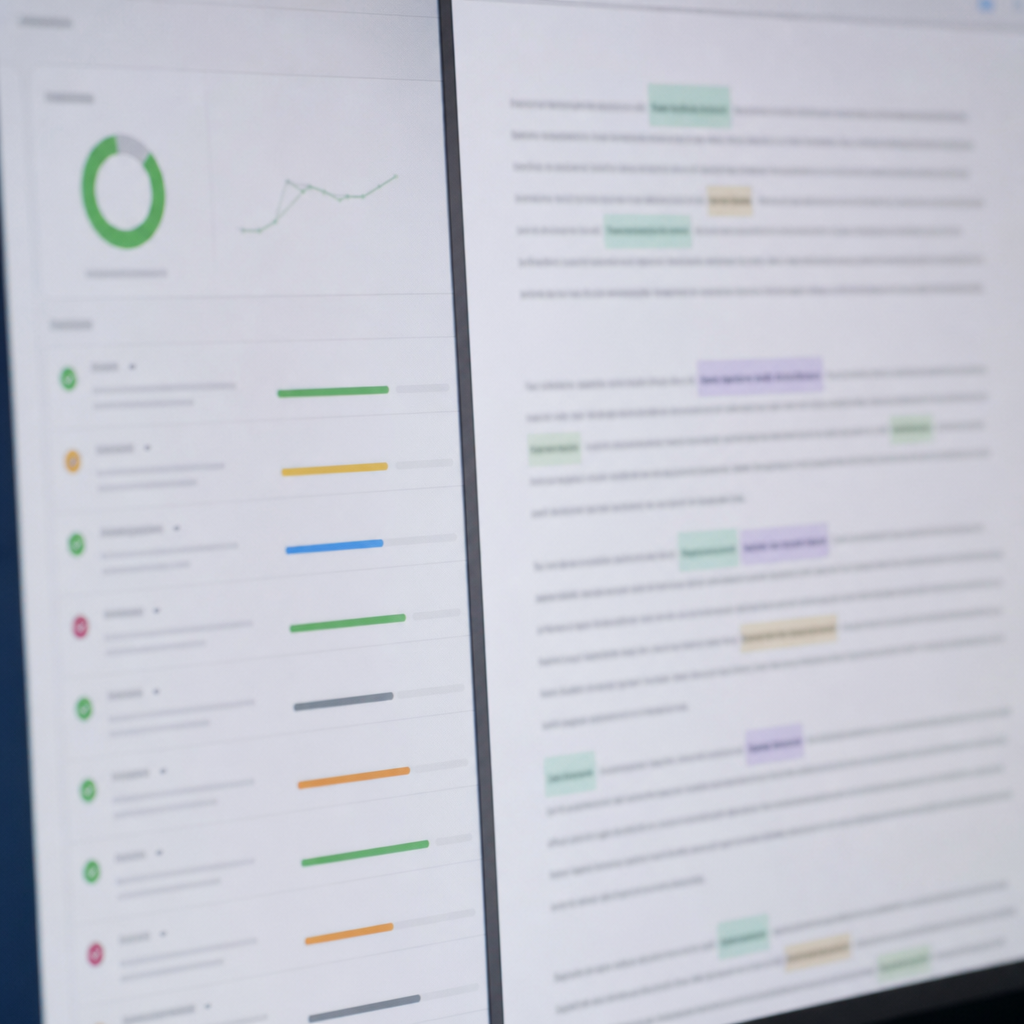
Product snapshot: Use Clearscope to grade content against top ranking pages, get a prioritized list of recommended terms, and work in Google Docs or WordPress so writers can iterate without leaving the draft. The platform produces a simple grade, target term list with frequency cues, and short briefs that are easy for editorial teams to adopt.
How Clearscope fits into a content workflow
Editorial gatekeeper, not ideation engine: Run Clearscope after the brief and first draft exist. Teams that apply Clearscope early – before they have a clear angle – risk overfitting to term lists and producing safe, generic copy. Use it to tighten semantic coverage and clarify headings, not to pick your main topic.
- Three step use: Upload or paste your draft or enter a target keyword to generate a content grade and recommended terms
- Edit to increase relevance: Incorporate high priority terms into headings and the first 300 words, then rerun the grade until you reach your team threshold
- Publish with tracking: Pair the final draft with a rank tracker like Ranklytics or Ahrefs to measure the real ranking impact
Practical limitation: Clearscope measures term relevance against the current SERP, which is useful but shallow. It does not replace a topical authority review or competitive structure analysis. Expect good gains in topical coverage but no native insight into backlink needs, search intent shifts, or content architecture decisions.
Concrete example: A SaaS content team drafting a 3,000 word onboarding guide runs the draft through Clearscope, applies five high priority terms into subheadings and the intro, and raises the grade from marginal to target. The editor then exports the final draft to WordPress and wires the page into a rank tracker to watch position changes over the next four weeks.
Judgment call: Clearscope is most valuable for teams that care about editorial consistency and want a low friction way to enforce semantic coverage across many writers. It is less valuable when the main problem is topic selection, cluster planning, or technical SEO issues – those require other tools and processes. For teams on a budget, prioritize Clearscope when content quality variance across writers is the bottleneck.
Clearscope excels as a final editing tool to lift semantic coverage and readability. Always pair it with a separate tracker for ranking and with a research tool for topic selection.
6. Frase
Frase excels at collapsing hours of SERP research into a usable brief in minutes, which makes it a practical choice when speed matters more than deep custom analysis. Use Frase to harvest headings, common questions, and topical gaps from top-ranking results and turn them into an outline your writer can sink into immediately.
Core strengths: Frase combines a brief builder, question and heading extractor, a content optimization score, and an AI writing assist. Unique to Frase is its question clustering and the ability to auto-populate an outline from multiple SERP results so writers start with concrete subheadings and the actual language people use in queries.
- Brief builder: Pulls top SERP pages, extracts headings and FAQs, and produces a one-page brief.
- Question mining: Groups user questions that map to potential sub sections and FAQ schema candidates.
- In-editor assistant: Draft inside Frase or export to CMS; includes a content score that compares against top results.
- Integrations: Exportable briefs and copy, and common CMS/workflow export paths for handoff.
Three-step Frase workflow for busy teams
- Research: Enter a target keyword and let Frase scrape the SERP to extract headings, word counts, and common questions.
- Brief: Use the auto-generated brief as a baseline—clean the headings, add brand requirements, list primary sources, and assign an owner in your editorial calendar.
- Draft and optimize: Draft in Frase or paste the copy back into your CMS; use the content score to check topical coverage, then publish and monitor performance with a rank tracker.
Practical limitation and trade-off: The speed Frase offers trades off depth for breadth. Its brief mirrors what the current top pages include, which can lead teams to reproduce the same surface-level coverage. Do not treat the brief as the strategy; add a positioning sentence, primary research sources, and a clear user intent statement to avoid producing rote content.
Concrete example: A freelance writer assigned a 1,500-word product guide used Frase to pull the top 10 SERP pages, extract five recurring subheadings and the top user questions, and delivered a draft in under three hours instead of eight. The client saved editorial time because the brief included suggested H2s, word-count benchmarks, and a short FAQ section that later became schema-ready.
Judgment you should care about: Frase speeds research and reduces friction between strategist and writer, but teams that rely on its content score alone see diminishing returns over time. The best use is as an efficiency multiplier within a disciplined editorial process—pair Frase briefs with documented positioning and a separate performance tracker like Ranklytics to make optimization decisions data-driven, not score-driven.
Important: Frase outputs reflect the SERP status quo. Use its briefs to accelerate drafting, not to justify replicating weak or repetitive coverage.
If you want guidelines on what to retain from automated briefs versus what to replace with strategy, see Google's quality guidance on content signals: Google Search Central SEO Starter Guide.
7. MarketMuse
MarketMuse specializes in strategic content planning, not quick draft optimization. It builds a data model of topical coverage across your site, scores pages for completeness, and surfaces the gaps that matter for establishing topical authority rather than chasing individual keyword wins. That makes it a different fit from on page SEO tools that focus on sentence-level edits.
How teams use MarketMuse in practice
- Content inventory and scoring: Index your site to see which pages have weak versus strong topical coverage and which topics are underdeveloped.
- Opportunity prioritization: Use MarketMuse Opportunity and Importance metrics to rank where rewrites, consolidation, or new pages will move the needle on authority.
- Briefs and research: Generate topic briefs that list subtopics, questions, and reference pages so writers focus on coverage instead of guesswork.
Trade-off to accept: MarketMuse drives strategic wins only when you have scale and discipline.** It requires accurate site mapping, thoughtful tag/taxonomy work, and a process to act on its recommendations. For small teams with a handful of posts, the ROI will be limited; for larger catalogs, the prioritization logic often finds low-effort, high-impact consolidations editors miss.
Concrete example: A mid-market ecommerce site with 600 category and blog pages used MarketMuse to run a category-level inventory, producing an Opportunity matrix that flagged 50 pages with overlapping intent and thin coverage. The team consolidated 20 thin posts into 6 expanded guides and rewrote the top 10 priority pages to include missing subtopics MarketMuse recommended. Within three months those target pages recovered position on several informational queries and showed measurable traffic lift versus control pages.
A common misconception: People expect MarketMuse to be an editor-in-chief or a copy generator. It is neither.** The platform elevates strategy—what to write and why—rather than producing publish-ready prose. In practice you should pair MarketMuse with an editor-level optimizer or an AI drafting tool, then monitor outcomes with a rank tracker such as Ranklytics or Ahrefs.
MarketMuse adds the most value where content volume and topical complexity make manual gap analysis impractical.

8. Jasper
Direct point: Jasper is a speed tool, not a ranking guarantee. Use it to accelerate drafts, iterate headlines, and scale repetitive copy tasks—but plan to layer human editorial review and an SEO optimizer before publish.
Where Jasper adds the most value
Practical uses: Jasper excels at generating outlines, section drafts, title and meta description variations, and social copy at scale. It shortens discovery and drafting time by giving writers a structured starting point, which is useful when teams need volume without hiring more writers.
Tradeoff to accept: Speed comes with two consistent problems in practice: factual errors and generic phrasing. Jasper rarely produces the topical depth needed to outrank well researched competitor pages on its own. Treat its output as draft material, not publish-ready content.
Quick three-step workflow (practical)
- Generate structure: Ask Jasper for a keyword-focused outline with headings and intent cues, e.g., include a comparison table and FAQ.
- Draft sections: Produce 300 600 word section drafts per heading, forcing citations or source prompts when required.
- Optimize and verify: Run the draft through an on page optimizer like Surfer or Clearscope and a plagiarism checker, then editorially fact check before publishing.
Concrete example: A SaaS content team needed a 2 500 word product comparison under a tight deadline. They used Jasper to draft an outline and first-pass body copy for each comparison point, ran the output through Surfer to align headings and keywords, and then spent two hours total refining claims and screenshots. The result hit publish in half the usual time and required only one round of substantive edits.
Integration note: Jasper offers an SEO mode integration with Surfer which removes manual copy and paste and speeds alignment with SERP signals. For teams that want to close the loop on performance, pair Jasper with a rank tracker and optimization workflow such as Ranklytics to find pages that need updates after launch.
Highlight: Use Jasper for production velocity and variant generation. Never skip fact checking, source attribution, and an on page optimization pass.
Misunderstanding to avoid: Many teams assume more AI words equals better SEO. In reality, topical comprehensiveness and unique insights win. Jasper can produce volume quickly, but it does not replace topical research or competitive analysis provided by keyword research tools and SERP study. Link to the fundamentals with resources like the Google Search Central SEO Starter Guide when defining factual standards.
Next consideration: Pilot Jasper on a small set of articles focused on headlines, intros, and section drafts, measure time saved and editorial hours required, then decide whether to scale it into your content calendar or reserve it for ideation tasks.
9. Yoast SEO
Straightforward gatekeeper: Yoast SEO is the practical on-page tool WordPress editors reach for when they need to ship readable, metadata-complete pages quickly. As one of the simplest seo tools for content writing, it enforces a set of editorial checks — focus keyword handling, a readability checker, and meta preview — that stop avoidable publish-time mistakes.
What it actually does for content teams: Yoast gives a quick content analysis inside the WordPress editor: focus keyword guidance, sentence and paragraph length checks, passive voice flagging, transition word detection, meta title and meta description preview, and basic JSON-LD schema scaffolding. Those features make it a reliable content writing tool for ensuring articles meet baseline accessibility and CTR-friendly metadata before they go live. For Google best practices, see Google Search Central.
Three-step WordPress workflow
- Set one focus keyword: Enter the primary term and address Yoast suggestions until the analysis shows green for basics like keyword presence, alt text, and meta fields.
- Polish readability: Use the readability checklist to trim long sentences, break up dense paragraphs, and add subheadings — treat this as an editor's checklist, not a composition tool.
- Publish with a tracker: Publish and monitor actual ranking and SERP behavior with a rank tracker — pair Yoast with a separate SERP tool or a tracker like Ranklytics to catch real-world ranking signals.
Trade-offs and limitations: Yoast enforces structure, but it lacks SERP-level intelligence. It still leans on a single focus-keyword model and surface-level term checks rather than semantic coverage or competitor SERP analysis. Relying on Yoast alone encourages writing to pass the plugin's tests rather than shaping content to match search intent or topical depth. In practice, teams that treat Yoast as the entire optimization process end up with pages that are technically tidy but weak against competitors with better topical coverage.
Concrete example: A small ecommerce team used Yoast to standardize product guide publishing across three writers. They enforced meta titles, a 160-character meta description, and the readability checklist before publish. Within four weeks they saw fewer user complaints about clarity and a modest CTR lift on product info pages — but ranking gains required follow-up keyword gap work with a SERP analysis tool to add missing topic subpages.
Use Yoast as a pre-publish quality gate and metadata editor; do not use it as your keyword research or SERP strategy engine.
10. BuzzSumo
What BuzzSumo does best: surface what actually resonates outside search — formats, headlines, and distribution paths that earn shares, engagement, and often the backlinks editors care about. Use it when you need evidence for an angle or to prioritize formats that amplify organic reach after publishing.
Core features for content writers and planners
Core capabilities: content discovery (top shared articles by keyword or domain), social engagement metrics, question analyzer (what people ask on forums and Q A), influencer identification, and content alerts. These outputs map directly to headline and format decisions rather than on page SEO signals.
- Ideation: find angles and formats that have demonstrable demand on social platforms
- Headline testing: see which headlines historically attracted clicks and shares for similar topics
- Amplification planning: identify influencers and domains that repeatedly share content in your niche
- Question-driven briefs: convert top questions into H2s and FAQ sections that match real user intent
Three-step practical workflow: 1) Search your target topic to collect the top-performing pieces and note formats and headline patterns, 2) Run the Question Analyzer and influencer reports to build your outreach and FAQ list, 3) Draft headlines and social snippets, then A/B test them in email or social ads before locking the meta title and description for SEO.
Trade-off to be explicit about: high social engagement != guaranteed search volume or ranking. BuzzSumo shows what spreads, not what users search for. Pair its findings with a keyword research tool or a rank tracker (for example use SEO Content Writing Software or a keyword planner) before committing major editorial resources.
Concrete example: A product marketing team choosing between a how-to guide and a listicle for a new developer workflow ran BuzzSumo against the core keyword and found listicles in the technology niche consistently earned 2x the social shares and more backlinks. The team produced a hybrid — step checklist plus a curated list of tools — and used BuzzSumo to identify three influencers to seed the article, which accelerated early backlinks and referral traffic that fed into organic ranking tests.
Common misunderstanding: teams assume share counts measure long-term SEO value. In practice, BuzzSumo excels at short to medium term validation — format, headline, and distribution choices — but you must validate persistent search demand separately and plan on follow up optimization based on rank signals.

Written by
ranklytics