











Table of Contents
- 1 Topic Clusters Explained: How to Build a Content Architecture That Dominates Search
- 1.1 Why topic clusters matter for modern search
- 1.2 Define pillar pages and cluster pages and their roles
- 1.3 Step by step workflow to build your first topic cluster
- 1.4 Architecture and internal linking rules that concentrate topical relevance
- 1.5 Scaling production and quality with AI and Ranklytics
- 1.6 Measurement framework and KPIs for topic cluster performance
- 1.7 Common pitfalls, troubleshooting, and real world fixes
Topic Clusters Explained: How to Build a Content Architecture That Dominates Search
If your site is full of scattered posts, overlapping keywords, and weak internal linking, a topic cluster seo strategy is the architecture that fixes those problems and concentrates topical authority. This guide gives a tactical playbook to design, build, and scale clusters: topic selection, keyword mapping, SEO briefs, interlinking rules, AI assisted drafting, and measurement. You will get concrete workflows, governance rules, and Ranklytics-powered templates to move from planning to measurable organic growth.
Why topic clusters matter for modern search
Topic cluster SEO strategy matters because search engines no longer rank pages in isolation — they rank topics and the sites that comprehensively cover them. Building a deliberate cluster architecture tells algorithms you own a subject, improves relevance for head and long tail queries, and reduces the accidental keyword cannibalization that kills lift when content is scattered.
How clusters map to search intent and ranking signals
- Pillar pages = broad informational and commercial intent: targets head keywords, explains the domain, and collects internal links from cluster pages.
- Cluster pages = long tail and intent-specific queries: how tos, comparisons, tutorials that answer narrow user needs and funnel authority to the pillar.
- Semantic signals and entity relevance: well-grouped clusters create co-occurrence signals and help capture SERP features like people also ask and featured snippets.
Practical trade-off: clusters concentrate topical relevance but they are not a shortcut around backlinks or content quality.** A pillar page on its own will not outrank established authority domains without quality backlinks and unique depth. Topic clusters speed and focus where you invest editorial and link-building effort — they do not replace those investments.
Concrete example: a SaaS CRM product builds a pillar page on customer relationship management that targets the head term and conversion paths. Cluster pages cover lead scoring, contact management, CRM integrations, and migration guides. Each cluster links to the pillar with contextual anchors; the pillar links back to the most commercial clusters. This setup improves the pillar's chance to rank for broader queries while cluster pages capture long tail interest and feed the funnel.
In practice teams misunderstand two things: they think internal linking alone will create authority, and they produce many thin cluster pages hoping quantity will win. Both fail. Internal linking matters only when the linked pages contain unique, useful signals. And thin content spreads your relevance thin instead of concentrating it. Use a quality threshold for every cluster page and prefer consolidation over proliferation.
Operationally, cluster work needs process and tooling. Use structured keyword mapping and briefs so cluster topics are non overlapping and clearly serve different intent layers. Tools like Ranklytics speed grouping, brief creation, and tracking; see guidance on why an audit matters in Why Your SEO Audit Is Not Delivering Results (And How to Fix It). For how search engines treat internal linking, consult Google Search Central.
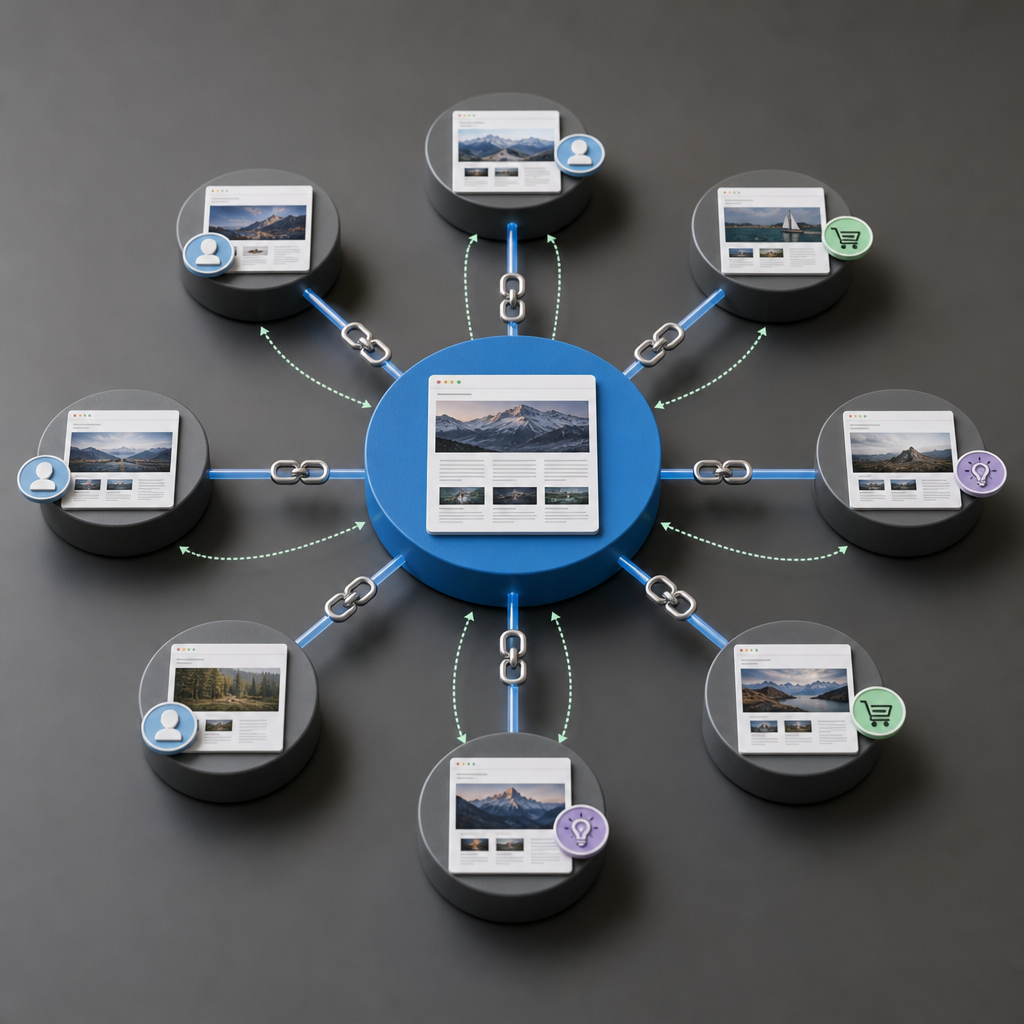
Next consideration: start by mapping your top 1 to 3 business-critical pillars and audit existing pages against them. Consolidate overlapping pages, set interlinking rules, and measure combined cluster performance rather than single-page wins.
Define pillar pages and cluster pages and their roles
Clear distinction: A pillar page is the strategic hub that targets a broad topic and funnels authority to a set of narrower cluster pages that target specific user intents. Pillars are about scope and navigation; clusters are about depth and specificity. Treat them as roles in an architecture, not as interchangeable content types.
Pillar pages – practical expectations: Pillars should cover the main topic clearly, map common user intents, and link to cluster pages that expand each subtopic. In practice aim for 1,200 to 2,500 words of well structured content with clear H2 sections that each mirror a cluster page. The objective for a pillar is threefold: earn visibility on broad queries, serve as a conversion gateway, and concentrate internal link value from its cluster pages.
Cluster pages – practical expectations: Cluster pages target single, intent driven long tail queries and answer them comprehensively. Typical formats include how to guides, comparisons, tutorials, and tool integrations. Aim for 800 to 1,500 words when the topic requires detail, and include examples, screenshots, or templates so pages are genuinely differentiated from what already ranks.
Roles mapped to user intent and conversion
Mapping: Use pillar pages to capture mid funnel informational and commercial intent while using cluster pages to own lower funnel or highly specific informational queries. That mapping determines CTA placement – pillars get site level CTAs like demo requests or gated whitepapers, clusters get contextual CTAs like in-article signup boxes or inline links to product feature pages.
| Pillar page | Cluster page |
|---|---|
| Primary goal: topical authority and conversions | Primary goal: satisfy specific query and feed relevance to pillar |
| Target keywords: broad, high level head terms | Target keywords: long tail and question phrases |
| Length and structure: 1,200 – 2,500 words, multi section, hub style | Length and structure: 800 – 1,500 words, focused single intent |
| Linking: central hub linked from clusters, visible in nav or resource hub | Linking: link to pillar and to related clusters, avoid excessive cross linking |
- Interlinking rule: Every cluster page must link to its pillar page using descriptive anchor text and at least one semantic variation to avoid exact match over optimization.
- Anchor text tradeoff: Use a mix of exact match, partial match, and natural phrasing. Overusing exact match anchors makes crawlers and editors uncomfortable and risks manual patterns of over optimization.
- URL placement: Host pillar pages in shallow paths such as /topics/customer-success rather than deep nested folders that hide them from navigation and dilute internal linking.
Concrete example: A SaaS HR platform creates a pillar page on employee onboarding that outlines phases, metrics, and tools. Cluster pages cover onboarding checklist templates, integrations with payroll systems, and manager training modules. Each cluster links back to the pillar with anchors like Learn the onboarding phases and Link to onboarding checklist template. The pillar page then aggregates those links and offers a demo CTA for onboarding features.
Tradeoff and limitation: Building a single enormous pillar to capture all intents seems appealing but usually fails. Too much breadth blurs intent and reduces the page ability to rank for a specific SERP feature. Better to keep pillars focused on a distinct head term and rely on clusters to provide the long tail depth. If you need to serve multiple commercial intents, create separate pillars per business line.
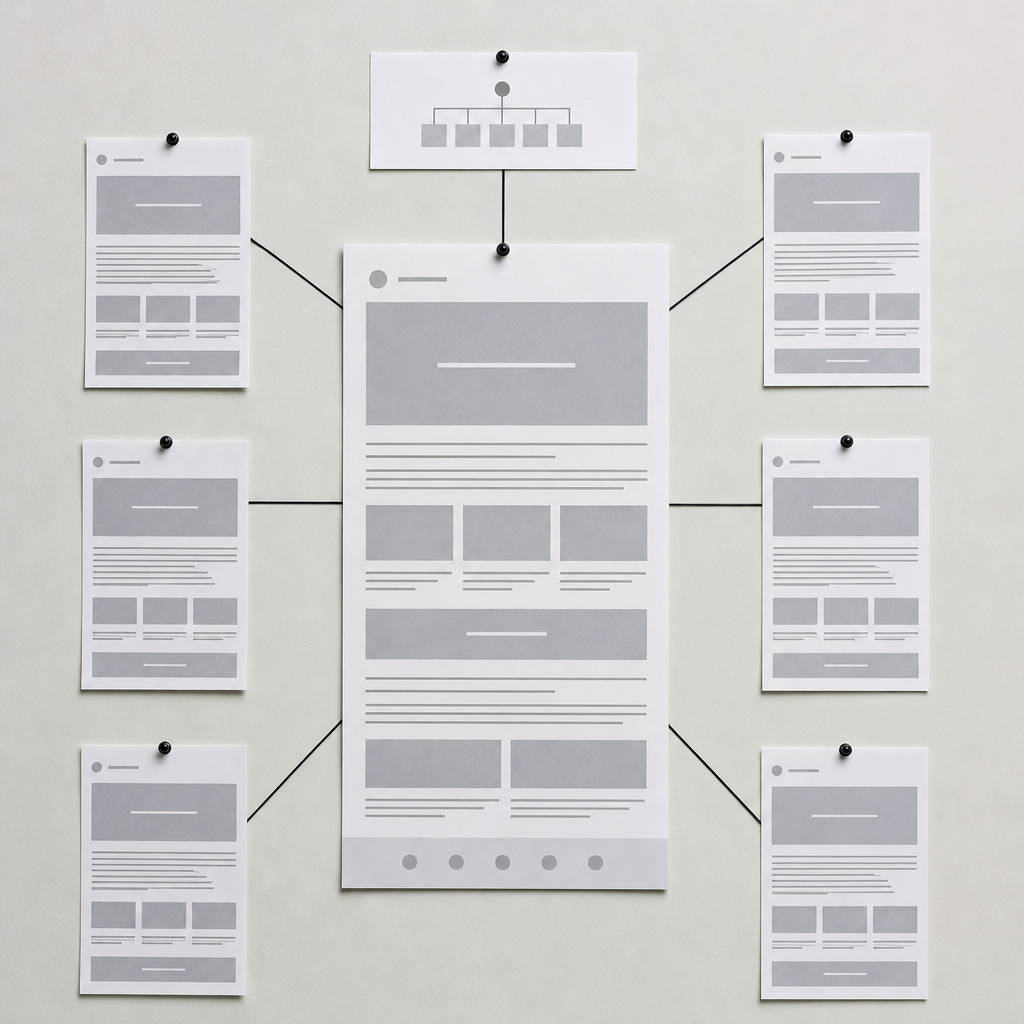
Next consideration: When you map topics, evaluate existing pages for consolidation or reassignment into a cluster. Use Google internal linking guidance and HubSpot research on clusters as a sanity check while you build the map.
Step by step workflow to build your first topic cluster
Start with a decision, not a dump. Pick one pillar topic that aligns to a clear business outcome – lead generation, trial signups, or a sales-qualified demo – then commit resources to map 8 to 12 cluster pages that support that pillar.
Core workflow
- Step 1 Topic selection: Use Ranklytics keyword planner to filter by conversion intent, reasonable search volume, and competitive difficulty. Prioritize topics where product fit and conversion paths are obvious – an informational topic with no conversion path is a research exercise, not a cluster.
- Step 2 Keyword mapping: Export related long tail queries and questions. Group them under candidate pillar keywords using Ranklytics clustering or a single
xlsxsheet with columns for intent, search volume, and priority. Keep clusters tight – if supporting queries do not logically feed the pillar, they become noise. - Step 3 Create data rich briefs: Generate briefs in Ranklytics that include target keywords, SERP features to pursue, suggested headers, competitor reference URLs, and explicit internal linking targets. Add a short editorial checklist: sources to verify, examples to include, and required visuals.
- Step 4 Drafting and editing: Feed the brief into AI for a first draft but enforce human editing that adds original examples, company data, and a troubleshooting section. Tradeoff note – AI accelerates output but cannot replace domain experts for nuance and accuracy.
- Step 5 Publish with deliberate linking: Every cluster page must link to the pillar with one primary descriptive anchor and one semantic anchor elsewhere in the body. Avoid reciprocal linking loops between clusters – those dilute the pillar signal.
- Step 6 Promotion and backlink seeding: Push the pillar to outreach and internal channels first – social, newsletter, and partner mentions. A pillar in a competitive niche usually needs targeted backlinks to show authority; organic internal linking alone rarely wins top spots fast.
- Step 7 Measure and iterate: Track the keyword set in Ranklytics and use Google Search Console for impression and CTR signals at 30, 60, and 90 day marks. If cluster pages get impressions but low CTR, iterate titles and meta descriptions before rewriting content.
Practical insight: Quality beats quantity when starting. One well executed pillar with 8 thoughtful cluster pages and a small backlink push outperforms 30 thin pages produced quickly.
Concrete example: A B2B analytics SaaS chose data pipeline optimization as its first pillar. The team used Ranklytics to surface 10 cluster topics – schema design, incremental loads, monitoring alerts, and cost control. They published the pillar, linked clusters to it, and secured three niche backlinks from industry blogs; within 90 days the pillar gained visibility for several competitive head queries and drove demo signups.
Important – do not scale without governance. Fast publishing without briefs, link rules, and an editor will create thin cluster pages that harm topical relevance.
Tradeoffs and limits: Expect slower returns on highly competitive pillars – you will need backlink work and time. Also expect editorial overhead to rise with scale – add a content scorecard and mandatory fact checks to keep quality stable.
For linking guidelines from search engine documentation, review Google internal linking guidance and apply a shallow link depth so cluster pages are no more than two clicks from the pillar.

Next consideration: Run your first cluster as a sprint – publish the pillar and 3 clusters in the first 30 days, then use early performance to decide whether to continue the cluster or pivot to a different pillar.
Architecture and internal linking rules that concentrate topical relevance
Internal linking is the lever that concentrates topical relevance. If your clusters are a set of related pages but your links are inconsistent or buried, search engines will not see a coherent topic hub. The architecture you choose should deliberately channel internal equity from focused cluster pages into the pillar page you want to rank for the head term.
Concrete linking rules to enforce
- Every cluster page links to the pillar page. Place at least one in-body link within the first 30-40% of the content and another in a related resources section if relevant.
- Avoid reciprocal linking loops. Do not create dense bidirectional links between every cluster page; use selective pillar-to-cluster links and cluster-to-pillar links instead.
- Keep click depth shallow. Pillar pages should be reachable within two clicks from the homepage and cluster pages within three clicks max.
- Anchor text strategy matters. Prefer natural descriptive anchors with a mix of exact-match, partial-match, and semantic phrases. Do not use site-wide exact-match anchors for commercial terms.
- Limit cross-cluster crosslinks. Only link between clusters when there is a clear topical overlap. Excessive crosslinking dilutes the topical signal.
- Respect canonical and crawlability. Link only to canonical URLs and ensure internal links are HTML crawlable links, not JavaScript-heavy navigations that may be missed by crawlers.
Trade-off to watch: aggressive linking to prioritize a pillar can improve ranking signals but can also harm UX if every page funnels users to the same destination. Prioritize contextual placement over mechanical repetition.
Site structure and crawl considerations
Place pillar pages in visible site real estate. Use a topic hub or resource center in primary or secondary navigation, include them in XML sitemaps, and surface them in category landing pages so crawlers and users encounter the pillar organically. See Google's internal linking guidance for crawl best practices: Internal linking.
- Sitemap and navigation: Add pillar pages to XML sitemap and main nav or footer resource hub to guarantee discovery.
- Performance and mobile: Fast, mobile-friendly pillar and cluster pages retain users and preserve internal click flow signals – on-page metrics matter for topical authority.
- Canonical discipline: If you repurpose content across clusters, use canonical tags and update internal links to point to the canonical pillar to avoid cannibalization.
Concrete Example: A SaaS CRM site publishes a pillar page on customer relationship management in a resource hub. Cluster pages on lead scoring, contact hygiene, and CRM integrations each include a contextually placed link to the pillar using descriptive anchors like customer relationship management best practices. The pillar links back to product pages and the top two clusters, keeping the hub focused and navigable.
Anchor text quality and link placement matter more than link count. A single well-placed contextual link trumps ten low-value links in a sidebar.
Judgment you need: Teams often assume more internal links equals more authority. In practice, indiscriminate linking blurs topic boundaries and reduces SERP focus. Run a linking audit with metrics like internal click flow and time on page, and use tools like Ranklytics to map which links actually route equity to your pillar. For a practical audit template, see How to Do an SEO Audit.
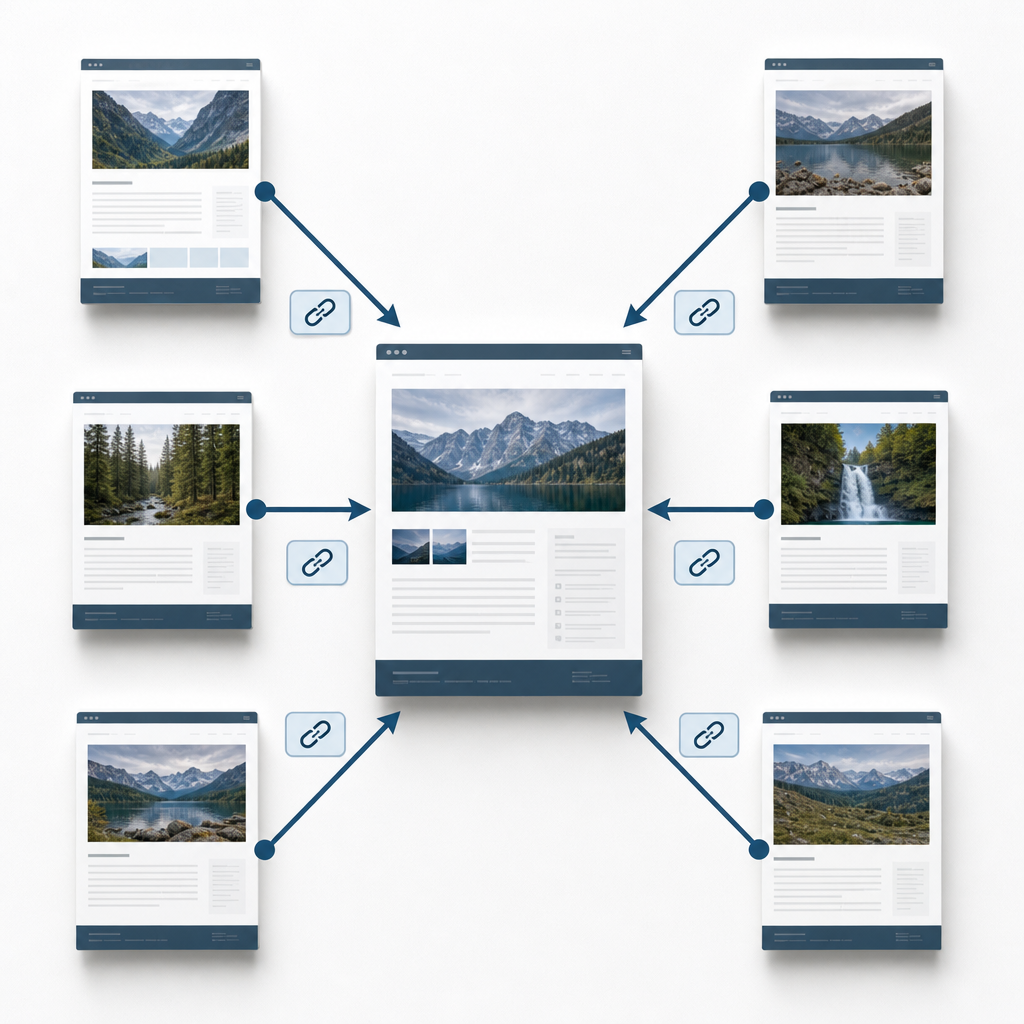
Next consideration: map your existing pages to pillar targets and run a simple internal linking audit – prioritize fixing the top 10 cluster-to-pillar links that are missing or pointing to non-canonical URLs before creating new content.
Scaling production and quality with AI and Ranklytics
Concrete point: AI plus Ranklytics can multiply output but will amplify low quality just as fast as high quality if you do not build governance into the workflow.
How it fits: Use Ranklytics to automate discovery and briefs, then use AI to draft predictable sections while humans supply expertise, examples, and verification. This separates research, drafting, and editorial control so scale does not mean dilution of topic relevance or factual accuracy.
Operational framework for quality at scale
- Plan with Ranklytics: run site wide keyword grouping and export cluster suggestions. Use the platform to assign pillar targets, internal link targets, and SERP features to chase. See how cluster gaps surface compared to existing content by using an SEO audit like Why Your SEO Audit Is Not Delivering Results.
- Brief strictly: generate data rich briefs from Ranklytics that include target keywords, search intent, competitor headers, SERP features, and recommended internal links. Do not hand AI a topic title only.
- Draft selectively with AI: instruct the model to produce specific sections – e.g., intro, benefits list, a how to steps block – not the entire article. Reserve research, examples, and case studies for human contributors.
- Human in the loop: require an editor to apply a checklist: fact check sources, add unique examples, align voice, and verify internal links and suggested anchor text.
- Quality gates and scorecards: score content on topical coverage, accuracy, uniqueness, UX elements, and link assignments. Only publish when content meets the minimum score.
Tradeoff to accept: speed versus original insight. You can scale output quickly by leaning on AI but you will not build authority without original examples, data, or interviews that competitors cannot easily replicate. Plan editorial time accordingly.
Practical limit: keep AI responsible for 30 to 60 percent of first drafts depending on topic complexity. For regulatory, technical, or highly specialized subjects allocate more human time for verification and sourcing.
Example use case: A mid market analytics SaaS used Ranklytics to identify 90 cluster topics across three product modules. They auto generated briefs, allowed AI to draft standard how to sections, and required product managers to add a short customer example and one screenshot before publishing. The result was faster throughput while maintaining helpfulness because subject matter experts added the unique signals search rewards.
Common failure mode: teams publish AI first drafts without editing to hit cadence targets. That produces thin, repetitive pages that compete with each other and lower domain trust. If you see uniform phrasing across pages or factual errors, pause publishing and tighten the brief and review process.
- Editorial checklist items to enforce: source links for statistics, one original example per page, required UX element list such as table of contents and CTA, and internal link targets from brief.
- Governance rules: content owners assigned per cluster, SLA for editorial review, and content score threshold that must be met before go live.
- Testing and iteration: A B test meta titles and 3 month headline variants using Ranklytics rank tracking plus Google Search Console for CTR improvements.
Next consideration: Run a 4 to 6 week pilot on a narrow pillar – measure time to publish, content score, and early ranking signals – then adjust how much of the draft process you let AI own before wider rollout.
Measurement framework and KPIs for topic cluster performance
Key point: Treat a topic cluster as a single measurement unit – not a set of independent pages. Measure the pillar plus its cluster pages together to understand whether topical relevance is increasing, and track both search visibility and business outcomes.
Core KPIs to track
- Primary – Combined visibility: organic sessions to the pillar page plus all cluster pages tied to the same pillar. This removes the noise of individual page rank swings and shows topic level demand capture.
- Primary – Keyword set position: average and distribution of positions for the cluster keyword set tracked with Ranklytics and validated in Google Search Console. Track movement in the 10 20 and 50 rank buckets.
- Primary – Conversions from pillar entry points: leads, trial signups, demo requests or downstream revenue attributed to pillar landing pages and assisted conversions from cluster pages.
- Secondary – Search engagement: SERP CTR, impressions, and SERP features owned by the cluster (featured snippets, people also ask). Use these to diagnose clickability and intent fit.
- Secondary – On page engagement: time on page, scroll depth, internal click through from cluster to pillar, and bounce behavior to judge content relevance and UX.
Practical insight: Relying on single page rank is misleading. A pillar can lose a single keyword rank while overall topic visibility expands. Use the keyword set approach to avoid chasing vanity wins and to demonstrate real topical authority gains.
Cadence, baselines, and attribution rules
Baseline first: capture 30 to 60 days of pre launch metrics for sessions, positions, and conversions for the pillar and candidate cluster pages. That baseline is the only defensible comparison when you report results to stakeholders.
- 30 day check – early signals: cluster pages start to show impressions and clicks for long tail queries.
- 90 day check – movement you can reasonably expect: visible position gains for cluster pages and initial lift in combined sessions.
- 180 day review – authority and conversion trends: pillar page rank consolidation, backlink effects, and conversion improvements.
Attribution rule example: count any session that lands on a pillar or cluster page in the same topic family as a topic session. For conversions use assisted conversion windows of 30 days to capture multi visit paths where cluster content educated the user before conversion.
Tools to use: use Ranklytics for cluster level tracking and briefs, Google Search Console for impressions and CTR validation, and Google Analytics or your analytics platform for session and conversion attribution. Complement with Ahrefs or SEMrush when backlink or competitive signals matter. See Google Search Central internal linking guidance for measuring internal flow effects.
Do not report raw rank position for one head keyword as the success metric for a cluster.
Trade off to accept: focusing on combined topic metrics sacrifices granularity. You will miss single page anomalies faster but you gain a clearer signal about whether topical authority is growing. Expect slower, steadier wins rather than instant top ten placements for head terms.
Concrete example
Concrete Example: A SaaS team publishes a pillar on customer onboarding and eight cluster pieces on checklists, templates, integrations and troubleshooting. Baseline combined organic sessions were 2 400 per month. After 90 days combined sessions rose to 3 480 and the pillar moved from page three to top 8 for three target queries, while assisted conversions attributed to the cluster set increased 38 percent. That pattern shows topic capture rather than a lucky single keyword jump.
| Metric | 30 days pre | 90 days post |
|---|---|---|
| Combined organic sessions | 2 400 | 3 480 |
| Average position – keyword set | 34 | 12 |
| Assisted conversions – topic | 25 | 34 |
Next consideration: pick the one metric your stakeholders care about most – traffic, leads, or revenue – and map each KPI in this framework back to that metric before you build your reporting dashboard.
Common pitfalls, troubleshooting, and real world fixes
Most failures in a topic cluster seo strategy are operational, not conceptual. Teams build clusters but fail to audit interactions between pages, then wonder why rankings stall. Fixes are straightforward when you treat clusters as living systems: detect bad signals, decide whether to prune or consolidate, and enforce linking governance.
Detecting the problems that actually move the needle
Key diagnostic signals. Use rank tracking and Search Console to find overlapping keywords, pages with declining combined ranking, and cluster pages that draw impressions but no clicks. Watch for high internal competition where two or more pages move in opposite directions for the same query set.
- Keyword cannibalization: multiple pages ranking for the same head term with split clicks and thin individual CTR.
- Index bloat and thin content: low traffic cluster pages that add no topical depth and dilute crawl budget.
- Link dilution: sitewide or footer links and inconsistent anchor text that stop the pillar from receiving concentrated relevance signals.
- AI quality drift: rapid drafting without editorial gates producing factual errors, repetition, or generic content that fails to rank.
Practical fixes and tradeoffs
Consolidate, do not panic publish. When cannibalization is confirmed, pick the best performing URL by authority and user metrics, merge unique useful sections into that page, and retire weaker pages. This preserves backlinks and centralizes relevance. The tradeoff: expect temporary rank volatility after consolidation and redirects; monitor for 30 to 90 days.
Prune low value cluster pages. If a page has low impressions, low time on page, and no conversions after 90 days, either consolidate it into a stronger cluster node or remove it and reclaim editorial effort. Leaving thin pages live creates noise for search engines and wastes budget.
Stop over linking. Replace sitewide exact match anchors with contextual links from cluster pages to the pillar page. Follow guidance from Google on internal linking to avoid diluting anchor value. Simple linking rules prevent noise and concentrate topical authority.
Control AI by design. Use Ranklytics briefs to constrain AI drafts, then apply a mandatory editorial checklist that covers original examples, sources, accuracy checks, and added data or screenshots. Speed is useful only when quality is guaranteed; otherwise publishing faster amplifies low value content.
Measurement nuance. Do not judge cluster health by a single page. Track sets of keywords and combined traffic to the pillar plus its cluster pages. If the pillar gains clicks while cluster pages dip, that can be a positive consolidation outcome rather than failure.
Concrete example
Concrete Example: A SaaS product had five blog posts on lead scoring fragmenting traffic. The team used Ranklytics to identify overlapping keywords, merged the two strongest posts into a single cluster page, expanded the pillar with a new section and internal links, and redirected the retired posts. Within 12 weeks the pillar recovered higher rankings for head terms and consolidated long tail traffic with fewer thin pages.
Next consideration. Schedule a quarterly cluster cleanup sprint that pairs analytics review, internal linking audit, and an editorial quality gate. Use your audit to free editorial capacity for high impact pillars rather than producing more low value clusters.

Written by
ranklytics