











10 Long-Tail Keyword Tools That Uncover Low-Competition Traffic Goldmines
Long-tail keywords win when you target specific intent with low competition, but finding those phrases reliably takes the right tools. This practical guide runs through 10 long-tail keywords generator tools, showing what each does best and how to use it to surface low-competition opportunities. For every tool you get a 3 to 5 step micro-workflow, a concrete example query, and clear threshold rules to prioritize realistic targets before you write.
1. Ranklytics
What it does: Ranklytics uses AI to expand a few seed topics into clustered long-tail keyword sets, then pairs those suggestions with intent labels, difficulty estimates, and short content briefs so you can move from idea to a publishable outline quickly.
Why it matters for long-tail discovery: Unlike pure autocomplete scrapers, Ranklytics blends multiple public data sources and machine learning to score topical clusters and forecast whether a long-tail phrase is realistically winnable — so you spend less time chasing low-value variants and more time on intent-matched opportunities.
Micro-workflow (3–5 steps you can run now)
- Seed input: Enter 3 related head terms (for example gardening gloves, rose pruning, thorn protection).
- Expand and filter: Use the AI generator to expand into long-tail suggestions, then filter by intent (informational vs transactional) and a conservative difficulty threshold — start with Ranklytics difficulty under 20 for long-tail experiments.
- Brief and prioritize: Generate the content brief for the top 5 phrases, check the SERP intent snapshot provided, and mark ones where the top 10 pages show shallow content or poor coverage.
- Track and validate: Add chosen phrases to a 30-day rank-tracking set to validate forecasted movement and user engagement before scaling into multiple articles.
Concrete example: Start with the seed gardening gloves. Ranklytics returns long-tail suggestions like best gardening gloves for thorny roses and breathable gloves for summer gardening, tags them as transactional and informational respectively, and produces a short content brief that includes subheadings and suggested internal links. If the Ranklytics difficulty is low and SERP pages are thin, create one targeted article and monitor ranking and clicks over 30 days rather than publishing a full cluster at once.
Practical trade-off: Ranklytics speeds ideation and briefing, but its competitive estimates are model-driven and newer than legacy tools. Relying solely on its difficulty score can surface phrases with overstated opportunity; cross-check volume ranges with Google Keyword Planner or difficulty signals in Ahrefs or SEMrush before allocating editorial budget.
When to use it over other tools: Use Ranklytics when you need fast, actionable briefs and ongoing rank monitoring baked into the same workflow. If you are a small team that needs to turn ideas into content without cobbling together three different apps, Ranklytics reduces friction compared with stitching autocomplete tools to separate trackers and brief generators.
Ranklytics is best for rapid validation and content brief generation; always validate key metrics with a secondary metrics provider before committing to a content series.
One realistic limitation to plan for: The AI will surface large lists quickly, and teams often publish too many low-intent variations. Prioritize phrases where Ranklytics shows matching SERP intent and weak competitor content — that's the actual gating criterion for long-tail wins, not the raw number of suggestions.

Next consideration: After you shortlist phrases in Ranklytics, export them and run a quick SERP quality check and volume sanity check in a metrics tool before scheduling production — that two-step validation prevents wasted content hours on attractive-looking but unattainable keywords.
2. Ahrefs Keywords Explorer
Straight talk: Ahrefs Keywords Explorer is the fastest way to separate long-tail ideas that look tempting from long-tail ideas you can actually rank for. Its keyword difficulty metric and SERP overview give a practical, single-pane snapshot of whether a term is winnable for content-first sites. Use it for triage, not as a final authority.
Micro-workflow for finding low-competition long-tail keywords
- Start with a clear seed term: enter a head keyword that matches your audience intent.
- Switch to Phrase Match and Questions: these filters surface long-tail and question formats rather than head keywords.
- Sort by KD and set a cutoff: look for Ahrefs KD under 10 for small sites; 10 to 30 can work for mid-sized sites with some backlinking.
- Inspect the SERP overview: check top pages, domain ratings, and presence of strong SERP features that could block organic clicks.
- Export and cross-check volume: export shortlist and confirm volumes or ranges in Google Keyword Planner before scheduling content.
What KD actually measures: Ahrefs KD is primarily a proxy for how many referring domains the top 10 pages have. That is useful but incomplete. Low KD usually means fewer backlink barriers, but it does not guarantee easy rankings if the top results perfectly match intent with thorough content or if SERP features funnel clicks away.
Practical limitation to watch for: Ahrefs groups related queries under parent topics which can hide specific long-tail opportunities. If a long-tail phrase is subordinated to a head term, toggle the parent topic view or use phrase match to surface the exact query. Also expect volume estimates to be directional; always validate high-priority targets against Google data.
Concrete example: searching camera settings in Keywords Explorer and switching to Questions yields a result like how to set shutter speed for night photography with KD 7 and estimated volume around 90. The SERP overview shows mostly short forum threads and shallow blog posts, indicating a real content opportunity where a single, well-structured guide can rank quickly and capture targeted traffic.
How to combine tools in practice: use Ahrefs for KD and SERP quality checks, confirm demand with Google Keyword Planner, then use an AI-driven briefer like Ranklytics to generate a content outline and track performance after publishing. See Ranklytics for AI brief generation and monitoring workflows: AI Meta Description Generator, Top 7 Features to Look for When Choosing an AI Writing Tool, and Pros and Cons of AI in Content Writing.
Judgment call: treat Ahrefs as the best initial filter for long-tail competitive signals, but always validate intent and volume and inspect the top 10 pages yourself before committing to content production.
3. SEMrush Keyword Magic Tool
Shortcut claim: SEMrush Keyword Magic Tool turns a single seed into an organized long-tail pipeline quickly — but its value comes from disciplined filtering, not raw export dumps. Use grouping, intent labels, and the questions view to convert scattershot ideas into prioritized content targets.
Micro-workflow: 4 focused steps
- Enter a head term: Start with a clear seed and switch to the Questions tab to surface natural-language long-tail queries.
- Narrow with filters: Set word count >= 3 or 4 to force multi-word long-tail phrases; apply Intent filter (informational or transactional) depending on content goal.
- Sort and shortlist: Sort by Keyword Difficulty ascending and pick items with KD < 30 and non-zero volume; add candidates to Keyword Manager as you go.
- Validate quickly: Export the shortlist, cross-check volume ranges in Google Keyword Planner, then inspect the top 10 SERP results for intent fit and content quality.
Practical thresholds: Treat SEMrush KD under 30 as a practical low-competition cutoff for most mid-tier sites; for ventures with local intent or very niche topics you can push KD to 35 but only after manual SERP review. Volume is directional — long-tail terms often have low single-digit monthly searches but still convert when intent is clear.
Concrete example
Concrete Example: Seed the term mattress, switch to Questions, and filter for phrase matches with 3+ words. You might surface best mattress for side sleepers under 500 showing KD ~24 and monthly volume in the low hundreds. The SERP may be dominated by Buyer Guide pages with weak comparison tables — a chance to publish a focused comparison + local retailer links and win clicks.
Unique strengths: Keyword Magic groups thematically and exposes SERP features and CPC alongside KD, which is useful when you care about both organic and paid intent. The Questions tab is especially valuable for turning long-tail queries directly into H2/H3s and FAQ sections in content briefs.
Limitations and trade-offs: SEMrush grouping is automated and will sometimes merge different intents into one cluster — that creates noisy lists you must manually clean. The KD score is a helpful filter but not definitive; it underweights on-page content quality and topical authority. Also, deep exports and full grouping workflows require a paid subscription.
Practical judgement: Use SEMrush when you need breadth plus advertiser signals (CPC/volume) and want question-driven content structures fast. Do not rely on SEMrush KD alone — pair it with SERP inspection and one other metrics source. For execution, export shortlisted long-tail keywords and feed them into your content brief pipeline or an AI writing tool to speed drafting; see guidance on choosing those tools in this Ranklytics piece: Top 7 Features to Look for When Choosing an AI Writing Tool.
Important: SEMrush gives advertiser and keyword metrics in one place, which speeds prioritization — but the final decision must be made against the real SERP and your site authority.

4. Moz Keyword Explorer
Straight to the point: Moz Keyword Explorer is strongest when you need a prioritized, human-readable shortlist of long-tail opportunities rather than a mass export of every autocomplete variant. Its standout metric is the Priority score, which blends volume, difficulty, and estimated organic CTR so you get a practical ordering of phrases to test first.
What Moz brings to long-tail discovery
Key differentiators: Moz is not the deepest database, but it composes three signals into one actionable value. Priority surface-ranks suggestions; Difficulty gives a quick sense of competition; Organic CTR adjusts for the fact that not all clicks are equal when SERP features steal attention. That combination speeds decisions when you are vetting dozens of long-tail ideas.
- Priority-first filtering: Sort suggestions by Priority to pull high-opportunity long-tail phrases without manual scoring.
- Question and Related buckets: Good for harvesting intent-driven long-tail queries and blog topic angles.
- SERP analysis panel: Inspect the current top pages and which SERP features appear to judge whether the intent matches your planned content.
Micro-workflow to extract low-competition long-tail phrases
- Enter a seed keyword and switch to Suggestions then Questions to expose natural long-tail queries.
- Sort by Priority and then add a filter for Difficulty under 30 to focus on low to medium competition phrases.
- Scan the SERP analysis for featured snippets, shopping, or local packs that steal clicks; deprioritize keywords with heavy SERP feature competition unless you can match intent.
- Export 30 to 50 top Priority hits, then validate volume trends against your analytics or a volume source before scheduling content.
Concrete Example: Search for keto snacks inside Moz and open the Questions filter. You might find long-tail suggestions like best keto snacks for road trips with a moderate Priority score and Difficulty around 20. That phrase shows clear intent and an attainable difficulty band, so you would draft a tightly scoped article focused on snack lists and packing tips rather than a general keto primer.
Practical trade-off: Moz prioritizes clarity over breadth. That means you lose some obscure, ultra-niche queries that larger databases catch, but you save time because the list Moz returns is already scored for immediate action. If you need exhaustive coverage for enterprise-scale keyword lists, pair Moz with a broader extractor.
Common mistake to avoid: Relying only on Priority as a vote of certainty. Priority assumes average CTR behavior; if the SERP is dominated by video, shopping, or local packs, priority will overstate organic potential. Always inspect the top 10 results for intent fit before assigning production resources.
How to chain Moz with other tools: Use Moz to produce a focused shortlist, then run those phrases through a volume source or your site analytics to confirm true traffic potential. If you want a faster content brief after selection, incorporate an AI brief tool or Ranklytics workflow to turn that long-tail phrase into an outline and tracked keyword set. See the Ranklytics AI meta description tool for a quick example of using AI to speed up post-creation workflows: Write Better Meta Descriptions Fast with an AI Meta Description Generator – Ranklytics. For a deeper read on long-tail strategy, pair this with tactical background like the Ahrefs long-tail primer: Long-Tail Keywords.
If you want a short, prioritized list you can act on this afternoon, Moz often gets you there faster than the big-data tools — but do one quick SERP sanity check before you schedule writers.
5. Google Keyword Planner
Google Keyword Planner is the pragmatic baseline for long-tail keyword validation. It reflects actual Google search activity and advertiser behavior, which makes it the best free signal for whether a long-tail phrase has real user interest or commercial intent.
Quick micro-workflow
- Seed and match: Enter a head term and pull both phrase match and broad match suggestions to expose natural long-tail variants.
- Filter by location and date: Narrow to the geography and timeframe you care about to surface local or seasonal long-tail phrases.
- Use CPC as an intent proxy: Sort or flag terms with higher average cost per click to prioritize commercial long-tail opportunities.
- Export and cross-check: Download the CSV and compare volume ranges with a metrics tool or Google Keyword Planner Help for interpretation.
- Optional campaign test: For high-value long-tail targets, run a small Google Ads test to unlock precise search volume and validate click behavior.
Concrete Example: Searching for patio heater in Google Keyword Planner returns phrase match suggestions such as patio heater for small balcony which may show a low volume range but a relatively high CPC. That CPC suggests strong purchase intent, so a short product page or comparison post targeting that phrase can be worth prioritizing despite modest search counts.
Practical insight: Use Google Keyword Planner as a directional verifier, not a sole decision maker. The tool is unusually good at exposing commercial intent through cost per click and advertiser competition levels, which matters when choosing between an informational long-tail idea and a product intent long-tail.
Limitation and tradeoff: Keyword Planner shows advertiser competition and volume ranges that are often coarse unless the account is actively running campaigns. That makes the tool free and useful but noisy for fine-grained prioritization. Do not assume low advertiser competition equals low organic difficulty.
| Metric in Keyword Planner | How to use it for long-tail research |
|---|---|
| Volume ranges | Treat as directional. If a long-tail appears in any nonzero range, validate with a metrics provider before scaling content. |
| Average CPC | Use as a proxy for commercial intent and potential conversion value for low-volume phrases. |
| Advertiser competition | Indicator of paid interest, not organic ranking difficulty – follow with SERP inspection. |
If you need exact volumes for a handful of high-value long-tail targets, run a small test campaign to unlock accurate search counts and validate clickthrough behavior.
Next consideration: After exporting your shortlisted long-tail phrases, feed them into a metric-focused tool for difficulty scoring and use an AI content brief to translate the intent into a single focused article – for meta description generation see Write Better Meta Descriptions Fast with an AI Meta Description Generator – Ranklytics.
6. KeywordTool.io
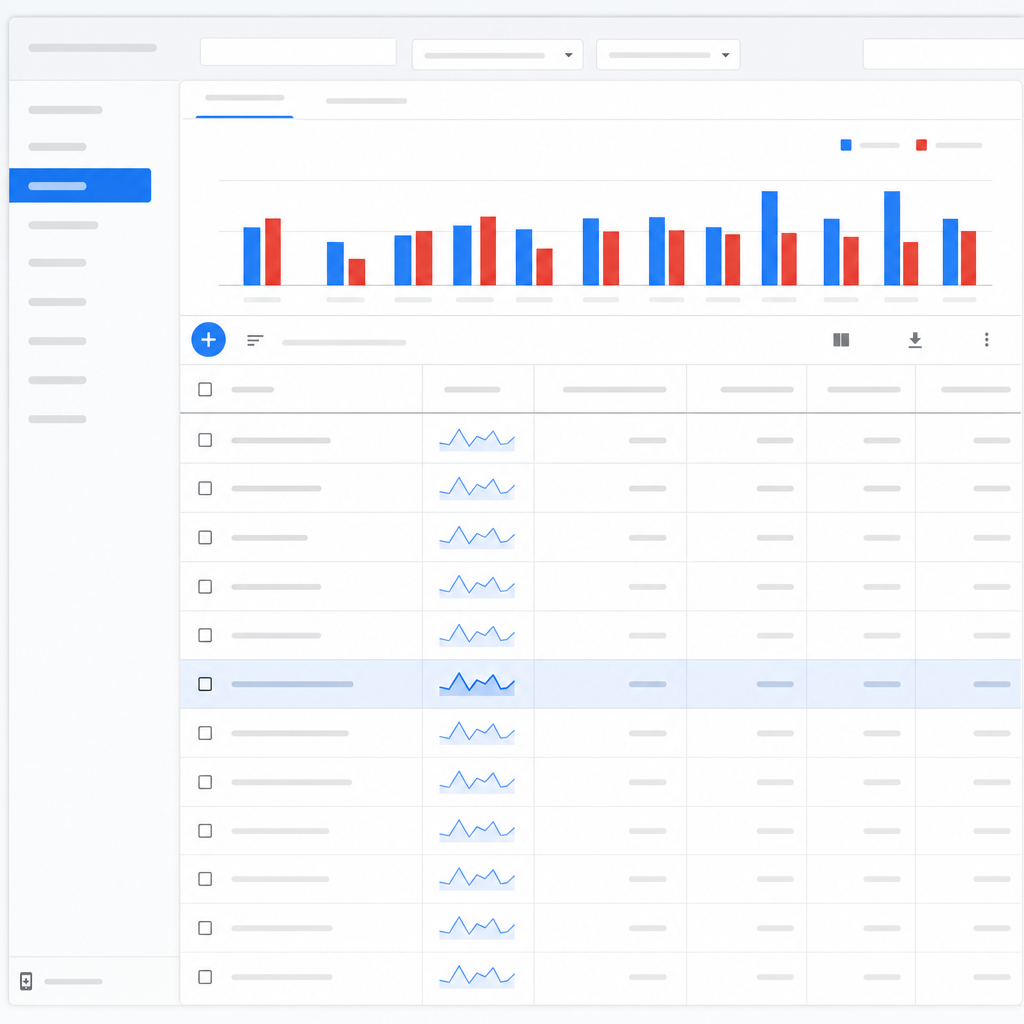
Practical point: KeywordTool.io extracts autocomplete phrasing from Google, YouTube, Amazon, Bing and more, so it surfaces the actual language users type across different intent contexts. That makes it fast for building long-tail lists you will not get from a single search console export, but it is not a substitute for competition metrics.
Quick micro-workflow
- Choose the platform: pick Google for general SEO, YouTube for tutorial intent, or Amazon for buyer-intent product wording.
- Enter a clear seed: use a concise seed phrase like yoga blocks or cordless drill bits.
- Export raw suggestions: grab the full list of autocomplete phrases; do not prune yet because oddball modifiers often contain buyer intent.
- Validate metrics: cross-check promising phrases in Google Keyword Planner or your paid metrics tool for volume and compare difficulty in Ahrefs/SEMrush or Ranklytics.
- Prioritize by intent: tag phrases with transactional markers like best, buy, for sale, affordable, or tutorial markers like how to, tutorial, and use those tags to prioritize content or product pages.
Strength and trade-off: The unique value is platform specificity. Amazon suggestions reveal purchase phrasing you will use in listings; YouTube suggestions reveal phrasing for instructional video titles. The trade-off is KeywordTool.io does not provide reliable organic keyword difficulty or a deep historical volume model unless you pay for the integrated metrics pack, so you will spend time validating and triaging with a metrics provider.
Concrete example: Use KeywordTool.io set to Amazon US with the seed yoga blocks. Export suggestions and you will see long-tail phrases such as best yoga blocks for beginners and yoga blocks for back pain. Those phrases tell you which product benefits to emphasize; then check volume and CPC in Google Keyword Planner and a difficulty metric in Ranklytics or Ahrefs before writing product titles or landing pages.
Tactical nuance: Do not drop every autocomplete phrase into content. Look for repeated modifiers across platforms, which signal stronger intent, and prefer phrases that appear in both Amazon and Google suggestions for combined buyer plus discovery intent. For video content, prioritize YouTube-only phrasing that includes tutorial terms, not just headline-sounding queries.
KeywordTool.io is best used as a high-velocity idea harvester for platform-specific long-tail phrasing. Always pair its output with a metrics tool to avoid chasing low-impact language.
Next consideration: After harvesting, feed those phrases into a quantitative filter — export to CSV, run volume and CPC checks in Google Keyword Planner or Keywords Everywhere, then use Ranklytics or another KD source to decide if the long-tail is realistically winnable before creating content.
7. AnswerThePublic
AnswerThePublic surfaces the question language users actually type, not just keyword stems, which makes it one of the best tools for generating headline level long tail ideas and FAQ style content. The visual maps and alphabetical outputs reveal conversational patterns that usually escape phrase match lists from metric centric tools.
Micro-workflow
- Run a single seed topic on AnswerThePublic to generate question clusters and prepositions.
- Export the CSV and deduplicate obvious overlaps; remove noise like incomplete fragments and very long nonsense phrases.
- Label intent quickly by scanning for commercial modifiers such as best, buy, review, price, or comparison words; mark those as higher priority.
- Cross check metrics in a keyword metrics tool (use Google Keyword Planner for volume ranges or Ahrefs/SEMrush for difficulty).
- Turn top hits into content assets: one primary article, an FAQ block, or a cluster of short how to posts mapped to the question list.
Practical tradeoff: AnswerThePublic is idea heavy and metric light.** It will produce many usable long tail phrases but provides no volume or organic difficulty scores in the free interface. Use it as an ideation engine, not a final prioritization tool.
Concrete Example: Enter the seed topic electric bike maintenance and you will get question clusters like how to increase e bike battery life, how often to service hub motors, and how to winterize an e bike. Those queries map directly to practical blog posts and FAQ sections. Next step is to validate highest value items by checking estimated monthly searches in Google Keyword Planner and difficulty in Ahrefs before assigning production resources.
What many teams get wrong: They copy every question into content calendars without filtering for intent or searcher commerciality.** That wastes writers time on low intent curiosities that generate minimal conversions. Prioritize questions that either solve a clear problem or contain purchase intent modifiers.
| AnswerThePublic Output | Best use in a content plan |
|---|---|
| Questions | Blog how to posts, step by step guides, FAQ sections |
| Prepositions | Comparison pages, target phrase expansions, buyer guidance |
| Alphabetical lists | Broad long tail listicle ideas and subtopic harvesting |

8. AlsoAsked
What it does: AlsoAsked scrapes Google People Also Asked (PAA) chains and visualizes them as branching question trees, making it easy to see how queries unfold and which follow-ups users typically ask next.
Why that matters for long-tail discovery: The branching view reveals topical depth and user journeys that flat lists miss. Those follow-up questions are often specific long-tail phrases with clear intent—perfect for FAQ sections, pillar-subpage splits, or multi-step content funnels.
Micro-workflow (3–5 steps)
- Seed and location: Enter a head term and set country or language to reduce noise.
- Expand the tree: Click through at least two levels of follow-ups to expose deeper long-tail nodes.
- Export and map: Export CSV, group questions into intent-based clusters (how-to, comparison, local/regulatory), then flag clusters for content assets or FAQ blocks.
- Validate metrics: Cross-check shortlisted questions for volume and difficulty in a metrics tool like Ahrefs or Google Keyword Planner.
- Plan execution: Turn high-intent follow-ups into individual pages or strong H2/H3s within a pillar post and track CTR opportunities using tools like Ranklytics.
Concrete example: Enter electric bike as a seed term and expand two levels. You may find first-level questions like how much does an electric bike cost and follow-ups such as best electric bikes for commuting in rain or license required for electric bikes in California. Those deeper nodes point to niche, actionable pages you can create—local regulator pages, weatherized commuting guides, and product comparison pages—that convert better than generic high-volume targets.
Practical insight and trade-off: AlsoAsked surfaces the shape of queries more reliably than raw volume. Use it when you need content structure and intent sequencing; do not use it as a standalone ranking metric. The trade-off is clear: you gain specificity and user-flow visibility but lose numeric certainty—PAA data does not include search volume or organic difficulty.
Limitation to watch: Results are influenced by Google personalization, location, and SERP volatility. AlsoAsked can over-represent large publishers (the same domain answers multiple nodes) and sometimes returns redundant phrasings presented as separate opportunities. Treat its output as an ideation and architecture tool, not a final shortlist.
Quick judgment: Use AlsoAsked early in planning to map content silos and discover intent-stage gaps. Always follow up with a metrics check and SERP review before commissioning content.
Where it fits in a stack: Pair AlsoAsked with autocomplete/question tools for breadth and with a keyword metrics provider for prioritization. If you want quicker briefs after mapping questions, use an AI brief generator or try Ranklytics content features to convert PAA questions into briefs and meta descriptions — see the Ranklytics AI meta description tool for fast iterations: Write Better Meta Descriptions Fast with an AI Meta Description Generator.
Next consideration: After capturing question chains, prioritize nodes that reveal actionable intent or local/regulatory angles—those are the long-tail goldmines most teams overlook because they look low-volume but convert well.
9. Keywords Everywhere
Key point: Keywords Everywhere is not a replacement for a full keyword platform. It is a browser extension that makes triage and language capture trivial by overlaying volume, CPC, and basic competition metrics where you already search — Google, YouTube, Amazon, Reddit and more.
Why it matters: For long-tail keyword discovery the hardest part is seeing how real users phrase questions across platforms. Keywords Everywhere wins there because it reduces context switching; you find a phrasing on Reddit or YouTube and immediately see metrics without copying queries into another tool.
Micro-workflow – fast triage in 4 steps
- Install and configure: add the extension, connect your paid credits so volume and CPC are visible.
- Search where users live: run queries in Google, YouTube, Amazon, or niche forums and watch related search panels and autocomplete get annotated with metrics.
- Export and dedupe: collect promising long-tail phrases visible on-page and export a CSV. Remove duplicates and combine with other idea sources.
- Validate then prioritize: cross-check top candidates against a difficulty metric in a dedicated tool and confirm intent in the top 10 SERP pages.
Practical limitation: The extension shows estimated volume and advertiser competition, not a true organic keyword difficulty score. Keywords Everywhere is excellent for finding how people speak and quick CPC signals, but it will understate ranking difficulty for highly competitive niches. Always chain it with a KD-capable tool before you commit editorial resources.
Tradeoff to accept: you gain speed and cross-platform context at the expense of consolidated analytics. The credit based pricing is cheap for occasional exports but becomes noisier to manage at scale. For teams that need repeatable pipelines, export discipline and a second metrics source are non negotiable.
Concrete example: I used Keywords Everywhere while researching running shoe queries by scanning YouTube autocomplete and forum threads. A phrase like best running shoes for plantar fasciitis women surfaced with modest volume and low CPC directly on the video results page. I exported those terms, then ran the top five through a KD tool and a quick SERP review before adding one phrase to the editorial calendar.
When to use it: Use Keywords Everywhere for rapid ideation, capturing niche keywords that show up off Google, and getting on-the-fly CPC signals that hint at commercial intent. Do not use it as the final prioritization metric for long-tail SEO investment.
10. Ubersuggest
Direct point: Ubersuggest is the practical, low-friction long-tail keywords generator most teams reach for when they need fast ideation and a quick competition check without an enterprise budget.
Why it matters for long-tail discovery
What it gives you quickly: keyword suggestions and question keywords, a simple SEO difficulty score, estimated visits for top-ranking pages, and content idea prompts. That mix makes Ubersuggest useful for converting a handful of seed topics into dozens of targetable long-tail phrases in minutes.
- Micro-workflow: Enter a seed term, switch to the Questions and Phrase Match tabs, sort by low SEO difficulty, scan the SERP overview for weak or irrelevant top pages, then export a shortlist.
- Filter tip: Prefer long-tail phrases with positive trend and SEO Difficulty under 30 as candidates for a quick-win article, then validate intent against the top 10 results.
- Validation step: Cross-check volume ranges in Google Keyword Planner and confirm topical fit with a manual SERP audit before briefing content.
Trade-off to accept: Ubersuggest prioritizes speed and usability over index depth and enterprise accuracy. Its SEO difficulty is directional; in my experience it can understate real competition on narrowly monetized queries, so use it to shortlist, not to guarantee low-competition status.
Concrete example: Start with the seed email subject lines. Ubersuggest surfaces long-tail phrases like email subject lines for re-engagement and subject lines for cart abandonment. If those show low SEO Difficulty and content ideas suggest listicle formats, build a focused piece and check the top-ranking pages for thin content or missing intent signals before publishing.
Real-world use case: Small marketing teams that publish weekly blog posts will find Ubersuggest helpful to refill editorial calendars. Use it during sprint planning to generate 20–30 headline-ready long-tail ideas, export the list, and feed the highest-potential phrases into your content brief pipeline or tools such as Ranklytics for AI brief generation and rank tracking.
Practical rule: treat Ubersuggest SEO Difficulty under 30 as a starting filter, not a final pass; confirm with volume from Google Keyword Planner or deeper metrics if the topic is commercially important.

Written by
ranklytics