











Table of Contents
- 1 How to Do an SEO Audit: A Beginner-Friendly Guide to Boost Your Traffic
- 1.1 Step 1 Define Audit Goals, KPIs, and Scope
- 1.2 Step 2 Crawl and Indexability Checks
- 1.3 Step 3 Technical SEO and Performance Diagnostics
- 1.4 Step 4 On-Page SEO and Content Quality Audit
- 1.5 Step 5 Content Gap and Keyword Opportunity Analysis
- 1.6 Step 6 Backlink and Authority Review
- 1.7 Step 7 Prioritization, Reporting, and 30/60/90 Day Action Plan
- 1.8 Tools Cheat Sheet and Reusable Templates
How to Do an SEO Audit: A Beginner-Friendly Guide to Boost Your Traffic
If you are wondering how to do an seo audit that actually moves the needle, this guide gives a step-by-step, tool-driven process you can run yourself. You will finish with a checklist for technical, on-page, content, and backlink checks, a prioritized issue list, and a 30/60/90-day action plan, and expect one person to complete a thorough audit on a medium site in 1 to 3 days before shifting to ongoing tracking. I walk through specific, copy-paste-ready checks using Google Search Console, Screaming Frog, PageSpeed Insights, Ahrefs, and Ranklytics, and show how to turn findings into developer tickets and content tasks.
Want these checks run automatically? Try our run a free SEO audit — it scores your site for both Google and AI search in under a minute.
Step 1 Define Audit Goals, KPIs, and Scope
Start here: a list of technical problems is useless unless you know which business outcome you are chasing. Define a single primary audit goal up front – for example increase organic sessions for product pages by 25 percent in six months – then choose KPIs and scope that tie directly to that goal.
Which KPIs matter: pick a mix of traffic, visibility, performance, and conversion metrics so you can both diagnose and measure impact. Typical KPI set: organic sessions, impressions, clicks, average position for target keyword clusters, Core Web Vitals (LCP, INP, CLS), and conversions from organic traffic.
| Metric | Baseline | Target | Owner | Timeline |
|---|---|---|---|---|
| Organic sessions | 3,200/month | 4,000/month (+25%) | Marketing | 6 months |
| LCP | 3.2s | 1.8s | Engineering | 90 days |
| Conversions from organic | 45/month | 70/month | Product Owner | 6 months |
Scope trade-offs: choose between a full site audit, a top-N pages audit, or a directory-level audit based on resources and goals. A full site audit is comprehensive but takes time – expect 1 to 3 days for a single person on a medium site and longer for large sites. Auditing the top 30 to 50 landing pages is faster and usually yields the best ROI when your goal is immediate traffic or revenue gains.
Concrete example: an e-commerce store with 120 product pages concerned about slipping revenue focused the first audit on their top 40 revenue-generating product pages. They set KPIs to improve organic conversions by 20 percent in 90 days and tracked page-level traffic, add-to-cart rate, and LCP in Ranklytics features alongside Google Search Console. That focused scope produced three quick wins – title tag fixes, canonical consolidation, and one image optimization – which recovered 12 percent of the target within 45 days.
Practical limitation: avoid setting precise ranking targets for single keywords as your only KPI. Rankings fluctuate with seasonality, SERP features, and competitor moves. Prioritize measurable business outcomes and use keyword-level KPIs as directional signals rather than absolute success criteria.
- Define a single primary audit goal: tie it to revenue, leads, or a traffic segment
- Select 3 to 6 KPIs: include at least one performance metric such as LCP or INP
- Choose scope with rationale: full site, top N pages, or a specific directory
- Record baselines and targets in a shared table: include owner and timeline
- Pick tools to measure: Google Search Console (docs), GA4, and Ranklytics for content tasking
Step 2 Crawl and Indexability Checks
If search engines can't reach or index pages, content and links don't matter. The crawl and indexability phase finds those blockers fast — blocked by robots, accidental noindex, redirect chaos, or JavaScript-only pages that never render to Googlebot.
Run two complementary crawls
Start with a fast full crawl (Screaming Frog) and a Google-centred check (Search Console). The spider shows server response codes, redirect chains, canonical signals, meta tags and resource blockages. Search Console shows what Google actually tried to index and where it failed. Use both; one shows configuration, the other shows real-world indexing status.
- Screaming Frog run: Set mode to Text Only first, then run a second crawl in JavaScript render mode if your site relies on client-side rendering. Export these reports: ___CODE0 (save as CODE1), CODE2 (CODE3), CODE4 (CODE5___). See Screaming Frog.
- Google Search Console: Open Coverage report, filter Errors and Excluded, export CSV (
gsc_coverage.csv). Use URL Inspection on representative problem pages (save screenshots and the request/response summary). Reference: Google Search Central. - Robots.txt and sitemap checks: Manually fetch
https://example.com/robots.txtand your XML sitemap URL. Confirm sitemap URLs are submitted in GSC and that sitemap entries return 200 before assuming they are indexed.
Key signs to stop and fix immediately: large numbers of soft 404s, many pages in Excluded > Crawled — currently not indexed, unexpected noindex tags, directory-level blocking in robots.txt, and redirect loops. These are high-impact problems that often explain sudden traffic drops.
Practical trade-off: Deep crawls with JavaScript rendering are slower and more resource-intensive but necessary for SPA or heavy client-rendered sites. If you run out of time, prioritize rendering the top 50 landing pages by traffic first and schedule a full render crawl overnight.
Concrete Example: An e-commerce site I audited had category pages blocked at ___CODE0 via robots.txt after a developer misapplied a legacy rule. Screaming Frog flagged ~1,200 blocked URLs in CODE1___; Search Console showed those pages as excluded, explaining a 40% drop in organic category traffic. The fix was removing the rule, re-submitting the sitemap, and requesting indexing for the top pages in GSC.
What to deliver to a developer
- Attach exports: ___CODE0, CODE1, CODE2, and CODE3___.
- One-line ticket: For each issue, give the URL, observed symptom (e.g., blocked by robots.txt), expected state (should be crawlable), and urgency (high/medium/low). Developers will appreciate small, actionable batches rather than thousands of generic notes.
Step 3 Technical SEO and Performance Diagnostics
Core point: Technical and performance problems routinely block ranking gains even when content is strong. Treat this step as a systems diagnosis: measure field metrics, isolate server and third-party failures, then produce developer tickets with exact repro steps.
Core Web Vitals and where to get reliable data
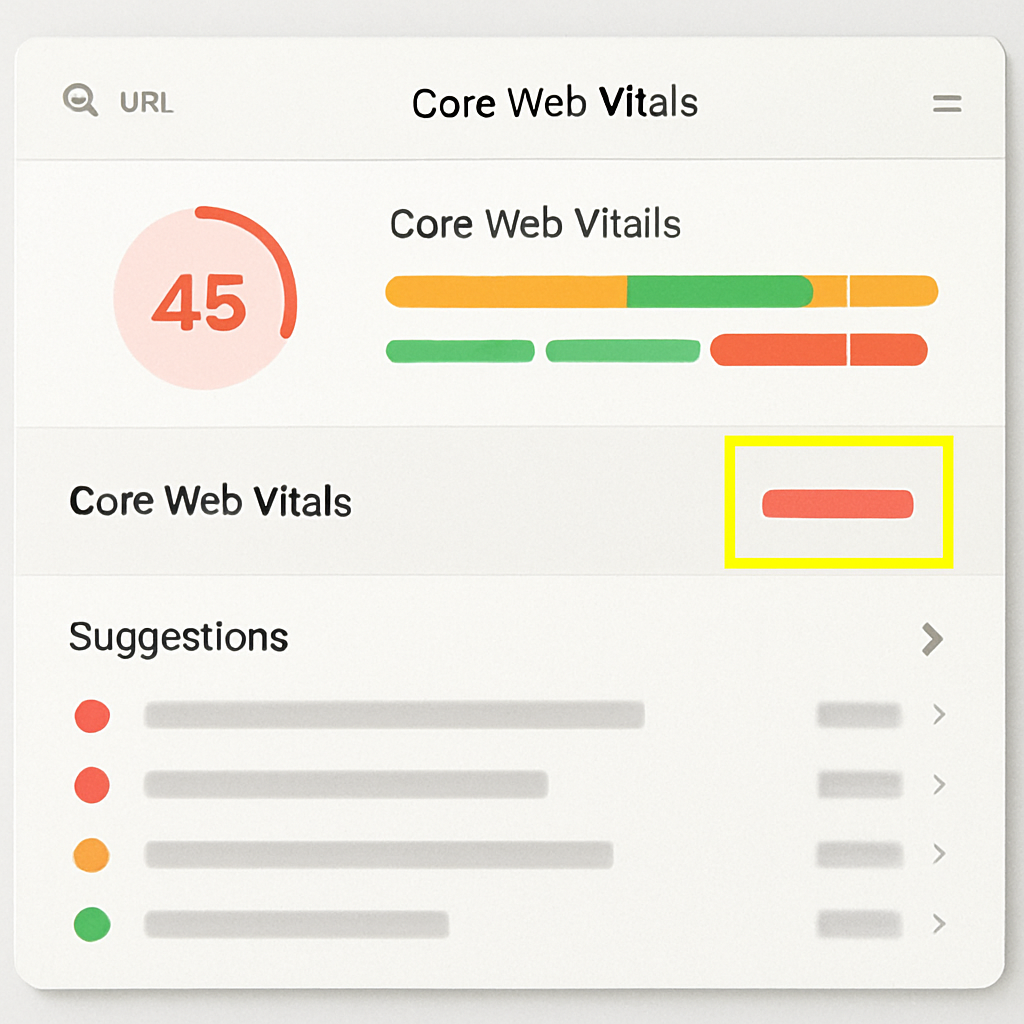
What to measure: Use PageSpeed Insights and Lighthouse for lab runs and field data, and rely on the Chrome UX Report for real-user metrics. Key thresholds: LCP <= 2.5s, INP <= 200ms, CLS <= 0.1. If a page fails one metric, it can hurt engagement and rankings even when content is correct.
- Field vs lab: Field data shows real-user experience; lab gives reproducible diagnostics. Use both.
- Top offenders to look for: oversized hero images, render-blocking CSS, long-running third-party scripts, server TTFB.
- Actionable output: export PageSpeed Insights JSON for each failing URL and attach it to the developer ticket.
Tradeoff to consider: Fixing every Lighthouse score point is tempting but low ROI. Prioritize pages with high organic clicks or conversion value. Spend developer time where traffic or revenue impact is clear.
Server, CDN, and TTFB checks
Quick diagnostic: Use a simple ___CODE0 command to measure TTFB on a problem URL: CODE1___. Values above 0.6s on primary pages usually signal server or network issues.
- What to inspect in hosting: CPU spikes, slow origin responses, cache miss rates, and PHP or app server queue times.
- CDN checks: Ensure origin shield, correct cache headers, and consistent TLS configuration across edge locations.
- HTTP/2 and TLS: Confirm HTTP/2 or HTTP/3 support and modern TLS with session reuse to improve handshake times.
Practical limitation: Moving to a new CDN or enabling aggressive caching can reduce TTFB but adds cache invalidation complexity and may require deployment coordination. Plan rollbacks and include cache-busting in tickets.
Canonical, sitemaps, hreflang, and structured data checks
What to validate: Confirm canonical tags point to the correct canonical URL, XML sitemaps list only indexable pages, hreflang pairs match target pages, and schema markup is error free. These are small mistakes with outsized impact on index coverage and language targeting.
- Common failure: E commerce sites with querystring variations without canonicalization get split authority. Solution: canonicalize to the clean URL and block irrelevant querystrings in Google Search Console or robots rules.
- Schema pitfall: Overly generic FAQ markup can trigger manual review if content is autogenerated. Validate with the Google Search Central structured data testing guidance.
| Issue | Likely cause | Quick fix | Priority |
|---|---|---|---|
| Slow LCP | Large unoptimized hero image or render-blocking script | Compress to WebP, lazy-load, defer third-party script | High |
| High TTFB | Origin CPU or no caching | Enable server caching, review slow queries, add CDN | High |
| Incorrect canonical | CMS template bug | Update tag to self and audit templates | Medium |
Important: always attach the failing URL, lab report export, and a short reproduction command or steps to the developer ticket. Vague reports do not get fixed.
Concrete example: An online store had LCP at 6 seconds because the hero image was 3MB and a chat widget blocked first paint. After converting the hero to WebP with responsive srcsets and deferring the chat script, LCP dropped to 2.1 seconds and organic conversion rose 7 percent in two weeks. The deliverable sent to developers was a PageSpeed export, the failing URL list, and a small cache header change request.
Next step: Convert the diagnostics into ranked developer tickets and, where relevant, create Ranklytics tasks to monitor performance KPIs alongside content changes. See Ranklytics features for integrating performance checks into your content workflow.
Step 4 On-Page SEO and Content Quality Audit
Direct point: On-page checks and content quality produce the fastest measurable ranking gains when you fix intent mismatches and thin pages on priority landing pages rather than chasing cosmetic tag edits across the whole site.
What to extract: Run your crawl export and pull title tags, meta descriptions, H1s, word counts, and canonical tags. Use those fields to build a keyword-to-page map and flag duplicates or templated values — these are concrete signals that content requires human revision, not just automated rewrites.
On-page checklist (practical — start here)
- Title and meta quality: Titles under 60 characters, unique, and matching user intent; meta descriptions informative and unique where clicks matter
- H1 and header structure: One H1 per page, H2s that reflect subtopics rather than keyword stuffing
- Content depth: Pages under ~300 words flagged for review; check organic traffic and backlinks before deleting
- Keyword mapping: Each primary intent should map to a single canonical page to avoid cannibalization
- Internal linking: Priority pages should receive contextual links from relevant tops pages; add anchor text that reflects intent
Trade-off to accept: Consolidating similar low-value pages into one authoritative page reduces index bloat and often improves rankings, but it temporarily lowers total indexed page count and requires careful redirects and content merges to preserve existing link equity.
Limitation to note: Automated content scores and length thresholds catch obvious problems but they miss nuance such as freshness needs, brand voice, or regulatory copy. Always pair tool signals with a quick human read of the top 10 competitor pages for the same intent.
Concrete Example: A mid-sized e-commerce site had dozens of product pages with 100-word specs and zero unique content. After the audit we merged related variants into a single category-level buying guide, added 800 words of comparison content, FAQs with schema, and redirected the thin pages. Within six weeks organic impressions and clicks to that category doubled; conversions improved because users found buying advice earlier.
| On-page check | Why it matters / Quick fix |
|---|---|
| Duplicate titles/meta | Confuses Google about which page to show / Rewrite or canonicalize |
| Thin product pages | Low relevance and low crawl value / Merge into richer topic pages or add buying guides |
| Keyword cannibalization | Splits ranking signals / Map keywords to one target page and 301 others |
Prioritize pages by current organic value (traffic, conversions, backlinks). Fixing one high-value page is worth more than polishing dozens of zero-traffic pages.
Next consideration: After you implement on-page fixes, schedule a re-crawl and set up content tasks in Ranklytics or your project tracker so changes feed into Step 5 content gap work rather than disappearing into a backlog.
Step 5 Content Gap and Keyword Opportunity Analysis
Plain fact: a raw list of missing keywords is worthless unless you turn it into prioritized content that matches search intent and your capacity to publish. The job in this step is not to collect more keywords — it is to identify the small set of content plays that will move metrics (organic sessions, conversions) quickly and predictably.
- Export competitor keywords: run a domain-level report in Ahrefs/SEMrush and save the organic keywords export as
competitor_keywords_export.csv. - Subtract your set: use the platform or a simple VLOOKUP/merge to remove keywords your site already ranks for; save that as
content_gap_raw.csv. - Filter by potential: keep keywords with reasonable volume and low-to-moderate difficulty, and prefer SERP features you can target (FAQ, featured snippets).
- Map intent and cluster: tag each keyword as informational/commercial/navigational, then group into topic clusters that map to a single landing page or content hub.
- Create prioritized tasks: assign an expected traffic gain, estimated effort, and publish type (update page, new blog, guide, FAQ) and convert top items into content briefs.
Tool workflow: Ahrefs/SEMrush + Ranklytics (practical)
How to run it: in Ahrefs use Site Explorer > Organic keywords > Export, then in the Keywords Explorer run a Keyword Difficulty filter. Use domain compare to produce a gap report or create the diff locally in Google Sheets. For procedural help, see the Ahrefs audit guide. When you have the top 10–30 prioritized topics, import them into Ranklytics features to auto-generate briefs, suggested headings, and target long-tail variations you missed.
Practical insight: prioritize supporting content that feeds existing high-performing pages. In practice, building a hundred new thin posts rarely moves the needle; instead add 3–5 high-quality supporting pieces and a topical hub around a product or service page and watch internal linking lift relevance.
Limitation and trade-off: chasing head keywords is slow and expensive. If your site lacks backlinks and authority, focus first on low-difficulty long-tail and intent-matching content—these deliver measurable traffic with less backlink investment. Expect to invest editorial time up-front to turn AI-generated briefs into unique, link-worthy content.
Concrete example: a small SaaS payroll site found competitors ranking for integration guides like payroll integration with accounting software. Instead of a single keyword page, the team created a how-to guide, two deep integration walkthroughs, and an FAQ with schema. Within weeks the product page received relevant internal links and impressions for the integration queries increased — a low-cost win that fed paid demos.
| Opportunity | Avg. Monthly Volume | Difficulty | Effort (hrs) | Priority |
|---|---|---|---|---|
| Update product landing with integration section | 800 | Medium | 6 | High |
| New long-tail blog: how to connect X to Y | 150 | Low | 8 | Medium |
| Add FAQ schema to support pages | n/a | Low | 2 | Quick win |
Next consideration: once you pick the top 3 opportunities, create explicit success criteria (rank, impressions, conversions) and a 30/60/90 day tracking plan so content work turns into measurable SEO gains.
Step 6 Backlink and Authority Review
Bottom line: backlinks still move the needle, but only the right ones. Focus on referring domains to your revenue or conversion pages, anchor-text diversity, and the trend in quality links rather than raw backlink counts.
What to export and inspect
- Essential exports: get ___CODE0, CODE1, and CODE_2___ from Ahrefs or the equivalent from Moz; use these file names when handing lists to others so nothing gets lost.
- Key metrics to check: referring domains, domain rating/authority, percentage of nofollow vs dofollow, top anchors, and new vs lost links in the last 90 days.
- Red flags: clusters of low-DR links, identical anchor texts, links from foreign-language sites with no relevance, and sudden spikes of low-quality links.
Practical workflow: start in Ahrefs or Moz to filter referring domains by DR < 20 and high spam indicators, export the subset, then cross-check whether those domains link to your money pages or to irrelevant sections. See Ahrefs guide and Moz site audits for export steps.
When to disavow and the trade-offs
Judgment call: disavow only when links are clearly toxic or you have a manual action. Overusing disavow wastes time and can remove legitimate signals. In practice, outreach and correction recover far more value than broad disavow files.
Limitation to accept: backlink fixes are slow. Even after successful outreach or disavow, expect to wait weeks to months to see movement in rankings and traffic. Plan for that delay when setting audit KPIs.
Concrete Example: an e-commerce site selling kitchenware found 120 directory links pointing to category pages with unnatural exact-match anchors. Outreach recovered 18 links; after three failed contacts the team disavowed 42 remaining domains. Over the next 10 weeks the category pages regained organic positions lost earlier, and conversion volume recovered to pre-drop levels.
Remediation tactics and priorities
- Reclaim broken links first: use
referring_pagesto find mentions that link to a 404 and request fixes or redirects. - Prioritize top pages: focus link cleanup and acquisition on pages that convert; a single high-quality referring domain is worth dozens of low-quality ones.
- Outreach before disavow: attempt contact, document responses, then prepare a conservative
disavow.txtif necessary. - Earn authoritative links: supplement cleanup with content PR, resource page placements, and guest contributions to relevant sites.
| Metric | Threshold / Action |
|---|---|
| Referring domains to money pages | Target increase in high-DR domains; prioritize DR > 40 |
| Anchor diversity | If >30% exact-match anchors, investigate for manipulation |
| Spammy domains | DR < 20 with irrelevant content — outreach then possible disavow |
Next consideration: convert the cleaned backlink list into prioritized tasks in your 30/60/90 plan: immediate outreach on recoverable links, short-term content/PR to earn authority, long-term monitoring to ensure link profile quality improves relative to competitors.
Step 7 Prioritization, Reporting, and 30/60/90 Day Action Plan
Hard truth: an audit without a clear prioritization and execution plan becomes a backlog that never changes traffic. Focus on what moves metrics this quarter, assign owners, and stop polishing low-impact items.
Prioritization framework you can use right now
Scoring rules: give every issue an Impact and Effort score from 1 to 5. Impact measures likely traffic or conversion lift; Effort measures hours, dependencies, and risk. Calculate Priority = Impact * 3 – Effort. Higher numbers get done first.
- Impact criteria: estimated lost clicks from Search Console, keyword ranking gap, business conversion value per click, or visible revenue decline
- Effort criteria: developer hours, design or content time, QA, and cross-team approvals
- Adjustment factors: seasonality, regulatory constraints, and dependency chains – if a fix blocks many other changes, raise its priority
| Issue | Impact (1-5) | Effort (1-5) | Priority Score | Owner | 30/60/90 |
|---|---|---|---|---|---|
| Canonical redirects for product variant pages | 5 | 2 | 13 | Developer | 30 |
| Thin category pages – merge and expand | 4 | 3 | 9 | Content | 60 |
| Slow LCP on main landing pages | 5 | 4 | 11 | Devops | 60 |
| Duplicate title tags from template | 3 | 1 | 8 | Content | 30 |
| Toxic backlinks review and disavow list | 2 | 2 | 4 | SEO | 90 |
Build a practical 30/60/90 day plan
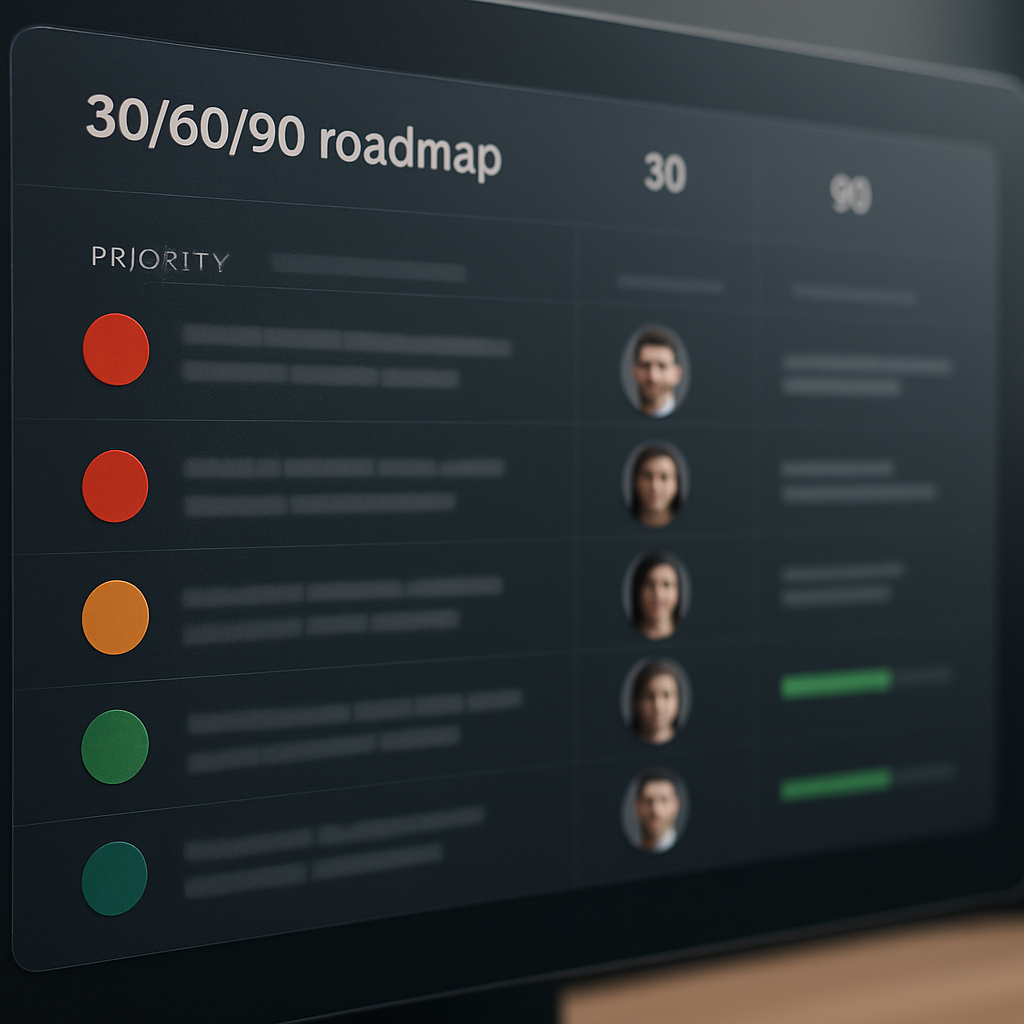
- Days 0-30 – Stop the bleeding: fixes that are high impact and low effort – redirect chains, canonical tags, indexability errors, and low-hanging title/meta updates. KPI: reduce Coverage errors by X and recover lost indexed pages
- Days 31-60 – Quick wins and content moves: update high-potential pages, consolidate cannibalized pages, publish 3 targeted content briefs from content gap analysis. KPI: improve average position for 10 target keywords and increase organic clicks by Y
- Days 61-90 – Technical projects and scale: larger dev tasks – LCP improvements, schema rollout, structured internal linking. KPI: measurable Core Web Vitals improvements and lift in impressions for priority pages
Concrete example: an e-commerce site I audited had product pages split across variants with poor canonicalization. We fixed redirects and canonical tags in the first 14 days, updated duplicated titles in week three, and consolidated thin category pages in month two. The result was a 20 percent lift in organic sessions to category pages within 60 days.
Reporting essentials: your audit report must include an executive summary with estimated traffic impact for the top 5 items, a prioritized task list with owners and deadlines, exported evidence CSVs, and before/after screenshots. Use Ranklytics features to convert content items into briefs and Google Search Central links to justify technical fixes to engineers.
Next consideration: after 90 days, run a lightweight re-audit of the top landing pages and recalibrate priorities based on real metric movement rather than assumptions.
Tools Cheat Sheet and Reusable Templates
Practical point: a tight toolset plus consistent export names and templates reduces audit overhead more than buying every paid product. When you know which export to pull and where to drop it, the audit becomes repeatable and handoffs to developers or content teams are fast.
Tool quick-reference table
| Tool | Primary use | Export/file to save | Key fields to check | Notes |
|---|---|---|---|---|
| Ranklytics | Content gap analysis and AI content briefs | content_briefs.csv | Target keywords, intent, suggested headings, difficulty | Use to convert findings into prioritized tasks. See how to use Ranklytics for content planning. |
| Google Search Console | Index coverage and search performance | ___CODE0, CODE1___ | Status, reason, affected URLs, clicks, impressions, avg position | Always export the Coverage and Performance reports for a baseline. See Google Search Central. |
| Screaming Frog | Full site crawl – on-page, redirects, canonical issues | ___CODE0, CODE1, CODE_2___ | Status codes, canonical link element, meta lengths, H1 | Free up to 500 URLs. Save the internal HTML export as your canonical crawl snapshot. See Screaming Frog SEO Spider. |
| PageSpeed Insights / Lighthouse | Core Web Vitals and lab performance | ___CODE0, CODE1___ | LCP, INP/FID, CLS, TTFB, Opportunities | Use both field and lab data. Link to PageSpeed Insights. |
| Ahrefs / Moz | Backlink profile and keyword gap | ___CODE0, CODE1, CODE_2___ | Referring domains, anchor text, lost links, competitor keywords | Paid tools but essential for authority work; export conservative lists before disavow. |
| GTmetrix / Chrome DevTools | Deeper performance debugging | ___CODE0, CODE1___ | Resource waterfalls, blocking scripts, large images | Use HAR and waterfall to create developer tickets. |
| Google Sheets / Excel | Audit master sheet and prioritization matrices | ___CODE0, CODE1___ | Issue, page, impact score, effort estimate, owner, due date | Centralize all exports here for consistent prioritization. |
Tradeoff to accept: automated exports surface volume not value. Running a Screaming Frog crawl and an Ahrefs site audit will give hundreds of items. You must pair those exports with a simple prioritization template to focus on high-impact fixes rather than checkbox cleaning.
- Template: Audit checklist (CSV): columns for source tool, issue type, path, description, impact, effort, owner, status. Name the file
audit_checklist.csvso every audit follows the same structure. - Template: Priority matrix (sheet): score issues by expected traffic impact and implementation effort. Use the matrix to pick the top 5 tactical tasks for 30 days.
- Template: 306090 plan (sheet): map tasks to owners and KPIs. Export as
30_60_90_plan.xlsxfor stakeholders. - Developer ticket template (Markdown): include repro steps, affected URLs, expected behavior, and ___CODE0 link. Save as CODE1___ and attach HAR files for performance issues.
Concrete example: run a Screaming Frog crawl and export ___CODE0. Export GSC Coverage as CODE1. Merge those into CODE_2___ and filter for pages with crawl errors plus organic impressions above a threshold. Import the top 10 problem pages into Ranklytics to generate content briefs, then convert briefs into a content sprint for the next 30 days.
Keep exports versioned and named by date – for example audit_2026-05-01_internal.csv – so you can measure whether fixes change signals in subsequent crawls and rank tracking.
Next consideration: pick one person to own the master sheet and enforce file naming. The small discipline prevents audit drift and makes running future audits faster and less opinionated when handing work to external SEO audit services or developers.

Written by
ranklytics