











Table of Contents
- 1 How to Find Keywords for Your Website: Research Methods That Work
- 1.1 1. Clarify business goals and map search intent to outcomes
- 1.2 2. Generate seed keywords using tools and human sources
- 1.3 3. Competitor gap analysis and SERP landscape
- 1.4 4. Mine first party data for high intent keyword opportunities
- 1.5 5. Expand long tail and question keywords and cluster by intent
- 1.6 6. Score and prioritize keywords with a reproducible framework
- 1.7 Frequently Asked Questions
How to Find Keywords for Your Website: Research Methods That Work
If you want predictable organic growth, you need to know how to find keywords for a website that map to real user intent and business outcomes. This guide lays out a repeatable, tool-driven workflow – seed generation, competitor gap analysis, first party data mining, long tail expansion, clustering, and a simple scoring system – with actionable templates and examples you can apply immediately.
1. Clarify business goals and map search intent to outcomes
Start with an outcome, not a keyword list. If a keyword cannot be tied to a measurable business metric you care about, it is lower priority even when volume looks attractive. Map each target to a KPI such as trial signups, demo requests, revenue per visitor, or average order value so keyword selection becomes an investment decision instead of a guessing game. Use Ranklytics features to attach keywords to campaigns and track outcome metrics alongside rank changes.
Build a simple goals-to-intent table
Create a compact table with these columns: Goal, Target KPI, Funnel stage / Intent, Example keyword targets, and Priority weight (1-10). Keep it tight. The point is to force a decision about intent – informational, commercial research, transactional, or navigational – before you run any tool queries. That decision directs which metrics matter when you score keywords later.
| Goal | Target KPI | Funnel stage / Intent | Example keyword targets | Priority weight |
|---|---|---|---|---|
| Increase trial signups 20 percent | New trials per month | Commercial research / bottom-funnel | best project management software for agencies; free trial project management | 9 |
| Grow blog referral traffic | Organic sessions | Informational – awareness | how to find keywords for a website; content calendar template | 5 |
| Improve local sales | Store visits / conversions | Transactional – local | seo consultant near me; local seo services city | 8 |
Concrete Example: A B2B SaaS product team set a goal to increase trial signups by 20 percent. They prioritized commercial research keywords, created a comparison hub and optimized product pages, and measured trial conversions from organic landing pages. Within 60 days they reweighted lower converting informational keywords to research the next funnel entry.
- Weighting rule: Give higher weight to intent that aligns with monetizable actions – volume is secondary for early-stage conversion goals.
- Tradeoff to accept: Targeting high-volume informational terms can drive traffic but slows time to measurable business outcomes – budget resources accordingly.
- Limitation: Third party tools and
Search Consolewill disagree on volume and intent signals; treat tool metrics as directional and validate by inspecting SERPs and real user queries.
Key judgment: For most mid-size sites the fastest returns come from focusing on commercial research and long tail bottom-funnel phrases that match your conversion path, not from chasing top-level head terms.
AnswerThePublic for informational long tails. See the content planning template at How to plan content with keyword research.
2. Generate seed keywords using tools and human sources
Key point: Seed keywords are not a random list; they define the search universe you will expand, cluster, and prioritize. Combine tool-driven scraping with human sources to surface both high volume head terms and the long tail questions that convert.
Concrete step sequence
- Collect first party seeds: Pull top queries from
Search Console(last 90 days), internal site search terms, support tickets, sales call notes, and product names. These phrases usually show commercial intent you will not find in generic lists. - Run quick tool expansions: Feed those seeds into Google Keyword Planner for volume ranges, then expand in Ahrefs or SEMrush for parent topics, difficulty, and keyword suggestions. Use
AnswerThePublicandGoogle Autocompleteto capture natural question phrasing. - Harvest SERP signals: Collect People Also Ask, Related searches, and top ranking page titles for a seed. These reveal modifiers and real user phrasing that tools often miss. Save URLs and snippets for later intent checks.
- Competitor gap pulls: Use a content gap report in Ahrefs or SEMrush to export keywords competitors rank for that you do not. Filter by position and traffic to prioritize practical opportunities rather than theoretical volume.
- Consolidate and tag: Import all exports into one master seed sheet with columns Source, Seed Type, Estimated Volume, Intent, and Notes. Deduplicate, normalize variants, and keep the original source tag so you can trace value back to first party signals.
Practical limitation: Free and paid tools differ on volumes and parent topic grouping. Google Keyword Planner rounds and aggregates volumes by ranges, while Ahrefs and SEMrush provide finer estimates and parent topic metadata. Do not treat any single metric as definitive – use the combination as a directional signal and validate by inspecting the SERP.
Tradeoff to watch: Aggressive expansion creates long lists with many low-value variants. In practice, cap raw expansion per seed – for example, keep the top 150 variants per seed before you apply intent filters. That slows quantity but improves the signal to effort ratio when you move to clustering.
Concrete example: A mid-stage ecommerce team extracted 600 queries from support logs and the Search Console. They consolidated the list, ran those seeds through Ahrefs to pull parent topics, and then ran a competitor gap to find 18 moderate volume, low competition phrases with clear purchase modifiers. The team prioritized six of those as either content upgrades or product page optimizations and saw measurable lift in conversion rate on the optimized pages.
Judgment: Human sources reveal conversion signals that third party tools systematically underweight. If you must choose one source to prioritize early, make it Search Console plus support transcripts; they surface high intent phrases that scale better into content than pure volume-driven suggestions.

3. Competitor gap analysis and SERP landscape
Direct observation: the highest probability wins usually come from keywords competitors already rank for where the SERP reveals weak coverage, not from the highest volume head terms. Competitor gap reports point you to those candidates quickly, but the report is only the start — you must read the SERP to understand format, intent, and the actual quality gap.
Identify the right competitors first. Look beyond obvious brand rivals and include indirect competitors: blogs covering your topic, comparison hubs, and marketplaces that siphon commercial queries. Use tools like Ahrefs Site Explorer and SEMrush Domain Overview to assemble a list, then validate by searching a handful of target queries and noting who consistently appears in the top 10.
Practical gap-to-action workflow
- Pull competitor keyword sets: export each competitor’s organic keywords and their ranking pages. Tag the source domain so you can trace where opportunities came from.
- Compute gaps and overlap: identify keywords your competitors rank for but you do not, then filter by position band (e.g., competitors in positions 1-10 with your site not in top 50).
- Validate intent and SERP format: open the live SERP for each candidate and note features present – featured snippet, People Also Ask, product/local pack, video. Record the content format that ranks (listicle, how-to, comparison, product page).
- Qualify opportunity: score each gap by realistic lift — competitor position, estimated traffic, and whether the top pages are weak (thin content, outdated, no primary data). Prioritize gaps where the SERP is format-aligned with something you can build better and faster.
Tradeoff to accept: gap reports produce long lists. If your team is small, prioritize by actionability not volume. A keyword where a competitor ranks at position 7 with shallow content and clear commercial intent is often a faster win than a higher-volume keyword dominated by authoritative, well-optimized resources.
Limitation to watch: volume and difficulty metrics from third party tools can be misleading in localized or personalized SERPs — local packs, shopping carousels, and PAA answers change the click distribution. Always combine the numeric gap with a manual SERP check before committing content resources.
Concrete example: A mid-market SaaS team ran a content gap between their domain and three competitors. From 1,200 unique competitor keywords they filtered to 42 candidates where competitors ranked 5-10 and the top results were short, generic comparison pages. The team published two in-depth comparison guides and one FAQ hub optimized for the same queries; within two months both guides displaced weak competitors to the top five and pushed measurable trial signups from those pages.
Key signal: treat SERP features as requirements, not bonuses. If the results show People Also Ask and listicles, your page needs structured FAQs and scannable lists to compete.
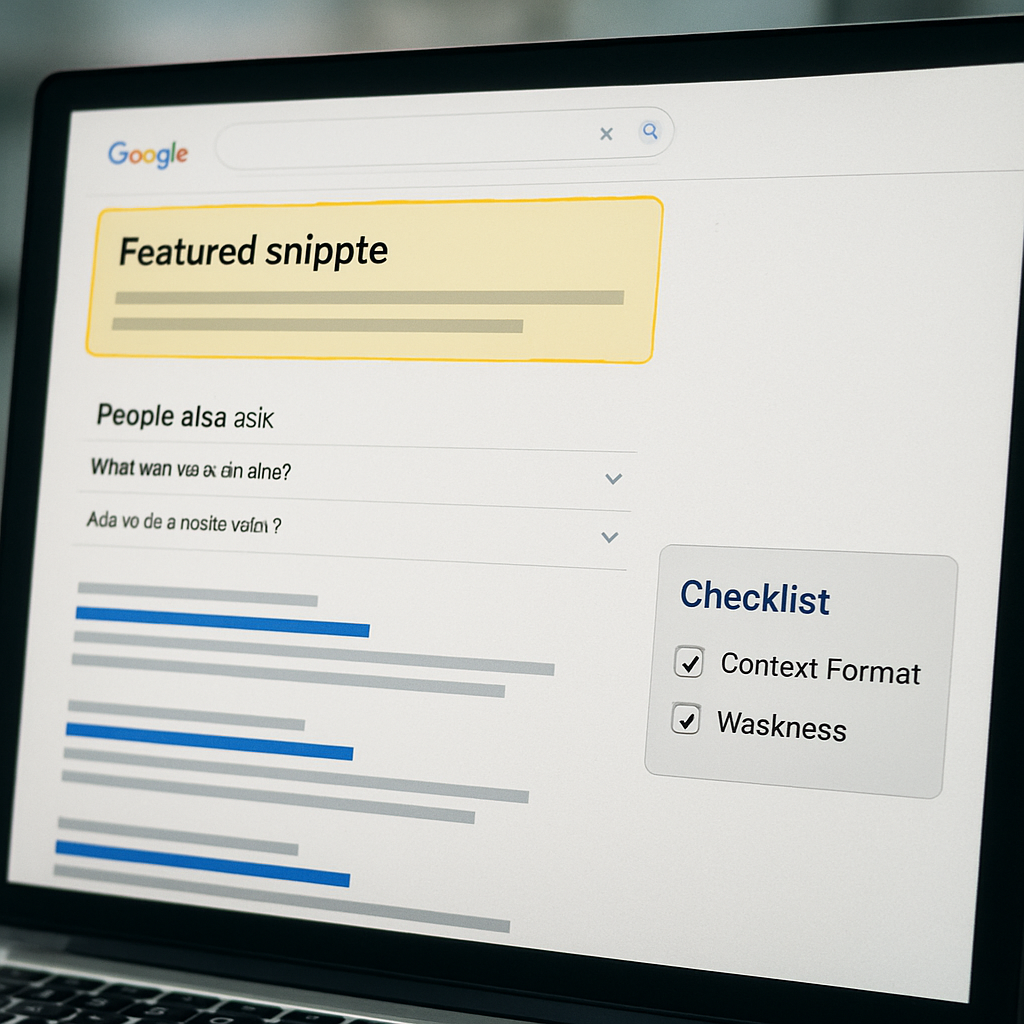
Next consideration: run the gap-to-action workflow for a focused set of 20–50 keywords, then iterate based on real ranking movement and conversion signals rather than chasing every item the report returns.
4. Mine first party data for high intent keyword opportunities
Immediate point: your best keyword opportunities are already visible inside your own systems if you know how to join the dots. Third party tools give surface signals; first party data shows what real users asked, clicked, and converted — and that is the signal you should prioritize when selecting website keywords.
Three practical extraction moves
Step 1 – Query × page pairing: export the Google Search Console Performance report by Query and Page, then pivot so you can see which queries drive impressions to which landing pages. Prioritize queries that send impressions to high-value pages (pricing, trial, product) but have low CTR or rank outside the top 3 — those are quick title/meta or snippet wins. See Google Search Console Performance report for export details.
Step 2 – Convert internal search and support logs into seeds: use internal site search and support ticket exports to surface verbs and modifiers users actually type. Run a simple frequency analysis (top 200 phrases) and then apply a light TF-IDF filter to pull intent-heavy items like add to cart, pricing, cancel subscription. Do not treat every mention as a keyword; map phrases back to pages and funnel stages before you act.
| Data source | Actionable signal to extract |
|---|---|
| Google Search Console | Query → landing page pairs, impressions, CTR, position trends |
| Internal site search | Top queries, refinement chains, pages visited after search |
| Support/sales transcripts | Repeat questions, product names, intent modifiers (refund, price, integration) |
Practical tradeoff: first party data skews toward what existing users care about — high intent but low volume. That means you will find high-conversion long tail opportunities that do not justify standalone mass-audience content. Your decision is binary: convert these into page-level optimizations and FAQs, or cluster multiple similar phrases into a single authority resource.
Limitation to remember: Search Console does not show every low-volume query and has a reporting lag. Support transcripts contain PII and subjective language; anonymize before analysis and expect noisy phrasing that needs normalization into search-friendly variants.
Concrete example: an emerging SaaS noticed a cluster of support phrases about scheduling integrations. GSC showed those queries sending impressions to a generic features page with 0.8% CTR. The team created a dedicated how-to guide optimized for the normalized query list, updated the features page meta, and added structured FAQs. Within six weeks CTR jumped and trial starts attributed to that landing page increased materially.
Key judgment: prioritize first party signals tied to pages that already touch your conversion path. These represent the highest ROI because they are closest to actions you can influence with titles, snippets, and small content updates.

Next consideration: once you have a short list of first party opportunities, decide case-by-case whether to A/B test title tags for CTR wins, create a dedicated content asset, or fold similar phrases into an existing page — pick the least-effort option that preserves intent alignment with your conversion funnel.
5. Expand long tail and question keywords and cluster by intent
Start with expansion as a signal collection exercise. Long tail and question keywords are not just individual targets — they reveal the specific problems, constraints, and language your audience uses. Treat the expansion step as building a set of intent-stamped observations you will later group into content assets.
A compact framework: Expand – Normalize – Filter – Cluster
Expand. Pull question and modifier variants from AnswerThePublic, Google Autocomplete, People Also Ask scraping, and a metrics overlay tool like Keywords Everywhere. Include first party sources – Search Console queries and internal search logs – before you trust third party suggestions.
Normalize and filter. Clean noisy phrasing into search-friendly variants, remove duplicates, and filter by realistic intent. Practical rule: keep variants that change intent or the conversion pathway; discard trivial wording changes that do not. Cap raw expansion per seed — for example, the top 120 variants — to avoid chasing low-value noise.
Cluster. Group variants by the problem users are trying to solve, not by shared words. Use SERP overlap, common head topic, and semantic similarity (cosine similarity or a clustering AI) to form clusters you will map to one content asset. Prioritize clusters that mix question forms, how-to phrases, and commercial modifiers if the asset needs to convert.
| Cluster element | What to include |
|---|---|
| Canonical keyword | Primary phrase you want ranked and used in title and H1 |
| Semantic variants | Close synonyms and structural rewrites used as H2s and body copy |
| Question forms | How, why, comparison and troubleshooting questions to convert into FAQs |
| Commercial modifiers | Buy, price, best, alternatives – used to decide if a separate comparison or product page is needed |
Real-world use case: For the primary target how to find keywords for a website a sensible cluster might include a pillar how-to guide, a downloadable checklist, a tool comparison section, and a short FAQ covering edge-case questions. That lets a single URL capture broad informational intent while separate comparison pages handle commercial research without causing cannibalization.
- Pillar / guide: use when the cluster is overwhelmingly informational and broad
- Comparison / category page: use when queries include purchase intent or product names
- FAQ / appendix: use for repeat question forms and troubleshooting snippets
Tradeoff and limitation: Building many separate pages for every long tail variant creates thin, low-performing assets and a maintenance burden. In practice, cluster aggressively: prioritize 5 to 10 variants per asset and split into separate pages only when intent diverges materially – for example, informational versus transactional.
Judgment: For mid-size sites, cluster-first strategies win more often than page-per-phrase strategies. They concentrate link equity and reduce cannibalization while still allowing you to target commercial modifiers with internal links and sectional CTAs. Use SERP feature checks to decide whether the cluster needs structured data, a comparison table, or step-by-step screenshots.
Key takeaway: Cluster to mirror user intent clusters, not keyword morphology. One strong, well-structured asset that covers related questions beats many thin pages chasing minor phrase variations.
6. Score and prioritize keywords with a reproducible framework
Direct point: a spreadsheet full of metrics is useless unless you convert those numbers into repeatable decisions. Build a small scoring model you use every week so prioritization moves from opinion to calculated trade-offs.
Design principles for the model
Keep inputs limited. Use 5 inputs you can reliably source: estimated monthly reach (volume × expected CTR), commercial intent (1-5), content difficulty (1-100 or KD), confidence in the data (1-5), and effort in hours to rank or optimize. Too many columns slow review and create false precision.
Make the math transparent. Use a single composite score so everyone knows why one keyword outranks another. Example formula: Score = (Reach × Intent × Confidence) / Effort. That forces trade-offs: high-volume low-intent terms lose to modest-volume high-intent terms that are cheap to execute.
- Step 1: Populate raw values from tools and first party sources — volume from Google Keyword Planner, difficulty from your keyword tool, intent from a manual 1–5 rubric based on landing page fit.
- Step 2: Normalize units so numbers are comparable (convert volume to expected clicks using an estimated CTR band by SERP position).
- Step 3: Calculate the composite score using your formula and sort. Flag any item where SERP quality contradicts the numeric score for a manual check.
- Step 4: Assign action buckets — quick win (optimize metadata or content upgrade), create new asset, or long-term build — and attach owner + deadline.
Practical limitation: numeric difficulty scores and search volume ranges are noisy. A high composite score still fails if the SERP is dominated by authoritative resources or if the intent is ambiguous. Always run a quick SERP feature and quality check before allocating significant hours.
Concrete example: A mid-market SaaS team evaluated a keyword with 1,200 estimated monthly searches. Using an expected CTR of 8% that gives ~96 estimated clicks; they scored intent as 4, confidence 3, and estimated 20 hours of effort. Applying Score = (96 × 4 × 3) / 20 produced a score of 57.6 — high enough to prioritize as a content update rather than a full new pillar. They updated the target page’s H1, added a short FAQ, and tracked CTR and conversions for 60 days.
Trade-off to accept: prioritizing only short-term wins (low effort, high conversion intent) accelerates measurable results but underweights investments that build domain authority for head terms. Reserve a small percentage of capacity for strategic authority pages if your roadmap includes long-run brand visibility.
Practical judgment: let the composite score point you to candidates, but let a one-minute SERP read and intent sanity-check veto anything the spreadsheet promotes. Numbers guide; human validation decides.
Frequently Asked Questions

Written by
James ChenJames is a content marketing expert and former agency lead who has managed SEO programs for Fortune 500 brands. He focuses on keyword strategy, content gap analysis, and building scalable content operations. He writes about the intersection of AI and modern marketing.