










Table of Contents
- 1 SEO Ranking Checker: Monitor Your Position and Track Progress
- 1.1 1. Why monitoring keyword position matters for business outcomes
- 1.2 2. Choosing a rank checker, and where Ranklytics fits
- 1.3 3. Step by step setup for a reliable rank tracking system
- 1.4 4. Interpreting rank data and diagnosing fluctuations
- 1.5 5. Turning rank insights into content and optimization actions
- 1.6 6. Reporting, alerts, and automation for teams
- 1.7 7. Advanced techniques and long term measurement
- 1.8 Frequently Asked Questions
- 1.9 Frequently Asked Questions
SEO Ranking Checker: Monitor Your Position and Track Progress
An seo ranking checker is the single most actionable signal for organic performance – properly configured rank tracking separates noise from meaningful movement and points directly to content or technical fixes. This guide walks through a practical setup: choosing and tagging keywords, setting location and device granularity, establishing cadence and alert thresholds, and diagnosing drops with concrete tests. We’ll show where a tool like Ranklytics fits into a stack with Google Search Console and backlink tools, and provide ready-to-use templates for reports and alerts.
1. Why monitoring keyword position matters for business outcomes
Direct link to revenue: Tracking keyword position with an seo ranking checker is not about ego or leaderboard placement. It is about measuring where your content sits in the customer journey and predicting the traffic and conversions that follow. If you treat rank as an isolated SEO metric you will misallocate work; if you treat it as an input to revenue models you get priorities that move the business.
Rank tracking only pays off if something acts on the data. For owner-run sites, AI SEO tools for small business close that loop by turning ranking gaps into published content automatically.
Which metrics matter and how to combine them
Key metrics to combine: Rank alone is incomplete. Pair position with search volume, impressions, CTR, conversion rate, and average order value to estimate the business impact of a rank change. Use a search visibility metric from your seo ranking tool to translate position shifts into expected traffic deltas before you touch content or dev resources.
Practical tradeoff: Improving position on a high volume but low intent query wastes effort. Conversely, small rank improvements on high intent queries often produce outsized revenue gains. Prioritization must balance potential traffic gain against downstream conversion value rather than chasing position for its own sake.
Concrete example: An ecommerce product page moved from position 6 to position 3 on a commercial query. Estimated monthly sessions for that keyword rose from about 200 to 360 and purchases doubled after the metadata and schema were tightened. The rank move explained most of the traffic uplift when viewed alongside stable PPC and referral trends.
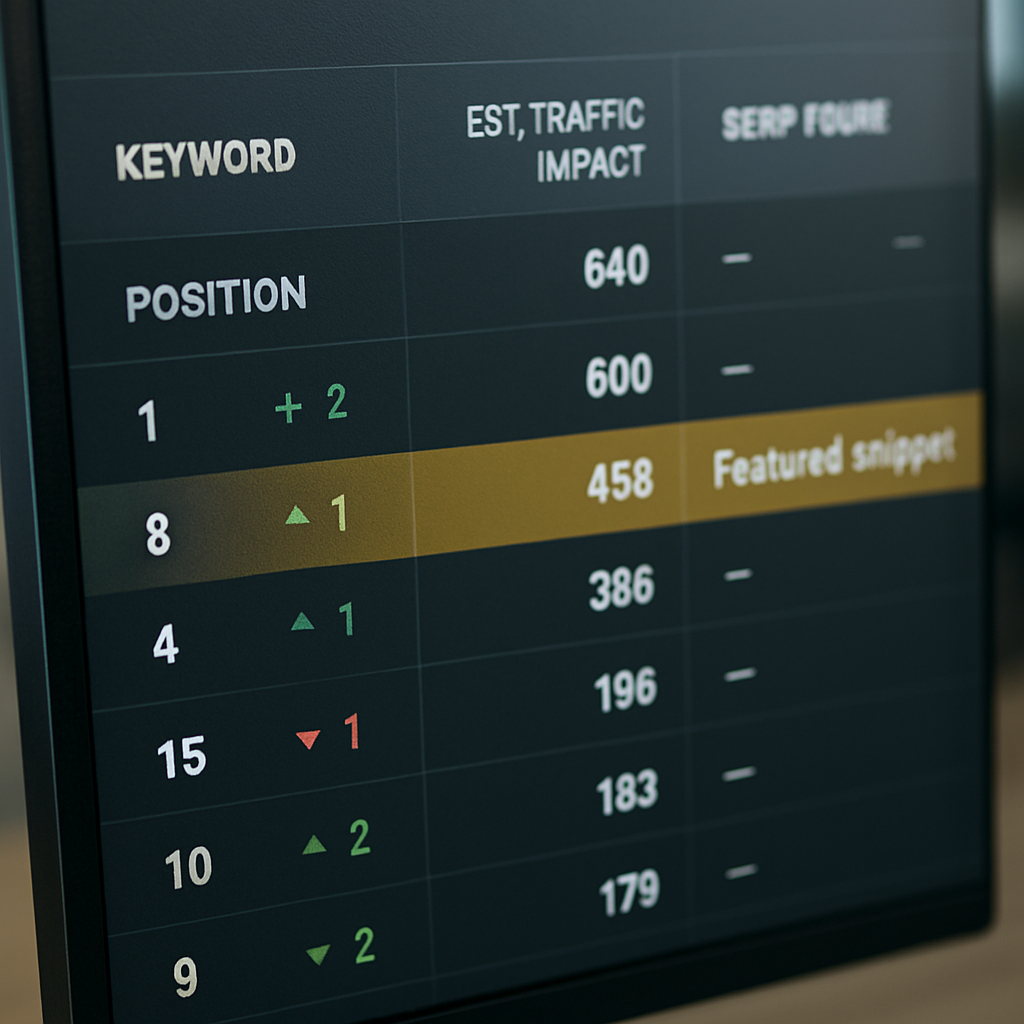
SERP features change the math: A jump from position 6 to 3 can still produce no traffic gain if a featured snippet or product carousel suddenly occupies the top clicks. Use a serp checker or serp visibility monitor to track feature presence alongside raw position. Accurate prioritization requires both position and feature signals.
Limitation to expect: Rank data is noisy across location and device. Your google ranking checker must capture city or zip level and mobile versus desktop splits to reflect the real audience. If you ignore segmentation you will optimize for wrong users and miss where revenue actually comes from.
Next consideration: Map your top 50 revenue-linked keywords in your rank tracker and set alerts for position drops that exceed your expected traffic threshold. Use Ranklytics features to automate the correlation between rank movement and estimated traffic so your team focuses on work that moves the bottom line.
2. Choosing a rank checker, and where Ranklytics fits
Judge a rank checker on how quickly it turns a position change into a decision, not on how many keywords it will store. Every tool in this category can tell you that you slipped from 8 to 12. The ones worth paying for tell you which page moved, what else changed on that SERP, and what to do about it — without you exporting anything.
The same test applies upstream of tracking. Knowing your positions on the keywords you chose says nothing about the ones you never chose, which is what a content gap analysis is for.
What to evaluate before you commit
- Surface coverage: Classic trackers watch ten blue links. A growing share of queries now resolve inside AI answers and AI Overviews, where there is no position to report — only whether you were cited. A tracker blind to that surface is measuring a shrinking part of the page.
- Device and location granularity: Mobile and desktop diverge enough that a blended number hides real movement, and local intent needs city-level tracking rather than a country average.
- Competitor context on the same query: A drop from 6 to 9 means one thing when a competitor published something better, and something entirely different when Google added a SERP feature that pushed every organic result down.
- Alerting that forces a decision: Alerts should fire on movement that changes what you do and stay silent otherwise. Noisy alerting gets muted within a fortnight, which is the same as having none.
- A route from insight to shipped change: The gap between “this page slipped” and “this page is fixed” is where most rank tracking quietly dies.
How Ranklytics covers it
Ranklytics rank tracking monitors keyword positions across Google, Bing and other engines, split by desktop and mobile and by location, refreshed daily, weekly or monthly. It tracks competitors on the same queries, keeps historical trend data for cohort comparisons, and sends alerts when a position moves far enough to matter.
What separates it from a conventional seo ranking checker is the second surface. AI visibility monitoring tracks whether your brand is mentioned and cited in ChatGPT, Gemini, Perplexity and Google AI Overviews — precisely the queries where a classic tracker has nothing to report. And because tracking sits in the same platform as content generation, a detected gap can move straight into a brief and a published page instead of into a spreadsheet someone revisits next quarter.
Tracked keyword limits by plan: Search at $49/mo covers 100 tracked keywords; Search + AI at $99/mo covers 500 and adds the AI visibility layer; Agency at $199/mo covers 2,000 across three sites. Full detail is on the pricing page. To see where you stand before committing, the free SEO audit returns current ranking signals plus an AI visibility score.
Next consideration: Choosing the tool is the easy half. Setup decides whether it produces decisions or noise, which is what the next section covers.
3. Step by step setup for a reliable rank tracking system
Set the system up to answer a narrow set of business questions, not to collect vanity data. Decide which keyword movements will change actions: pages you will update, pages you will run experiments on, or queries you will protect with monitoring. Everything that follows should reduce time-to-action for those decisions.
Core configuration steps
- Define goals and KPIs: List priority outcomes (e.g., increase trial signups from organic search) and map 30–50 revenue-impact keywords to those outcomes so the tracker focuses on impact, not volume.
- Build the keyword set: Start with seed terms and expand using Ranklytics AI suggestions and
search volumefilters. Tag by intent and topic so you can group by content cluster later. - Set location and device granularity: Track by country plus high-value cities or zip codes for local intent. Always split mobile and desktop; treat them as separate targets for alerts.
- Choose cadence and baselines: Use
dailychecks for your top 10–20 priority queries, weekly for the next 100, and sampling for long tail. Capture a baseline snapshot immediately after setup to compare future movement. - Add competitors and SERP features: Monitor 3–5 direct organic competitors and enable SERP feature capture (featured snippets, local pack, product carousels). This converts rank changes into actionable context.
- Alert thresholds and routing: Configure alerts for realistic noise – e.g., 10–15 position drops on priority keywords or 25–30% impressions decline in 7 days. Route high-priority alerts to Slack or email with the affected page and suggested first checks.
- Integrate validation signals: Connect Google Search Console and export to your reporting layer (Looker Studio) to validate estimated traffic changes and eliminate false positives from personalization.
Trade-off to accept upfront: Higher location granularity and daily cadence improve accuracy but multiply query costs and noise. If budget or team capacity is limited, prioritize city-level tracking for markets that drive revenue and use weekly cadence for the rest.
Concrete example: A mid-market SaaS tracked 40 queries tied to pricing and product pages, set city-level tracking for three metros, and ran daily checks on the top 8 commercial queries. When a metadata change caused a 12-position drop on the main pricing query, the alert included the affected page, recent crawl date, and competitor rise — allowing the team to revert the change within 48 hours and recover traffic quickly.
Practical judgment: Most teams over-index on keyword count and under-index on tagging and intent. Tracking thousands of keywords without tags turns rank reports into noise. A focused set with clear tags, baseline snapshots, and integrated GSC validation produces reliable, actionable signals you can act on.
Next consideration: After setup, run the tracker quietly for two to four weeks to establish natural volatility bands before enabling strict alerts — use that period to refine tags and remove low-value keywords.
4. Interpreting rank data and diagnosing fluctuations
Fundamental point: a rank number is a symptom, not a diagnosis. Treat position shifts as a prompt to run a short, convergent set of checks that separate measurement artifacts from real ranking changes caused by content, technical, or competitive moves.
One of the most common diagnoses is simply that somebody else moved. Competitor watch answers that question directly — whether a rival published against the term, earned links, or overtook you on it — before you spend a day auditing your own page for a problem it does not have.
A rapid diagnostic triage
Triage goal: decide in 15 minutes whether this is measurement noise, an indexability problem, a content/intent mismatch, or competitor-driven displacement. The faster you isolate the category, the less time you waste on low-value fixes.
| Observed symptom | First check (tool) | What confirms the cause |
|---|---|---|
| Positions fall and impressions fall | Check Google Search Console – Coverage + Performance | If impressions decline alongside drops, likely indexability, robots or widespread deindexing; not personalization. |
| Positions fall but impressions stable or rise | Run live SERP snapshots and SERP feature capture via your seo ranking checker | If your page appears lower while impressions stay steady, SERP layout or competitor content is stealing clicks – investigate intent shift and snippets. |
| A handful of keywords drop sharply by >10 positions | Review recent CMS commits, metadata edits, and canonical headers; validate with a fetch-as-Google or live curl | If a recent template or meta change aligns with the timing, the drop is likely caused by on-page changes you can revert or fix. |
Practical trade-off: tracking position by tiny geographic slices increases fidelity but fragments impressions. Small-city splits give precise local signals yet produce unstable ranks because sample size is low. Use city-level only for revenue-driving markets and rely on impression-weighted aggregates elsewhere.
Judgment call most teams miss: average position can hide the story. Use an impressions-weighted median or distribution view from your rank tracking software so high-impression queries dominate the signal. Chasing small swings in low-impression queries wastes time and creates false alarms.
Concrete example: An online tools retailer saw a 20 position drop for a commercial keyword on desktop. Quick triage showed impressions unchanged in Google Search Console but the SERP snapshot from the seo ranking tool revealed a newly prominent comparison table and a product carousel. The team rewrote the page to match comparison intent and added schema; the page regained positions and CTR improved over the next six weeks.
Next consideration: convert your triage outcomes into narrow playbooks – a checklist for index issues, a checklist for content intent shifts, and a checklist for competitive displacement – so alerts trigger repeatable actions instead of opinionated debates.
5. Turning rank insights into content and optimization actions
Start with a single decision rule: convert any ranking signal into one of three operational outcomes – update, experiment, or escalate to engineering. That rule keeps rank tracking from producing endless suggestions and forces a concrete owner and timebox for every action.
A practical prioritization framework
Use a simple ROI per hour heuristic to choose what to do first. Estimate expected traffic uplift from the rank signal, multiply by conversion value, then divide by the estimated hours to complete the work. Prioritize items with the highest value per hour. This avoids wasting content team time on low value keywords even if their position looks poor.
- Classify the signal: Is this an opportunity (rank improving but low CTR), a compatibility issue (intent mismatch), or a regression (sharp drop)?
- Quick fixes first: metadata, title tags, schema, and internal links take less time and often yield the best value per hour before full rewrites.
- Experiment when uncertain: run narrow A/B style content changes or metadata variants and measure CTR and rank for a 3 to 6 week window.
- Escalate complex causes: if diagnostics point to indexation, canonical, or JavaScript rendering issues, open an engineering ticket instead of iterating content.
| Action | Typical owner | Expected signal window |
|---|---|---|
| Meta title and description tweak | Content writer | 7 – 21 days |
| Add or adjust schema and snippet markup | SEO / Dev | 14 – 45 days |
| Content restructure and targeted H2 additions | Content strategist | 21 – 60 days |
| Link building or outreach | Outreach specialist | 30 – 90 days |
Practical tradeoff: small, frequent updates reduce time-to-signal but increase editorial churn and can dilute topical focus. Reserve frequent tweaks for high priority queries and use larger consolidated updates for broad topical authority work.
Concrete example: A publisher used the seo ranking checker to find an article ranking in positions 4 through 6 with steady impressions but low CTR. They generated an AI content brief via Ranklytics features, produced a 200 word snippet optimized for the featured snippet, tightened the H1 and meta, and added comparison bullets. The team monitored the query daily and saw CTR rise within three weeks and position move into the top 2 over six weeks.
Judgment that matters: chase intent alignment, not position. Improving a page to match the dominant SERP intent typically yields faster, more reliable traffic gains than trying to outperform competitors with longer content alone. Use your serp checker to confirm the target format before you write.
6. Reporting, alerts, and automation for teams
Hard rule: automation should shorten the loop from detection to a clear first action, not generate more tickets. Configure your seo ranking checker to attach context — SERP snapshot, recent CMS commits, and Google Search Console signals — so alerts are actionable the moment they hit a channel.
That is the design principle behind SEO autopilot: detection feeds a decision, the decision produces a change, and the change gets measured — rather than another alert landing in an inbox nobody owns.
Designing alerts that reduce noise and force decisions
Context matters more than threshold. Instead of sending an alert for any rank move, require a small validation chain: confirm impression change in Google Search Console, check whether a SERP feature appeared or disappeared with your serp checker, and attach the last publish timestamp from your CMS. If the three signals align, escalate.
- Playbook step 1: Validate — run a GSC impressions check and a live SERP snapshot before notifying.
- Playbook step 2: Classify — tag the alert as Regression, Intent Shift, or Competitor Rise and attach the recommended owner.
- Playbook step 3: Remediate — provide the first three checks (revert recent meta change, request re-crawl, or draft a content brief) and link to the relevant ticket template.
Trade-off to accept: pushing validation into the alert delays notification by minutes and adds query cost, but it removes low-value tickets and avoids alert fatigue. In practice, a validated alert that contains an immediate remediation step will be actioned far more often than a raw rank-notification.
Concrete example: A mid-market ecommerce team wired their seo ranking checker to Slack with a validation webhook that checks recent GSC impressions and captures a SERP screenshot. A 20 percent impressions dip on a product query produced a validated alert including the affected URL, the last CMS commit hash, and a suggested rollback action. The developer reverted the template change within 36 hours and the alert pipeline closed automatically after GSC impressions began to recover.
Automated alerts must include owner, validated context, and a 48-hour playbook item or they become background noise.
Reporting tiers for different audiences: build three automated outputs from your rank tracking data — an operational incident card for the on-call SEO and engineer, a weekly optimization queue for content teams with value-per-hour scoring, and a monthly executive sheet that maps rank movement to estimated revenue impact. Use Ranklytics features or your API to generate these automatically into Slack, Jira, and Looker Studio.
Judgment most teams overlook: real-time, unfiltered rank pings are seductive but rarely useful. Focus automation on validated regressions for priority keywords and use batch reports for discovery. That concentrates engineering and editorial bandwidth where it actually moves business outcomes.
7. Advanced techniques and long term measurement
Advanced measurement shifts the question from Where did rank move? to What does this movement mean for topical authority and business outcomes over months? Stop treating rank checks as discrete alerts and build a measurement layer that evaluates clusters, cohorts, and experiments. An seo ranking checker becomes strategic only when it feeds repeatable comparisons and hypothesis tests rather than one-off position snapshots.
Cluster-level tracking and topical authority
Measure clusters, not just queries. Group related keywords by intent and funnel stage, then track aggregated signals – impressions-weighted median position, share of top 3, and SERP feature penetration for the cluster. This reduces noise from single-keyword volatility and reveals whether you are building topical authority or losing ground to competitors with broader coverage.
Annotate events and use date-based cohorts
Annotate every major change. Add tags in your rank tracking tool for CMS releases, content updates, link campaigns, and algorithm dates. Then use cohorts – pages updated in the same week – to compare median rank shifts and traffic deltas over 30, 60, and 90 day windows. Annotation turns correlation into usable attribution, not wishful thinking.
Trade-off to accept: wider cohorts and longer windows reduce false positives but delay detection. If you run many micro-updates, aggregate them into controlled batches for clean measurement – otherwise you will never know which change produced the win or loss.
Controlled experiments and statistical rigor
Run small, repeatable experiments. Use A B style tests when possible – metadata variants, lead snippet copies, or H2 structures – and hold half the pages as controls. Track outcomes with your rank tracking software and combine position data with impression and click metrics from Google Search Console. Statistical noise is real; require a predefined minimum sample and report median shifts to avoid chasing outliers.
- Must-track metrics for long term measurement: impressions-weighted median position, cluster CTR, share of SERP features, and organic sessions attributed to the cohort
- Practical constraint: API/query costs rise with daily, city-level cohorts – prioritize revenue-driving clusters for high-frequency checks
- Tooling note: integrate your seo ranking checker with a search visibility tracker or competitive rank analysis tool to capture competitor coverage around clusters
Concrete example: A regional HVAC firm grouped 120 keywords into cooling, heating, and emergency repair clusters and tagged all pages updated during a seasonal campaign. Using their rank tracker they compared 60 day cohorts and found that pages updated with comparison tables gained cluster median position by 6 places and doubled local leads. Because they used cohorts, the team could attribute lifts to the format change rather than seasonal demand.
Judgment: In practice, teams that report cluster-level gains and cohort attribution get buy-in. Single-keyword alerts win attention but rarely justify investment; long term measurement changes resourcing decisions and clarifies what actually moves traffic and revenue.
Next consideration: move from ticking alerts to scheduled cohort reviews – pick a cadence that matches your editorial and engineering cycles and let the cohorts decide which experiments scale.
Frequently Asked Questions
Straight answer first: treat your seo ranking checker as an operational sensor, not a daily vanity metric. Configure it to validate meaningful movement and attach the minimum context required for an immediate first step — impressions trend, recent CMS activity, and a SERP snapshot — so alerts lead to action instead of speculation.
How often to check rankings: run high-frequency checks only for the queries that consistently drive conversions and revenue; run lower-frequency checks for discovery and long tail terms. Higher cadence detects problems sooner but increases noise and API costs. If your team is small, prioritize checks that reduce time-to-fix for core pages rather than trying to monitor everything in real time.
Google Search Console versus a dedicated tool: use GSC for authoritative impression and click trends, and use a dedicated seo ranking tool to capture localized, device-split positions, historical SERP snapshots, and competitor movement. GSC confirms visibility; a rank tracker gives operational context. Link the two so you can validate position changes against impression shifts before escalating.
Attributing drops to causes: always run a short, convergent checklist: validate impressions in GSC, inspect recent on-page changes in your CMS, and capture a live SERP snapshot to see if a new feature or competitor format displaced you. Most mistakes come from treating a position change as the root cause rather than a symptom. Annotation (tagging releases and content edits) is the only reliable way to narrow down attribution.
What should trigger an urgent investigation: prioritize moves that threaten pages you actively monetize or support critical funnels — not every wobble. An urgent flag should include owner assignment, the validated context (GSC + SERP snapshot), and a 48-hour first action (revert, request crawl, or draft a brief). This keeps responders focused and reduces alert fatigue.
Will tracking more keywords help: more data only helps if those keywords are tagged to outcomes. Track a lean, outcome-driven set and sample broadly for research. People misunderstand quantity for coverage; the real gain is in tagging, clustering, and connecting keywords to conversion signals so the tracker points to work that moves business metrics.
Concrete example: A regional marketplace noticed falling leads from its main category. The seo ranking checker alerted the team and attached a SERP snapshot showing a new shopping carousel. GSC showed stable impressions but falling CTR. The team updated the listing schema and adjusted headings to match carousel intent; leads returned over the next campaign window. The alert contained the exact remediation the developer and content owner needed to act quickly.
Practical judgment: in real teams, a validated alert with context and an owner will be addressed far more often than raw rank pings. Invest time in making alerts actionable and cull low-value signals early — that discipline produces faster resolution and better use of engineering and editorial cycles.
Next concrete steps: wire your rank tracker to GSC, tag your top revenue queries, enable SERP snapshots for alerts, and run a two-week burn-in to set realistic volatility bands before tightening thresholds.
Frequently Asked Questions

Written by
Sarah MitchellSarah is a senior SEO content strategist with 8+ years of experience helping SaaS and e-commerce brands grow organic traffic. She specializes in AI-driven content workflows, topical authority, and conversion-focused SEO. When she is not optimizing content, she is hiking trails in Colorado.