











Table of Contents
- 1 How to Find Profitable Keywords That Drive Traffic and Revenue
- 1.1 1. Define profitability for keyword selection: metrics and formulas
- 1.2 2. Generate candidate keywords using multi channel research
- 1.3 3. Score commercial intent and conversion likelihood
- 1.4 4. Estimate revenue per keyword and build a prioritization score
- 1.5 5. Map keywords to content types and create briefs that convert
- 1.6 6. Track impact and iterate: KPIs, cadence, and experimentation
- 1.7 7. Scale a profitable keyword pipeline across multiple verticals
How to Find Profitable Keywords That Drive Traffic and Revenue
If you want to find profitable keyword targets that drive measurable traffic and revenue, stop chasing raw search volume and start measuring intent, scale, and ranking difficulty. This guide lays out a repeatable, data driven framework that quantifies expected clicks and revenue, scores commercial intent, and normalizes difficulty so you can prioritize what to build. You will get numeric worked examples, a simple prioritization matrix, and step by step notes on using Ranklytics alongside Google Search Console, Ahrefs, and SEMrush to make decisions that move the business.
1. Define profitability for keyword selection: metrics and formulas
Profitability is a calculation, not a hunch. High search volume matters only when the intent, conversion value, and your ability to rank line up. Define profitability with four measurable dimensions and you can compare keywords objectively instead of arguing over surface metrics.
The four core dimensions
- Traffic potential: estimated monthly search volume adjusted for realistic CTR at your expected rank and for the SERP features present.
- Search intent score: a 1-10 rubric that captures whether the query is transactional, commercial, or purely informational; transactional queries score highest.
- Conversion value per visitor: the revenue you can reasonably expect from one conversion (AOV or LTV) multiplied by an expected conversion rate for that keyword/page.
- Ranking difficulty: a 0-100 measure combining backlink gap, domain authority, and on‑page competitiveness — high difficulty lowers near-term yield and increases cost.
Concrete formulas to use. Estimated monthly clicks = search volume × expected CTR by rank. Estimated monthly revenue = estimated clicks × conversion rate × AOV (or LTV). Use ranking position CTR curves from studies like Backlinko as a starting point, but replace with your site data from Google Search Console when possible.
Numeric example: take the keyword best email marketing software with search volume = 4,000, expected CTR at target rank = 20%, conversion rate = 2%, and AOV = 150. Using the formulas: estimated clicks = 4,000 × 0.20 = 800. Estimated conversions = 800 × 0.02 = 16. Estimated monthly revenue = 16 × 150 = 2,400.
| Metric | Formula / value |
|---|---|
| Search volume | 4,000 |
| Expected CTR | 20% → Estimated clicks = 800 |
| Conversion rate | 2% → Estimated conversions = 16 |
| AOV | 150 → Estimated revenue = 2,400 |
CPC as a proxy and its limits. Use CPC from Google Ads, Ahrefs, or SEMrush to infer commercial intent — higher CPC usually means advertisers value that query. But CPC is noisy: aggressive bidding by a few competitors or seasonal spikes can inflate CPC. Always combine CPC with SERP analysis (presence of shopping ads, local packs, or review features) and your intent rubric. See Google Search Central for keyword signals to consider.
Practical trade-off you must accept. A keyword that looks profitable on paper can still be a poor investment if ranking difficulty or content production cost is high. For example, that 2,400 monthly revenue projection for a mid-funnel SaaS keyword is meaningless if it will take six months and $10,000 of content/links to reach the needed rank. Always calculate expected time-to-rank and amortize content and link costs into your model.

Next consideration: after you compute revenue estimates, layer in normalized ranking difficulty and production cost before you prioritize — revenue alone drives wasted effort when difficulty or cost outweighs short-term return.
2. Generate candidate keywords using multi channel research
Start broad, then converge. Relying on one tool gives you one signal and the same blind spots — search volume bias, advertiser skew, or marketplace noise. The fastest path to a useful candidate list is to combine platform-specific signals so you can see which queries repeat across buyer intent, marketplace intent, and organic interest.
Channel checklist and quick rules for when to use each
- Google Search Console — use to surface actual queries already sending clicks to your site and to find low-effort wins.
- Google Keyword Planner — use CPC and search volume when you need advertiser-backed signals of commercial intent.
- Ahrefs / SEMrush — use competitor gap analysis and broad related-keyword exports for scale and difficulty estimates; see Ahrefs guide.
- AnswerThePublic & People Also Ask — mine question-style long tail queries for content ideas and FAQ sections.
- Amazon & ecommerce marketplaces — use for purchase-intent phrasing and product modifiers that convert in ecommerce.
- YouTube autocomplete / Reddit threads — use for how-to, tutorial, and community language that reveals intent and objections.
- Autocomplete & Related Searches — quick way to spot trending modifiers and seasonal phrasing.
- Paid search auction reports — where available, pull top CPC keywords to spot high commercial intent.
Practical workflow: pick 5 to 10 seed keywords, run them across at least three channels (one organic tool, one marketplace, one ad-based source), export results, then dedupe and tag. Import the combined export into your keyword tool or CSV-friendly platform and apply clustering. This reduces false positives and surfaces long-tail keyword groups you can capture with a single page.
- Seed selection — gather 5–10 core phrases from product, sales, and customer language.
- Competitor gap — export competitor organic keywords from Ahrefs/SEMrush and flag high-CPC queries they rank for.
- Question mining — pull PAA and AnswerThePublic questions and filter by buyer modifiers (buy, best, review, price).
- Marketplace signals — scrape Amazon/YouTube top phrases and note exact product modifiers (size, model, issue).
- Consolidate & cluster — combine exports, remove duplicates, tag intent, and cluster related long tails before scoring.
Concrete example: start with the seed running shoes. Exports will usually yield queries like best running shoes for plantar fasciitis (lower volume, high buyer intent), lightweight trail running shoes (commercial, model-focused), and are barefoot shoes better for running (informational). Cluster the first two into a product-buying group to plan a single category page that targets multiple long-tail converters.
Trade-off and limitation: broad channel scraping produces volume, not quality. Tools like AnswerThePublic or autocomplete generate many low-commercial questions — useful for content breadth but costly to produce at scale. Your job is to filter by repeat signals: if a query appears across at least two channels and shows CPC or SERP ad density, it is worth scoring for profitability.
source column in your CSV and a separate intent tag. When you import into Ranklytics, use those fields to run clustering and to create an immediate prioritized shortlist. See How to Find Keywords for Your Website: Research Methods That Work for a CSV template and examples.
Next consideration: once you have a deduped, clustered candidate list, move to intent scoring and revenue estimates so you prioritize keywords that balance conversion likelihood with ranking effort.
3. Score commercial intent and conversion likelihood
Intent determines whether clicks are worth your content budget. Scoring commercial intent and conversion likelihood forces you to separate high volume noise from queries that actually pay. Do this quantitatively so prioritization is repeatable and defensible.
A simple 1-10 intent rubric you can use right away
Use a 1-10 scale where higher is more commercial. Translate qualitative signals into scores: transactional modifiers, CPC, SERP ad density, and presence of commercial features. Keep the rubric simple so teams apply it consistently.
- 9-10: Clear buy-now intent or exact product + transaction modifier – examples include buy, order, coupon, near me for local purchases
- 6-8: Strong commercial research – review, best, comparison, pricing, plus branded product queries
- 3-5: Informational with commercial potential – how to choose, use cases, intent ambiguous without context
- 1-2: Purely informational or educational – definitions, theory, and research queries that rarely convert directly
Signals to use, in order of reliability: CPC and paid competition, transactional modifiers in the query, SERP features (shopping ads, local pack, review snippets), and presence of product review/comparison pages in top results. Use Google Search Central and tools like Ahrefs or SEMrush to pull CPC and ad density.
| Keyword | Intent score | CPC (approx.) | SERP features | Why it will or will not convert |
|---|---|---|---|---|
| buy ergonomic office chair | 9 | $3.25 | Shopping ads, product results | High conversion potential – transactional modifier plus shopping ads indicate advertisers expect purchases |
| best project management software | 7 | $8.50 | Comparison snippets, paid ads | Commercial research. Good for review/comparison pages that funnel to trials or demos |
| how to fix email deliverability | 2 | $0.20 | Featured snippets, Q A | Low direct commercial intent. Good for top of funnel content but poor immediate revenue match |
Concrete example: Score a candidate list and then filter. If you have 200 keywords, tag those scoring 7 and above as Commercial Shortlist. For an ecommerce retailer selling chairs, buy-related queries and high-CPC comparison phrases went into a 30-keyword sprint that produced 3 product pages and a review guide that converted within 60 days.
Practical tradeoff: Raising your intent threshold to focus only on 8-10 will surface high immediate-value targets but will miss mid-funnel queries that are cheaper to rank and can compound into revenue with remarketing and internal funneling. Use a two-track approach: a Commercial Shortlist for fast revenue and a Research Funnel track for longer term acquisition.
Ranklytics workflow note: Attach intent tags and numeric scores to keyword projects for filtering and reporting. Use intent filters to create two output lists: one for pages to build that aim to convert immediately and one for content that supports the conversion funnel. For practical setup advice see How to Find Keywords for Your Website: Research Methods That Work.
Judgment call that matters: Do not treat CPC as the final word. High CPC can be driven by a small, highly competitive niche where paid placement dominates but organic conversion is still realistic if you can beat competitors on trust signals and page experience. If ranking difficulty is high, prefer intent 7-8 with mid-tail volume rather than intent 9 with zero chance to outrank paid-first SERPs.
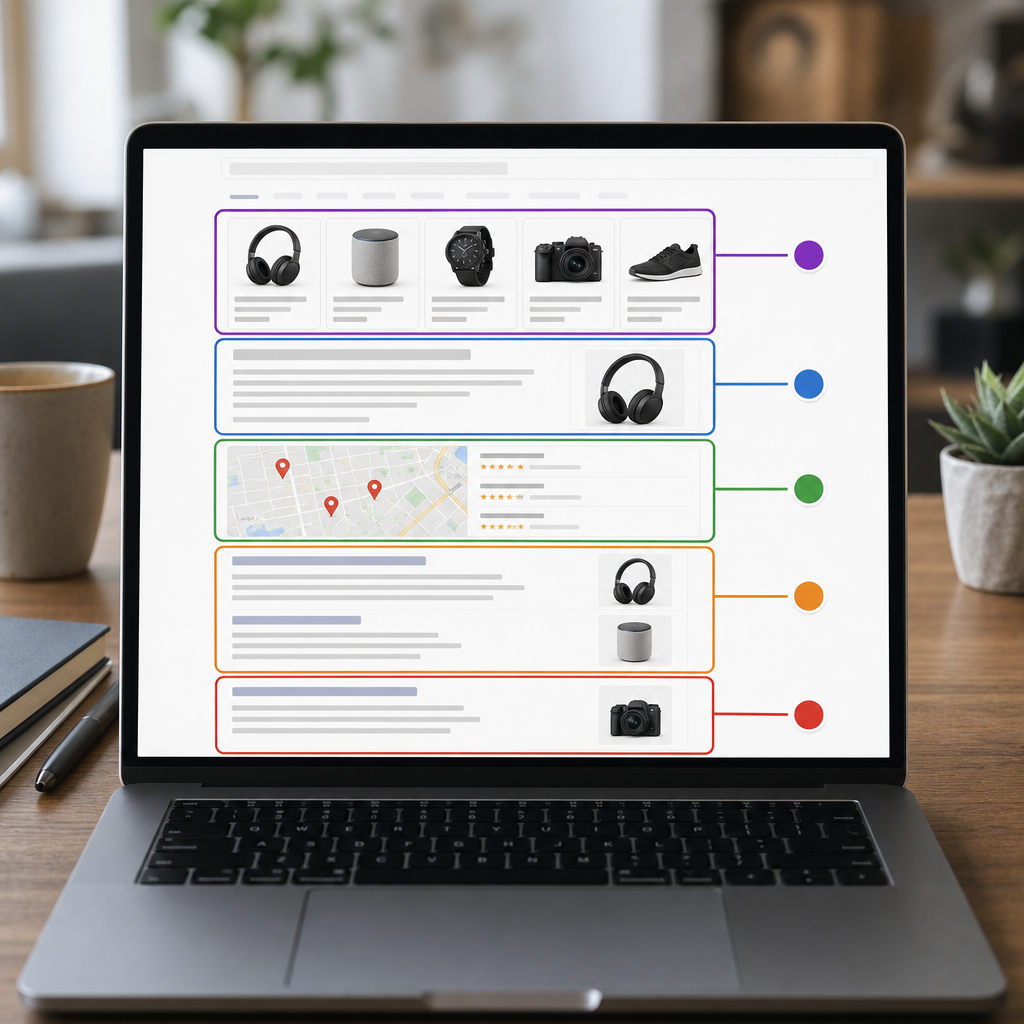
Takeaway: convert intent scores into a numeric weight in your prioritization model and split your workflow into quick-convert keywords and funnel-building keywords. Next, estimate revenue per keyword using click and conversion assumptions.
4. Estimate revenue per keyword and build a prioritization score
Start with money, not volume. Estimate the revenue a keyword can produce before you decide to write for it — then combine that estimate with difficulty and production cost to prioritize. Volume and CPC are inputs, not the decision.
Step 1 — calculate expected monthly revenue
Formula: estimated clicks = search volume × expected CTR; estimated conversions = clicks × conversion rate; estimated revenue = conversions × AOV or LTV. Use conservative CTR and conversion-rate assumptions unless you have page-level benchmarks.
Concrete example — ecommerce: keyword best air fryer under 100 (volume 2,400). Assume CTR 20% → 480 clicks. Assume conversion rate 2% → ~9.6 purchases. With AOV $90 estimated monthly revenue ≈ $864. This is what you can reasonably expect from organic traffic, not what ads pay.
Concrete example — SaaS: keyword trial project management tool (volume 800). Assume CTR 18% → 144 trial signups. Assume trial→paid 20% and paid LTV $1,200 → ~1.7 paid customers → estimated LTV revenue ≈ $2,074. High-LTV keywords change prioritization even when volume is modest.
Step 2 — normalize and combine into a priority score
Normalize across your list. Turn estimated revenue, difficulty (0–100), and content cost into comparable 0–100 scales. Normalization means the highest revenue in your candidate set becomes 100, the highest content cost becomes 100, etc.
Scoring formula (example weighting): Priority = 0.50 × revenuenorm + 0.30 × (100 – difficulty) + 0.20 × (100 – costnorm). You can shift weights depending on whether you value speed, scale, or LTV.
| Keyword | Est monthly revenue | Difficulty (0-100) | Content cost ($) | Revenue norm | Priority score | Bucket |
|---|---|---|---|---|---|---|
| best air fryer under 100 | $864 | 45 | $300 | 42 | 50 | Quick Wins |
| trial project management tool | $2,074 | 75 | $800 | 100 | 58 | Quick Wins |
| what is an air fryer | $45 | 20 | $400 | 2 | 20 | Low Priority |
Interpretation: In this sample the SaaS keyword scores higher despite higher difficulty and content cost because its estimated revenue (LTV) dominates. That happens frequently — high-LTV keywords often justify heavier investment and longer time-to-rank.
- Practical insight: run a sensitivity analysis. Recalculate scores with +/- 25% conversion assumptions to see which keywords flip buckets — these are cases to validate with small paid tests first.
- Trade-off: if you prioritize immediate wins, increase the weight on (100 – difficulty); if you prioritize lifetime value, increase revenue weight. There is no single correct weighting — align it to content capacity and business model.
Prioritize by revenue per hour of production, not just revenue. A $2,000/month keyword that takes 20 hours to capture is worse than a $600/month keyword you can produce in 2 hours.
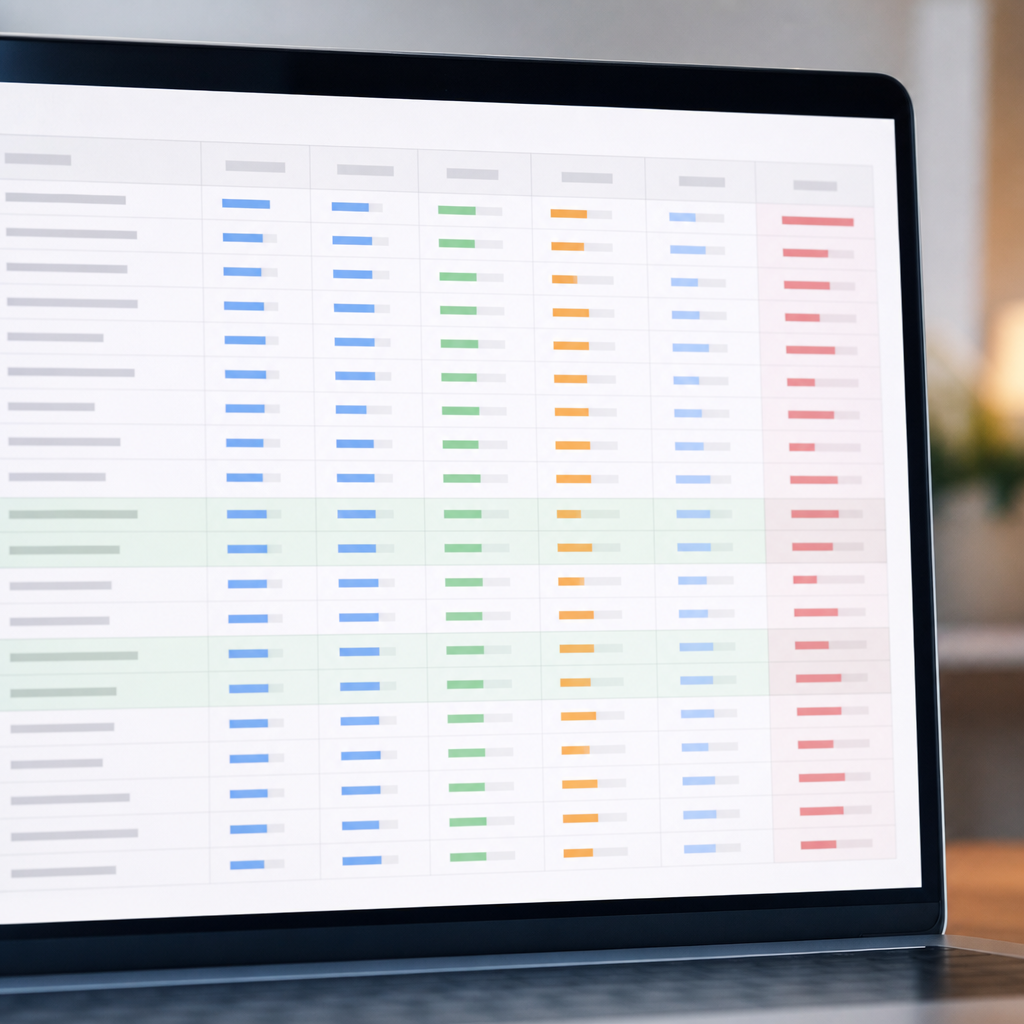
Next consideration: use the priority score to batch work: pick some high-reward, high-difficulty items to test your link and content playbook, and several quick wins to keep steady traffic and revenue coming while experiments run.
5. Map keywords to content types and create briefs that convert
Key point: mapping a keyword to the right content type is the single fastest way to stop wasting content budget. You can rank a page and still get nothing if the page format clashes with user intent or lacks conversion elements. Treat mapping as design work, not keyword tagging.
Content-to-keyword mapping rules
- Transactional intents -> Product or category pages: Use for keywords with buy modifiers, high CPC, or ad presence. Keep these pages tightly conversion-focused and keep internal cross-sells minimal but visible.
- Comparisons, reviews -> Review or comparison landing pages: Best for mid-funnel keywords like best X, X vs Y, or top X lists. These pages convert well for affiliate and ecommerce when they include clear scoring and a purchase pathway.
- Informational -> Long-form guides or how-to articles: Use for research and awareness queries. These pages should include conversion pathways: comparison panels, related product CTAs, or newsletter gating rather than hard sells.
- Local or immediate intent -> Local landing pages or stores: If SERP shows local pack or near me modifiers, build pages optimized for local signals and phone/click-to-map CTAs.
- Cluster multiple long-tail queries onto a single hub page: Don’t create dozens of near-duplicate pages. Cluster long-tail variants and capture them with sections, FAQs, and jump links.
Trade-off to accept: a single authoritative cluster page costs more to create but wins more sustained traffic and reduces cannibalization risk. Multiple thin pages can rank faster for obscure long tails but rarely scale revenue and increase maintenance overhead.
Three brief templates that actually convert
- Product page brief (use for transactional keywords): H1 (target keyword), 2-line sales intro, 3 supporting H2s (features, benefits, specs), 2 short social proof blocks (reviews, rating snippet), pricing/PROMO, primary CTA above the fold, secondary CTAs (compare, plan options), 4–6 structured FAQs answering buyer questions, required internal links (category, shipping/returns), suggested schema to mention to the content owner, target word count 500–900.
- Comparison/review brief (use for best or vs keywords): H1 comparing products, scorecard summary at top, methodology paragraph, product comparison table, 3–5 product mini-reviews, buying guide snippet, clear recommended pick with CTA links, FAQ addressing top People Also Ask queries, update schedule note (quarterly), target word count 1,200–2,500.
- Long-form guide brief (use for informational clusters): H1 with research-led promise, TL;DR conversion panel (recommended product or next step), 3 evidence sections (data, expert quote, case study), an interactive or downloadable asset callout, internal links to relevant product/category pages, comprehensive FAQ block answering question variations, suggested internal CTAs (newsletter, demo, category landing), target word count 1,800–3,000.
Concrete example: for the keyword best espresso machine under 500 build a comparison page, not a lightweight blog post. Outline: H1, summary scorecard (3 picks: best overall, best budget, best for single-serve), short buying guide for features to watch, 3 product mini-reviews with pros/cons, price and where to buy CTAs, FAQ answering maintenance and warranty questions, and links to category pages for accessories. That structure captures both shoppers and researchers and funnels them to purchase options.
Draft intro (example): Looking for the best espresso machine under 500 that actually makes cafe-quality shots? This guide tests models across temperature stability, pressure, and ease of cleaning, then highlights three machines that consistently deliver pull-after-pull results at different budgets — with direct buy links and a short buying checklist so you can decide in under five minutes.
How to use Ranklytics here: import the keyword cluster, generate a brief to include target keyword and top SERP headings, then pull the competitor scorecard to replicate useful sections. Auto-drafts are a starting point; always add conversion copy (explicit CTAs, scarcity, guarantees) and on-page proof. Use the brief to assign word counts and FAQ snippets and save as a template for similar product categories. See how clustering reduces duplicate work in the Ranklytics keyword project workflow and brief export in the platform dashboard.
Practical judgment: prioritize comparison pages for mid-funnel, high-CPC keywords — they typically convert at 1.5–3x the rate of generic guides because they answer the purchase question directly and provide clear choices.
Next consideration: after publishing, link the new page from relevant category pages and internal hubs, and run a CTR-focused test on title and description within four weeks to measure headline pull. If organic clicks are low but ranking is good, the brief missed a conversion headline — fix that before rewriting content.
6. Track impact and iterate: KPIs, cadence, and experimentation
Concrete reality: Position moves are interesting but meaningless unless they produce clicks and revenue. Track outcomes that tie keywords to business metrics and run disciplined experiments so you can separate noise from signal.
Which KPIs matter and why
Primary KPIs: Rank position, organic clicks/sessions, click through rate, conversions, and revenue attributed to the keyword or keyword cluster.** Position tells you visibility. Clicks tell you capture. Conversions and revenue tell you whether the keyword is profitable.
Secondary KPIs to watch: Click share versus SERP feature impressions, bounce rate for pages targeting the keyword, time on page for content intent, and assisted conversions across the funnel.** These reveal why a high rank may not convert – for example featured snippets and shopping results steal clicks even from position one.
| Metric | Monthly report column example |
|---|---|
| Keyword | ergonomic office chair for back pain |
| Rank (tracked weekly) | 7 |
| Estimated clicks (CTR x volume) | 420 |
| Organic sessions (GA/GA4) | 380 |
| Conversions | 12 |
| Revenue | $3,600 |
| Click share vs SERP features | 40% / Featured snippet present |
| Notes | Meta test running – variant B |
Cadence – what to monitor and when
- Weekly: rank checks and CTR movement. Quick failures or big wins show up here.
- Monthly: traffic, conversions, revenue, and botched assumptions for conversion rate. Build the monthly report and flag anomalies.
- Quarterly: content refresh decisions for pages older than six months, larger format tests, and resource reallocation across keyword clusters.
Practical constraint: SEO changes take time – expect 4 to 12 weeks for most content edits to meaningfully affect rankings and even longer for revenue signal to stabilize.** That lag forces tradeoffs: run small, rapid experiments that affect CTR while waiting on rank gains from content edits.
Practical experiments that move revenue
High impact, low effort tests first: title tag A B tests, meta description rewrites that surface buyer terms, and inserting a comparison table or pricing snippet near the top of the page.** These often boost CTR and conversions faster than full rewrites.
- Title tag A B test – measure CTR lift in Search Console and conversions in GA/GA4 over a minimum 4 week window.
- Meta description variant with explicit offer or CTA – focus on pages that already rank in positions 3 to 10 where CTR headroom exists.
- Format test – add comparison table or calculator to a guide and measure time on page and assisted conversions.
- Control pages – keep 10 to 20 similar pages unchanged to isolate seasonality and broader algorithm moves.
Concrete example: An ecommerce team targeted ergonomic office chair keywords and ran a meta description test while improving the buying section on the product page. Over 90 days rank moved from 9 to 5, CTR rose 60 percent, and conversions increased 75 percent – most of the early revenue lift came from the CTR test while the ranking change materialized later.
- 90 day test plan for a high priority keyword: Week 0 – record baseline metrics and create control group. Weeks 1 to 4 – run meta description and title tag variants, track CTR and clicks weekly. Weeks 5 to 8 – implement content format change (comparison table), monitor engagement and conversions. Weeks 9 to 12 – evaluate results, apply winning variants to cluster, and decide whether to scale or pause investment.
Tooling note: Centralize signals – rank, Search Console clicks, GA/GA4 conversions, and ad CPC data – in one dashboard so you can attribute revenue to keyword efforts and spot cannibalization. Use Google Search Central for baseline guidance and refer to How to Find Keywords for Your Website for operational workflows that tie clustering to tracking.
If you can only do one thing: run CTR experiments while waiting for organic rank to move. They are faster, cheaper, and directly influence revenue.
7. Scale a profitable keyword pipeline across multiple verticals
Start with gatekeeping, not glamour. Most scaling failures come from publishing more pages before you validate that the first 20 worked. Treat early wins as experiments that must hit ROI gates before you double down on a vertical.
A practical playbook to scale
- Standardize intake: capture landing page intent, target cluster, estimated CPC, expected AOV or LTV, and priority deadline in a single intake row so every candidate can be scored the same way.
- Batch by content type: group product pages, comparison pages, and long-form guides into separate production pipelines so writers, designers, and QA run repeatable workflows.
- Use reusable templates: create one content brief template per content type and one QA checklist that enforces conversion elements (CTA, internal links, schema reminders where applicable).
- Validate cheaply: for high-uncertainty keywords run small PPC or social tests to measure conversion rate before committing large organic effort.
- Automate routine tasks: auto-generate briefs, pull CPC/volume snapshots, and schedule rank checks. Save these as keyword projects so teams reuse them across verticals.
Trade-off to accept. Speed amplifies mistakes. If you prioritize output over validation you will create content that never ranks or converts, and the cost of cleaning up cannibalization or consolidation is higher than doing fewer, better-targeted pages up front.
Resource allocation and ROI gating
Allocate by expected payback period. For ecommerce, target pages with an estimated content payback under 12 months; for B2B SaaS, accept longer paybacks if LTV is above your threshold. Use a simple rule: estimated monthly revenue x 12 divided by content cost = payback multiple.
| Type | Example payback threshold | When to run PPC validation |
|---|---|---|
| Ecommerce product page | 12 months | Low margin or novel SKUs |
| B2B SaaS cluster topic | 18-24 months (if LTV high) | New messaging or untested ICP |
Concrete example: An ecommerce brand moved from 20 to 200 product pages by clustering 10 long-tail keywords around each core SKU. They ran 4-week PPC tests on 30 representative SKUs, confirmed an average conversion rate of 2.2 percent and an AOV of 85, then prioritized the 80 SKUs that met a 12-month payback. The staged rollout reduced wasted content spend and doubled organic revenue from the category in nine months.
Another real-world use case: A B2B SaaS created 50 topic clusters for mid-funnel search intent. Each cluster had one pillar guide and 4 supporting how-to pages. They modeled estimated MQLs using historical organic conversion and only built clusters where modeled LTV per cluster exceeded content and promotion costs by 3x.
Operational judgment: Different verticals require different velocity. Ecommerce benefits from volume and templating; SaaS benefits from depth and promotion. Do not treat them the same metric-wise — prioritize short-term payback for transactional inventory and long-term LTV capture for enterprise topics.
Tool tip: Use platforms that let you save keyword projects, auto-generate briefs, and attach performance dashboards so the same workflow scales across categories. See How to Find Keywords for Your Website: Research Methods That Work for a sample intake and CSV layout. For CPC and competitive checks use Google Keyword Planner and Ahrefs.
Next consideration: before scaling to a new vertical, run a small, instrumented pilot that enforces the ROI gate and repeat only for clusters that clear it.

Written by
ranklytics