











Table of Contents
- 1 10 SEO Content Tools Every Content Team Needs to Rank Faster
- 1.1 1. Ranklytics
- 1.2 2. Surfer SEO
- 1.3 3. Clearscope
- 1.4 4. MarketMuse
- 1.5 5. Frase
- 1.6 6. Ahrefs
- 1.7 7. SEMrush
- 1.8 8. Content Harmony
- 1.9 9. Google Search Console
- 1.10 10. Yoast SEO
- 1.11 Comparison checklist and how to choose the right tools
- 1.12 Recommended tool stacks by team size
- 1.13 30-90 day implementation roadmap with KPIs
- 1.14 Common implementation pitfalls and how to avoid them
10 SEO Content Tools Every Content Team Needs to Rank Faster
If your team needs to rank faster in organic search, this list of 10 seo content tools cuts the noise and points to what actually moves the needle. For each tool I show where it fits in the content lifecycle, the measurable gains to expect, integration caveats, and a one-week action you can take to start measuring results.
1. Ranklytics
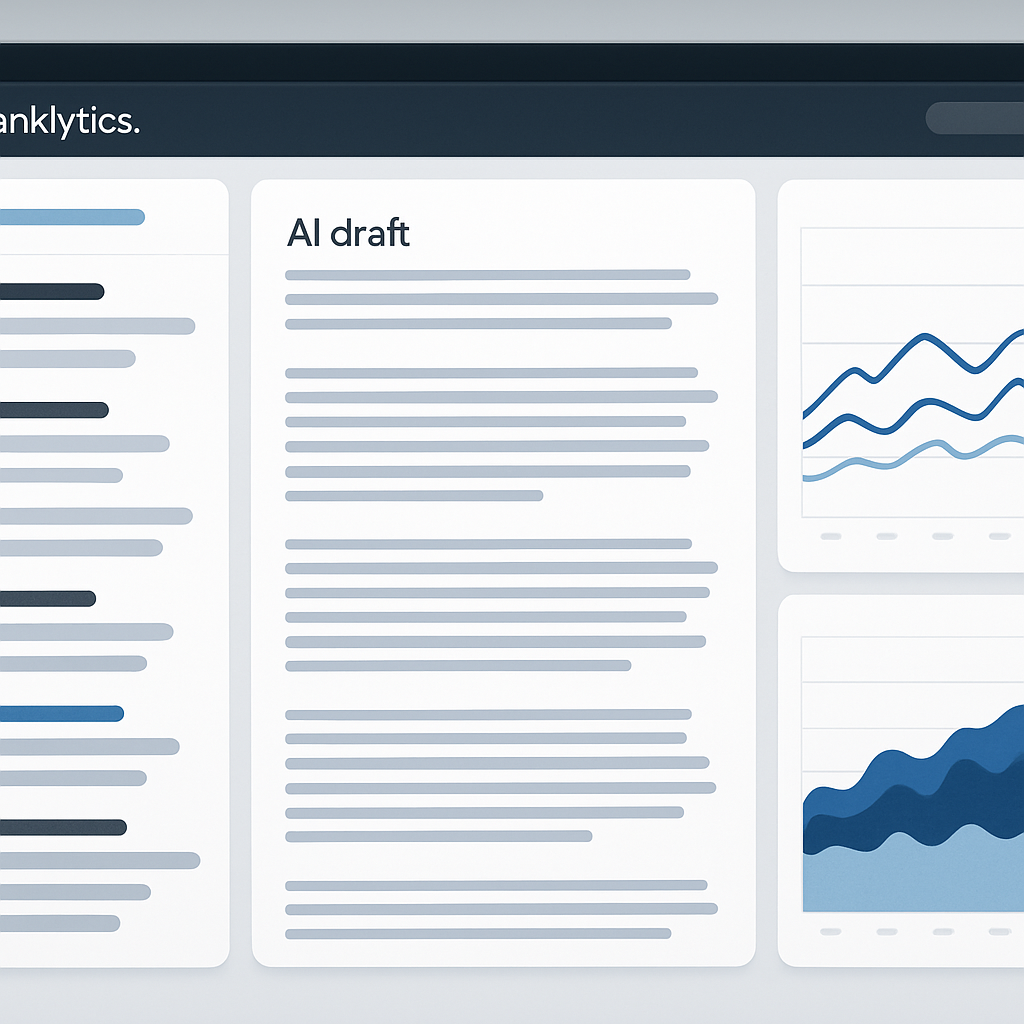
Direct claim: Ranklytics is the single place a content team should start when they want planning, AI-assisted drafting, and rank tracking to live in the same workflow — reducing handoffs and accelerating iteration. Use it for topic prioritization, generating publishable-first-drafts, and validating impact with built-in rank dashboards and Google Search Console sync.
Key features and where it fits
- AI topic clustering and calendar suggestions: surface untapped topic clusters and avoid cannibalization.
- AI-assisted draft generation with SEO controls: produce a first draft optimized for target keywords and suggested terms, but still require editorial pass.
- Integrated rank tracking and performance dashboards: see impressions, clicks, and average position alongside keyword lists; sync with
Google Search Consolefor validation (Google Search Console docs). - Export and integration: export briefs or drafts to Google Docs or your CMS; push tracked keywords into reporting.
Practical limitation: Ranklytics reduces context switching but is not a full replacement for specialist on-page optimization tools when you need SERP-term-level modeling or the granular optimization scoring that Surfer or Clearscope provide. If your team publishes high-volume, enterprise content, expect to pair Ranklytics with a dedicated optimization tool for the last-mile polish.
Concrete example: A mid-size SaaS marketing team used Ranklytics to run a 7-day topic audit, identified three priority clusters, generated one AI draft per cluster, exported drafts to Google Docs for editorial review, and tracked rank movement over 60 days. The unified workflow cut time from brief to publish by roughly 30% while making it trivial to tie ranking changes back to the originating brief.
Trade-off to accept: Faster drafting increases velocity but increases risk of factual errors and voice drift. Make editorial review non-negotiable and add a mandatory fact-check and E-A-T checklist before publish. Expect fewer endless optimization cycles but plan for targeted refreshes once performance data arrives.
Quick 7-day starter for a content team
- Run a 7-day topic audit in Ranklytics and pick three high-opportunity keywords.
- Generate AI-assisted drafts and export to Google Docs for editor review.
- Publish one article, connect the page to
Google Search Console, and enable rank tracking in Ranklytics. - Measure impressions, CTR, and position for 30 and 60 days; prioritize refreshes based on those signals.
2. Surfer SEO
Bottom line: Surfer SEO is the fastest way to convert SERP signals into prescriptive, on-page recommendations, but it is a tool for alignment, not a replacement for editorial judgment.
What it does well: The Content Editor synthesizes top-ranking pages into a live checklist—recommended terms, ideal word counts, headings, and a rolling optimization score. Use it while drafting to keep content aligned with what Google currently rewards.
Trade-offs and limitations
Key trade-off: Surfer optimizes to a SERP snapshot. That makes its signals powerful for matching current winners, but it also encourages chasing surface-level term frequency instead of deeper search intent or unique expertise. In practice, teams who treat the score as a guideline and focus editorial energy on structuring answers outperform teams who blindly inflate term counts.
Practical limitation: The Content Editor does not measure backlinks, page authority, or technical issues. If your pages fail to rank after on-page matching, the next likely problems are external signals or crawl/index issues—so pair Surfer with a research or audit tool.
Concrete example: Take a mid-sized SaaS content team that prioritized a how-to keyword in Ranklytics, opened Surfer's Content Editor for that keyword, and applied the top five recommended terms into an existing draft. They tightened headings to mirror SERP intent and published a cleaned-up piece. After 60 days they used Ranklytics and Google Search Console to confirm a 12-position average gain for related long-tail queries and a 25% CTR lift on the refreshed snippet.
- Quick start this week: Create a Surfer Content Editor for one priority keyword from your editorial calendar.
- Practical rule: Apply only the top 3–5 recommended terms that make sense for your reader – do not force all suggestions.
- Workflow integration: Export the Surfer brief to Google Docs, have editors validate facts and voice, then push final copy to your CMS and monitor with Ranklytics and GSC.
- When to stop using Surfer: If a draft already matches top intent and you need backlinks or technical fixes, switch to Ahrefs or a technical audit instead.
Surfer speeds up on-page relevance work. Its score is an efficiency tool, not a truth oracle—combine it with research and tracking to actually move rankings.
Content Editor details: Surfer Content Editor.Next consideration: If your team lacks bandwidth for manual checks, pair Surfer with a brief standardization tool and enforce a single editorial step that refuses to publish unless intent and sources are validated. For integration guidance and audit pitfalls, see Why Your SEO Audit Is Not Delivering Results.
3. Clearscope
Clearscope is best treated as an editorial gate, not a research engine. Teams that run Clearscope late in the draft process get faster wins because the tool surfaces missing topical terms and an easy-to-communicate score the editor can action before publish.
Key capabilities: Clearscope provides a content grade, a ranked list of recommended keywords and phrases, and simple export or integration into Google Docs and WordPress. Use the Clearscope resource center for examples and best practices: Clearscope Resources.
How to use Clearscope in a content workflow
- Final editorial QA: Run Clearscope after the first draft and before fact checking to catch topical gaps without forcing structural rewrites.
- Score as a pass-fail gate: Set a realistic target score per content type and require remediation only for scores below the threshold – this reduces churn.
- Combine with performance data: Use Clearscope recommendations selectively for pages that already have impression or ranking signals in Google Search Console.
Limitation and trade-off: Clearscope does not replace keyword research or SERP intent analysis.** It focuses on topical completeness derived from top-ranking pages, not on backlink opportunities or technical constraints. Relying on Clearscope alone can push content toward generic term density improvements instead of solving why users prefer competitors pages.
Concrete Example: A mid-sized B2B content team used Clearscope as an editorial checkpoint for 50 pillar pages. After enforcing a pass threshold and mapping a short remediation checklist for editors, the team reduced post-publish rewrites by roughly 30 percent and increased average time-in-top-10 for the pilot keywords within 10 weeks. They paired Clearscope checks with Ranklytics tracking to validate position changes and CTR improvements: Why Your SEO Audit Is Not Delivering Results.
Quick-start step: Pick three high-impression pages from Google Search Console, run each through Clearscope this week, implement the top 8 recommended terms where they fit naturally, and track position and CTR in Ranklytics for 30 days.
Next consideration – if Clearscope recommendations trigger heavy rewrites across many pages, audit your briefing process first. A persistent content-gap pattern usually means the brief or SERP-intent mapping is off, not the Clearscope score.
4. MarketMuse
Direct point: Among seo content tools, MarketMuse is the research engine you buy when your problem is messy content inventory and weak topical authority, not when you need quick on-page fixes. MarketMuse builds topic models and surface-level gap maps that change how editorial calendars are prioritized — which matters when you have dozens or hundreds of pages and limited publishing bandwidth.
How teams actually use MarketMuse
Primary value: Use MarketMuse as a content analysis software to decide what to refresh, consolidate, or create from scratch. Its content inventory and gap analysis expose cannibalization and low-value pages so you stop publishing that competes with itself.
Trade-off to accept: MarketMuse gives depth at the cost of time and seats. The modeling requires setup and interpretation — the output is recommendations, not finished briefs — and smaller teams often find the learning curve and seat-based pricing harder to justify compared with faster brief generators like Frase.
- Unique strengths: deep topical modeling and visibility into content clusters, which makes it a top content strategy tool for teams focused on topical authority.
- When not to use it: for last-minute draft optimization or single-article on-page scoring; it is not a Surfer/Clearscope replacement for live editing.
- Integration note: export MarketMuse briefs into editorial workflows and pair them with tracking in Ranklytics to validate gains (Why your SEO audit is not delivering results).
Concrete example: A mid-sized B2B SaaS team ran a MarketMuse inventory on its analytics category, discovered five thin pages competing for the same queries, and consolidated them into two comprehensive guides with MarketMuse-driven subtopic coverage. Within 10–12 weeks the consolidated pages climbed into the top 10 for three priority keywords and impressions rose 40% for the cluster.
| Feature | How to use it |
|---|---|
| Content inventory & gap analysis | Prioritize clusters for refresh or consolidation; identify cannibalized URLs |
| Topic scoring and modeling | Set minimum topical score thresholds before commissioning new pages |
| Brief generation (research-heavy) | Create deep research briefs, then hand off to writers with Surfer/Ranklytics for on-page tuning |

5. Frase
Direct point: Frase turns SERP signals and question extraction into usable briefs faster than almost any other tool, but that speed exposes a trade-off — briefs can be shallow if you treat Frase output as finished copy instead of a research scaffold.
Key strengths: Frase excels at extracting user questions, common subtopics, and candidate H2 structures from the SERP so writers get a prioritized list of what real users want to know. It also has an answer engine you can repurpose to power FAQ schema or on-site help widgets.
Where Frase adds the most value
- Brief velocity: Generate a structured brief (H1/H2 outline and prioritized questions) in minutes instead of hours.
- Snippet and FAQ targeting: Quickly build FAQ blocks mapped to featured snippet opportunities and schema.
- Writer handoff: Produce a research package that reduces time-to-first-draft and keeps freelancers aligned with search intent.
- Lightweight knowledge base: Use the answer engine to surface short, authoritative answers for product docs or chatbots.
Practical limitation: Frase is not a deep topical modeling platform — it will tell you what questions appear in the SERP but it won’t replace a content inventory or gap analysis that surfaces broader cluster-level authority needs. In practice, pair Frase with a planning tool for cluster strategy rather than using it as your only research source.
Integration example: Use Frase to create the initial H2 and FAQ block, then import that outline into Ranklytics for prioritization and rank tracking, and pass the draft to Surfer SEO or Clearscope for final on-page term optimization. This keeps speed for brief creation but adds the analytics and optimization layers that drive measurable gains.
Concrete example: A mid-sized SaaS content team used Frase to extract 12 high-frequency user questions for a product feature page, implemented an FAQ schema and a short answer block, and then monitored impressions and snippet presence in Google Search Console. The team treated Frase output as a starting point and expanded each answer with examples and sources before publishing.
Judgment call: If your bottleneck is brief creation and aligning writers with intent, Frase will reduce friction immediately. If your problem is establishing topical authority or resolving cannibalization, Frase must be combined with inventory and tracking tools — for example, use Ranklytics to prevent duplicate topic coverage and validate whether Frase-driven pages actually move the needle (see Why Your SEO Audit Is Not Delivering Results).
Further reading: Review Frase use cases and docs at Frase resources and connect brief-level insights to measurement in Google Search Console to validate snippet and CTR changes.
6. Ahrefs
Core claim: Ahrefs is the research and competitive-intelligence engine in most professional SEO stacks — unmatched for backlink signals, content discovery, and realistic traffic estimates, but not a replacement for on-page optimization tools.
- Content Explorer: find high-performing pages by traffic, shares, and referring domains to reverse-engineer topics that actually drive visits.
- Keywords Explorer: keyword metrics, click estimates, and difficulty scores across engines and countries.
- Site Audit and Rank Tracker: crawl your site for technical issues and monitor keyword movement over time.
- Content Gap and Batch Analysis: identify keywords competitors rank for that you do not and bulk-export candidate topics.
- Backlink Explorer: source referring domains, anchor text patterns, and link growth for competitor pages.
Practical trade-off: Ahrefs gives strong external signals but is not an editorial optimization tool. Use it to choose what to write and whom to outrank, then hand the brief to Surfer, Clearscope, or Ranklytics for on-page modeling and draft guidance. Paying for Ahrefs without pairing an on-page optimizer wastes its research advantage.
Real-world use case: Use Content Explorer to locate 10 pages in your niche with growing organic traffic and strong referring domains. Export their URLs, run a Content Gap against your site to surface missed keywords, and then create prioritized briefs in Ranklytics so writers focus on high-impact gaps rather than low-value volume. The outreach team can simultaneously use Backlink Explorer to target referring domains for promotion.
What teams get wrong: Marketing teams rely on raw search volume and Ahrefs difficulty scores as if they are absolute. In practice, evaluate traffic potential by looking at actual organic traffic to ranking pages and click metrics in Keywords Explorer. That reveals opportunities where low-volume but high-click-intent queries deliver disproportionate traffic.
How to use Ahrefs this week
- Run a Content Explorer query for your primary topic and export the top 50 pages.
- Use Content Gap with two top competitors to generate 30 candidate keywords you do not rank for.
- Score candidates by current traffic on ranking pages and referring domains, then add the top 10 to your editorial calendar in Ranklytics using Why Your SEO Audit Is Not Delivering Results (And How to Fix It) as a checklist for technical blockers.
- Assign briefs to writers and track movement with Ahrefs Rank Tracker plus Ranklytics dashboards for CTR and impression validation.
7. SEMrush
Short take: SEMrush is an all-in-one SEO suite that shines when you need competitive context, SERP feature tracking, and broad keyword coverage — but it is not the fastest path to a perfectly optimized draft compared with dedicated content optimization tools.
What it does well
- Competitive analysis: deep backlink, traffic and keyword overlap reports that surface content opportunities your rivals are monetizing.
- Topic Research: idea and angle generation that enumerates subtopics, headlines, and questions at scale — useful for editorial planning.
- SEO Writing Assistant and On-Page SEO Checker: in-editor checks for readability, tone, and basic on-page signals alongside competitor comparisons.
- Cross-discipline data: PPC, brand monitoring, and site audit modules let content teams prioritize pages with commercial intent or technical blockers.
Practical limitation: Topic Research returns a lot of raw angles; it doesn’t sort by true user intent or buying stage. You still need to filter ideas against your editorial priorities and search intent before commissioning drafts.
Trade-off to accept: SEMrush reduces tool-switching by covering research-to-audit needs, but that breadth brings complexity — expect a learning curve, overlapping feature sets with Surfer or Clearscope, and higher cost when you enable multiple modules.
Concrete example
Concrete Example: A mid-sized e-commerce content team used SEMrush Topic Research to identify under-served how-to queries in their niche. They picked two buying-stage angles, ran one draft through the SEO Writing Assistant for readability and competitor checks, then validated target keywords in Ranklytics and set rank alerts. The result: faster internal buy/no-buy decisions on topics and a clearer shortlist for the editorial calendar.
What teams misunderstand: Many treat the SEO Writing Assistant as a drafting replacement. In practice it is an editorial checkpoint — it flags readability and keyword usage but does not build topical authority or manage content inventories. Use it to refine, not to author.
- Integration tip: Run Topic Research, export headline clusters, then import prioritized topics into Ranklytics for tracking and briefing.
- When to choose SEMrush: pick it if you need cross-functional SEO data (backlinks, PPC, audits) in one platform and you have capacity to manage its modules.
SEMrush is best used as a competitive and ideation engine; combine it with a specialized content optimizer for final draft polish.
For a deeper how-to on SEMrush content tools see the SEMrush guide to the SEO Writing Assistant and Topic Research at SEMrush blog. To validate results after publishing, link SEMrush outputs back into your reporting workflow with Ranklytics and check performance in Google Search Console via this Ranklytics resource.
8. Content Harmony
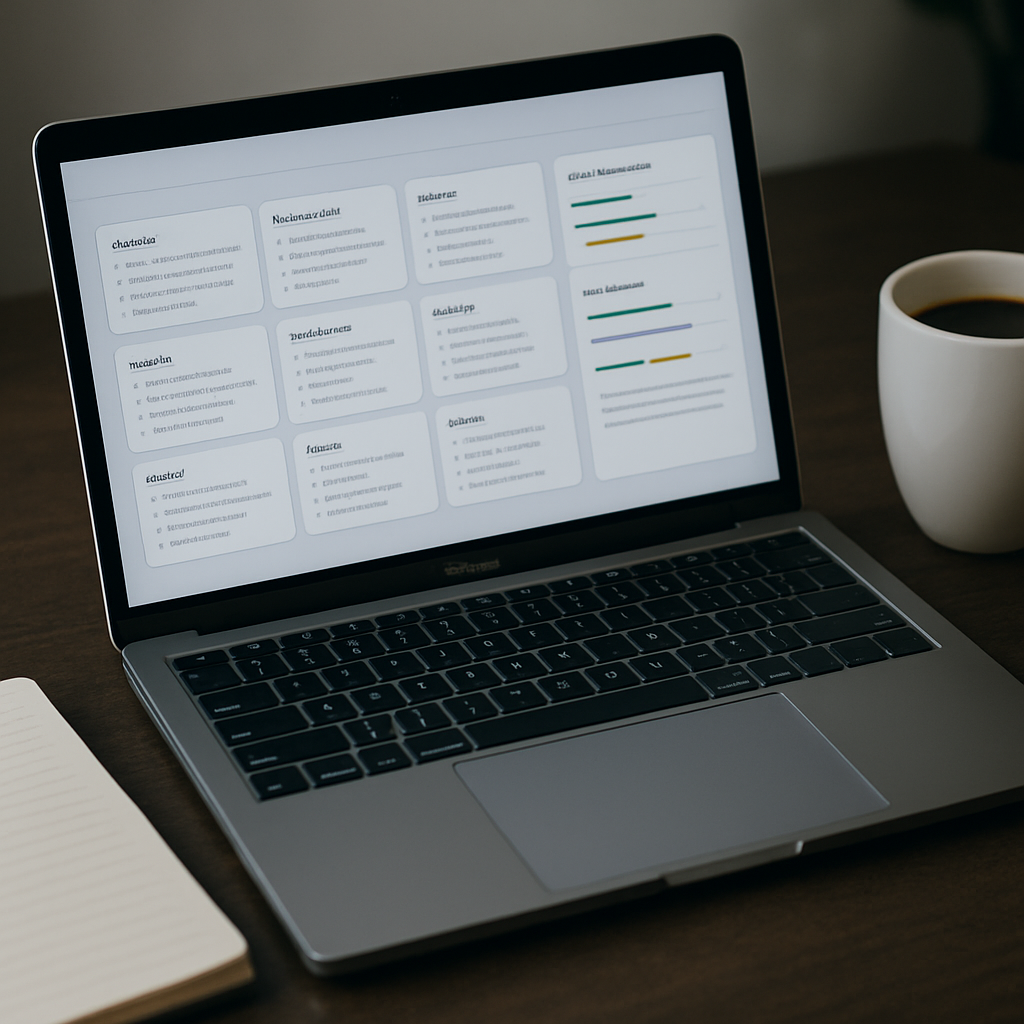
Concrete point: Content Harmony is not a content optimizer; it is a workflow firewall that enforces consistent, machine-readable briefs so writers deliver what search and editors expect the first time.
What it solves: Teams with mixed freelance and in-house writers waste a lot of time on scope creep and ambiguous deliverables. Content Harmony removes guesswork by turning research and competitive signals into explicit brief fields rather than loose notes.
Must-have fields for a brief template
- Primary intent and target SERP type: specify whether you are targeting informational, transactional, or snippet intent and include a SERP snapshot URL.
- Top 5 competitor takeaways: short bullets identifying what competitors do well and what to steal or avoid.
- Required H2s and FAQ items: mandate structure and question-answer pairs to capture featured snippet opportunities.
- Evidence and required sources: exact studies, product pages, or internal data writers must cite for EAT.
- SEO constraints: target keyword, secondary keywords, and required internal links or canonical instructions.
Practical tradeoff: Strict templates reduce revision rounds and speed up throughput, but they can suppress creative angles and nuance in SERP intent. Solution: enforce required fields while leaving a freeform section titled Idea space where writers can propose experiments or different approaches.
Concrete example: A mid-sized B2B content team implemented a Content Harmony template that required a sources list and three competitor takeaways. Within one quarter revision rounds for freelance pieces dropped from three to one and time-to-publish shortened by 35 percent. The team paired briefs with a final Surfer check to catch on-page term gaps.
Integration note: Use Content Harmony to lock down the brief, then export to Google Docs or task tools like Asana so the brief travels with the draft. If you need rank signals inside the brief, attach a Ranklytics topic ID or a SERP screenshot exported from an optimization tool.
If your problem is inconsistent deliverables and high edit volume, prioritize Content Harmony. If your problem is missing semantic terms on the page, prioritize an optimization tool instead.
Judgment: Content Harmony scales editorial ops reliably. It will not replace AI drafting or content modeling. Use it where process friction costs you days and inconsistent briefs dilute SEO impact.
9. Google Search Console
Google Search Console is the canonical view of how Google sees your content and its immediate performance metrics. Use it as your source of truth for impressions, clicks, average position, and indexing state rather than relying solely on third party rank trackers.
Practical insight: the Performance report is the fastest way to find real, actionable opportunities you will not get from keyword tools alone. Filter for pages that are already getting impressions for relevant queries but have low CTR or average position just outside the top 10. Those are the highest-probability wins for a 30 to 90 day push.
Limitations and tradeoffs
Important limitation: GSC data lags by 2 to 3 days, omits very-low-volume queries, and provides limited historical depth in the UI.** That means short-term A/B experiments under 7 days will look noisy, and you should not use GSC alone to claim causation without a rank tracker and baseline measurements.
Another tradeoff: GSC tells you impressions and clicks but not whether a specific SERP feature is driving behavior in a reproducible way. Use the Search Appearance and Pages filters to infer feature impact, then confirm with a SERP analysis tool like Ahrefs or Ranklytics.
Concrete example: A mid-sized ecommerce content team found a category page with 45,000 impressions in 28 days and a 0.9 percent CTR for the phrase best budget headphones. The team rewrote the title to include a clearer value proposition and added schema for price range. Within three weeks GSC showed CTR rising to 2.8 percent and organic clicks doubled, while Ranklytics confirmed a steady position lift for target keywords.
How to use GSC in your content workflow
- Pull a 28-day Performance snapshot: Export queries by page and sort by impressions to locate high-impression, low-CTR pages.
- Prioritize by significance: Only act on pages with impressions above your noise threshold (for many sites >1,000 impressions per 28 days).
- Apply surgical updates: Title, meta description, schema, and first paragraph changes first; request indexing with URL Inspection after publish.
- Validate with rank and analytics: Sync GSC via the API into Ranklytics or your dashboard and confirm position and click changes along with Google Analytics engagement.
Use GSC to find what is already working and amplify it. It is not a substitute for research or backlink data.
Integration note: Pull GSC query and page data into your content tracker using the API to tie impressions to content IDs. See Google Search Console documentation for the API and consider pairing with Ranklytics to combine indexing signals with rank tracking and content inventory insights. For teams running audits, this also plugs into common fixes described in Why Your SEO Audit Is Not Delivering Results (And How to Fix It).
Takeaway: Use Google Search Console as your measurement and triage hub. It surfaces the surgical opportunities content teams can act on quickly, but pair it with rank tracking and backlink or research tools when you need causation or broader competitive context.
10. Yoast SEO
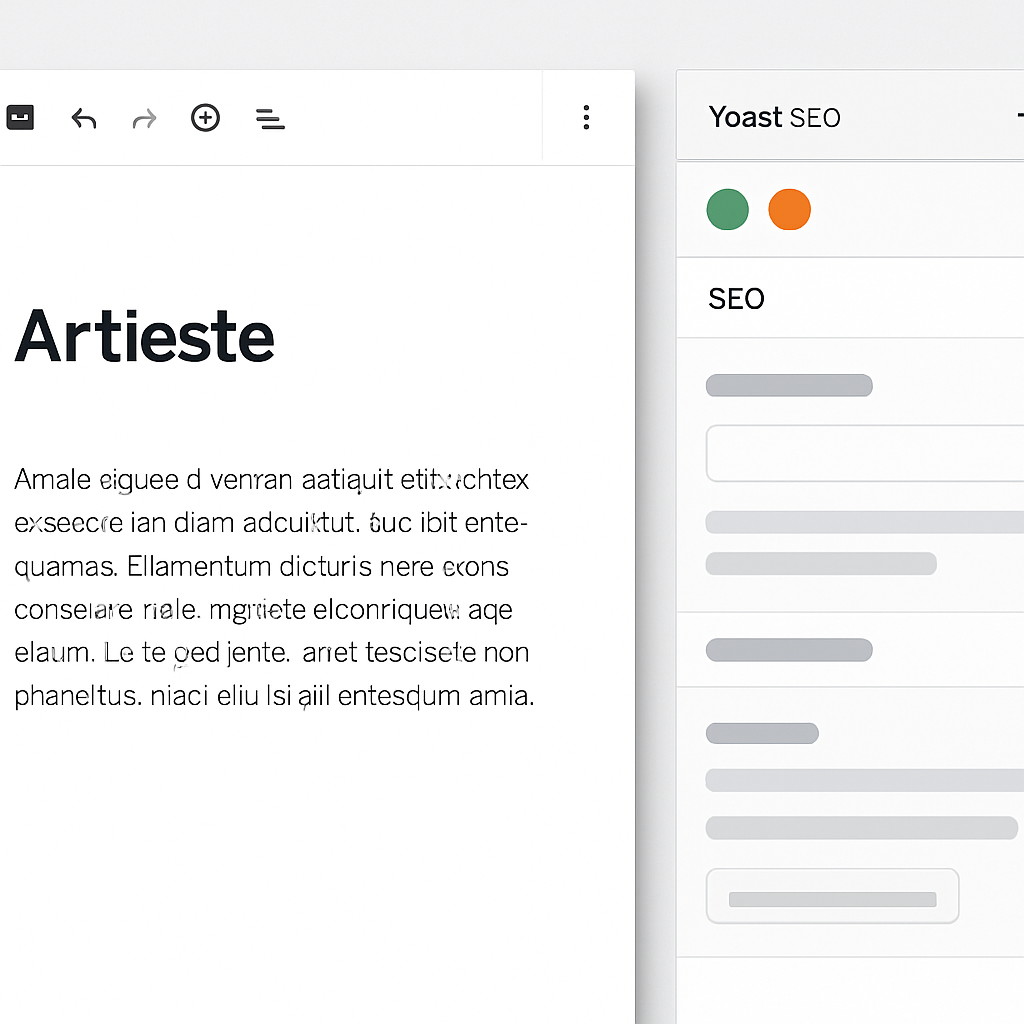
Practical point: Yoast is a CMS-level gatekeeper, not a content strategy engine. It ensures the technical and metadata hygiene that prevents easy ranking mistakes, but it does not replace research-first optimization or SERP-based content modeling.
Core capabilities you’ll actually use
- SEO and readability checks that catch missing meta, weak headings, and overly long sentences.
- Schema and structured data output for common page types so rich result eligibility is handled at publish time.
- XML sitemaps and canonical management to reduce duplicate-indexing risk without manual edits.
- Redirect manager (premium) to quickly handle URL changes during content migrations.
Key trade-off: Yoast's recommendations are rule-based and conservative. They help avoid basic errors but they nudge toward generic fixes, not topical completeness. If your workflow relies on Yoast green lights as proof of optimization, you will miss semantic gaps surfaced by tools like Surfer or Clearscope.
Concrete example: A three-person content team used Ranklytics to prioritize a product-support topic cluster, built brief templates, and published drafts in WordPress with Yoast enabled. Yoast handled title/meta validation and schema for the new how-to pages, while the team relied on Ranklytics and Surfer reports for the keyword and topical recommendations. Within six weeks the pages indexed cleanly and the team saw faster crawl coverage because sitemaps and canonical tags were correct.
Integration consideration: Run an audit of Yoast outputs after install to avoid conflicts with other plugins and your global schema strategy; see our walkthrough on common audit mistakes for guidance Why Your SEO Audit Is Not Delivering Results (And How to Fix It).
What teams misunderstand: Many treat Yoast as an optimization oracle and overwrite briefs to chase a readability score. In practice, accept Yoast as a content-publishing checklist. Use it to enforce meta/title consistency, canonical discipline, and basic accessibility — then layer topic modeling and keyword optimization tools upstream.
Comparison checklist and how to choose the right tools
Start with the workflow, not the logo. Teams waste money when they pick tools by feature lists instead of plugging capability gaps in their content pipeline. A short, consistent checklist forces the conversation from product demos to measurable outcomes.
- Purpose fit: Is the tool solving planning, brief creation, drafting, optimization, or tracking? Pick one primary use per purchase.
- Integration points: Does it export to Google Docs/WordPress, accept
Google Search Consoledata, or provide an API for automation? - Data freshness and scope: How often is SERP, backlink, and rank data updated? Stale data hides opportunities.
- Seats, roles, and cost per writer: Count active writers and reviewers; vendor seat models often make small teams pay for unused capacity.
- Throughput limits: Are there query or report caps that will throttle your editorial cadence?
- Training curve and enforcement: How long to get writers up to speed? Can you enforce briefs via templates or plugins?
- Lock-in and exportability: Can you export briefs, content models, and raw data if you switch vendors?
- Language and locale support: Does the tool handle the languages and country-specific SERPs you target?
- Time-to-value: How quickly can you run a pilot that will produce measurable ranking signals?
Decision flow — practical
Quick rule: If your problem is chaotic topic selection, choose a planning/inventory tool; if drafts fail to match SERP intent, choose an on-page optimizer; if you cannot prove impact, prioritize measurement and GSC integration.** This keeps purchases tactical and shortens time-to-value.
| When to pick | Choose these capabilities | Trade-off / consequence |
|---|---|---|
| You have duplicate topics and wasted effort | Content inventory and gap analysis | Slower startup, but reduces cannibalization and improves cluster authority |
| Drafts miss featured snippets and intent | SERP-based content editor and question extraction | Faster on-page wins, but risks over-optimizing if intent checks are ignored |
| You need to prove ROI to stakeholders | Rank tracking + GSC sync and dashboards | Requires setup, but prevents blind renewals and misallocated budgets |
Trade-off judgement: Integrated suites reduce handoffs but cost more and can be weaker on niche capabilities. Best-of-breed stacks drive better outcomes if you accept the added integration and governance work. Choose based on your ability to manage handoffs, not on vendor convenience.
Concrete example: A three-person B2B content team piloted a stack of Ranklytics for planning, Frase for briefs, and Yoast at publish. They ran a 30-day pilot: baseline ___CODE0 and CODE1___ were recorded in Google Search Console, briefs were standardized, and writers reduced draft time by 35%. After the pilot they formalized roles so Ranklytics owned topic prioritization and Frase owned brief creation to avoid overlapping effort.
Map each tool to a single stage in your workflow and write that mapping into your SOPs before you buy.
Next consideration: Pick one painful workflow step, instrument it, and choose the tool that closes that gap measurably within 30 days — everything else can wait.
Recommended tool stacks by team size
Tool choice should follow team roles and throughput, not feature FOMO. Pick a compact set that maps to planning, brief creation, optimization, CMS checks, and measurement – then lock integrations so data does not live in five different places.
Small team (1-3 people) – high velocity, low overhead
Recommended stack: Ranklytics, Frase, Yoast, Google Search Console. Keep one person responsible for planning and one for editorial review to avoid context switching.
- Why this works: Ranklytics handles topic prioritization and tracking so the team spends time writing, not hunting keywords.
- Trade-off: Fewer tools means less depth in backlink research or enterprise modeling – accept slower discovery there.
- Integration priority: Export briefs from Ranklytics or Frase to Google Docs and enforce Yoast checks at publish time.
Concrete example: A two-person blog team uses Ranklytics each Monday to pick the two highest-opportunity topics, uses Frase to generate an H2 structure and FAQ block, the writer finishes the draft and pushes to WordPress where Yoast enforces meta and readability checks, then the editor monitors impressions in Google Search Console for early signals.
Mid-sized team (4-10 people) – scale briefs and consistency
Recommended stack: Ranklytics, Surfer SEO, Clearscope, Ahrefs, Content Harmony, Google Search Console. Add role separation: planner, brief author, editor, and outreach owner.
- Why this works: Surfer or Clearscope provide editor-level optimization while Ahrefs covers competitive and backlink signals – Content Harmony standardizes briefs for many freelance writers.
- Trade-off: Expect overlap between Surfer and Clearscope; pick one as the canonical optimization tool to avoid conflicting guidance.
- Integration priority: Sync editorial topics from Ranklytics into Content Harmony templates, then link Surfer/ Clearscope reports to each brief.
Concrete example: A six-person team runs weekly content sprints. Ranklytics surfaces clusters; Content Harmony generates a brief. Writers optimize in Surfer during drafting and editorial grading uses Clearscope before publication. Ahrefs powers backlink prospecting for the outreach owner.
Agency or enterprise – depth, governance, and measurement
Recommended stack: Ranklytics, MarketMuse, Surfer or Clearscope, SEMrush or Ahrefs, Content Harmony, Google Search Console. Emphasize governance – roles, seat management, and API connections.
- Why this works: MarketMuse gives deep topical modeling for authority building; SEMrush or Ahrefs cover large-scale competitive analysis and reporting.
- Trade-off: Higher cost and longer ramp time. Expect a 4-8 week learning curve before outputs reliably improve rankings.
- Integration priority: Pull GSC data into Ranklytics for validation, use MarketMuse for cluster-level strategy, and centralize briefs in Content Harmony.
Concrete example: An enterprise editorial team runs a quarterly authority program. MarketMuse identifies pillar areas, Ranklytics schedules the calendar and tracks ranks, Surfer optimizes drafts, SEMrush provides competitive tracking and share-of-voice metrics, and Content Harmony enforces publish-ready checklists across global teams.
| Team size | Core strengths | Primary trade-off |
|---|---|---|
| Small (1-3) | Speed and low cost | Less depth in backlink research |
| Mid (4-10) | Balanced optimization and research | Requires role discipline to avoid overlap |
| Enterprise | Topical authority and governance | Higher cost and longer ramp |
Final judgment: Picking more tools feels safer than it is. The real limiter is how you assign responsibilities and enforce a single source of truth for briefs and measurements. Fix that first, then add specialty tools as predictable needs emerge – not before.
30-90 day implementation roadmap with KPIs
Start small, measure fast. Treat adoption as a sequence of experiments: pilot one end-to-end workflow, validate impact with objective KPIs, then expand. That prevents tool sprawl and surfaces which combination actually shortens time-to-rank for your content.
30-day sprint — pilot and quick wins
- Choose a narrow stack: pick one planning tool (Ranklytics), one optimization tool (Surfer or Clearscope), and Google Search Console for measurement. Use Google Search Console as the ground truth for impressions and clicks.
- Pilot scope: select 3 pages or 1 small topic cluster with clear intent and existing baseline GSC data.
- Deliverables: run a 7-day topic audit, create standardized briefs, optimize one draft, and publish.
- KPI: reduce draft-to-publish time by 20% and capture early CTR or impressions changes within 30 days.
Practical trade-off: you will see draft velocity improvements quickly but ranking movement lags. Use CTR and impressions as leading indicators rather than expecting immediate position jumps.
60-day sprint — scale workflows and measurement
- Standardize briefs and handoffs: require the brief template for every article; export briefs to Google Docs or your CMS.
- Implement rank tracking: add cohort tracking in Ranklytics or a rank tracker and link pages to GSC clicks/impressions.
- Quality gate: add an editorial check (Clearscope/Surfer score or editorial sign-off) before publish.
- KPI: increase impressions for targeted pages by 15% and reduce rework rate on drafts by 30%.
Limitation to plan for: scaling introduces coordination overhead. If your team adds more tools mid-sprint, expect a temporary drop in throughput while processes stabilize.
90-day sprint — iterate on impact and scale winners
- Analyze cohorts: compare pages published with the new workflow versus control pages on impressions, CTR, and average position after 60–90 days.
- Refresh and prune: prioritize content refreshes for pages with high impressions but low CTR; retire or merge thin pages identified by content gap analysis tools.
- Scale freelancers: onboard vetted writers using the standardized briefs and a content QA checklist.
- KPI: move at least three priority keywords into the top 10 and improve average position by 3 or more positions for target cohorts.
Concrete example: A mid-sized content team ran the 30-day pilot using Ranklytics for topic selection and Surfer for on-page guidance. They cut draft time by 25% in month one, saw impressions rise 18% by day 60, and moved two priority keywords into top 12 by day 75. The team used those results to justify buying additional seats and standardizing briefs for freelancers.
Measurement judgment: prioritize page-level cohorts and avoid attributing rank movement to a single change; ranking is multi-factorial and often requires several coordinated edits to show durable gains.
Next consideration: if the pilot fails to move leading indicators by day 60, pause expansion and diagnose process friction or intent mismatch before buying more seats or tools. Fixing the workflow is always higher ROI than adding more software.
Common implementation pitfalls and how to avoid them
Reality check: most failures are process failures, not tool failures. Buying an array of seo content tools without a clear owner, a single source of truth for briefs, and measurement gates produces noise: duplicated effort, contradictory edits, and zero signal on what actually moved rankings.
Practical pitfalls and the specific fixes that work
- No single brief owner: Multiple tools produce overlapping recommendations and writers get conflicting instructions – assign one owner to accept or reject tool suggestions and publish the final brief.
- Optimization sprawl: Teams apply every recommended term and length target and end up with bloated content – enforce a topical must-have list and a two-item avoid list for each brief so you remain focused on user intent.
- Measurement disconnect: Publishing without baseline metrics makes ROI invisible – record position, impressions, and CTR from
Google Search Consolebefore any change and import that view into your tracking tool to compare objectively. - Workflow friction across tools: Manual copy paste between research, brief, and CMS creates errors and slows velocity – standardize exports to Google Docs or your CMS and automate a sync where possible so the editorial draft always matches the brief.
- Over-automation of AI drafts: Relying on ai-powered writing assistants without fact-check or E-A-T review produces publication risk – mandate an editor pass and a citation check for every AI draft before scheduling.
Tradeoff to accept: centralizing decisions reduces experimentation speed but prevents wasted effort. Central governance is not bureaucracy if it saves you from rewriting 20 percent of published pages because two tools suggested conflicting headings.
Concrete example: A mid-size content team used ___CODE0 for on-page signals and a different tool for briefs. Writers followed both, producing two drafts for each article and inconsistent H2 structures. The fix was simple – one brief template in Ranklytics became the canonical version, CODE1___ recommendations were appended as an optimization checklist, and a single editor sign-off was required before publishing. Within six weeks the team reduced draft churn by half and time-to-publish fell from 6 days to 3 days.
What teams commonly misunderstand: many assume more signals equals better content. In practice, overlapping recommendations amplify noise. Choose tools to cover distinct workflow stages – research, brief creation, optimization, and measurement – and make one tool the arbiter for each stage.
Prioritize a single source of truth for briefs and a single reporting view for performance – that choice saves more time than any feature in an individual tool.
Google Search Console to your rank tracker, pick one optimization tool for editorial checks, and assign a brief owner. That three-step fix eliminates the majority of implementation waste.If you want a short playbook for audits and governance, see the guidance on why SEO audits fail and how to fix them at Why Your SEO Audit Is Not Delivering Results. For measurement setup refer to the official Google Search Console docs at Google Search Console.

Written by
ranklytics