











Table of Contents
- 1 Using an AI Product Description Generator to Scale E-commerce Content Without Losing Quality
- 1.1 1. Why use an AI product description generator and what quality means in practice
- 1.2 2. How to choose an AI product description generator for e-commerce
- 1.3 3. Build reusable templates and prompt library that preserve brand voice
- 1.4 4. Data preparation and batch generation workflow
- 1.5 5. Quality assurance, human review, and brand safety
- 1.6 6. SEO integration and keyword strategy for generated descriptions
- 1.7 7. Measure ROI and iterate: KPIs, dashboards, and cadence
- 1.8 8. Practical examples, error cases, and quick fixes
Using an AI Product Description Generator to Scale E-commerce Content Without Losing Quality
If your catalog is growing faster than your copy team, an ai product description generator can clear the backlog without wrecking accuracy or brand voice. This post is a practical playbook for building a repeatable, auditable workflow – templates, prompts, data prep, QA, and SEO tracking – so teams can push hundreds or thousands of SKU pages live with measurable results. You will get copyable prompt templates for apparel, electronics, and beauty, a review checklist to prevent factual errors, and the KPIs to track with Ranklytics so you can iterate safely at scale.
1. Why use an AI product description generator and what quality means in practice
Straightforward point: an ai product description generator is not a creativity shortcut, it is a throughput tool that only helps when your underlying product data and review rules are solid. Use it to scale consistent, discoverable listings — not to invent missing facts or replace product specialists.
Defining quality in practical terms
Quality is measurable: accuracy of technical specs, a single benefit led hero line that answers why someone should buy, three scannable bullets with differentiators, correct placement of the primary keyword, and compliance with marketplace rules and legal restrictions. If any of those are missing the page will underperform regardless of polish.
Tradeoff to accept: you will trade raw speed for control. Higher creativity settings in an AI writing tool increase variety but also increase the chance of hallucinated specs or off brand claims. In practice, keep temperature low for technical SKUs and reserve creative settings for lifestyle copy.
When an AI product description generator actually adds value
- High SKU velocity: when new inventory arrives daily and manual copy cannot keep up, automated product descriptions reduce backlog and speed launches.
- Uniform catalog refreshes: bulk changes to materials, regulatory text, or seasonal language are faster when you can regenerate descriptions with mapped attributes.
- Localization at scale: multilingual templates and an AI writing tool that supports tone profiles reduce reliance on scarce bilingual writers.
Concrete example: An apparel merchandising lead processed 1,200 seasonal SKUs by injecting structured attributes into a product listing generator, producing drafts in bulk. With a facts first review step the team cut average creation time from 90 minutes to about 25 minutes per SKU and kept first pass acceptance above 80 percent. The team tracked keyword movement and traffic with Ranklytics to verify discoverability goals were met.
Common misconception: People assume ai product description generator outputs are SEO ready out of the box. They are rarely aligned to category keyword strategy without explicit prompts and a keyword column in your CSV. Use Ranklytics or another keyword planning tool to inject one primary target and two supporting variations per SKU.
If your product attributes are messy, fix the data first. Garbage attributes produce plausible but wrong copy.
Risk to mitigate: marketplaces enforce strict description rules. Run automated checks for prohibited claims and required disclosures before publishing to avoid delisting. Review Google Merchant Center policies at Google Merchant Center product data specifications and policies and bake those checks into your workflow.
Next consideration: before scaling, run a purpose built pilot of 50 to 200 SKUs that mirrors your hardest category. Validate factual accuracy, voice alignment, and keyword impact. If the pilot fails, the usual problem is poor input data or missing review gates, not the generator itself.

2. How to choose an AI product description generator for e-commerce
Direct point: Selecting an ai product description generator should start with how well it handles structured product data, not how many marketing templates it ships with. Tools that cannot reliably inject SKU attributes, preserve audit trails, or let you batch import and export will cost more time in fixes than they save in generation.
Essential capabilities to require
- Bulk import/export and CSV mapping: matches PIM or CMS exports to template fields so each output is SKU specific.
- Attribute injection and variable tokens: injects color, material, dimensions, warranty, and other fields into copy without manual edits.
- Brand voice profiles and templates: lets editors lock tone and word lists per category to avoid drift.
- Temperature and creativity controls: restricts creativity for technical SKUs and allows looser copy for lifestyle products.
- API access and webhooks: for automation, previews, and integration with publishing pipelines.
- Edit history and audit trail: records prompts, inputs, and edits to trace back any hallucination or compliance issue.
- Plagiarism and uniqueness checks: detect copy overlap with manufacturer text or competitor listings.
- Marketplace compliance flags: ability to surface prohibited terms for Google Merchant and Amazon feeds.
Tradeoff to accept: prioritize attribute fidelity and auditability over fancy marketing outputs. Creativity is easy to add in editorial passes; factual errors and undocumented changes are expensive. Verify vendor data retention and model fine tuning policies before sending any PII or supplier contracts to the tool.
Integration and operational considerations
- CMS compatibility: check native connectors for Shopify, BigCommerce, or ability to push via API.
- Batch size and rate limits: pick a vendor with throughput that matches your release cadence – 50 to 200 SKUs per batch is a practical guideline.
- Fallback for missing attributes: ensure the tool flags missing fields rather than inventing values.
- Multilanguage support and localization controls: necessary if you publish across regions and marketplaces.
Concrete example: A mid market apparel retailer with 4,200 SKUs ran a pilot using a generator that supported CSV mapping and brand voice profiles. The team reduced average time per SKU from about 75 minutes to 20 minutes by using structured templates and keeping product specialists for factual checks. First pass QA rate settled at 72 percent after two prompt iterations, which the team judged acceptable for scaling.
| Tool type | Best for | Tradeoff |
|---|---|---|
| Ranklytics planning + generator | Integrated SEO planning and content generation for catalogs | Stronger on discoverability; may need workflow tweaks for complex PIMs |
| OpenAI API | Custom pipelines, fine grained prompt control and scale | Requires engineering to build safe, auditable workflows; no out of box CMS connectors – see prompt design guidance |
| Jasper / Copy.ai / Writesonic | Quick marketing style outputs and UX friendly editors | Fast to use but can produce generic outputs unless you inject SKU data and strict templates |
Choose a tool that reduces manual data work first. Creativity and polish are easy to add later; fixing hallucinated specs is not.
Next consideration: after you pick candidates, run a focused pilot with measurable KPIs and include legal or product specialists where regulatory claims could appear; that pilot will expose the real tradeoffs between speed, accuracy, and cost.
3. Build reusable templates and prompt library that preserve brand voice
Start with a single source of truth. Treat templates and prompts as product assets: versioned, reviewed, and measurable. Without that discipline an ai product description generator will produce inconsistent tone and force editors into firefighting mode.
Template skeleton and variable mapping
Template skeleton: Build a lightweight, repeatable structure that every SKU must fill. At minimum include an SEO title, one-line hero benefit, 3 short bullets, a 1-2 sentence consumer-facing paragraph, and a specs block. Map each template slot to a clear input token such as MATERIAL, FIT, BATTERY_LIFE, INGREDIENTS so the generator never guesses core facts.
- Why tokens matter: Use consistent token names across CSV exports and API calls so prompts stay stable when you change tools.
- Fallback rules: Define
MISSING_FIELDbehavior in the template to prevent hallucinations when data is absent, e.g., return Allowed copy: Please refer to the specifications table. - Funnel variants: Maintain short-sell and long-sell template variants for listings and category landing pages to control length and intent.
Prompt library governance
Store prompts like code. Keep a prompt repo with version history, a short changelog entry for every edit, and an owner who approves tone or claim changes. Track which prompt variant was used for each published SKU so you can tie outputs back to performance data.
Include negative examples. For each prompt save 2 3 examples of unacceptable outputs and explain why they fail (hallucinated spec, off-brand hyperbole, forbidden marketplace terms). Negative examples reduce drift more effectively than longer positive instructions.
Control creativity and cost. Use temperature and max tokens deliberately: low temperature for spec-driven categories, slightly higher for lifestyle copy. Higher creativity increases editing time and token cost without guaranteed uplift in conversions.
Measure prompt performance. Label prompts with metadata: category, complexity, avg edit time, first-pass QA rate, and conversion delta. Update or retire prompts that show poor QA pass rates after two release cycles.
Keep one canonical prompt per product family and one experimental prompt for A/B tests. Never let ad hoc prompt edits go live without tracking.
Concrete Example: For an apparel SKU use a structured prompt: Provide values for STYLE, MATERIAL, FIT, CARE, KEY_DIFFERENTIATOR, and TARGET_AUDIENCE. Instruct the ai product description generator to output a 30 40 word hero benefit, three bullets under 10 words each, and a 120 character meta description. Include a final line: Insert mandatory care and country of origin statement exactly as provided in CARE and COUNTRY tokens.
Tradeoff to accept: Rigid templates hold voice consistent but reduce per-SKU uniqueness, which can hurt SEO if you publish thousands of similar pages. Counter this by rotating micro-variations in the prompt library and injecting SKU-unique selling points from merchant notes.
Further reading and tools: Use the OpenAI prompt design guide for technical prompt patterns and consult Top 7 Features to Look for When Choosing an AI Writing Tool to align vendor capabilities with your template needs.

4. Data preparation and batch generation workflow
Start with clean, structured SKU data. Garbage in produces inconsistent, hallucinated, or repetitive output from any ai product description generator. The goal of this workflow is to turn your PIM/CMS export into a predictable input shape the AI can use reliably at scale.
Step-by-step batch workflow
- Export and snapshot: Pull a SKU master export from the PIM or CMS as
xlsxor CSV and save a dated snapshot for auditing. - Validation and normalization: Run automated checks to enforce required fields, standardize units (cm, mm, oz), normalize color and material names, and reject rows with missing mandatory attributes.
- Attribute mapping: Map export columns to your generation template columns – title, shortbenefit, bullets, specs, imageurl, target_keyword. Lock required fields that cannot be generated from context.
- Enrichment: Add SEO targets from Ranklytics and manufacturer specs where available. If keyword targets are missing, use Ranklytics to assign a primary keyword per SKU before generation. See Top 7 Features to Look for When Choosing an AI Writing Tool.
- Batch sizing and throttling: Split the cleaned file into manageable batches – typically 50 to 200 SKUs per batch for consumer goods. Adjust based on SKU complexity and reviewer capacity.
- Generate with controlled parameters: Run generation with conservative temperature and request consistent variants count. Persist both raw AI output and the normalized output for review.
- Queue for staged review: Route outputs into a factual review queue first, then editorial review, and finally a publishing queue that tags pages for analytics instrumentation.
Practical consideration – missing or low quality attributes. If a SKU lacks manufacturer specs or high quality images, do not auto-generate a full product page. Instead generate a minimal verified description keyed to available attributes and flag the SKU for enrichment. This prevents publishing misleading specs that increase returns and customer service burden.
| CSV Field | How the AI uses it |
|---|---|
| product_title | Seed for SEO title and headline |
| material,color,fit | Fill bullets and unique selling points; used to avoid duplicate phrasing across variants |
| image_url | Signal for visual tone and to detect missing imagery before publishing |
| target_keyword | Primary keyword placed in title, hero line, and meta description |
Concrete example: A mid-market apparel retailer exported 4,500 SKUs and split them into 75-SKU batches. Each batch ran through an ai product description generator with a conservative temperature setting and returned drafts into a review board. The content team accepted 82 percent of first-pass outputs after factual fixes, and the team increased to 150 SKUs per week once enrichment and validation rules were automated.
Trade-off: Larger batches save operational overhead but create review spikes and longer time-to-correct errors. Smaller batches increase turnaround predictability and make auditing manageable.
API, rate limits, and cost control. If you use the OpenAI API or another ML content creator, plan for rate limits and transient failures. Implement idempotent retries, log generation tokens to monitor cost, and keep raw outputs for rollback. See OpenAI guidance on prompt design and parameter control for stable results: OpenAI Prompt Design.
Next consideration: After you lock the data pipeline, instrument tagging so generated pages are visible in analytics and Ranklytics. That makes the next iteration measurable and prevents wasted scale on pages that never attract traffic.
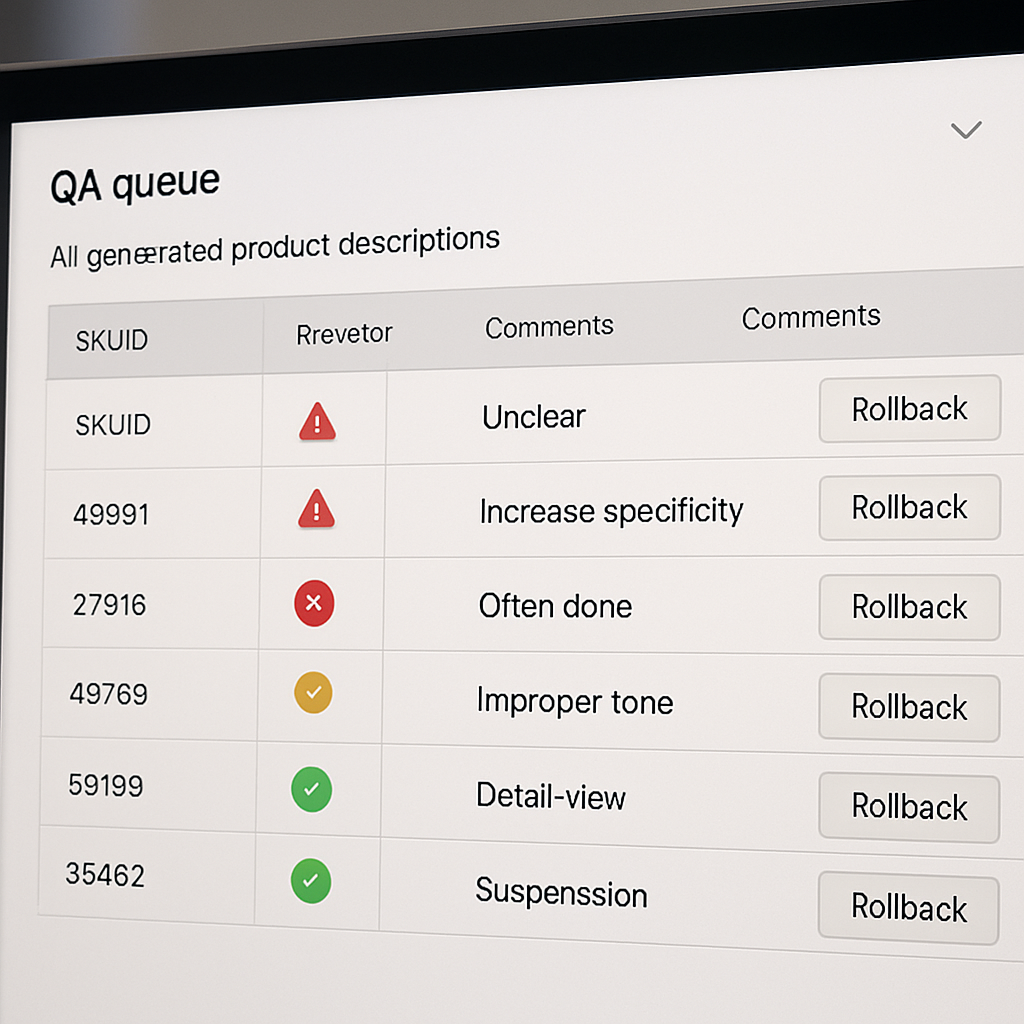
5. Quality assurance, human review, and brand safety
Human review is the gatekeeper, not an optional polish. If you skip factual validation and compliance checks to save time, you will publish errors that cost trust, returns, and marketplace suspensions. Build your process so automation reduces volume and humans reduce risk.
Automated preflight checks
Preflight first, edit later. Run automated filters before any human sees an AI generated description. These filters catch the low hanging, high impact problems that break listings or create legal exposure.
- Numeric sanity checks: compare measurements, weights, and battery specs in the output to the SKU master and flag discrepancies greater than a configurable tolerance.
- Forbidden terms and regulatory flags: block or flag terms such as clinically proven, cures, or prescription unless the SKU has validated claims. Use a category specific blacklist for regulated products.
- Missing mandatory disclosures: detect absence of allergy, country of origin, or warranty statements required by law or marketplaces like Google Merchant Center.
- Language and encoding checks: ensure the output language matches the SKU locale and that special characters did not corrupt ingredient lists.
Practical tradeoff: automated checks scale cheaply but produce false positives. Tune thresholds to minimize reviewer fatigue and escalate only when the check indicates possible factual or legal risk.
Human review workflow and SLAs
Two stage review works best in practice. Stage one is factual validation by a product specialist. Stage two is editorial sign off for brand voice and SEO. Enforce checkboxes and mandatory comment fields for any failed item so accountability is clear.
- Risk tiering: 100 percent review for regulated or high ticket SKUs, 50 percent sampling for mid risk categories, 10 to 20 percent sampling for low risk commodity items.
- SLA targets: product specialist completes factual checks within 24 hours, editor completes voice and SEO check within 48 hours, and merch sign off for exceptions within 72 hours.
- Reviewer KPIs: pass rate on first review, average edits per SKU, time per review, and escalation frequency. Monitor these to know when your templates or prompts are failing.
Concrete example: A cosmetics SKU returned by the ai product description generator included the phrase clinically shown to reduce wrinkles. The product specialist flagged the claim, replaced it with a compliant phrase based on published study details, and routed the SKU to legal for approval before publishing. That prevented a potential policy violation on marketplaces and a costly takedown.
What teams get wrong. Most teams spend editing time rewriting hero lines while skipping source data validation. In practice the biggest cause of returns and complaints is incorrect specs or compatibility statements. Prioritize factual gatekeeping over copy polishing.
| Risk category | Recommended review approach |
|---|---|
| Regulated products – beauty, supplements, medical devices | 100 percent factual review and legal sign off |
| Mid risk – electronics, appliances | 50 percent sampling plus automated spec checks |
| Low risk – accessories, basic apparel | 10 20 percent sampling and editorial spot checks |
Brand safety controls to enforce at generation time. Embed a styleguide and brand tokens in the prompt, maintain a blacklist for prohibited language, and log every prompt and output so you can audit back to the generator when an issue appears. Use plagiarism checks to ensure uniqueness and avoid marketplace penalties.
Important: 100 percent manual review of every SKU defeats the point of an ai product description generator. Use automation to reduce volume and targeted human review to reduce risk.
Next operational step. Pilot these gates on 100 SKUs, measure first pass acceptance, iterate prompts using OpenAI prompt design guidance to reduce flagged items, and use a tool like Ranklytics to tag and track generated pages through performance and compliance checks. That sequence gives you measurable confidence before broad rollout.
6. SEO integration and keyword strategy for generated descriptions
Direct rule: assign one primary keyword and 2 to 3 supporting long tail variants per SKU before generation, then bake those targets into the prompt and data feed so the AI writes with intent rather than guessing.
Why this matters: without SKU level keywords the generator produces generic, low discoverability copy that looks fine but does not win organic traffic. Embedding keyword targets at the input stage reduces rework and keeps output natural when the model is constrained by specific placement rules.
Where to place keywords and what to avoid
- High value slots: SEO title, product title/H1, hero benefit line, meta description, first bullet, and image alt text
- Avoid: keyword stuffing, forced exact match phrases repeated unnaturally, and using the same high volume category keyword across every SKU in a category
- Balance: prefer one natural primary occurrence in the hero and title plus semantic uses in bullets and the extended description
Practical mapping: include fields in your SKU CSV such as primarykeyword, supportingkeywords, intenttag, and targetsearch_volume. Feed those columns into the prompt template so the generator can output an SEO title (50 to 70 characters), a hero line that contains the primary term, and a 120 to 150 character meta description that includes either the primary or the strongest supporting term.
Trade off and limitation: optimizing every SKU for the same category head term is tempting because of perceived traffic, but it causes internal competition and dilutes relevance. In practice it is more effective to map SKUs to a keyword hierarchy – a small set of head terms for category pages and long tail purchase intent phrases for product pages.
Concrete example: for a womens trail running shoes SKU set the primary keyword might be womens trail running shoes. Supporting keywords could be lightweight trail running shoes womens, waterproof trail shoes womens size 8, and trail shoes for rocky terrain womens. Place the primary in the SEO title and hero line, use a supporting term in the meta description, and weave the most specific support keyword into a bullet about features or fit.
Cluster strategy: group SKUs by search intent and similarity. If variants differ only by color or size and have negligible unique search volume, consolidate under a single canonical page with variant selectors. If a variant has distinct specs or use cases and search volume, publish a unique page and give it its own primary keyword.
- Generate keyword targets with a tool like Ranklytics and export them with SKU IDs
- Add primarykeyword and supportingkeywords columns to the generation CSV
- Use a prompt that requires placement rules for title, hero, bullets, and meta
- Track results and adjust targets every 30 to 60 days based on ranking and traffic
Real world application: a mid market outdoor retailer used SKU level keyword mapping to rework 1,200 footwear pages. By targeting purchase intent long tails for individual models they recovered organic traffic lost to category pages and reduced keyword cannibalization. Traffic gains were identifiable within 60 days when tracked in Ranklytics.
What teams get wrong: many assume AI will automatically prioritize the best keyword. That is false unless you force the target into the prompt or input feed. Do not rely on the model to pick the highest intent phrase from a list; tell it which to use and where.
Further reading: practical guidance on product page copy from Shopify can help align intent and content structure – see How to Write Product Descriptions That Sell. For prompt design basics reference OpenAI guidance at Prompt Design.
7. Measure ROI and iterate: KPIs, dashboards, and cadence
Direct measurement matters more than production counts. Track outcomes that tie generated descriptions to business impact, not just how many SKUs you processed. Without that link you will optimize for speed and create churn in search rankings or conversions.
Core KPIs to instrument first
- Time to publish per SKU: average minutes from generation start to live page. This quantifies efficiency gains from an ai product description generator.
- First pass QA rate: percent of generated descriptions accepted without edits. A leading indicator of template quality and data cleanliness.
- Organic sessions to generated pages: traffic from search to pages where copy was generated. Use this with Ranklytics keyword tracking to link copy changes to keyword movement.
- Conversion rate by cohort: conversion on pages using generated copy versus baseline pages, measured with A/B tests or gradual rollout cohorts.
- Ranking change for target terms: positions for primary keyword at 30, 60, 90 day intervals. Expect lag and seasonal noise.
Practical limitation and tradeoff: SEO and conversion changes lag content publication. Organic ranking signals typically take 4 12 weeks to settle. That means you cannot iterate prompts hourly based on early clicks; you will misattribute noise to prompt quality. Design your cadence around realistic signal windows.
| KPI | Owner | Initial target |
|---|---|---|
| Time to publish per SKU | Content operations lead | Reduce from 90 minutes to 20 minutes in pilot |
| First pass QA rate | Product specialist | 75 percent pass rate for non regulated categories |
| Organic sessions to product pages | SEO manager (use Ranklytics) | 10 percent lift in 60 days |
| Conversion rate by cohort | Growth or analytics team | Detect 5 percent relative lift; require statistical significance |
Concrete example: A mid size apparel retailer tagged 500 pilot SKUs generated by an ai product description generator and ran a staggered rollout. They used a GA4 custom dimension to mark generated pages, tracked keyword movement in Ranklytics, and ran a 60 day A/B test on 120 SKUs. Outcome: time per SKU fell from 85 to 22 minutes and winning cohort showed a 7 percent conversion lift after 8 weeks.
Dashboards, alerts, and cadence
- Dashboard essentials: one pane showing production velocity, QA pass rate, organic sessions, ranking delta, conversion delta, and return rate for generated SKUs.
- Automated alerts: flag if ranking drops more than 10 positions, conversion drops more than 20 percent versus baseline, or QA failure rate exceeds 30 percent in a week.
- Review cadence: daily quick checks for publishing errors and policy flags, weekly editorial sample reviews (50 100 pages), monthly prompt updates based on editor feedback, quarterly business review with SEO and merchandising.
Judgment call most teams get wrong: chasing search position as the sole success metric leads to keyword stuffing or overly generic descriptions. Prioritize conversion and factual accuracy first, then tune keyword placement. Use Ranklytics for keyword planning and measurement rather than tweaking prompts to chase short term rank moves.

Next consideration: instrument tagging and use Ranklytics alongside analytics so your metrics are reliable. For prompt design reference see the OpenAI prompt guide and validate marketplace compliance with Google Merchant Center rules.
8. Practical examples, error cases, and quick fixes
Direct point: real outputs expose the gaps in your data and prompts faster than theory. When running an ai product description generator at scale, the first 100 SKUs will show three predictable failures: missing attributes, tone drift, and hallucinated specs. Plan for those up front and you will save days of rework.
Three micro case examples (copyable prompts and expected structure)
Concrete Example — Apparel: Input attributes: SKU, fabric (organic cotton), fit (relaxed), care (machine wash cold), sizes, color, hero feature (moisture-wicking). Prompt: Use the SKU attributes to produce a 20–30 word hero benefit, three bullets under 10 words each, a 40–60 word shopper-friendly paragraph, and a 140 character meta description. Expected output structure: SEO title, hero line, 3 bullets, extended paragraph, meta. This prompt yields copy that editors rarely rewrite for voice.
Concrete Example — Electronics: Input attributes: SKU, battery life (12 hours), compatibility (Bluetooth 5.2), weight, warranty (2 years), noise cancellation (hybrid). Prompt: Generate a hero sentence aimed at non-technical buyers, a scannable spec highlights section (3 lines), and a short use-case paragraph for commuting. Expected output: title, hero, spec highlights, 2-sentence use case, meta description. Editors mainly verify numbers.
Concrete Example — Beauty: Input attributes: SKU, active ingredients, skin type suitability, clinical claims (if any), directions, warnings. Prompt: Produce a plain-language 25–40 word hero statement, 3 short bullets citing benefits (no medical claims), an ingredients callout, and a 150 character meta. Expected output: title, hero, bullets, ingredients note, compliance flag. This reduces legal review time because the model is constrained to non-medical language.
Common error cases and how to fix them quickly
- Hallucinated specs: Fix by requiring a verified spec field from the PIM. Trade-off: you slow generation until data is complete, but remove high-cost corrections downstream.
- Off-brand tone: Fix by expanding the brand voice token with 6 example sentences and enforce tone in the prompt. Consideration: too-strict tone prompts increase edits for niche SKUs.
- Duplicate or boilerplate descriptions across similar SKUs: Fix by injecting a differentiator field (unique selling point per SKU) and asking for one SKU-specific sentence. Consequence: slightly larger data collection but major SEO upside.
- Marketplace policy violations (e.g., unverified claims): Fix by adding a compliance checklist step before publish and running an automated term filter. Limitation: filters catch obvious terms but not subtle implied claims; keep legal review for regulated categories.
Quick judgment: the fastest practical fix is data hygiene, not more prompt tricks. If attributes are unreliable, tune upstream processes first. AI will amplify bad data.
Emergency fixes checklist for a published page with errors
- Flag the page and add a temporary notice: prevent further traffic from relying on incorrect specs.
- Replace with minimal verified copy: hero line + 3 verified bullets + canonical specs sourced from manufacturer.
- Notify downstream channels: update marketplaces, ads, and affiliates that use the feed.
- Root cause analysis: identify whether the generator prompt, input data, or review step failed and record the fix in the prompt library.
Practical integration note: use Ranklytics for keyword planning tied to generation, and consult OpenAI prompt design guidance for prompt hygiene and safety practices. For quick copy tweaks on live pages, a short verified fallback copy is safer than waiting for full editorial review; this limits legal exposure and preserves conversions while you fix root causes. See How to Write Product Descriptions That Sell for formatting that converts.
Next consideration: after fixes, lock the prompt and input schema for that category and log the change. That single act prevents repeated failures and creates the version history you need to improve quality reliably.

Written by
ranklytics