











Table of Contents
- 1 AI SEO Analyzers: What They Can Do and How to Use Them to Fix Your Site Fast
- 1.1 How AI SEO Analyzers Work and What Makes Them Different
- 1.2 Problems AI SEO Analyzers Surface with Specific Examples
- 1.3 Fast, Prioritized Workflow to Fix Your Site in 8 Steps
- 1.4 Practical Walkthrough: Using Ranklytics to Diagnose and Fix a Page
- 1.5 Comparing AI SEO Analyzers and When to Use Each
- 1.6 Measuring Impact: KPIs and Realistic Timelines
- 1.7 Common Pitfalls and How to Avoid Them
- 2 AI SEO Analyzers: What They Can Do and How to Use Them to Fix Your Site Fast
AI SEO Analyzers: What They Can Do and How to Use Them to Fix Your Site Fast
If your search traffic slipped or the audit output feels overwhelming, an ai seo analyzer can cut diagnosis time and point to high-impact fixes fast. These tools crawl your site, compare pages to SERP signals with NLP, and turn noisy findings into prioritized tasks—content intent mismatches, cannibalization, meta issues, and performance hotspots are the usual big wins. Read on for a practical, step-by-step workflow you can run in a day or a week, plus how to use Ranklytics and complementary tools to move from audit to measurable gains.
How AI SEO Analyzers Work and What Makes Them Different
Straight to the point: an ai seo analyzer is a diagnostic stack, not a single algorithm. It combines crawling, SERP signal scraping, natural language processing, and heuristic scoring to turn thousands of raw signals into a prioritized list you can act on.
Core components and how they fit together
- Site crawler: fetches pages, records response codes, HTML, structured data, and link graphs.
- SERP and competitor layer: pulls current SERP snapshots to classify intent and surface ranking competitors for each query.
- NLP engine: groups pages by semantic intent, detects content gaps, and flags thin or repetitive sections.
- Impact scoring: applies heuristics or learned models to estimate business impact and required effort for each finding.
Data inputs matter. The best results come when the analyzer ingests multiple sources: a fresh crawl, Google Search Console data for indexing and impressions, PageSpeed Insights for core web vitals, and a third party keyword/backlink dataset to contextualize competition. If you skip GSC or live speed data, recommendations will be blunt and often overprioritize low-value fixes.
What actually changes compared with old-school site audits
Traditional site audit tools spit out long lists. An ai seo analyzer groups and scores findings by likely ranking impact and by intent mismatch using SERP patterns. That grouping is the practical difference: instead of 300 isolated warnings, you get cluster-level recommendations like merge these three pages, rewrite this hub to target commercial intent, or fix indexing on high-impression URLs.
Practical limitation: models produce false positives and duplicate items from multiple crawls and datasets. Expect noisy clusters and conservative mistakes where the analyzer recommends merging pages that actually serve distinct user journeys. Always sample top recommendations manually before committing developer time.
Concrete example: a mid-size blog lost rankings for a how-to keyword. The ai seo analyzer cross-referenced the SERP, found the page was classified as informational while the SERP favored short commercial listicles, and flagged both an intent mismatch and thin step sections. The team used the tool to generate a content brief, rewrote the intro to match user intent, and added a compact comparison table; rankings recovered within 4 to 6 weeks.
Judgment that matters: ai shines at pattern detection and prioritization, not at final editorial decisions. Use the analyzer to triage and sequence work, but reserve human review for the top 10 high-impact items and for any recommendation that changes user intent or brand voice.
If you want the practical next step, run an audit that includes Google Search Console and PageSpeed data and then treat the analyzer results as hypotheses to test in a 30-day sprint. For reference on indexing and ranking signals see Google Search Central and to speed routine meta updates try the Ranklytics AI meta description generator at Write Better Meta Descriptions Fast with an AI Meta Description Generator – Ranklytics.

Problems AI SEO Analyzers Surface with Specific Examples
Straight to the point: AI SEO analyzers do not deliver a single diagnosis; they hand you dozens of findings across content, indexing, links, and performance. Most teams treat every flag the same and burn time on low-impact items. The practical skill is separating real blockers from noise and translating a flagged issue into a concrete editorial or technical task.
Content problems AI tools commonly highlight
- Content intent mismatch: Analyzer classifies your page as informational while SERP intent is transactional, so your long how-to article loses to product pages.
- Keyword cannibalization: Multiple pages scored for the same primary keyword cluster and recommended for merging or canonicalization.
- Thin or duplicate content: Short pages or near-duplicates get flagged even though some are category filters or legal pages that should stay thin.
- Poor metadata: Missing or auto-generated meta descriptions and weak titles that lower CTR; see the Ranklytics AI meta description generator for quicker iterations (Write Better Meta Descriptions Fast with an AI Meta Description Generator).
Technical, linking, and performance problems AI tools surface
- Indexing blockers: Noindex tags, disallowed URLs in
robots.txt, or pages excluded by sitemaps that should be indexed. - Internal linking gaps and orphan pages: Important content with no internal links shows up as low authority in the analyzer.
- Canonical conflicts: Multiple pages marked self-canonical but with divergent content; analyzer recommends a preferred canonical.
- Performance hotspots: Core Web Vitals failures and large layout shift sources tied to specific scripts or images reported with PageSpeed links.
- Backlink anomalies: Pages with many low-value backlinks or sudden loss of backlinks flagged for review.
Practical limitation: AI recommendations often lack the business context and will propose merges or canonicalization without knowing seasonal landing pages, legal constraints, or campaign requirements. Treat these suggestions as hypotheses, not orders; validate with traffic history and commercial intent before merging or removing pages.
Concrete example: A mid-market ecommerce site had three blog posts and two category pages all ranking in the same keyword cluster. The analyzer grouped them and recommended a single consolidated pillar. The team ran history checks in Google Search Console, kept the highest-converting category page as the canonical, merged unique guidance into it, and redirected the low-traffic posts. Rankings recovered within six weeks with fewer pages competing for the same query.
| Problem | What AI flags | What you should manually check |
|---|---|---|
| Content intent mismatch | Low relevance score vs SERP intent | SERP classification, top competitors, conversions for the page |
| Cannibalization | Keyword cluster with multiple pages | Traffic history, conversion metrics, page authority |
| Performance hotspot | High CLS or LCP on specific URLs | Reproduce in PageSpeed and check real-user metrics |
Next consideration: Convert analyzer findings into a prioritized backlog and add a human review column; AI will surface the problems fast, but the recovery depends on correct prioritization and informed fixes.
Fast, Prioritized Workflow to Fix Your Site in 8 Steps
Start with the decision that speed beats completeness. An AI audit will return dozens or hundreds of findings. The goal of this 8-step workflow is to convert the top 10 to 30 high-impact items into published fixes within days, not months.
Triage principle – impact over noise
Key principle: score every finding by impact and effort. Prioritize indexing blockers, high-traffic page intent mismatches, and pages with rising impressions but falling CTR. Low-impression, low-effort items can wait.
- Step 1 Run a full AI audit and enrich with GSC data – Time: 10 to 60 minutes. Use an ai seo analyzer to crawl pages and import Google Search Console so the tool can surface pages with indexing issues or sudden impression drops. Tools: Ranklytics, Google Search Console.
- Step 2 Build an impact versus effort matrix – Time: 30 to 90 minutes. Filter findings into three buckets: Blockers (fix now), High-impact content fixes (rewrite or consolidate), Quick wins (meta, internal links). Reject low-value suggestions before assigning work.
- Step 3 Attack indexing and crawl blockers first – Time: minutes to 2 days. Fix noindex regressions, canonical errors, and robot exclusions that are preventing discovery. These often restore impressions fastest; verify in GSC after fix.
- Step 4 Resolve intent mismatches on high-traffic pages – Time: 1 to 3 days. Use an ai-powered seo audit to generate content briefs that align with SERP intent, then edit content to match. Tradeoff: do not over-optimize for a single keyword at the expense of user needs.
- Step 5 Fix title and meta issues with fast experiments – Time: hours. Use an ai meta description generator to create improved descriptions and run title A/B tests where your CMS supports it. Expect CTR signals within 2 to 8 weeks.
- Step 6 Stop cannibalization by consolidating or canonicalizing – Time: 1 to 7 days. Merge duplicate pages when user intent overlaps, or implement canonical tags and update internal links to the canonical target. Tradeoff: merging reduces surface area for long tail keywords, so preserve unique value.
- Step 7 Close internal linking and structural gaps – Time: 1 to 3 days. Add links from relevant hub pages to orphan content and ensure deep pages have clear paths. This improves crawl budget efficiency and distributes topical authority.
- Step 8 Re-run audit, monitor, and document – Time: ongoing. Re-run the ai seo analyzer and check GSC and rank tracking weekly for 2 to 6 weeks. Log changes with dates, who made them, and expected KPIs.
Practical limitation: AI recommendations are probabilistic. Expect false positives and noisy suggestions, especially around duplicates and low-traffic pages. Always verify suggested merges or meta rewrites against actual search queries in GSC and competitive SERP intent.
Concrete example: An ecommerce site noticed category pages losing traffic after a ranking shakeup. Using an ai seo tool to import GSC, the team found the category pages had swapped intent with product listing pages. They canonicalized low-value duplicates, rewrote category copy to match navigational intent, and updated meta titles. Traffic began recovering within three weeks for the prioritized categories.
Focus on fewer, measurable fixes rather than chasing every analyzer score. A single indexing blocker or wrong intent alignment will often explain most short-term drops.

Next consideration: schedule a 30-day re-audit as part of your workflow and pair the ai seo analyzer with deep technical tools like Semrush Site Audit for validation when developer intervention is required.
Practical Walkthrough: Using Ranklytics to Diagnose and Fix a Page
Situation: a mid-traffic blog post that previously ranked on page one for a target keyword has slid to page two and lost 40 percent of its organic clicks over six weeks. Ranklytics will be the single workspace to diagnose the cause, produce an actionable content brief, and track recovery without waiting on a developer for every step.
Quick diagnosis in Ranklytics
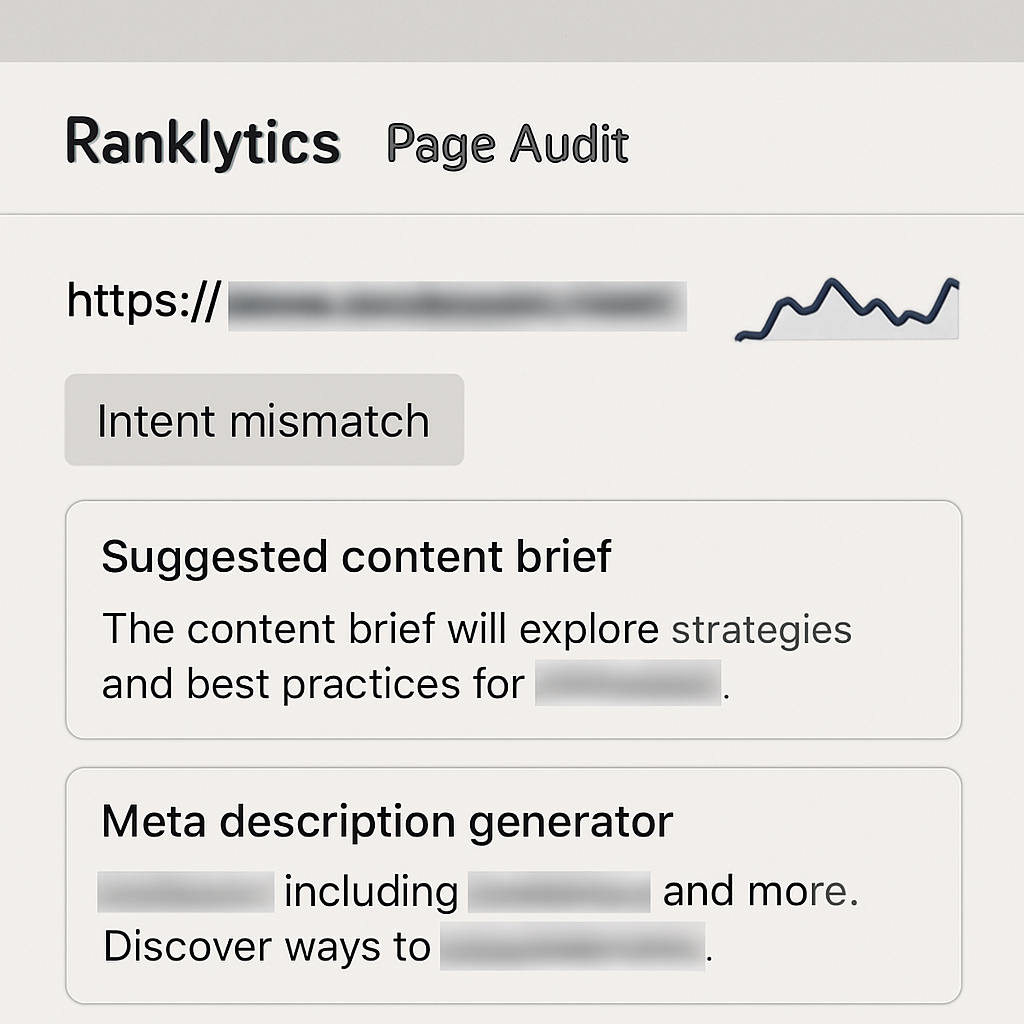
First pass: run a page-level audit in Ranklytics and import Google Search Console data to surface index status, sudden drops in impressions, and the CTR curve. Look specifically for intent mismatch flags, traffic decline on the target query, and whether the page is being outranked by commercial or list-style results.
What to watch for that matters: if Ranklytics shows stable impressions but falling clicks and a lower average position, the likely culprits are meta/title CTR problems or a SERP features shift. If impressions drop first, that suggests indexing or intent issues. Do not treat every flagged on-page score as a high priority — focus on signals aligned with traffic loss.
Action sequence you can execute in half a day
- Snapshot & baseline: export the page report and GSC queries for the last 90 days to capture pre-change metrics (impressions, clicks, avg position).
- Intent correction: use Ranklytics content brief generator to realign the article to the SERP intent the tool reports. Target 1 primary keyword and 2 supporting phrases, and add a short how-to or comparison block if the SERP favors those formats.
- Meta and CTR work: build 3 title candidates and 2 meta descriptions with the Ranklytics AI meta description generator, then pick one and deploy. If you can, run a title A/B test with internal traffic tools; otherwise prioritize the highest-CTR candidate.
- On-page edits: implement the brief recommendations — tighten the intro to match intent, add a concise step-by-step section, and insert an FAQ with schema-ready questions (content only; leave schema implementation to dev if needed).
- Internal linking cleanup: add 2 internal links from higher-authority pages to this post and remove links from competing pages to prevent cannibalization.
- Monitor: track the target keyword in Ranklytics and check GSC for recrawl and index signals daily for the first week, then weekly.
Concrete example: a how-to post on ergonomic desk setup had drifted toward product lists in the SERP. Ranklytics flagged an intent mismatch and suggested a brief with a clear checklist and a new FAQ that targets featured snippet phrasing. The team rewrote the intro, added the checklist, updated the title with a CTR-optimized formula, and regained position within 3 weeks.
Limitations and trade-offs: Ranklytics accelerates diagnosis and content production, but it cannot detect client-side rendering problems or some complex canonical configurations. Use Screaming Frog or a developer review when Ranklytics shows indexing anomalies or inconsistent crawlability. Also, faster edits increase risk of shallow rewriting; always enforce a short human edit pass to preserve accuracy and brand voice.
If the issue is traffic loss from SERP intent shifts, content realignment and meta CTR updates usually deliver the fastest, highest-probability wins.
Next consideration: after the page stabilizes, schedule a 30-day re-audit in Ranklytics and add the target keyword to a rank-tracking list so future slips trigger a focused workflow rather than a broad hunt for causes. For indexing depth or backlink concerns, pair this workflow with Google Search Central checks and a backlink audit in Semrush or Ahrefs.
Comparing AI SEO Analyzers and When to Use Each
Start with your bottleneck. If your biggest problem is slow content iteration, pick an ai seo analyzer that emphasizes content briefs and in-platform writing; if it is a technical crawl or backlink recovery, pick a tool built for deep site and link data. Tools are optimized for different parts of the SEO workflow — they are not interchangeable.
Practical differences that change decisions
Data scope versus actionability. Platforms like Semrush and Ahrefs deliver broad, historical backlink and keyword datasets useful for root-cause analysis. Ranklytics focuses on shortening the diagnosis-to-content loop with AI content briefs, meta generation, and integrated rank tracking. That makes Ranklytics faster for teams whose primary work is rewriting and republishing pages.
Depth versus speed. Screaming Frog gives granular, customizable crawls you can hand to engineers. SurferSEO and similar on-page seo analyzers give fast, SERP-driven content signals you can apply to drafts. Choose depth when you need developer-level fixes; choose speed when you need to test content permutations rapidly.
| Tool | Best for | Strength | Practical limitation |
|---|---|---|---|
| Ranklytics | Content-led teams and rapid fixes | Integrated AI briefs, meta description generator, rank tracking | Less comprehensive historical backlink data compared with Ahrefs/Semrush |
| Semrush Site Audit | Large site technical audits and backlink overviews | Broad technical coverage and enterprise reporting | Can surface many low-impact findings without prioritization |
| Ahrefs Site Audit | Backlink-driven recovery and technical prioritization | Strong crawl visualizations and link data | Higher cost for comprehensive keyword tracking |
| Screaming Frog | Developer handoffs and custom crawls | Full control over crawl rules and exports | Desktop-based; not ideal for ongoing automated monitoring |
| SurferSEO | SERP-driven content scoring and competitive on-page optimization | Data-driven content guidelines for high-variance SERPs | Less useful for technical or backlink issues |
Concrete example: An ecommerce site losing category rankings will usually need a two-tool approach. Run a Semrush or Ahrefs Site Audit to confirm indexing and backlink shifts, then use Ranklytics to generate revised category content, update meta descriptions with the AI meta description generator, and track rankings as the content republishing rolls out. This combination moves from diagnosis to action without waiting on multiple handoffs.
- If you must choose one tool: pick the one that shortens your critical path — diagnosis to publish. For content teams that's likely Ranklytics; for technical teams it's Semrush/Ahrefs.
- Combine tools sensibly: use Ranklytics for briefs and meta work, Semrush or Ahrefs for backlink validation and broad technical context, and Screaming Frog for the developer ticket with exact URLs and headers.
- Weight findings by confidence: prioritize issues that are high-traffic, high-severity, and supported by multiple data sources (GSC + crawl + third-party).
Limitations and trade-offs to accept. Expect AI analyzers to disagree on severity. Backlink databases are incomplete and sample-dependent; content intent classification via NLP will mislabel niche queries. Treat analyzer recommendations as hypotheses to test, not final answers.
Next consideration. After you pick tools, lock in a simple triage rule: fix indexing blockers and high-traffic intent mismatches first, then use the ai seo tool's content outputs to run controlled publishes and measure the effect in 2–6 weeks via Google Search Console and your keyword tracker.
Measuring Impact: KPIs and Realistic Timelines
Start with what you will measure. Pick three primary KPIs tied to business outcomes and one secondary diagnostic metric. In practice that means: organic clicks or sessions for conversions, average position for priority keywords, and CTR after title or meta changes. Use impressions and index coverage as diagnostic signals to confirm Google saw your changes.
Baseline, attribution, and noise
Baseline matters more than ideal targets. Capture 4 to 8 weeks of pre-change data for the pages you will edit. Without a reliable baseline you will mistake normal weekly or seasonal variance for impact. Use Google Search Console for impressions and CTR, your analytics tool for sessions and conversions, and Ranklytics for keyword tracking and SERP snapshots.
Attribute carefully. When you change meta tags, content, and internal links in the same sprint you reduce your ability to attribute which action moved the needle. If possible split changes across a short A B window: meta update first, content draft next. This costs a little time but gives clearer evidence for what to repeat.
KPIs, where to watch them, and expected timing
| KPI | Where to check | Realistic earliest signal | Typical window for meaningful change |
|---|---|---|---|
| Index coverage / crawl status | Google Search Console | 24 to 72 hours | 1 to 2 weeks |
| CTR on SERP (after meta/title change) | Google Search Console + Ranklytics | 3 to 10 days | 2 to 6 weeks |
| Average position for target keyword | Ranklytics keyword tracker | 1 to 2 weeks | 2 to 8 weeks |
| Organic sessions and conversions | Analytics platform (GA4/other) | 1 to 2 weeks | 4 to 12 weeks |
| Backlink acquisition or referral traffic | Ahrefs or Semrush + analytics | 1 to 4 weeks | 4 to 12+ weeks |
Interpret timing with context. Content changes that correct user intent or reduce cannibalization typically show ranking movement in 2 to 8 weeks. Technical fixes that remove an index block or fix a canonical error can return traffic in days. Link driven gains take the longest and require sustained signals.
- Daily checks: monitor index issues and major crawl errors for the first 7 days after a technical fix.
- Weekly checks: track ranking trends, impressions, and CTR for pages you changed.
- Monthly review: measure traffic and conversion lift and decide whether to iterate or scale the fix.
Practical limitation to accept. Rank movement is noisy. Small ranking changes for low volume keywords are not reliable proof of success. Prioritize pages where a modest position gain will produce measurable traffic or conversion lift. Use moving averages and compare against control pages to avoid chasing noise.
Concrete example: A local services site updated meta titles and descriptions for 12 service pages flagged by an ai seo analyzer. After publishing, index coverage showed pages reindexed within 48 hours, CTR improved by 18 percent within two weeks, and organic calls rose 15 percent in six weeks. The team had staged the meta updates separate from content rewrites, which made attribution clean and justified rolling the change to 30 more pages.
Final judgment. Do not expect instant miracles from an ai seo analyzer. Use it to shorten diagnosis and propose prioritized experiments, but measure like an analyst. If a fix shows no impact after its expected window, escalate: re-evaluate intent, check backlinks, and consider a deeper technical crawl with Semrush or Screaming Frog before repeating the change.
Common Pitfalls and How to Avoid Them
Hard truth: AI audit output is not a to do list you can blindly execute. Many teams treat every flagged item as equal and end up wasting time on low-impact fixes or, worse, introducing regressions by merging or rewriting pages without validation.
Practical risk: AI recommendations are probabilistic and driven by patterns in the data the tool has. That means an ai seo analyzer can misclassify intent, suggest merging pages that each rank for different longtail queries, or push headline formulas that reduce CTR because they no longer match user intent.
Common mistakes and how to avoid them
- Applying everything at once: Run small, controlled experiments. Use a handful of high-traffic pages as a test cohort and measure for 2 to 6 weeks before broad rollouts.
- Trusting intent classification blindly: Cross-check AI intent labels with real SERP inspection and Google Search Console query data. If the queries driving clicks do not match the suggested intent, do not rewrite at scale.
- Merging without checking backlinks and signals: Before consolidating pages, verify inbound links with Ahrefs or Semrush. Merging a linked page into another can lose referral equity if redirects or canonicalization are mishandled.
- Over-automating meta and content updates: Use AI meta suggestions to save time, but always edit for brand tone and accuracy. Try the Ranklytics AI meta description generator for bulk drafts, then human edit before publishing Write Better Meta Descriptions Fast with an AI Meta Description Generator – Ranklytics.
- Chasing perfect scores instead of business outcomes: Fixing every low-severity issue for a perfect audit score rarely moves the needle. Prioritize changes that affect indexing, user intent alignment, and pages with real traffic or conversion value.
- No rollback plan: Keep a changelog, store previous versions, and plan for quick rollbacks when an update causes unforeseen ranking drops.
Tradeoff to accept: Speed versus control. Automated fixes accelerate throughput but increase risk. The right balance is workflow automation for low-risk updates and human review for high-impact pages.
Concrete example: A midmarket ecommerce site used an ai seo analyzer to merge 120 product guides into 30 category pages to reduce perceived cannibalization. After the merge, several longtail queries that previously drove steady conversions disappeared because those guides had unique phraseology and external links. The recovery required restoring some guides, refining redirects, and reintroducing the distinct content that matched user queries.
How to catch these failures early: Add measurement gates. Check Google Search Console for impressions and clicks, watch ranking changes in your keyword tracker, and monitor user signals like bounce rate and pages per session for 14 to 28 days after changes. If negative signals appear, revert the highest-risk changes first.

Written by
ranklytics