











Table of Contents
- 1 The Complete SEO Audit Checklist: 50+ Points to Perfect Your Website
- 1.1 Introduction
- 1.2 Understanding the Importance of an SEO Audit
- 1.3 What is an SEO Audit Checklist?
- 1.4 Components of a Comprehensive SEO Audit
- 1.5 Step-by-Step Guide to Conducting an SEO Audit
- 1.6 Technical SEO Checks to Perform
- 1.7 On-Page SEO Factors to Evaluate
- 1.8 Content Quality and Relevance Assessment
- 1.9 Crawling and Indexing Issues to Address
- 1.10 User Experience Considerations for SEO Audits
- 1.11 The Role of Analytics in Your SEO Audit
- 1.12 Conclusion
- 1.13 Frequently Asked Questions
The Complete SEO Audit Checklist: 50+ Points to Perfect Your Website
Introduction
Welcome to the ultimate SEO audit checklist your trusty sidekick in the quest for online visibility! Think of this checklist as your digital treasure map, guiding you through the vast ocean of search engine optimization. Whether you’re a seasoned pro or just dipping your toes into the world of SEO, this comprehensive SEO audit guide will help you navigate the choppy waters with ease.
Fifty steps is a lot to carry without a dedicated SEO. AI SEO tools for small business automate most of this checklist and surface only the items that need a human decision.
Want these checks run automatically? Try our run a free SEO audit — it scores your site for both Google and AI search in under a minute.
So, why should you care about an SEO audit? Well, imagine trying to find your favorite coffee shop in a bustling city without a map. You might wander around aimlessly, missing out on the best brews! An SEO audit is like that map it reveals hidden opportunities, uncovers pesky issues, and ensures that your website is primed for success in organic search.
This website audit checklist will cover over 50 essential points, from technical SEO audits to on-page optimizations and everything in between. We’ll dig deep into aspects like site speed optimization, content quality assessments, and even local SEO strategies. By following this step-by-step process, you’ll not only improve your site’s performance but also enhance user experience because let’s face it, no one likes waiting for a page to load like it’s stuck in traffic!
Ready to roll up your sleeves and dive into the nitty-gritty? Grab a cup of coffee (or whatever fuels your fire) and let’s get started on transforming your website into an SEO powerhouse!

Understanding the Importance of an SEO Audit
Think of an SEO audit checklist as your website’s annual health check-up. Just like you wouldn’t ignore that nagging cough or persistent headache, you shouldn’t overlook the performance of your website. An SEO audit is essential for identifying issues that could be holding back your site from reaching its full potential.
In this digital age, where competition is just a click away, having a well-optimized site isn’t just nice to have; it’s a necessity. A comprehensive SEO audit guide helps you uncover technical glitches, content gaps, and optimization opportunities that can significantly impact your organic search visibility.
So why should you care? Here are some compelling reasons:
- Boost Your Rankings: Regular audits help ensure your site aligns with the latest search engine algorithms, which means better rankings and more traffic.
- Enhanced User Experience: An effective SEO audit includes a thorough review of user experience factors, ensuring visitors find what they need quickly and easily.
- Identify Content Opportunities: A content audit checklist can reveal what topics resonate with your audience and highlight areas where you can improve or expand.
- Avoid Costly Mistakes: Ignoring technical SEO aspects can lead to penalties from search engines. An audit helps catch these issues before they become costly problems.
- Stay Ahead of Competitors: Conducting a competitive analysis for SEO allows you to see where others are excelling and how you can capitalize on their weaknesses.
An effective SEO site audit goes beyond just identifying issues; it provides actionable insights. For example, if your site speed is dragging down user experience, implementing a site speed optimization checklist could be the game-changer you need. Similarly, if you’re not optimizing for mobile users, you’re missing out on a huge audience especially since mobile traffic continues to grow exponentially.
Key Takeaway: Regularly conducting an SEO health check is crucial for maintaining and improving your website’s performance in search results. It’s not just about fixing problems; it’s about revealing opportunities!
The bottom line? Embracing an ongoing process of audits will keep your website in tip-top shape and ready to tackle whatever the digital landscape throws at it. So grab that checklist and start auditing today!
What is an SEO Audit Checklist?
Imagine you’re a detective, and your website is the crime scene. An SEO audit checklist is your magnifying glass, helping you uncover the hidden clues that could boost your site’s performance in search engine results. It’s a comprehensive list of tasks designed to evaluate the health of your website and ensure it adheres to SEO best practices.
Essentially, an SEO audit checklist serves as a roadmap for conducting a thorough SEO analysis. It guides you through various components like technical SEO, on-page factors, content quality, and user experience. Think of it as your trusty sidekick in the wild world of digital marketing audits!
A well-crafted website audit checklist can help identify issues that may be holding back your site from achieving its full potential. From broken links to slow loading speeds and everything in between, this checklist ensures nothing slips through the cracks.
Quick Stats: Did you know that 53% of all website traffic comes from organic search? This emphasizes just how crucial it is to keep your site optimized!
Here’s what typically goes into an effective SEO audit checklist:
- Technical SEO Audit: Check for issues like crawl errors and indexability problems.
- On-Page SEO Checklist: Evaluate meta tags, headers, and keyword optimization.
- Content Audit Checklist: Assess content quality and relevance to ensure it meets user intent.
- User Experience Improvements for Better Rankings: Look at design elements that enhance usability.
- Crawling and Indexing Issues: Identify any barriers preventing search engines from accessing your content.
The beauty of an SEO audit checklist lies in its flexibility it can be tailored to fit the specific needs of any website. Whether you’re conducting a local SEO audit or diving deep into an ecommerce SEO audit, this tool adapts to guide you through every step of the process.
The ultimate goal? To ensure that every aspect of your site is optimized for search engines while providing the best possible experience for users. With a solid understanding of what an SEO audit checklist entails, you’re now ready to dive deeper into each component in this guide!
Components of a Comprehensive SEO Audit
When diving into the nitty-gritty of an SEO audit checklist, it’s essential to cover all your bases. Think of it as assembling a superhero team each member brings unique powers to the table, ensuring your website can conquer the digital landscape. Let’s break down these components:
-
Technical SEO Audit
This is where the magic begins! A thorough technical SEO audit checks for issues that could hinder search engines from crawling and indexing your site. Key elements include:
- Identifying technical errors, such as broken links and 404 pages.
- Ensuring proper use of the robots.txt file and XML sitemaps.
- Evaluating site speed using tools like Google PageSpeed Insights.
-
On-Page SEO Checklist
Your on-page elements are like the toppings on a pizza crucial for flavor! This checklist includes:
- Meta tag optimization (title and description).
- Header tags (H1, H2, etc.) for content structure.
- Keyword usage without stuffing think of it as seasoning to taste!
-
Content Audit Checklist
The content is where you woo your audience. Assessing your content involves:
- Checking for duplicate content and relevance.
- Updating outdated information to keep things fresh.
- Optimizing images with alt text for better accessibility and SEO.
-
Backlink Audit Checklist
Your backlinks are like social proof; they show search engines that you’re trustworthy. Key tasks include:
- An analysis of your backlink profile for quality over quantity.
- Identifying toxic links that might harm your rankings.
- A strategy for acquiring new, high-quality backlinks.
-
User Experience Improvements for Better Rankings
A fantastic user experience can significantly boost your SEO efforts. Focus on:
- Navigational ease make sure visitors can find what they need quickly.
- Mobile-friendliness testing to cater to users on the go.
- The overall aesthetic appeal because nobody likes an ugly website!

Step-by-Step Guide to Conducting an SEO Audit
Ready to roll up your sleeves and dive into the nitty-gritty of your website? Conducting an SEO audit checklist is like giving your site a thorough health check-up. Let’s break it down, step by step, so you can uncover those hidden opportunities and fix pesky issues before they snowball into bigger problems.
1. Initial Setup and Tools Needed
First things first! You need the right tools to get the job done. Here’s a quick list of essentials:
- Google Analytics: To monitor traffic and user behavior.
- Google Search Console: For insights on search performance and indexing.
- Screaming Frog SEO Spider: A powerful tool for crawling your website.
- SEMrush or Ahrefs: For backlink analysis and competitive insights.
- PageSpeed Insights: To assess site speed and performance metrics.
2. Crawling and Indexing Improvements
Your website should be as easy to navigate as a Netflix menu on a Friday night! Start by checking if search engines can crawl your site effectively:
- Use Google Search Console to identify any crawling errors.
- Create and submit an XML sitemap to ensure all pages are indexed properly.
- Avoid duplicate content issues by setting canonical tags where necessary.
3. Site Architecture Optimization Techniques
A well-structured site is like a well-organized closet: everything has its place! Here’s how to optimize yours:
- Ensure a logical hierarchy with clear categories and subcategories for content.
- Create internal links that connect related content, enhancing user navigation.
- Avoid deep nesting of pages; ideally, every page should be reachable within three clicks from the homepage.
4. Sitemap Creation and Submission Process
Your sitemap is like a treasure map for search engines. Here’s how to create and submit it:
- Create an XML sitemap using tools like Yoast or Screaming Frog.
- Add your sitemap URL in Google Search Console under the “Sitemaps” section.
- Regularly update your sitemap as you add new content or make changes!
Technical SEO Checks to Perform
When it comes to your SEO audit checklist, technical SEO checks are the unsung heroes of the digital marketing audit. Think of them as the foundation of a house; without a solid base, everything else is at risk. Here’s how to ensure your website stands tall and proud in search engine results:
-
Site Speed Optimization Checklist
Page speed is like the speed limit on a highway; if you’re going too slow, you’ll lose traffic! Use tools like Google PageSpeed Insights to identify areas for improvement. Aim for under 3 seconds for optimal user experience.
-
Mobile-Friendliness Testing Procedures
With over half of all web traffic coming from mobile devices, ensuring your site is mobile-friendly is crucial. Use Google’s Mobile-Friendly Test tool to check if your pages are ready for the small screen.
-
Secure Site Protocol (HTTPS) Implementation Steps
If your site isn’t using HTTPS, it’s like leaving your front door wide open inviting trouble! Make sure you have an SSL certificate installed to protect user data and boost your rankings.
-
Robottxt File Configuration Advice
Your robots.txt file acts like a bouncer at a club deciding who gets in and who doesn’t. Ensure it’s configured correctly to allow search engines to crawl important pages while blocking sensitive areas.
-
Sitemap Creation and Submission Process
A sitemap is like a treasure map for search engines, guiding them through your website’s content. Create an XML sitemap and submit it via Google Search Console to help crawlers discover all your pages efficiently.
-
Crawling and Indexing Improvements
If search engines can’t crawl or index your site properly, it’s like shouting into a void. Regularly check for crawl errors in Google Search Console and fix any issues that arise.
-
Core Web Vitals Improvement Strategies
Your Core Web Vitals are key performance indicators that affect user experience and rankings. Focus on metrics such as Largest Contentful Paint (LCP), First Input Delay (FID), and Cumulative Layout Shift (CLS) to enhance site performance.
By adding these checks into your comprehensive SEO audit process, you’ll be well on your way to mastering the art of technical SEO!
On-Page SEO Factors to Evaluate
When it comes to your SEO audit checklist, on-page SEO factors are like the sprinkles on your cupcake essential for that extra appeal! These elements make your website not only more search-engine-friendly but also more user-friendly. Let’s dive into the key components you need to evaluate:
-
Meta Tag Optimization Guide
Meta tags are the unsung heroes of SEO. They tell search engines what your page is about and can influence click-through rates. Ensure that:
- Your title tags are under 60 characters and include primary keywords.
- Meta descriptions are enticing, under 160 characters, and summarize the page content.
-
URL Structure Optimization Tips
Your URLs should be clean, descriptive, and keyword-rich. Think of them as your website’s address make it easy for both users and search engines to navigate. Here’s how:
- Use hyphens to separate words (e.g., /best-seo-tools).
- Avoid using numbers or special characters that confuse both humans and bots.
-
Image Optimization for SEO
Images are like the icing on the cake they enhance user experience but can also slow down your site if not optimized properly. To avoid a bloated website, remember to:
- Compress images without losing quality.
- Add alt text with relevant keywords for better accessibility and indexing.
-
Internal Linking Strategy Guide
Your internal linking strategy is crucial for guiding visitors through your site while helping search engines understand its structure. Here’s what to keep in mind:
- Link to relevant content within your site to keep users engaged longer.
- Avoid excessive links on a single page; aim for a clean navigation experience.
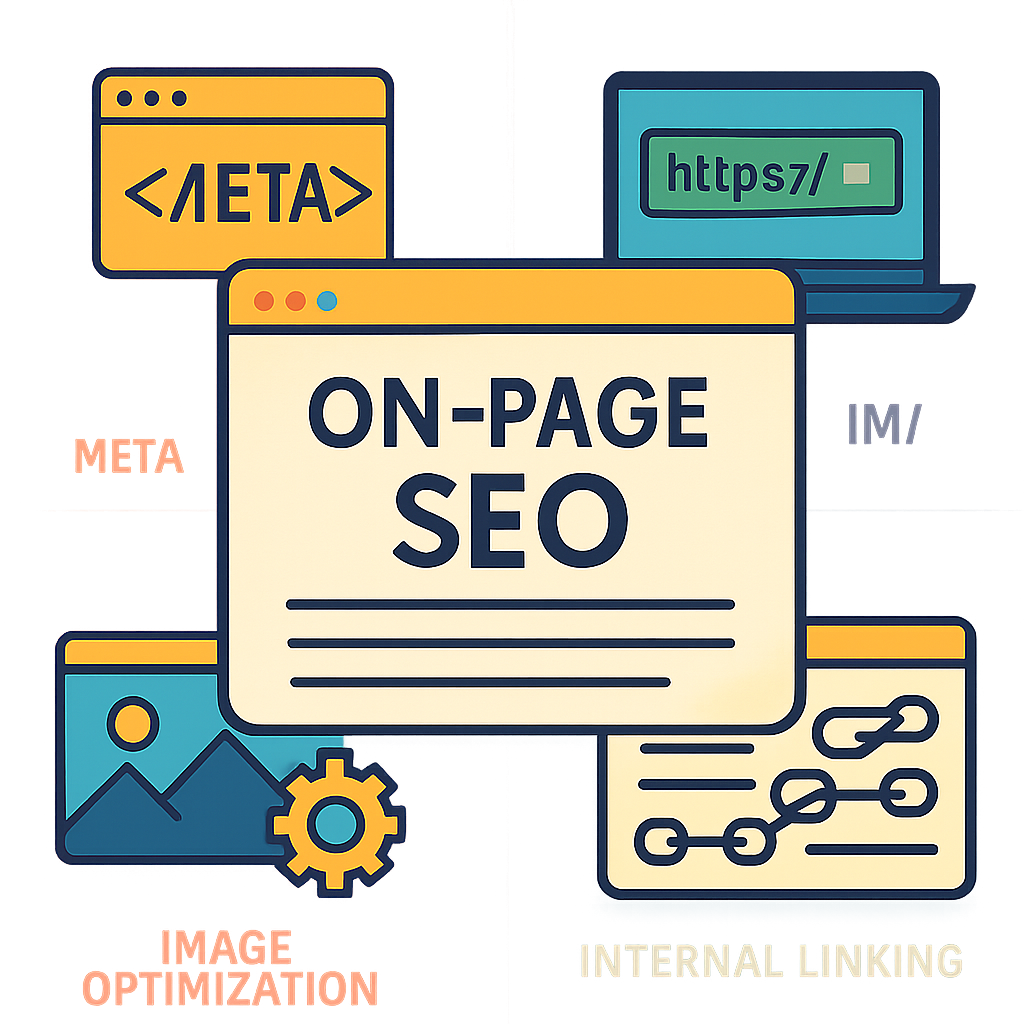
The next time you’re following your comprehensive SEO audit guide, don’t overlook these on-page elements they’re vital for achieving organic success! Now that you have these tips in hand, you’re one step closer to mastering your own website audit checklist!
Content Quality and Relevance Assessment
When it comes to SEO, content is like the secret sauce that makes your website irresistible. But not just any content will do; it needs to be high-quality and relevant. Think of it as throwing a party: you want the right guests (content) who can keep the conversation going (engagement) while making sure everyone has a good time (meets user intent).
To evaluate content quality and relevance, here’s a step-by-step SEO audit checklist to ensure your website is serving up the best:
- Relevance Check: Does your content align with what your target audience is searching for? Use keyword research tools to identify trending topics.
- Quality Assessment: Is your writing clear, engaging, and free of grammatical errors? Tools like Grammarly can help polish your prose.
- Originality Scan: Conduct a duplicate content check. Tools like Copyscape or Siteliner can help ensure your content is unique.
- User Engagement Metrics: Analyze metrics such as bounce rate, time on page, and social shares. If users aren’t sticking around, it’s time for a content refresh!
- Visual Appeal: Are you using images, videos, or infographics effectively? Visuals can enhance understanding and retention of information.
- Call-to-Action (CTA) Evaluation: Are your CTAs compelling? A well-placed CTA can significantly improve conversion rates.
A comprehensive content audit checklist should also include an assessment of how well each piece of content meets user intent. Ask yourself if the information provided answers common questions or solves problems that users face.
A staggering 70% of marketers say that producing engaging content is their biggest challenge. Don’t let this be you! Focus on creating quality over quantity.
Mistakes to Avoid
- Poor Keyword Usage: Stuffing keywords into your text can hurt readability and SEO rankings. Aim for natural integration instead.
- Ineffective Headlines: Your title should be catchy yet informative. A great headline can increase click-through rates significantly!
- Lack of Updates: If you haven’t updated old blog posts in a while, they may no longer reflect current trends or data. Regular updates keep content fresh!
The goal here is to create a seamless experience for users while satisfying search engine algorithms. So roll up those sleeves and dive into your site’s content quality! Remember, every piece of high-quality content is an opportunity waiting to be seized in the vast ocean of digital marketing.
Your next step? Implement these strategies today and watch as both user engagement and search rankings improve!
Crawling and Indexing Issues to Address
When it comes to your SEO audit checklist, crawling and indexing issues are like the sneaky gremlins that can wreak havoc on your website’s visibility. Think of search engines as curious little explorers, trying to navigate your site. If they hit a roadblock, they might just pack their bags and leave!
Here are some common issues you need to address:
- Robots.txt File Configuration: This file tells search engines what they can and cannot crawl. Misconfigurations can lead to critical pages being ignored.
- Sitemap Creation and Submission: Ensure you have a well-structured sitemap that is submitted to Google Search Console. This helps search engines find all your important pages.
- Indexability Issues: Use tools like Google Search Console to identify pages that are not indexed. This could be due to noindex tags or other technical hiccups.
- Crawl Errors: Regularly check for crawl errors in Google Search Console. These errors can prevent search engines from accessing your content, which is a big no-no!
- Duplicate Content: If search engines find multiple versions of the same content, they may choose not to index some of them. Conduct a duplicate content check using tools like Screaming Frog or SEMrush.
Crawling Improvements
To enhance crawling efficiency, consider implementing these strategies:
- Optimize Site Speed: A slow-loading site can frustrate both users and search engine bots. Utilize the site speed optimization checklist to enhance performance.
- Mobile-Friendliness Testing: With mobile-first indexing being the norm, ensure your site is responsive and user-friendly on mobile devices.
- Structured Data Implementation: Adding schema markup can help search engines understand your content better, improving how it’s indexed.
Tip: Regularly perform a website crawl analysis using SEO audit tools like Ahrefs or Moz to identify any hidden issues before they become major problems!
Tackling Indexing Challenges
If your pages are not appearing in search results, it’s time for an indexability check-up! Here’s how you can tackle these challenges:
- NoIndex Tags: Check for any accidental noindex tags in your meta settings that could be keeping your pages out of sight.
- Broken Links Checker Tool Usage: Identify broken links that could hinder crawling and fix them promptly. Tools like Broken Link Checker can save the day!
- User Experience Improvements for Better Rankings: Enhancing the overall experience will encourage longer visits, signaling to search engines that your site is worth indexing.
A comprehensive SEO audit isn’t just about spotting mistakes; it’s about transforming those gremlins into friendly guides leading users straight to your content!
User Experience Considerations for SEO Audits
When it comes to your SEO audit checklist, user experience (UX) is the secret sauce that can elevate your site from “meh” to “magnificent.” Think of it as the cherry on top of your SEO sundae. A great user experience not only keeps visitors happy but also helps boost your rankings in organic search results. So, how do you ensure your site is a joy to navigate? Let’s dive in!
Why User Experience Matters for SEO
Search engines are all about delivering the best possible results to users. If your site is difficult to navigate or slow to load, visitors will bounce faster than a rubber ball on a trampoline. This can lead to high bounce rates and lower dwell times, which tell search engines that your site isn’t meeting user needs.
Key User Experience Factors to Evaluate
- Page Load Speed: According to Google, a delay of just one second can reduce conversions by up to 20%. Use tools like PageSpeed Insights to check how fast your pages are loading and identify areas for improvement.
- Mobile-Friendliness: With over half of all web traffic coming from mobile devices, your site must be responsive. Test it using Google’s Mobile-Friendly Test tool.
- Navigational Structure: Is your website easy to navigate? A clear menu structure helps users find what they’re looking for without feeling lost in a digital labyrinth.
- Readability: Ensure text is easy to read with appropriate font sizes and contrast. If visitors need glasses just to read your content, you might have a problem!
- Interactive Elements: Make sure buttons and links are easily clickable on both desktop and mobile. Nothing frustrates users more than trying to tap a tiny link on their phones!
User Feedback: The Goldmine of Insights
Your users are like little treasure chests filled with insights! Use tools like surveys or feedback forms to gather their thoughts on usability. This data can guide you in making necessary adjustments that align with user expectations.
Pro Tip: Regularly conduct A/B tests on different layouts or features. This way, you can see what resonates most with your audience and optimize accordingly!
Avoiding Common UX Pitfalls
- Sacrificing Speed for Design: While aesthetics matter, they should never come at the cost of speed. Optimize images and reduce unnecessary scripts.
- Navigational Overhaul: Don’t change navigation too frequently; consistency helps users feel comfortable.
- Ineffective CTAs: Ensure calls-to-action (CTAs) are clear and compelling. If users don’t know what step to take next, they’ll likely just leave.
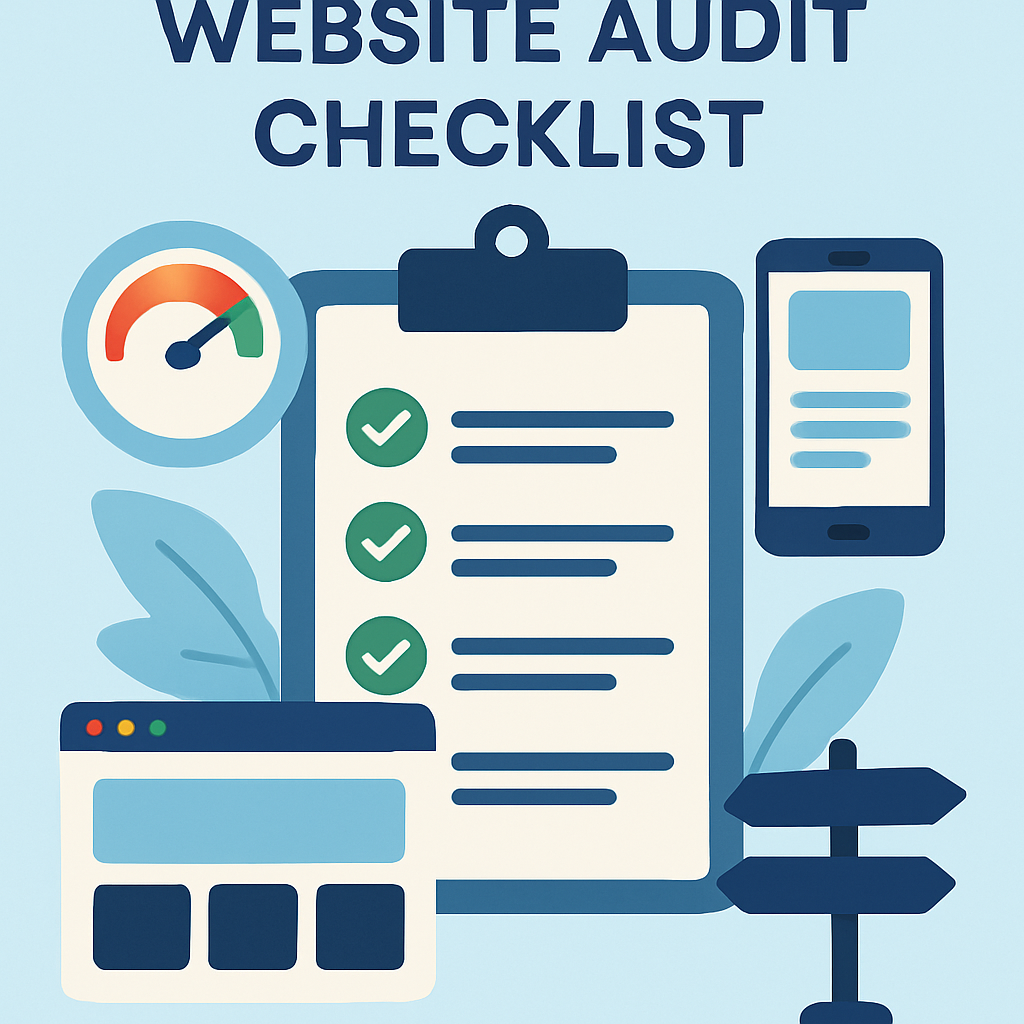
The bottom line? Prioritizing user experience in your comprehensive SEO audit not only enhances satisfaction but also plays a crucial role in improving rankings. So grab that checklist and start making those UX improvements today!
The Role of Analytics in Your SEO Audit
When it comes to conducting a thorough SEO audit checklist, analytics is your trusty sidekick, like Robin to your Batman. Without it, you’re just flying blind, hoping for the best. Let’s dive into how analytics can transform your SEO audit from a mere checklist into a powerful strategy.
Understanding Your Traffic Sources
First things first: you need to know where your traffic is coming from. Are users finding you through organic search, social media, or direct visits? Analyzing this data helps you identify which channels are working and which need a little TLC.
- Organic Traffic: This is where the magic happens! Track keywords that bring visitors to your site.
- Referral Traffic: Who’s sending traffic your way? Check if partnerships or guest posts are paying off.
- Social Media Traffic: Is your content resonating on platforms like Instagram or Twitter? Dive into the numbers!
User Behavior Insights
Your analytics tool can reveal how users interact with your site. Are they bouncing off faster than a hot potato? Or are they sticking around to explore? Understanding user behavior is crucial for optimizing your site’s performance.
- Bounce Rate: A high bounce rate may indicate that visitors aren’t finding what they expected. Time for some adjustments!
- Averaging Session Duration: If users are spending mere seconds on your site, it might be time for an engaging content overhaul.
- Pages per Session: The more pages users visit, the better! This shows they’re interested in what you have to offer.
Identifying Technical Issues
No one likes technical hiccups especially not Google! Use analytics tools to pinpoint issues that could be hampering your site’s performance. Think of this as a digital health check-up for your website.
- Crawl Errors: Check Google Search Console for any crawl errors that could be preventing search engines from indexing your pages properly.
- Page Speed Insights: Use tools like Google PageSpeed Insights to find out if slow loading times are turning visitors away.
- MOBILE-friendliness: With mobile traffic on the rise, ensure that your site performs well on all devices!
The power of data-driven decisions cannot be overstated! A comprehensive analysis using SEO audit tools paired with analytics can lead to significant improvements in both user experience and search rankings.
A/B Testing and Experimentation
Your audit checklist should include A/B testing strategies based on analytical insights. Want to see if changing a headline boosts conversions? Test it out! Analytics allows you to measure the impact of these changes effectively.
The Bottom Line
The role of analytics in your SEO audit cannot be overlooked. It’s not just about checking boxes; it’s about understanding the story behind those numbers. By leveraging data effectively, you’ll not only enhance your site’s performance but also boost its visibility in search results. So grab those analytics reports and get ready to take action!
The audit is the easy part to do once. Keeping the numbers in front of whoever makes decisions is the part that decays, which is the case for automated SEO reporting — the same analysis, arriving on a schedule, without anyone having to remember it.
Conclusion
Congratulations, you’ve made it to the end of our comprehensive SEO audit checklist! By now, you should have a solid grasp of the essential components that make up a robust SEO audit guide. Whether you’re conducting a technical SEO audit, diving into your on-page SEO checklist, or evaluating your content quality with our content audit checklist, each step is crucial for boosting your website’s performance.
But wait! Before you hit that “publish” button on your shiny new audit report, let’s recap some key points:
- Thoroughness is Key: An effective SEO site audit goes beyond surface-level checks. Dive deep into the nitty-gritty details, like identifying indexability issues and analyzing your internal linking strategy.
- Utilize the Right Tools: Leverage powerful SEO audit tools, such as Google Analytics and Search Console, to gather insightful data that can inform your strategy.
- Stay Updated: SEO is an ever-evolving field. Regularly revisit your strategies and adapt to changes in search engine algorithms to maintain optimal results.
- User Experience Matters: Remember that behind every click is a human being. Prioritize user experience improvements for better rankings and engagement.
A common misconception is that an SEO audit is a one-time task. In reality, it’s more like a regular health check-up for your website. Just as you wouldn’t ignore symptoms of illness, don’t neglect the signs of poor SEO performance!
Key Takeaway: Implementing this comprehensive SEO checklist will not only enhance your site’s visibility but also improve its overall health in the digital landscape. So roll up those sleeves and get auditing!
If you’re ready to take action but unsure where to start, consider conducting a digital marketing audit today! With this step-by-step SEO audit approach firmly in hand, you’ll be well-equipped to tackle any challenges head-on.
Your website deserves nothing less than perfection so go forth and conquer those rankings!
Frequently Asked Questions

Written by
Emma RodriguezEmma is a digital marketing consultant specializing in technical SEO and international search strategy. With a background in linguistics and data analytics, she helps brands expand into new markets through multilingual SEO and structured content frameworks.