











Table of Contents
- 1 The Best SEO Ranking Checkers Compared: Find the Right Tool for Your Team
- 1.1 Evaluation methodology and core criteria
- 1.2 At a glance comparison table and quick reference
- 1.3 Tool deep dives and feature level comparison
- 1.4 Recommendations by team size and primary use case
- 1.5 Implementation checklist and migration guide
- 1.6 Accuracy validation and troubleshooting rank discrepancies
- 1.7 Measuring ROI, reporting templates, and automation
- 1.8 Decision matrix and next steps
- 1.9 Frequently Asked Questions
The Best SEO Ranking Checkers Compared: Find the Right Tool for Your Team
If your team depends on ranking data to prioritize content and justify spend, choosing the wrong seo ranking checker wastes budget and breaks reporting. This article compares the leading tools side by side on accuracy, update frequency, geo and device simulation, SERP feature detection, API and integrations, and pricing so you can see practical tradeoffs, not marketing claims. Read on for a decision matrix, implementation checklist, and verification steps you can use to run a real world trial and pick the tool that fits your workflows.
Evaluation methodology and core criteria
Bottom line first: choose an seo ranking checker by the measurable constraints of your workflow, not by feature lists or brand cachet. Accuracy, update frequency, geographic and device fidelity, SERP feature detection, and integration capability determine whether a tool produces usable signals or noise for your team.
Core criteria and practical tradeoffs
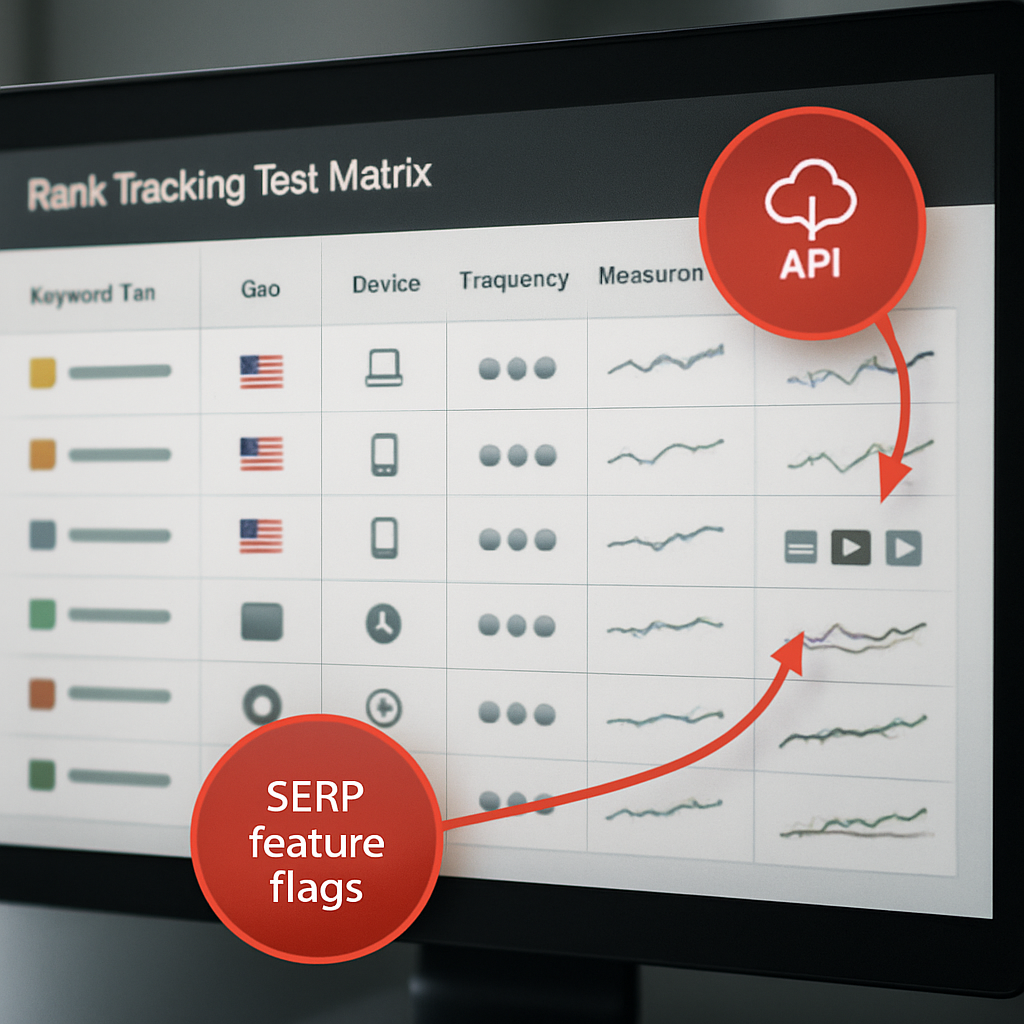
- Accuracy: How the tool samples results – centralized servers versus residential proxies – and whether it simulates mobile user agents. Tradeoff: residential probes are closer to real users but cost more per check.
- Frequency: Hourly, daily, or weekly checks. Tradeoff: high frequency reduces latency on drops but multiplies cost and noise. Reserve hourly checks for campaign-critical keywords.
- Geo and device coverage: Country, region, city, and mobile/desktop targeting. Tradeoff: local granularity multiplies tracked permutations and cost – be surgical.
- SERP feature detection: Whether the tool reports featured snippets, local packs, knowledge panels, and page zero placements. This context changes how you interpret a position of 8 versus a visible first-page presence.
- API and export limits: Essential for automated reporting, data warehouses, and BI pipelines. If you plan to feed rankings into content workflows or dashboards, API throughput matters more than UI polish.
- Historical retention and sampling windows: How long raw checks are stored and the aggregation method used for trends. Short retention forces repeated pulls and complicates backfills.
- Reporting and collaboration: White label exports, alerting, and user roles. For agencies, automated client reports and multi-account management are non-negotiable.
- Pricing model and scale: Per-check, per-keyword, or tiered seats. Understand how cost grows when you add geos or increase frequency.
Practical insight: reconcile third party rank outputs against Google Search Console before judging accuracy. GSC is impression weighted and not a point in time google ranking checker, but it is the best source for validating organic trends. Use Google Search Central to understand what GSC reports and why raw positions will differ.
Test methodology that works in the real world: run a controlled trial with a tiered keyword set – 50 high-value transactional terms, 250 priority category terms, and 500 long-tail keywords. Use residential or regionally routed proxies for local checks, run daily checks for the high-value set and weekly for long-tail, and measure median rank difference versus GSC and between tools over a 30 day window.
Concrete example: a mid-market ecommerce team tracking 3,500 keywords across five markets can save cost by marking 180 SKUs as high-priority and assigning daily checks only to those. During a 30 day pilot they discovered that SERP features explained 40 percent of apparent drops for product pages – the tracker flagged knowledge panels and price snippets, which prevented unnecessary content rewrites.
Judgment you need up front: more checks do not equal better decisions. Teams commonly overtrack low-value keywords because the tool makes it easy. Prioritize by conversion value, traffic potential, and strategic intent – then buy frequency and geo coverage to match those priorities. Also, insist on an API trial early; UI-only exports do not scale for automation.
At a glance comparison table and quick reference
Quick orientation: a compact reference helps you shortlist an seo ranking checker by procurement-critical attributes — not by marketing copy. Use this table to reduce the longlist to 2–3 options you will trial in parallel; the final decision comes from an API reliability and cost-per-check calculation, not the one-sentence strengths.
| Tool | Price tier | Typical refresh cadence | Geo / device granularity | API & export | Best fit | Notable strength |
|---|---|---|---|---|---|---|
| Ranklytics | Mid–High | Daily; scheduled hourly for priorities | Global + city-level, mobile/desktop | Full API, GSC/GA integrations | Content teams needing actionability | Links rank signals to AI content briefs and content tasks |
| Ahrefs Rank Tracker | High | Daily with selective hourly | Strong country coverage, mobile simulated | Paid API | Research-led SEO teams | Fresh index and backlink correlation |
| SEMrush Position Tracking | High | Daily; hourly by campaign | Country, city, device segments | API + suite integrations | Agencies needing market dashboards | Integrated competitive and SERP feature insights |
| Moz Pro Rank Tracker | Mid | Daily | Country and limited local | Tiered API | Small teams and reporting-focused users | Straightforward historical retention and UI |
| AccuRanker | Premium | Hourly to multiple checks per day | Fine-grain local + mobile | Robust API and white-label exports | Agencies and enterprise scale | Speed and high-frequency accuracy |
| SE Ranking | Low–Mid | Daily; add-ons for more frequent checks | Country, region, city | API + white-label | SMBs and cost-conscious agencies | Flexible pricing and decent local options |
| Mangools SERPWatcher | Low | Daily | Country-level, basic local | Limited API | Freelancers and solo consultants | Low barrier to entry and easy onboarding |
| Google Search Console | Free | Data updated with latency (days) | Impression-weighted; limited geo/device simulation | Exports + GSC API | Baseline validation and trend checks | Direct Google data but not a point-in-time rank check |
How to interpret the quick reference for procurement
Key tradeoff to watch: refresh cadence labels hide a bigger decision — whether checks are true point-in-time snapshots or aggregated over a rolling window. Hourly snapshots matter when you monitor campaign launches or volatile SERPs; aggregated daily checks are cheaper but mask intra-day swings.
Practical limitation: geo granularity multiplies cost. Tracking 10 keywords across 20 cities on mobile suddenly equals 200 tracked permutations; vendors charge per-permutation or per-check. Be surgical: assign high-frequency checks only to outcome-critical keywords.
Concrete example: an agency managing 12 local e‑commerce stores cut projected monthly costs 40 percent by flagging 120 revenue-driving SKUs for daily mobile+city checks and moving the remaining 8,500 keywords to weekly country-level polling. They fed AccuRanker hourly drops for those 120 via API into a Data Studio dashboard and used SE Ranking for the broad weekly sweep.
Shortlist rule of thumb: require API access and geo granularity in your shortlist if you automate reporting or run multi-city campaigns; otherwise prioritize ease of use and cost.
Next consideration: convert this quick reference into numbers for your environment — estimate tracked permutations, desired cadence, and expected API calls — then run a short parallel trial focusing on API reliability and cost-per-actionable-check before committing.
Tool deep dives and feature level comparison
Feature parity is mostly marketing—sampling and automation determine whether a tool is usable. Two trackers can both claim daily checks and SERP detection, yet produce different signals because one uses residential proxies and per-city sampling while the other runs from centralized data centers. The practical consequence: choose the tool that matches how you operate, not the one with the flashiest dashboard.
What to read in each tool breakdown
Below are concise, feature-level judgments you can act on during a parallel trial. Each entry notes the one operational strength, the key limitation you must test, and the team that will extract real value from it.
Ranklytics — strength: links rank signals directly to content tasks and AI briefs via scheduled checks and tagging. Limitation: newer at enterprise scale; validate bulk API throughput and historical retention limits during your trial. Best for content teams that need rank-to-action workflows. See the integration surface at Ranklytics features.
AccuRanker — strength: engineered for fast, high-frequency local checks and white-label reporting. Limitation: premium cost when you multiply cities and devices; run a cost-per-check projection before onboarding many clients. Best for agencies that need hourly alerts and SLA-grade API exports.
Ahrefs Rank Tracker — strength: tight backlink correlation and search index freshness that helps diagnostics. Limitation: API access and export caps can be restrictive for heavy automation; treat Ahrefs as research-first, not pipeline-first. Best for teams pairing rank signals with link analysis.
SEMrush Position Tracking — strength: broad market-level competitive features and SERP feature context. Limitation: complexity and suite cost; expect a learning curve and overlapping modules you may not use. Best for multi-channel marketing teams that want competitor benchmarking plus rank tracking.
Moz Pro — strength: clear historical retention and clean reporting for mid-sized programs. Limitation: smaller index depth in some regions; verify coverage in your target geos. Best for teams prioritizing stable trend reporting over aggressive sampling.
SE Ranking — strength: flexible, modular pricing and white-label options that scale gently. Limitation: interface and advanced diagnostics are less polished; you will trade sophistication for price. Best for cost-conscious agencies and in-house teams that need predictable billing.
Mangools SERPWatcher — strength: very low onboarding friction and sensible alerts for small portfolios. Limitation: limited API and enterprise features; not built to feed a BI stack. Best for freelancers and solo consultants.
Google Search Console — strength: primary source of Google impression-weighted position and raw query context. Limitation: not a point-in-time google ranking checker and lacks fine-grain geo/device simulation; use it as truth for trends, not for campaign-level hourly alerts. Read the data model at Google Search Central.
Practical tradeoffs and a trial checklist
A pragmatic test is about three things: data fidelity where it matters, automation reliability, and total cost of ownership. Expect two common misreads: first, hourly checks create noise as much as insight if you do not tag by urgency; second, SERP feature flags vary between vendors so drops often reflect context changes not true organic loss.
- Confirm API exports: request a sample bulk export (JSON or CSV) of 30 days and verify format, field names, and rate limits.
- Simulate your permutations: calculate tracked permutations (keywords x cities x devices) and ask vendors to confirm the monthly check count and throttling policy.
- SERP feature overlap test: run the same 200-keyword set across three vendors for 10 days and compare which results are flagged as featured snippets, local packs, or shopping results.
Cost example to force clarity: if you need hourly checks for 200 keywords across 5 cities on mobile, that equals 200 5 24 = 24,000 checks per day. Multiply by your vendor rate and ask how that scales when you add a second market. If the vendor cannot provide a transparent cost-per-check at that volume, treat their claims of scale skeptically.
Concrete example: an agency routed hourly drops for 120 priority SKUs through AccuRanker to detect listing regressions. They fed those alerts via API into Ranklytics, which automatically generated briefs and assigned content tasks for pages within three SERP positions of page one. That workflow removed manual triage and halved the time from drop detection to content action.
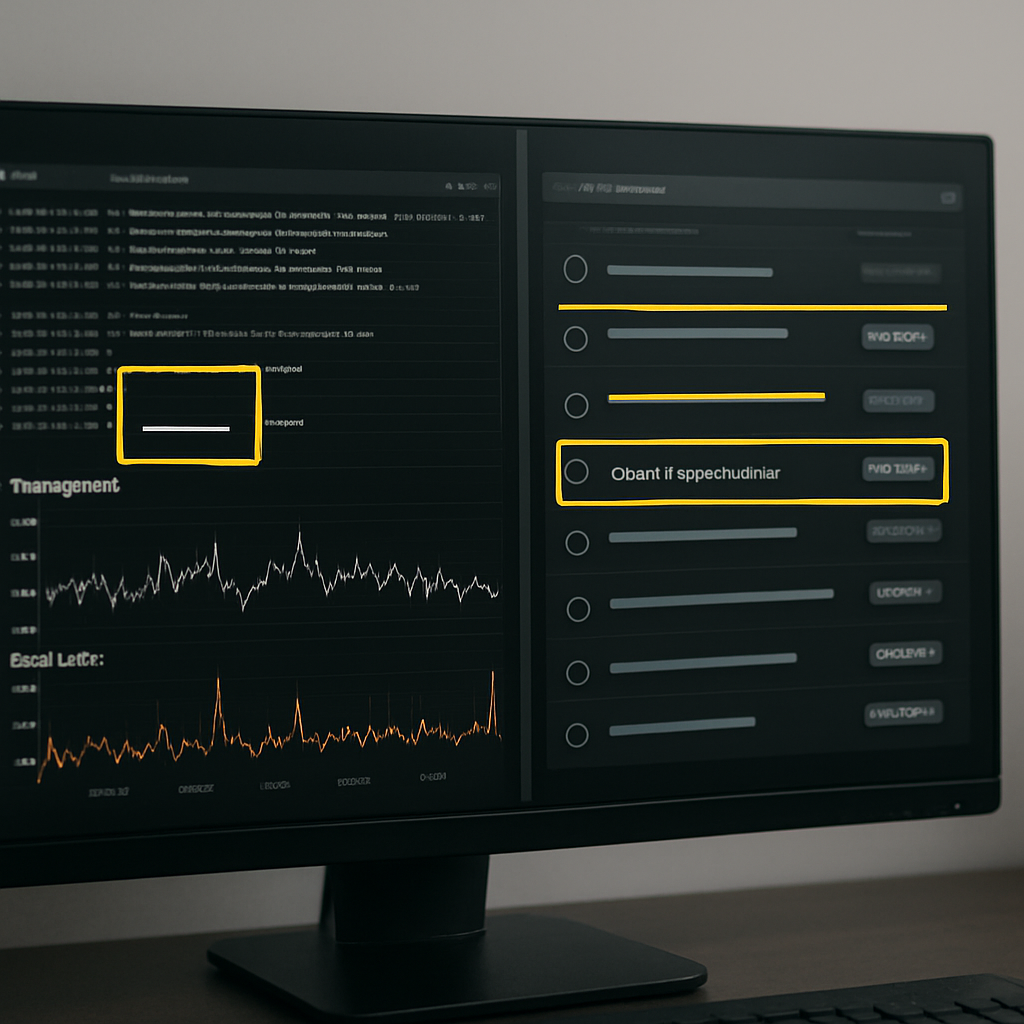
Next consideration: when you run your parallel trial, force the procurement conversation toward measurable SLAs: sample export latency, per-minute API calls, and a vendor commitment to explain SERP feature classification differences. Those operational guarantees are the real differentiator between tools in production.
Recommendations by team size and primary use case
Pick the tool that serves a workflow, not the tool that looks the nicest. A good seo ranking checker pays for itself when it reduces manual triage or feeds an automated workflow; price and feature lists matter only after you match the tool to who will use the data and how frequently they need it.
Freelancers and solo consultants
Recommendation: choose a lightweight rank tracking tool with low setup friction and clear alerts. Mangools SERPWatcher and SE Ranking are sensible entry points because they minimize overhead and let you demonstrate quick wins to clients.
Practical tradeoff: these tools save money but usually throttle API access and limit white-labeling. If you expect to scale to dozens of clients, validate export formats and account management before you commit a year of retainer work.
Small in-house content teams
Recommendation: prioritize a rank tracker that ties directly into content workflows and brief generation. Consider Ranklytics for teams that want rank signals to trigger briefs and tasks, or SE Ranking if budget discipline is the priority.
Limitation to watch: content-first platforms sometimes lag on raw sampling fidelity in fringe geos. During trial, confirm city-level checks if you run localized campaigns and verify how the tool tags SERP features.
Concrete example: a B2B SaaS content team tracked 600 priority terms across two markets. They used a research-focused tool to discover keyword opportunities and Ranklytics to convert rank deterioration into prioritized content briefs, cutting the queue for editorial fixes from weeks to days.
Agencies with multiple clients
Recommendation: insist on robust API exports, client-role controls, and white-label reports. AccuRanker and SEMrush are typical choices because they scale multi-account operations and provide SLA-grade exports.
Tradeoff: agencies frequently underestimate cost growth when adding city and device permutations. Build a cost model around your expected permutations and request a sample billing projection from vendors.
Enterprises and global brands
Recommendation: prioritize API throughput, sampling methods (residential vs data center), and vendor transparency on SERP feature classification. Ahrefs and AccuRanker are common when scale and freshness matter; consider Ranklytics when you need content automation tied to ranking signals.
Important judgment: enterprise buyers often buy for reporting seats rather than integration capacity. If your BI team or ML pipelines consume rank data, put API performance and field-level stability at the top of your checklist.
- Minimum trial requirements: run a 14 day parallel with at least 200 tracked permutations, request a full API export sample, and get an estimated monthly check count mapped to pricing.
- When to prioritize API over UI: you need the API if you automate dashboards, feed content briefs, or push alerts into ticketing systems.
- When UI-only is acceptable: for single-site tracking and ad-hoc reporting where manual exports suffice.
Implementation checklist and migration guide
Start with staging, not cutover. Migrations fail when teams assume ranking outputs are interchangeable. Treat the new seo ranking checker as a data source that must be validated against your workflows, dashboards, and billing model before you stop sending alerts or rebuilding reports from the old system.
Checklist: setup and validation
- Inventory and priority map: export your tracked keyword list, annotate conversion value, landing page, geo and device for each entry, and flag the top 5 percent that require high-frequency checks.
- Permutation estimate: calculate tracked permutations (keyword x city x device) and get a written monthly check estimate from the vendor so you can model cost and throttling.
- Canonical mapping: ensure each keyword maps to a single canonical landing page in your CMS and mark redirects or canonical exceptions before importing.
- API smoke test: secure test API credentials and request a 30 day sample export in your preferred format; validate field names, timestamps, and SERP feature flags against your ETL expectations.
- Parallel run plan: run the new tool in parallel for a fixed window, mirror the exact geo and device targets, and capture raw daily exports for side by side comparison.
- Alert plumbing: replicate critical alerts into your ticketing or Slack channels and confirm deduplication logic so you do not create duplicate tickets from both systems.
- Retention and backfill policy: confirm how long raw checks are retained and what it costs to backfill historical data if you need continuity for reporting.
Practical tradeoff – cost versus confidence. Running a full parallel for every tracked permutation is expensive. Prioritize three buckets: high-frequency business-critical permutations in full parity, mid-tier permutations sampled daily, and low-priority permutations sampled weekly during migration. That keeps costs sensible while surfacing method differences where they matter.
Validate API exports and a sample of raw checks before you import tags or wire dashboards. If the export format changes mid-run you will break downstream reports.
Migration run: reconciling discrepancies and flipping the switch
When you compare outputs, focus on three signals: median position delta by keyword, SERP feature classification differences, and export completeness. Expect systematic deltas on local queries when one vendor uses residential probes and another uses data center endpoints. Use Google Search Central and your GSC export as a trend anchor, not as a one-to-one ground truth.
Corrective actions to expect: if the new tool reports consistent negative bias versus your previous tracker for a city, adjust sampling location or switch to the vendor's local probe option. If SERP feature labels disagree, reconcile by manual SERP screenshots for a 100 keyword sample and decide which feature set your reporting will follow.
Concrete example: an agency moved client tracking to a new professional seo rank tracker over a three week parallel run. They discovered the new tool flagged product carousels differently which caused apparent position drops for 18 percent of SKU pages. The agency updated dashboards to annotate SERP features and changed the check cadence for those SKUs to hourly only during promotional windows, avoiding noisy alerts that previously triggered unnecessary creative changes.

Next consideration – treat the first 30 days after cutover as a tuning period. Expect to tweak check cadence, adjust alert thresholds, and refine tag-to-page mappings. Demand a post-migration audit from the vendor that includes a sample export and a list of any skipped checks or rate limit events during your go-live window.
Accuracy validation and troubleshooting rank discrepancies
Reality check: discrepancies between an seo ranking checker, other commercial trackers, and Google Search Console are routine. What matters is a repeatable way to sort signal from noise so your team stops chasing transient snapshots and starts fixing the real gaps.
A compact validation workflow
- Seed a controlled set: pick 50 200 representative keywords across priority, category, and long tail buckets so your test covers the shapes of traffic that matter.
- Synchronized captures: run manual SERP screenshots in incognito routed through a residential or local proxy at the same timestamp your vendors run checks. Save timestamps and HTTP headers for later reconciliation.
- Align exports: pull vendor exports and a Google Search Console export for the same UTC window. Use Google Search Central to match GSC filters to your test, and ensure timezone normalization before comparing positions.
- Compute modal position and deltas: calculate the most common reported position per keyword across sources and flag items exceeding your tolerance threshold – usually two positions for strategic keywords and three for long tail.
- Classify root cause: for each flagged keyword, decide whether the variance comes from local routing, device emulation, SERP feature displacement, personalization, or timing mismatch.
Practical insight: residential probes reduce false negatives on local packs and store-level queries but introduce more variability and cost. If your budget is limited, target residential sampling only for high-impact permutations and rely on data-center checks for the broader sweep.
Corrective actions and tradeoffs: reconfigure the vendor to use city-level probes where local intent matters, increase check cadence only for keywords with genuine volatility, and require SERP screenshots as a tie-breaker before opening tickets. Do not normalize every difference to tool error – pick one canonical reporting source and annotate differences instead of flipping vendors for marginal gains.
Concrete example: a regional retailer ran a 21 day parallel across two trackers and GSC. They discovered many apparent position losses were actually because shopping carousel and local pack changes pushed organic links visually lower. By annotating those SERP features and switching 60 revenue-driving SKUs to city-mobile checks, the team stopped issuing unnecessary content tasks and focused fixes on pages with genuine organic drops.
Key checkpoint – align probe location and UTC timestamps before you compare results. Misaligned sampling is the fastest path to misleading deltas.
Final judgment: perfect alignment between tools is unrealistic and expensive. Build a lightweight validation routine that isolates high-value permutations, uses screenshots and GSC trends to adjudicate differences, and treats the chosen tracker as the canonical input to workflows. That discipline prevents noisy alerts, reduces wasted content work, and makes vendor comparisons objective.
Measuring ROI, reporting templates, and automation
Start with outcomes, not positions. The business value of an seo ranking checker is how it changes decisions and revenue velocity, not the raw position numbers. Trackers that feed repeatable actions into content, product, or paid teams justify their cost quickly; trackers that only produce dashboards do not.
Core ROI metrics to measure
- Organic traffic lift from tracked keywords: measure change in sessions attributed to the keyword set over time and map that to check cadence so you know which frequency produced the lift.
- Conversion or revenue per tracked keyword: tie rank movements to conversions or ARR where possible. If conversions are rare, use lead-quality proxies such as demo requests or MQLs.
- Cost per actionable check: divide vendor spend by the number of automated actions triggered (content brief created, ticket opened, A B test launched). This reveals whether your cadence is cost effective.
- Time to action after a drop: measure median time from a ranked drop alert to a task assignment and to a published fix. Faster time-to-action is the tangible ROI lever.
- False positive rate on alerts: track how many alerts result in no action because the change was SERP feature related or a transient blip. High false positives mean you need better filters, not more checks.
Tradeoff to accept: high-frequency checks reduce detection latency but increase false positives and cost. The practical tactic is tiered cadence: reserve hourly or daily checks for revenue-driving keywords and run weekly sweeps for discovery and opportunity tracking.
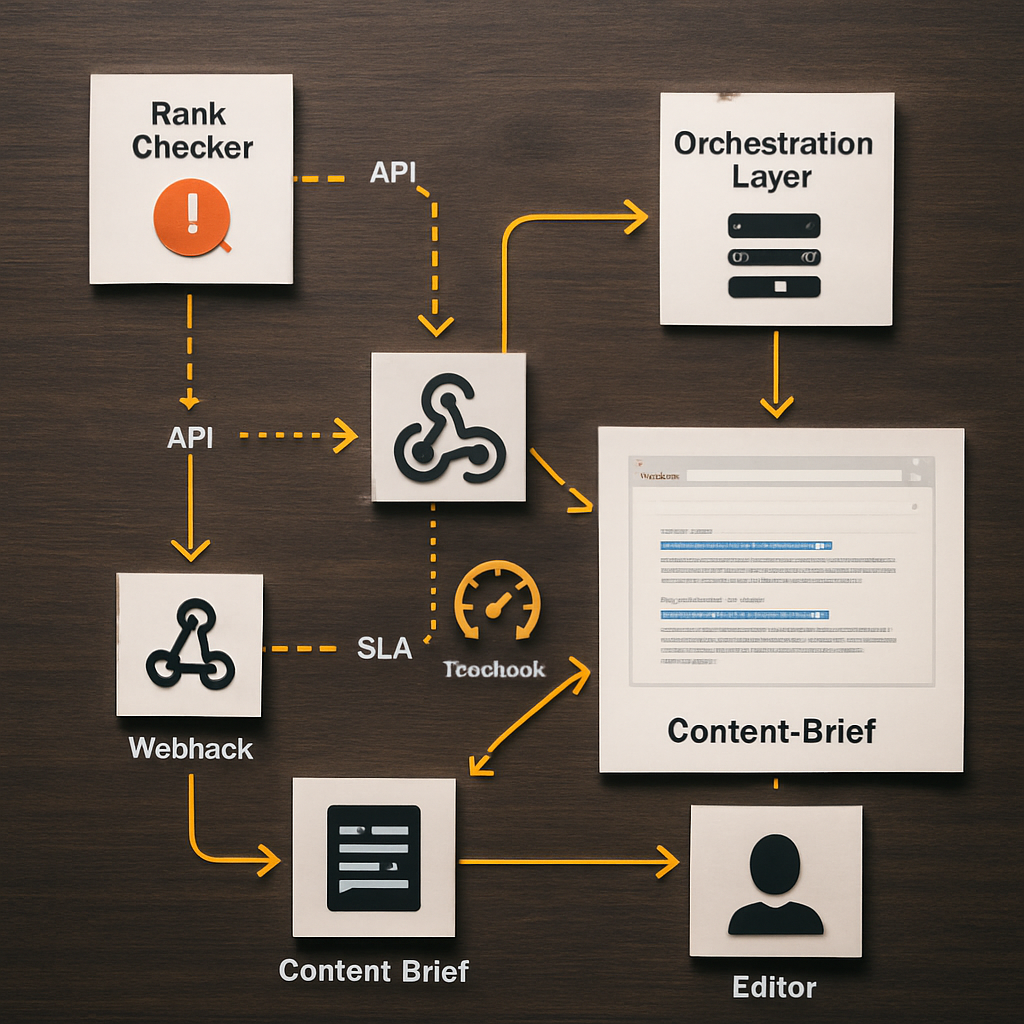
Automation patterns that deliver: push rank exports into a BI dashboard, configure webhook alerts for threshold breaches, and wire accepted alerts into your content brief generator or ticketing system. Use POST /webhook style endpoints and include a SERP screenshot in every alert used to open work so editors can triage without reproducing the issue.
Practical limitation: automation without gatekeeping creates churn. Implement hysteresis rules (for example, require a 48 hour persistent drop or a simultaneous sessions decline) before auto-creating tasks. This reduces wasted editorial cycles and keeps trust in your alerts.
Concrete example: A B2B SaaS content team tracked 200 trial-intent keywords and connected their rank tracker to analytics. They set a rule that a 3 position drop combined with a 15 percent drop in sessions over 3 days triggers an automated content brief in the editorial queue. The change reduced discovery-to-assignment time from 10 days to 3 days and focused editor work on pages that actually affected trial starts.
Report templates you can implement now
- Weekly executive snapshot: include top 10 winning and losing keywords by estimated revenue impact, number of automated briefs created, and outstanding high-priority alerts. Keep this to one page.
- Monthly cohort deep dive: show cohorted keyword performance by intent, conversion lift, correlation with content updates, and a cost-per-action metric for tracked permutations.
- Incident report for drops: for any drop that triggered an SLA, include timestamped rank export, SERP screenshot, GSC impression trend, action taken, and outcome after 14 days.
Next consideration: before you automate, quantify the expected reduction in manual triage and estimate the cost per automated action. If projected savings do not cover the vendor and engineering effort within six months, tighten frequency or increase persistence criteria until the math works.
Decision matrix and next steps
Direct point: translate your operational needs into a small set of weighted procurement criteria so vendor selection is a math problem, not a popularity contest. Focus on the cost of an actionable check, API reliability, and which team actually consumes the data — those three levers decide whether an seo ranking checker becomes an automation input or an ignored dashboard.
How to score and prioritize vendors
Scoring method: assign weights to criteria according to the primary consumer (for example, Editor: actionability 40, API 20, Local coverage 20, Cost 20; BI: API 50, Cost 20, Retention 20, Sampling fidelity 10). Score each vendor 0–10 on each criterion, multiply by weight, and compare totals. This forces tradeoffs into view instead of getting lost in feature lists.
| Decision Criterion | What to measure | Why it matters | Example target |
|---|---|---|---|
| Cost per actionable check | Projected monthly checks for your permutations / vendor price | Determines whether you can scale local and hourly checks without blowing budget | $0.01–$0.10 per check depending on scale |
| API throughput and stability | Sample export latency, rate limits, error rate | Feeds automation and prevents broken ETL pipelines | Sustained export < 60s, documented rate limits |
| Local probe availability | City-level probes and mobile user-agent simulation | Affects accuracy on store-level and local-intent queries | City probes in top 20 markets you serve |
| SERP feature fidelity | Consistency in tagging featured snippets, local packs, shopping | Reduces false positives and unnecessary content work | Matches manual screenshot classification 90%+ on sample set |
| Actionability | Page-level mapping, content brief triggers, webhook support | Determines whether rank signals turn into content tasks | Can create briefs or webhooks with SERP screenshot attached |
- Step 1: Model your permutations (keywords x cities x devices) and produce a projected monthly check count to get an apples-to-apples price from vendors.
- Step 2: Run a 14–21 day parallel trial with the top 2 vendors on your weighted matrix; include
high,medium, andlowpriority keyword buckets and capture raw exports daily. - Step 3: Execute an API smoke test — request a bulk export and run it through your ETL to validate field names, timestamps, and SERP feature fields.
- Step 4: Calculate cost per automated action by dividing vendor spend by the number of alerts that would actually open a content ticket (apply persistence rules first).
- Step 5: Harden alerting with hysteresis (for example, require a persistent 48 hour drop + sessions decline) before auto-creating briefs to avoid editorial churn.
- Step 6: Prepare vendor questions for procurement: available probe cities, sample rate-limit logs, SLAs for exports, and a written rollback plan.
Concrete example: a mid-market ecommerce team scored AccuRanker highest for raw local fidelity but ranked Ranklytics higher on actionability and integration. They ran a 21 day parallel, kept AccuRanker for hourly local checks on 150 SKUs, and used Ranklytics to trigger content briefs for the next 600 priority keywords — the split preserved accuracy where it mattered and automated editorial work where it provided value.
Practical judgement: vendors will promise both scale and limits in the same breath. Insist on a sample export and a written description of how they classify SERP features. If a vendor cannot provide reproducible exports for 30 days or refuses to disclose probe locations, assume integration risk and price that risk into your decision.
Next consideration: budget the first 60–90 days for integration and tuning — that is when you validate API behavior, refine check cadences, and reduce false positives. Treat that period as part of the purchase, not an optional add-on.
Frequently Asked Questions

Written by
Sarah MitchellSarah is a senior SEO content strategist with 8+ years of experience helping SaaS and e-commerce brands grow organic traffic. She specializes in AI-driven content workflows, topical authority, and conversion-focused SEO. When she is not optimizing content, she is hiking trails in Colorado.