











Table of Contents
- 1 How to Build a Keyword Rankings Report That Drives Smarter SEO Decisions
- 1.1 1. Clarify report purpose and stakeholder requirements
- 1.2 2. Select essential metrics for an actionable keyword rankings report
- 1.3 3. Combine reliable data sources and configure integrations
- 1.4 4. Design the report layout and visualization components
- 1.5 5. Prioritize keywords into action using a reproducible scoring system
- 1.6 6. Automate monitoring, alerts, and recurring reporting
- 1.7 7. Sample walkthrough: building a keyword rankings report with Ranklytics
- 1.8 8. Implementation checklist and templates to get started today
How to Build a Keyword Rankings Report That Drives Smarter SEO Decisions
Raw ranking tables create noise, not decisions. This guide shows how to build a keyword rankings report that ties position movement to traffic potential and conversion value, lays out the metrics, visual widgets, and a reproducible prioritization score, and describes automation and alerting patterns you can implement this week. Examples use Ranklytics alongside Google Search Console and Looker Studio so you get concrete templates, formulas, and delivery options instead of vague theory.
1. Clarify report purpose and stakeholder requirements
Start with the decision you want the report to drive. A keyword rankings report that lists every tracked keyword is not the same thing as a report designed to trigger content fixes, budget requests, or executive check-ins. Define the decision first and let that shape metrics, cadence, and format.
Match report versions to stakeholder decisions
- Weekly tactical for SEO lead: deliver top movers, keywords losing clicks, and 5 recommended on-page tasks. Call to action: assign tasks to content owner this sprint.
- Monthly strategic for marketing director: show visibility trend, estimated organic traffic value, and conversion-linked keywords. Call to action: approve content spend or campaign alignment.
- Quarterly executive summary for CMO: present share of visibility, high-level wins, and ROI estimates. Call to action: reallocate budget or sign off on new initiatives.
Practical insight: use different slices of the same dataset rather than separate builds. A single data source can feed a daily keyword monitoring alert, a weekly tactical sheet, and a monthly PDF; each view applies filters, thresholds, and narrative tailored to its audience. This reduces duplication and keeps numbers consistent across stakeholders.
Trade-off to accept: higher frequency increases noise. Daily keyword position changes are volatile; use daily checks for alerts on high-priority keywords and weekly rollups for tactical work. If you report daily to managers who act weekly you will create unnecessary tasks and friction.
Concrete example: an e commerce SEO manager needs a weekly keyword rankings report for 200 target product keywords. The report should surface any keyword that drops more than five positions or any keyword that gains to top 3 with a low conversion page. The deliverable is a one-sheet with three actions per keyword: content tweak, internal link, or technical audit, plus an owner and due date.
What to define up front: audience, primary action, acceptable cadence, and delivery format. If the audience is non-technical, prefer a one-line visibility trend and 5 top opportunities. If the audience is tactical, include page-level keyword positions, SERP features, and the last 90 days of position history.
Judgment: start conservative. Build the minimal keyword rankings report that prompts a single clear action per row. Add complexity only when stakeholders consistently ask for it. Overloading reports with every metric turns them into data dumps, not decision tools.

2. Select essential metrics for an actionable keyword rankings report
Start with what drives decisions. A keyword rankings report that only lists positions is noise. Include a small, disciplined set of metrics that connect rank movement to traffic potential and what to do next.
Core metrics and why each matters
| Metric | Purpose | Best source |
|---|---|---|
| Current position | Shows where the keyword sits in the SERP and enables gap calculations | Rank tracker (Ranklytics or Ahrefs) |
| Position change (period) | Tells you momentum – improvement, decline, or noise | Rank tracker |
| Search volume | Traffic ceiling for prioritization – use normalized monthly volume | Ahrefs / SEMrush |
| Clicks / Impressions / CTR | Actual user response – ties position to real traffic | Google Search Console |
| Traffic potential (estimated clicks) | Transforms rank and volume into expected visits – the actionable number | Calculated |
| Search intent | Determines the type of action to take – optimize page or create new content | Manual label or automated via Ranklytics |
| SERP features present | Alters opportunity – featured snippets reduce CTR on organic listings | Rank tracker / SERP API |
| Difficulty / Competitive score | Sets expected effort and informs prioritization | Ahrefs / SEMrush |
Practical tradeoff. More metrics increase signal but add maintenance and introduce noisy estimates. For most teams prioritize position, clicks/impressions, volume, intent, and a visibility metric. Pull difficulty only for top candidates so you do not waste budget on every row.
Concrete example: A keyword moved from 12 to 7 in the last 30 days. Monthly volume 5,000. GSC shows 200 impressions and a 2.5 percent CTR at position 7. Estimated monthly clicks = 5,000 * 0.025 = 125. That math tells you the move is already delivering traffic and justifies on-page tweaks and internal linking rather than rebuilding content.
Compute a simple traffic-potential metric
Turn raw metrics into a single signal. Use a conservative CTR curve by position, then compute Estimated Clicks = Volume * CTR(position). Normalize that to 0-100 for a Visibility Score you can trend. This is better than raw position for stakeholder conversations because it maps to visits.
- Step 1: Choose a CTR curve – use a published curve or your own GSC-derived averages.
- Step 2: Calculate Estimated Clicks for each keyword for the period.
- Step 3: Normalize Estimated Clicks across your tracked set to create a Visibility Score 0-100.
- Step 4: Use Visibility Score with Intent and Difficulty in your Priority Score formula.
Key point: include both predicted traffic (volume x CTR) and observed traffic (GSC clicks). Divergences signal tracking issues or SERP feature impacts.
Next consideration. Once these metrics are captured reliably, design your report to surface outliers – big drops, high traffic potential in positions 6 to 20, or high-intent queries with low CTR. Those are the pockets that produce the quickest wins.
3. Combine reliable data sources and configure integrations
Core point: A trustworthy keyword rankings report must be a joined dataset, not a side by side of screenshots. Combine a precise rank tracker for position history with Google Search Console for clicks and impressions and a source for volume and difficulty so the report ties movement to potential impact.
Practical trade off: Third party trackers like Ranklytics or Ahrefs give consistent daily positions but cost money and may report slightly different ranks than GSC because of scraping logic and personalization stripping. Accepting a single source of truth for position history reduces noise; use GSC only for engagement signals and to validate traffic changes.
Recommended connectors and sync cadence
- Position history: Use a dedicated rank tracker such as Ranklytics and schedule a daily export via API or CSV.
- Engagement signals: Pull clicks, impressions, and average position from Google Search Console using the Google Search APIs or a connector.
- Conversions: Ingest GA4 goal data matched to landing page paths to convert visibility into value.
- Volume and difficulty: Use Ahrefs or SEMrush for monthly refreshes of search volume and keyword difficulty.
- Visuals and joins: Use Looker Studio or a BI tool with Supermetrics for scheduled refreshes and dashboarding.
Data quality steps: Never join on raw query text alone. Normalize queries to a keyword slug, tie keywords to canonical landing page URLs, and deduplicate synonyms and brand variants before computing Priority Scores. This prevents double counting and avoids chasing position noise.
| Data source | Role in the keyword rankings report |
|---|---|
| Rank tracker (Ranklytics, Ahrefs) | Daily position history, top movers, SERP feature tracking |
| Google Search Console | Clicks, impressions, CTR, validation of traffic changes |
| GA4 | Conversions and revenue by landing page |
| Ahrefs / SEMrush | Search volume, difficulty, keyword suggestions |
Concrete example: A midmarket ecommerce team tracks 250 SKUs. They pull daily positions from Ranklytics, join weekly with GSC clicks grouped by landing page, and refresh Ahrefs volume monthly. When a keyword rises from position 12 to 7 and GSC shows a 40 percent impressions increase, the report flags it as an opportunity to add conversion focused H2s and internal links.
What people get wrong: Relying on GSC for position history causes false negatives because GSC is sampled and lagged. Conversely, relying only on a rank tracker misses changes in real user demand measured by clicks. Use both, but assign roles: tracker for positions, GSC for demand.
4. Design the report layout and visualization components
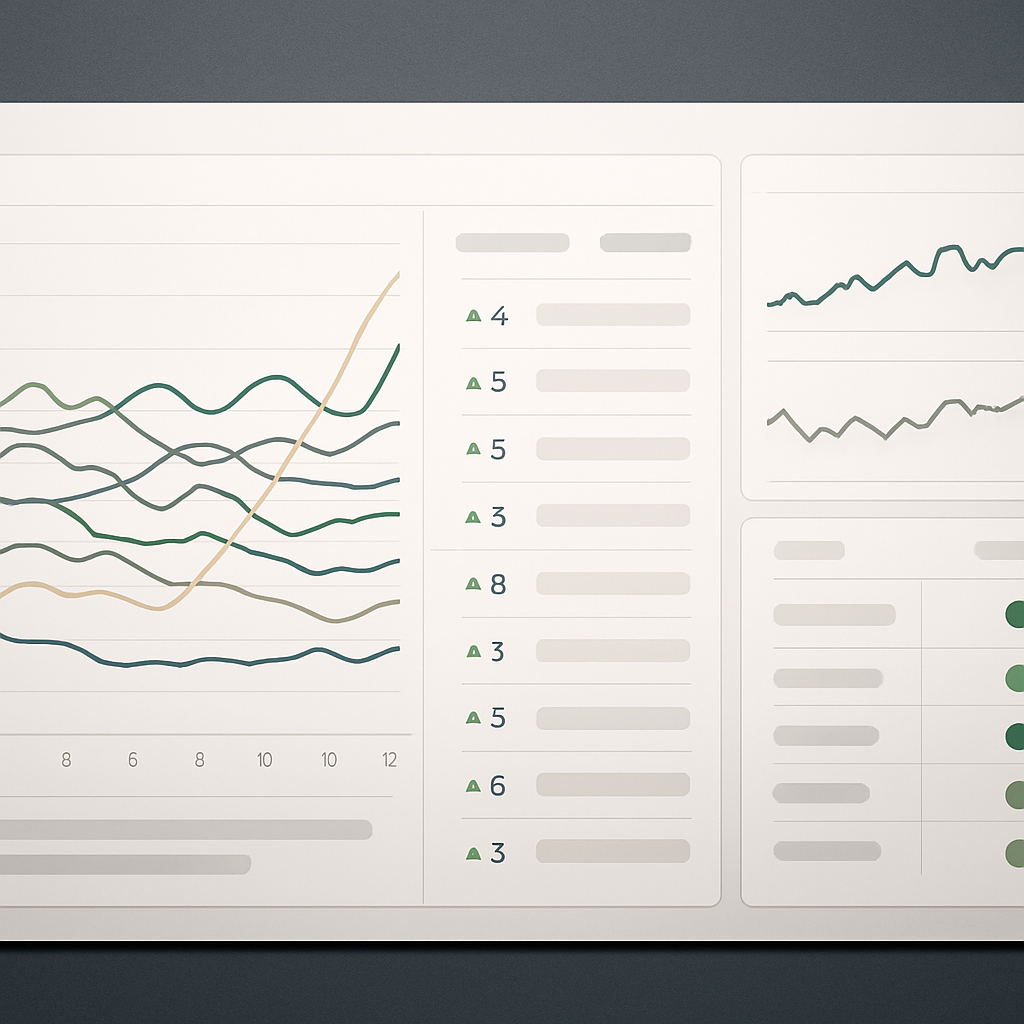
Start with a single question: what decision should someone make after looking at this page? Design the keyword rankings report so the highest-value answer sits in the top-left — not a long raw table. Visual hierarchy matters: executives need the visibility trend and a single priority list; tactical SEOs need movers, gap analysis, and direct next actions.
Core layout sections and their purpose
- Executive summary: one-line visibility trend (30–90 day), percent change, and top 3 recommended actions.
- Overall trends: time series for visibility score or aggregated clicks to show business impact (use Looker Studio or similar).
- Top movers: table of gains and losses with sparkline, position change, traffic potential, and an action column.
- Opportunity pockets: keywords ranking 11–30 with high search volume and commercial intent — actionable quick wins.
- Health and anomalies: position distribution heatmap by position bucket (1–3, 4–10, 11–20, 21+) and a waterfall of lost vs gained clicks.
- Page-level view: page rank report tying keyword clusters to landing pages and conversion metrics from GA4.
Visualization rules that actually work in practice: prefer trend lines with a 7-day moving average to raw daily jitter, show both absolute and relative change, and use position buckets instead of single-digit changes when you have hundreds of keywords. Interactivity is useful for analysts but confuses stakeholders — provide a filtered interactive dashboard for the team and a simplified static PDF for leadership.
Specific widgets and why they matter
| Widget | What it reveals | Design tip |
|---|---|---|
| Visibility trend (30/90 days) | Shows business-level impact of ranking movement | Line chart with 7-day MA; annotate major algorithm dates |
| Top movers table | Surfaces immediate optimization or monitoring targets | Include sparkline, traffic potential, intent label, and Recommended Action column |
| Position distribution heatmap | Quickly shows whether ranking shifts are systemic | Bucket positions and color by share of keywords |
| Lost vs gained clicks waterfall | Links rank movement to estimated traffic change | Compute delta using GSC clicks joined to rank changes |
Trade-off to accept: a dashboard that attempts to serve every stakeholder becomes unusable. Build two views: a condensed summary for decision-makers and a drillable analyst view. That costs extra maintenance, but it prevents burying the signal in noise.
Concrete Example: For a weekly tactical SEO report, include a Top Movers table that shows keywords moving into positions 8–10 with high search volume and an action column recommending either internal linking or on-page copy refresh. Attach a link to the corresponding page or Ranklytics task so the analyst can act without searching the CMS.
Place a recommended next action beside each row in the top movers table — the UX change that converts insights into work more often than any additional chart.
Judgment: prioritize clarity over completeness. A concise keyword rankings report that highlights the one action an SEO should take today drives more outcome than exhaustive panels of every metric. Next consideration: decide which two views you will maintain (executive + analyst) and design the report templates to support those workflows.
5. Prioritize keywords into action using a reproducible scoring system
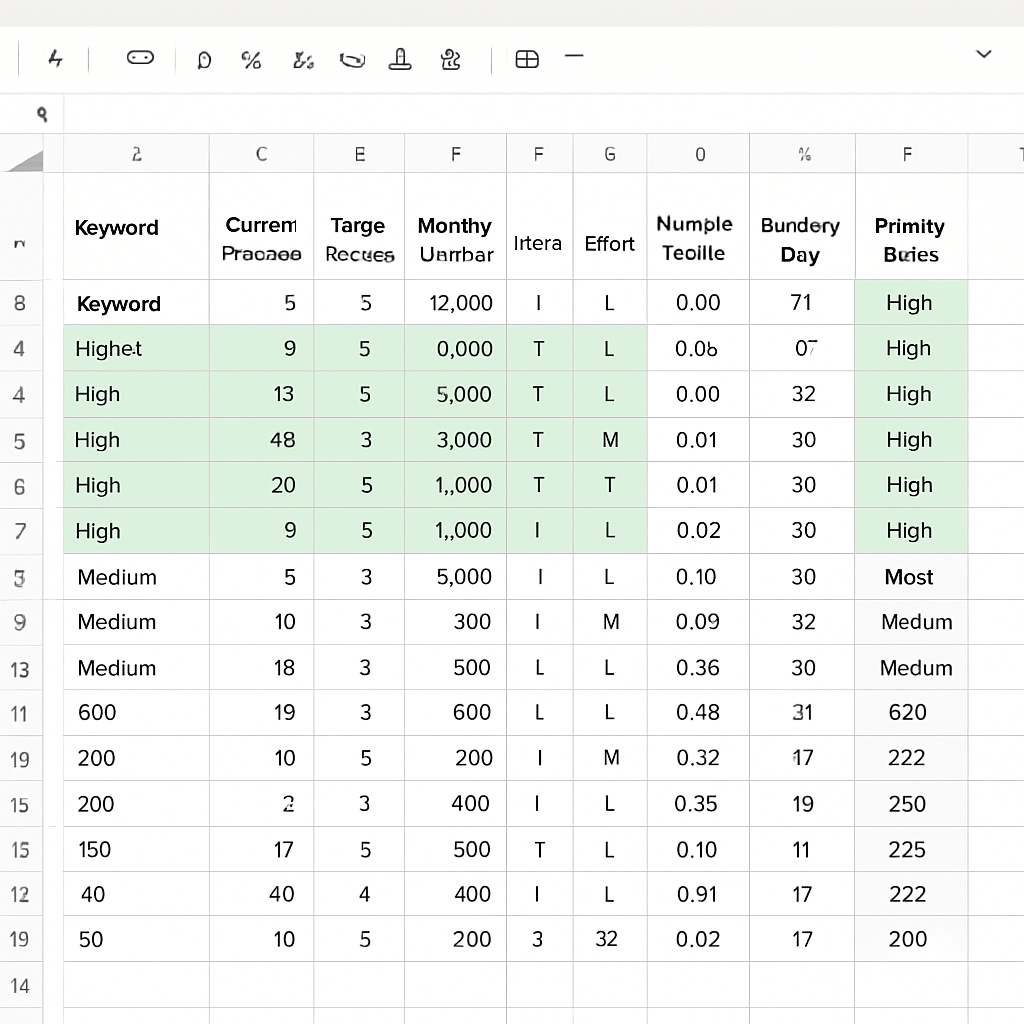
Priority Score principle: A keyword rankings report without a reproducible score is a wishlist, not a workflow. Use a single, transparent formula you can compute in Google Sheets or a dashboard so decisions are consistent and auditable. The score must combine traffic potential, intent, ranking gap, and estimated effort so you pick work that moves business metrics, not just positions.
A compact, practical formula
Use this simple, interpretable formula as a starting point: Priority Score = (Normalized Traffic Potential * Intent Weight * Ranking Gap) / Estimated Effort. Normalize traffic to 0-100 by scaling monthly search volume against the maximum volume in your tracked set or by percentile. Use fixed intent weights, for example transactional = 1.5, commercial = 1.2, informational = 0.7. Define Ranking Gap as positions to your target band (for example, distance to position 3). Effort is a reproducible 1 to 8 scale based on checklist items: content rewrite, internal links, technical fixes, and new content creation.
| Keyword | Current Pos | Target Pos | Volume | Intent | Effort | NormTraffic | Ranking Gap | Priority Score | Priority |
|---|---|---|---|---|---|---|---|---|---|
| SaaS trial keyword | 12 | 3 | 3000 | transactional | 2 | 30 | 9 | 202.5 | High |
| Product comparison | 8 | 5 | 2500 | commercial | 2 | 25 | 3 | 45 | Medium |
| How to use feature | 18 | 10 | 150 | informational | 5 | 1.5 | 8 | 0.42 | Low |
- Score thresholds: High = 100 plus, Medium = 40 to 99, Low = below 40
- High priority action: On page rewrite, add internal links from high authority pages, and run a quick paid test if conversion lift is critical
- Medium priority action: Refresh headings and meta, add 1 supporting cluster page, monitor for 30 days
- Low priority action: Add to content backlog, deprioritize unless seasonal or strategic
Tradeoff to accept: A numeric system simplifies judgement but hides nuance. Effort estimates are subjective and intent labels can be wrong. Compensate by documenting your effort rubric and re scoring after two sprints. If scores consistently misrank tasks, adjust weights rather than abandoning the system.
Concrete example: A mid market SaaS team used this formula on a 200 keyword set and identified five high priority keywords that were close to page one with transactional intent. They completed title and H2 rewrites plus two internal links for each and measured a 28 percent increase in organic trial signups over 60 days. The reproducible scoring made it easy to justify headcount allocation to the product owner.
6. Automate monitoring, alerts, and recurring reporting
Start with a reliability-first pipeline: Automate data pulls from your rank tracker and Google Search Console into a single store (Google Sheets or a database) on a schedule that matches your decision rhythm. For most in-house teams, a daily sync from Ranklytics (or your rank tracker) plus a nightly GSC export is the sweet spot: fast enough to catch regressions, but coarse enough to avoid chasing normal volatility in a keyword rankings report.
Define concrete alert rules, not vague signals. Use explicit triggers tied to business impact: position drops, visibility loss, and new opportunities entering top results. Below are practical rules you can implement immediately.
- High-priority drop: High-priority keyword (Priority Score > 70) drops >= 5 positions vs 7-day avg -> Slack alert + create task in Asana with link to page, Priority Score, and GSC clicks delta
- Fast mover: Any keyword moving into page 1 (position <= 10) with traffic potential > X -> assign to content owner for quick on-page optimization or CRO test
- Traffic fall: Query impressions decline > 25% and clicks decline > 20% week-over-week -> open incident for SERP feature change and index checks
Practical trade-off: More alerts means more noise. Thresholds and multi-check gates reduce false positives: require the condition to hold across 2 consecutive daily pulls or use a 7-day moving average before firing. Also accept some delay: GSC data latency makes real-time alerts unreliable for clicks and impressions — use position changes for speed and confirm with GSC before escalating.
Concrete example: A retail site tracked a set of 150 transactional keywords. They automated daily position exports into Google Sheets, then used Zapier to trigger when a row flagged a high-priority drop. The automation posted a Slack message with before/after position, Priority Score, and a quick playbook link; it also created a Trello card for the content writer. That single workflow cut mean time-to-action on critical drops from three days to under four hours.
Implementation steps (minimum viable automation): 1) Schedule daily rank exports to Google Sheets or a DB. 2) Join with nightly GSC export for clicks/impressions. 3) Compute Priority Score in the sheet or DB. 4) Run alert rules against the computed table. 5) Push alerts to Slack/Teams and create tasks via Zapier or native API. Use Looker Studio for weekly scheduled dashboards to stakeholders.
Cost and complexity consideration: API rate limits, connector costs (Supermetrics, Zapier), and maintenance of mapping logic are real. If you cannot sustain daily automation, ship a robust weekly report with automated anomaly highlights rather than unreliable daily alerts.
Automate for speed, but gate for signal. Use position changes for fast detection and GSC confirmations for business-impact alerts.
7. Sample walkthrough: building a keyword rankings report with Ranklytics
Start here: assemble 200 tracked keywords, 90 days of position history, and GSC clicks — then build a prioritized output you can act on this week. This walkthrough shows the exact joins, a simple priority formula, and how to avoid noise so the keyword rankings report points to clear tasks rather than a laundry list.
Step-by-step build
- Pick the seed list: export 150–250 strategic keywords from Ranklytics (focus on commercial intent and content-priority pages).
- Pull position history: export daily position for the last 90 days from Ranklytics to a sheet or database.
- Get GSC metrics: pull clicks and impressions by query for the same date range using the Search Console API. See Google Search API docs.
- Add volume & difficulty: fetch monthly volume and KD from Ahrefs or SEMrush and add as columns.
- Normalize and join: join on exact query and date; deduplicate similar queries; compute a 7-day moving average for position to reduce volatility.
- Compute priority fields: position change, traffic potential (volume * CTR proxy), and Priority Score (formula below).
- Visualize: push the joined table to Looker Studio for a visibility trend, top movers table, and a priority list. Use the Looker Studio connector for scheduled reports.
- Automate: schedule daily rank sync and weekly Looker Studio email; send Slack alerts for high-priority drops.
Practical trade-off: a 90-day window gives reliable trends but increases data volume and lag; if you need faster reaction, use a 30-day moving window plus stricter thresholds for alerts. Ranklytics position history is precise for detecting movement; Google Search Console is essential for real clicks — expect discrepancies and treat them as complementary signals, not identical.
Priority Score formula and sheet snippet
Formula (concept): Priority Score = (Normalized Volume Intent Weight Ranking Gap) / Estimated Effort. Intent Weight values: 1.5 for transactional, 1.0 for informational. Ranking Gap = max(0, 20 – current_position).
Google Sheets snippet: normalize volume with ___CODE0 then compute gap with CODE1 and final score with CODE_2___ where columns are VolumeNorm, IntentWeight, RankingGap, EffortEstimate.
| Keyword | Prev Pos | Curr Pos | Volume | Clicks (GSC) | Priority Score |
|---|---|---|---|---|---|
| commercial term example | 12 | 7 | 2,400 | 120 | 78 |
| informational how-to phrase | 34 | 18 | 5,000 | 60 | 63 |
| branded product query | 5 | 3 | 1,200 | 300 | 41 |
Concrete scenarios: A keyword that moved from 12 to 7 with high volume and a Priority Score above your high threshold should trigger on-page optimization, updated title/H1, and two internal links from topically relevant pages. A keyword stuck at 18 with high volume but low clicks suggests missing SERP features or poor meta; test a meta rewrite and a supporting FAQ-style cluster to capture featured snippet opportunities.

Next consideration: decide your priority thresholds now — what score triggers a content task, what score creates a monitoring alert — because consistent triage beats ad hoc urgency when managing an evolving keyword rankings report.
8. Implementation checklist and templates to get started today
Start small and instrument properly. The fastest path to useful insight is a compact, repeatable setup you can maintain: a focused keyword list, a clean Google Sheets master, a Looker Studio dashboard for stakeholders, and automated alerts feeding Slack or email. A properly configured keyword rankings report should be runnable and actionable within a week, not parked as an eternal data project.
Implementation checklist (practical, time-boxed)
| Task | Owner | Estimated time | Primary tool | Deliverable |
|---|---|---|---|---|
| Select and prune tracked keywords (max 200-500) | SEO lead | 2-4 hours | Ranklytics / CSV | Curated keyword list with intent tags |
| Create Google Sheets master and import historical positions | SEO analyst | 3-6 hours | Google Sheets + Supermetrics/CSV | Sheet with columns and Priority Score formulas |
| Connect Google Search Console and GA4 to sheet/dashboard | Data engineer / SEO analyst | 2-4 hours | Google Search Console API, GA4 | Clicks, impressions, CTR joined to keywords |
| Build Looker Studio dashboard (weekly + executive tabs) | SEO lead | 4-8 hours | Looker Studio | Dashboard with visibility trend + top movers |
| Define alert rules and hook to Slack/Email | SEO lead | 1-2 hours | Zapier / Slack / Email | Alerts for drops >5 positions on high-priority keywords |
| Publish runbook and assign recurring owners | Head of SEO / PM | 1 hour | Confluence / Google Docs | Who owns weekly review and actions |
Template inventory you should copy immediately: a Google Sheets master with columns: Keyword, URL, Current Position, 7d Pos Change, 28d Avg Position, Search Volume, Intent, SERP Features, Clicks, Impressions, CTR, Traffic Potential, Priority Score, Next Action, Owner. Use the Priority Score = (Normalized Traffic Potential * Intent Weight * Ranking Gap) / Estimated Effort as a starting formula and normalize values to 0-100 in helper columns.
- Google Sheets: column definitions above plus a
7-day moving averagecolumn to reduce noise - Looker Studio widgets: visibility trend (line), top movers table with sparklines, position distribution heatmap, priority list sorted by Priority Score
- Ranklytics config: set up daily position pulls, export 90-day history, enable AI suggestions mapping to Priority Score
- Sample alert copy: Important: keyword {keyword} dropped {n} positions to {pos}. Clicks down {pct}. Suggested first action: check canonical, SERP features, and title tag.
Trade-off to accept: tighter scope gives faster action. Tracking 5,000 keywords sounds nice but dilutes signal and increases noise. In practice, constrain a primary list to 200-500 keywords per site vertical and use sampling or automated discovery for long-tail coverage.
Concrete example: An ecommerce SEO lead distilled 350 product and category queries into the master sheet, set Priority Score weights favoring transactional intent, and configured Slack alerts for top-50 keywords. Within 7 days they caught a title tag regression causing a 6-position drop on three high-priority terms and recovered 40% of lost clicks after a quick fix.
- Quick wins (first 7 days): import keywords, calculate Priority Score, build top-movers table, enable Slack alerts for top-50
- 30-day tasks: finalize Looker Studio dashboard, automate daily pulls, map Priority Score to ticketing workflow
- 60-90 day improvements: refine intent labels with search query clustering, A/B test title/meta changes against control pages, incorporate conversion value from GA4 into Priority Score
Next consideration: set review cadences and ownership now. A live keyword rankings report without a human cadence becomes dead data fast.

Written by
ranklytics