











Table of Contents
- 1 5 Competitive SEO Tools That Reveal What Top Competitors Are Doing
- 1.1 1. Ahrefs Site Explorer
- 1.2 2. SEMrush Competitive Research and Keyword Gap
- 1.3 3. SimilarWeb for traffic sources and competitor audience overlap
- 1.4 4. SpyFu for PPC overlap, paid keywords, and share of voice
- 1.5 5. Ranklytics AI enabled competitive analysis
- 1.6 How to run a repeatable 5 step competitive SEO analysis using these tools
- 1.7 How to turn competitor signals into Ranklytics driven content and keyword tracking
5 Competitive SEO Tools That Reveal What Top Competitors Are Doing
If you need to know exactly what top competitors are doing—keywords they win, pages that attract backlinks, and which paid campaigns move the needle—you should be working from signals, not guesses. This post walks through five seo tools for competitive analysis, shows the specific competitor signals each tool reveals, and gives 3 to 5 step workflows and real examples you can run this week. It finishes with a practical way to turn those signals into prioritized content tasks and tracked keyword campaigns.
1. Ahrefs Site Explorer
Ahrefs is the signal engine for backlink-driven competitive analysis. Use Site Explorer first when you need a reliable list of who links to a competitor, which pages actually earn links, and which keywords move the most estimated organic traffic for those pages.
What Ahrefs reveals about competitors
- Organic Keywords by position: shows the ranked keywords by URL and estimated traffic contribution.
- Top Pages: exposes the competitor content clusters that attract the most search visits and links.
- Full backlink profile: referring domains, linking pages, and anchor text distribution for outreach targeting.
- Content-level metrics: URL Rating and Referring Domains per page so you can prioritize link-worthy targets.
- Paid placements (limited): some paid keywords surface, but Ahrefs is primarily organic/backlink focused.
3-step workflow to pull competitor signals now
- Open ___CODE0 and enter a competitor domain such as CODE1___. Set country to United States if you care about US search.
- In Organic Keywords, filter by Position < 20 and export keywords ranked 11–20. These are practical page-two targets you can feasibly overtake with targeted content.
- Export Top Pages and Backlinks. From Top Pages, pick pages with high estimated traffic but low internal keyword depth; from Backlinks, extract referring domains with DR > 30 as outreach targets.
Concrete example: Run ___CODE0 on CODE1___, filter Organic Keywords to positions 11–20 in the United States, and export. You might find HubSpot ranks on page two for mid-funnel topics you already cover shallowly. Combine those keywords with the Top Pages report to replicate the competitor content angle and then target the referring domains from the Backlinks export for link acquisition.
Practical limitation and trade-off: Ahrefs has one of the deepest backlink indexes, but its traffic estimates are still approximations. Exports and frequent API calls are gated behind higher-tier plans; expect to pay more if you want large-scale exports or automated workflows. Also, Domain Rating is a blunt instrument — use page-level referring domains and URL Rating for outreach prioritization instead.
Judgment: In practice, Ahrefs is best when your immediate goal is building an outreach list and identifying page-level content models to copy or improve. If you only need high-level traffic mix, pair Ahrefs with a traffic tool like SimilarWeb. For turning exports into tasks, import the CSV into Ranklytics to generate briefs and tracked keywords — see the Ranklytics guide to competitor tools for mapping fields and automating briefs: Top SEO Competitor Analysis Tools to Outrank Your Competition – Ranklytics.
Site Explorer to create a prioritized set of page-two keyword opportunities plus a short list of high-value referring domains for outreach. Focus on page-level metrics, not overall Domain Rating.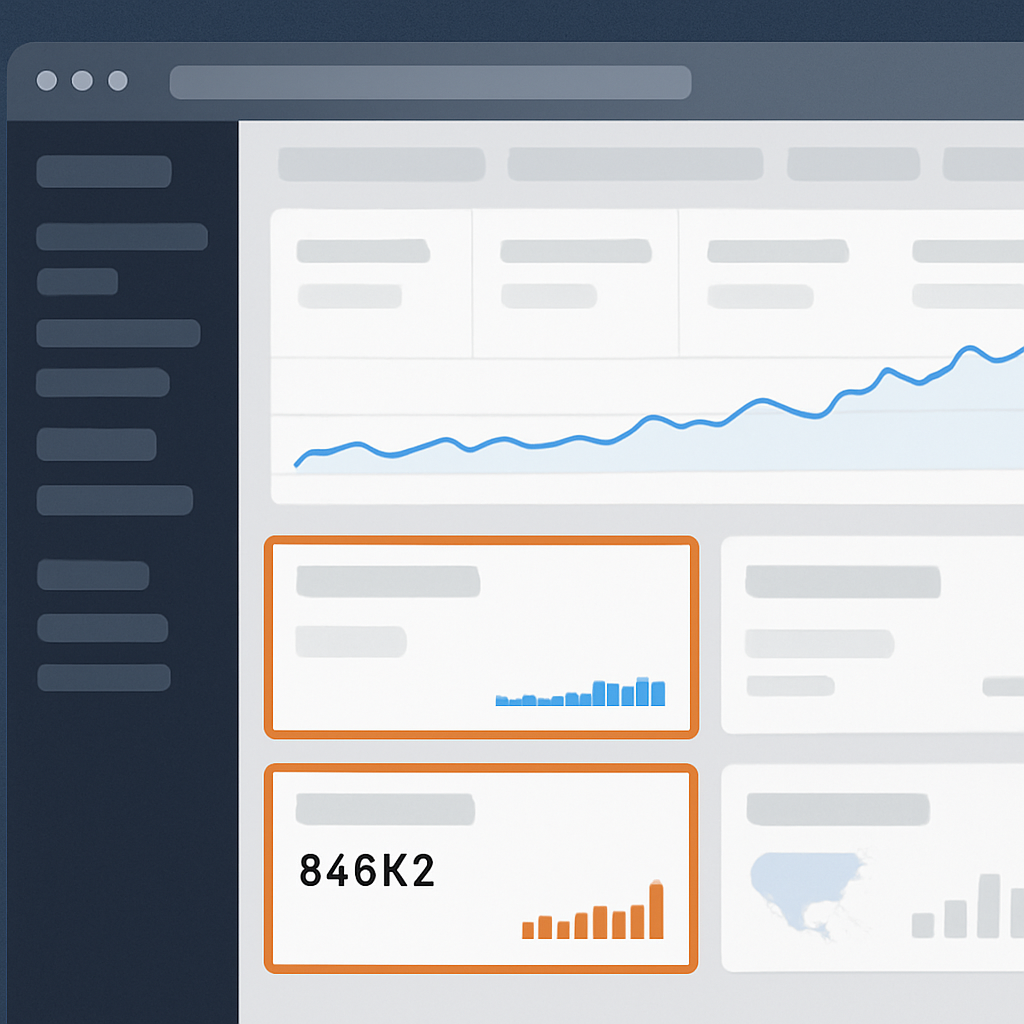
2. SEMrush Competitive Research and Keyword Gap
Direct point: SEMrush Keyword Gap is the fastest way to find topics multiple competitors rank for that your site does not. The tool surfaces shared, unique, and missing keywords across up to five domains, and it pairs those keyword lists with columns you will use for prioritization: Traffic Potential, Keyword Difficulty, and SERP feature flags.
4-step workflow to pull usable gap keywords now
- Domain Overview first: Enter a top competitor such as
salesforce.comto capture traffic trend, top paid keywords, and high level SERP features. Save the domain to the project. - Run Keyword Gap: Add your domain and up to four competitors (for example ___CODE0, CODE1, CODE2). Use the filter CODE3___ to show keywords competitors rank for and you do not. Set Country to United States or your target market.
- Prioritize with filters: Sort by Traffic Potential and then filter by Keyword Difficulty < 60 (adjust by capacity). Add a secondary filter to exclude branded terms. Export the top 200 rows.
- Operationalize: Import the CSV into Ranklytics as a new keyword set, tag items as Expand Existing Page or New Pillar, and add the top 30 to Position Tracking in SEMrush for weekly monitoring.
Concrete example: Comparing ___CODE0 against CODE1 and CODE_2___ in Keyword Gap surfaces commercial terms such as conversational marketing software and lead routing tools where Drift is absent. Exported keywords with high Traffic Potential but moderate difficulty were converted into three content briefs in Ranklytics, prioritized by downstream conversion intent inferred from SEMrush paid keywords.
Practical tradeoff: SEMrush gives breadth – multi domain comparisons, paid history, and display ad creatives – but its Traffic Potential and volume estimates tend to be optimistic for long tail queries. Do not treat a single high Traffic Potential score as proof of opportunity. Cross check anchor pages in Ahrefs and traffic trends in SimilarWeb before committing large content or paid budgets.
Feature limitations to watch: Historical position depth and some competitive reports are gated behind higher tier plans. The Keyword Difficulty algorithm also measures competitiveness differently than Ahrefs or Moz, so expect variance when you compare tools. If you need linking pages for outreach, export SEMrush URLs but verify link counts in Ahrefs.
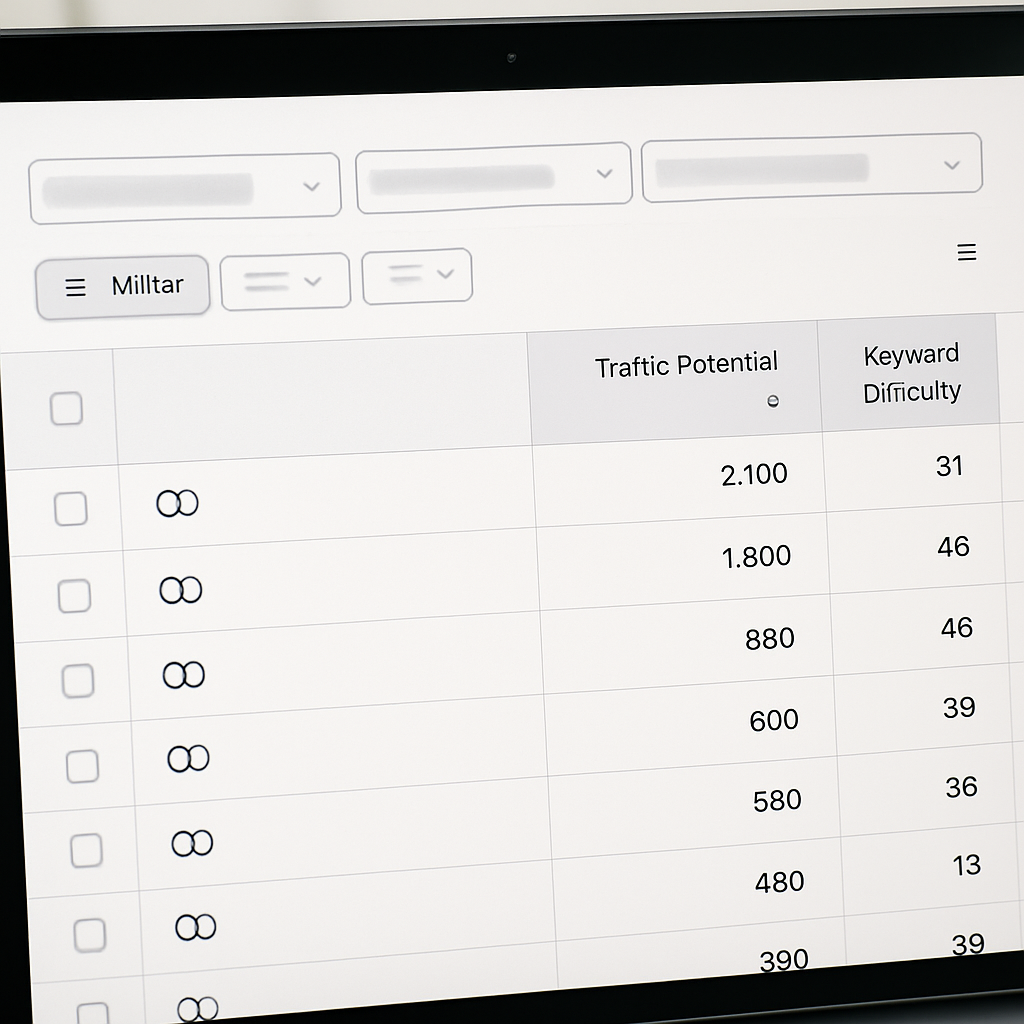
Judgment: SEMrush is the go-to for competitive breadth and commercial intent signals. Use it to triage and batch-create content tasks, not to make single-keyword bets. The hit rate improves when you prioritize clusters that map to existing pages you can expand and when you combine SEMrush gap outputs with link and traffic verification from other tools.
3. SimilarWeb for traffic sources and competitor audience overlap
What SimilarWeb gives you that keyword tools do not. SimilarWeb surfaces channel level truth about where competitors actually get visits – organic search versus paid, direct, referrals, social, and display – plus audience overlap and interest categories that reveal who else your competitors reach. Use those signals to choose distribution tactics and publisher targets, not to build exact keyword lists.
Quick workflow to pull actionable signals
- Set the scope. Enter the competitor domain (example
wayfair.com), set Country = United States and Date Range = Last 90 days to reduce weekly noise. - Check Traffic Sources. Open the Traffic Sources panel, note percent split for Organic, Paid, Referral, Social, and Display. Flag channels above 20 percent as strategic priorities.
- Export Referrals. Open Referrals, filter by Top Referring Sites, export CSV of referring domains and landing pages for outreach and syndication targets.
- Use Audience Overlap. In Audience Interests and Overlap, compare your domain with Overstock.com and the top three adjacent sites. Set Minimum Overlap threshold to 10 percent to surface meaningful shared audiences.
- Translate to tasks. Turn top referring publishers into outreach targets and audience interest categories into content format adjustments (for example produce buying guides if referrals favor review sites).
Practical limitation to budget for. SimilarWeb panels and benchmarking features are feature gated. The Audience Overlap and granular referral landing pages you need for outreach are often limited on lower tier plans. If you rely on these signals, expect to allocate budget to at least mid tier or negotiate sample exports up front.
Tradeoff and data caveat. Traffic numbers are model estimates and biased by the data panel and geography. For smaller sites or non US markets the accuracy drops quickly. Treat SimilarWeb as a directional indicator for channel mix and partnership signals, then confirm with internal analytics or a backlink tool before investing heavily in content formats or paid media.
Concrete example. For Wayfair versus Overstock set Country = United States and Date Range = Last 90 days. SimilarWeb shows Wayfair with a higher percent of referral traffic from product review sites and affiliate networks. Export the top 20 referrers, prioritize the top five that drive category page landing pages, and target those publishers with category page syndication and curated buying guides.
One judgment most teams miss. People use SimilarWeb to justify chasing competitor keywords. That is backwards. SimilarWeb is best used to decide how to distribute content and which external partners to pursue. Use keyword tools for the keywords, then use SimilarWeb to pick distribution and partnership plays that actually produce visits.
If referrals or social supply more than 25 percent of competitor traffic, prioritize publisher outreach and social-native formats over solely optimizing for organic keywords.

Where to follow up. Use SimilarWeb to find the high level distribution and partner targets, then export the referring domains and audience interest categories into Ranklytics or your CRM. That pairing turns broad channel signals into concrete outreach and content briefs you can test within an 8 to 12 week experiment window.
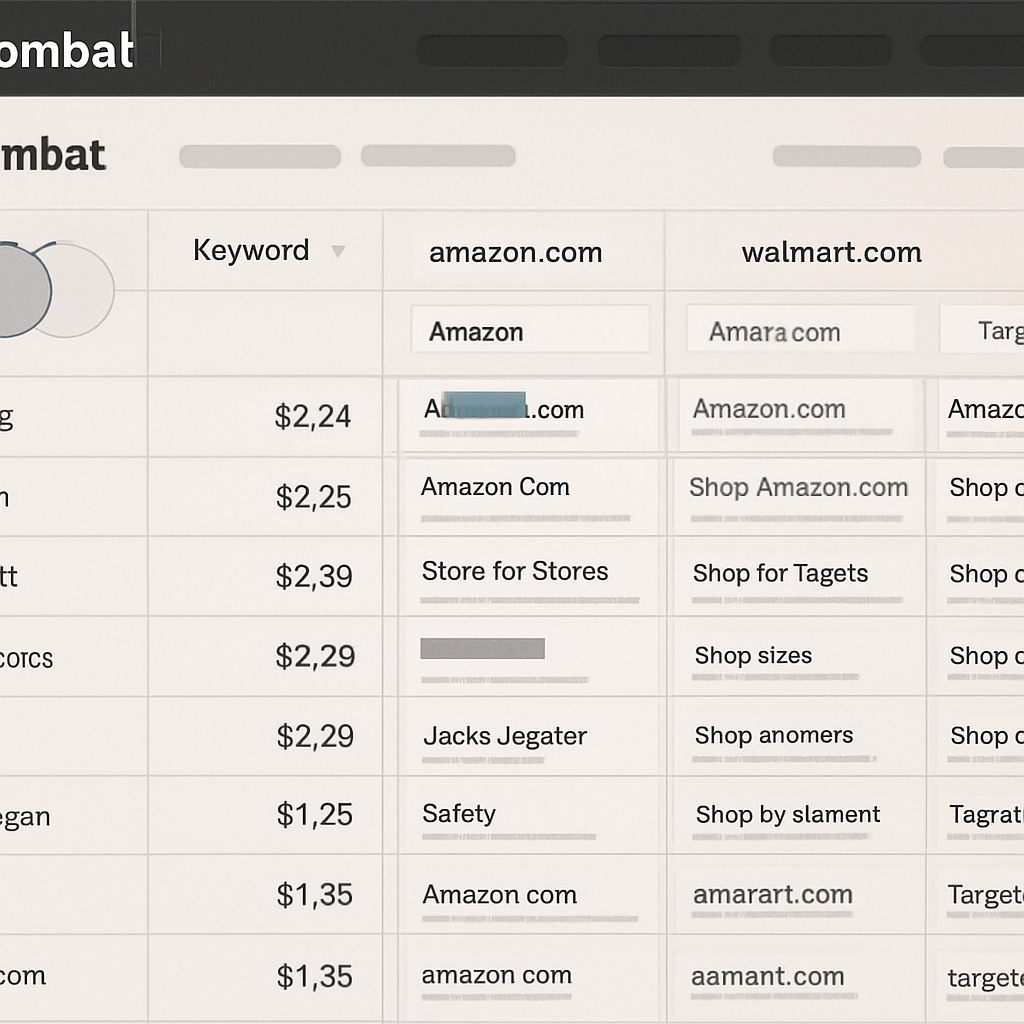
Core value: SpyFu is the fastest way to turn competitor paid activity into tactical content and bidding decisions because it exposes historical PPC keywords, ad copy timelines, estimated spend, and a simple domain comparison feature called Kombat that reveals shared and unique paid and organic keywords.
Quick workflow to pull actionable PPC overlap
- Step 1: Enter a competitor domain such as walmart.com and open the Paid Keywords report. Filter to United States and sort by estimated CPC or monthly clicks to surface high commercial intent queries.
- Step 2: Run Kombat for amazon.com, walmart.com, and target.com. Use the Shared/Unique toggle and export keywords that are high CPC and where you have any organic presence.
- Step 3: Export Ad History and Estimated Spend for the top 30 paid keywords, copy winning ad headlines and CTAs, then import the keyword list into Ranklytics mapping columns to Keyword, CPC, Intent, and Competing Page URL. Use SpyFu for the export and Ranklytics SEO competitor analysis tools to operationalize the list.
Concrete example: Use Kombat to compare amazon.com, walmart.com, and target.com and export keywords Amazon buys with the highest CPC where Walmart already ranks organically. If Walmart ranks on page one for a commercial query that Amazon buys, you must decide quickly: run a short paid test to defend/steal traffic while launching a focused landing page and on-page optimization to win organically.
Practical tradeoff: SpyFu gives clear historical PPC signals, but its spend and click estimates are directional – not auction exact. That matters when you set bids. Use SpyFu to prioritize and draft landing page and ad copy tests, then validate bid ranges and auction dynamics within Google Ads or your DSP before scaling.
What most teams miss: People treat SpyFu as a keyword list generator and stop there. The real lever is combining its ad copy history and Kombat overlap to choose between two paths – invest in organic content to outrank a paid-heavy competitor, or run an immediate paid experiment and optimize the landing page. The correct choice depends on your conversion velocity and how fast you can iterate landing page quality.
5. Ranklytics AI enabled competitive analysis
Ranklytics removes the friction between discovery and execution. Instead of exporting keyword lists and stashing them in spreadsheets, Ranklytics converts competitor signals into prioritized briefs, drafts, and tracked keyword sets you can assign and measure from a single workflow.
Practical 4-step workflow inside Ranklytics
- Import competitors: Paste competitor domains or upload a CSV of competitor page URLs; set Country = United States and Date range = Last 90 days to keep signals recent.
- Run competitor gap analysis: Filter results where ___CODE0 <= 3 and CODE1 = Not in Top 100; sort by CODE2 and apply CODE3___ (or your threshold).
- Generate briefs and drafts: Use the AI brief generator to create outlines and first drafts for the top 10 priority keywords; attach a publish date and owner in the content calendar.
- Track and baseline: Add the selected keyword set to Ranklytics rank tracking, capture competitor baselines, and set weekly checks with automated alerts for +- position movements.
Practical limitation: Ranklytics accelerates content production but it is not a substitute for raw backlink research or independent volume validation. Use Ranklytics to pick and draft targets, then cross-check backlink depth or historical link growth in tools like Ahrefs competitive analysis guide before heavy outreach or paid promotion.
Concrete Example: Import ___CODE0 and your blog into the competitor module, run the gap with filters for US and CODE1___ 1-3. Ranklytics will surface topics where HubSpot ranks top and you are absent, auto-generate briefs (for example, an inbound marketing automation guide), create an AI draft, and add the keyword set to a 12-week tracking campaign so you have an immediate baseline to measure against.
Judgment that matters: Where Ranklytics truly wins is operational velocity—teams publish useful experiments in days instead of weeks. But speed creates a new failure mode: publishing unedited AI content that lacks domain expertise or authority. Prioritize human review for topics that require technical accuracy or legal compliance, and prefer Ranklytics briefs for mid-funnel content where speed and iteration beat encyclopedic perfection.
Tactical insight: Prefer competitor opportunities where they rank page one but the competing page has relatively few referring domains. Those are real, targetable wins—Ranklytics surfaces those by showing competitor page backlinks next to keyword opportunities, letting you score ease-of-win quickly.
Use Ranklytics to close the loop: discovery → brief → draft → publish → track. Always validate backlink and volume signals with a specialist tool before large campaigns.
How to run a repeatable 5 step competitive SEO analysis using these tools
Start with a tight scope. Pick 3 to 6 direct competitors and one aspirational leader — too many domains makes the output noisy and wastes budget; too few misses playbook nuances.
- Step 1 — Build the competitor list: compile 3–6 domains (direct competitors and category leaders). Save them in a simple CSV with columns Domain, Category, Priority.
- Step 2 — Map high level signals: run SimilarWeb for channel mix and audience overlap, Ahrefs for backlink depth and top pages, SEMrush for keyword gap. Export top 10 pages per competitor and channel breakdowns for later merging.
- Step 3 — Surface content opportunities: in Ahrefs export Organic Keywords filtered to US and positions 11–20; in SEMrush run Keyword Gap against your domain and competitors, sort by Traffic Potential, filter by Keyword Difficulty threshold.
- Step 4 — Validate intent and commercial value: use SpyFu to check which candidate keywords appear in paid campaigns (signals commercial intent) and SimilarWeb referrals to find publisher partners. Remove keywords with no demonstrable intent or impossible competitiveness.
- Step 5 — Execute and track: turn top 20 opportunities into Ranklytics briefs, publish or update content, and attach a tracked keyword set. Re-run the pipeline monthly for position drift and every 8–12 weeks for a full audit.
Sample filters and export settings to use immediately
- Ahrefs Organic Keywords: Country = United States; Position = 11–20; KD < 40; Min Volume = 200; Date range = last 90 days.
- SEMrush Keyword Gap: Compare yourdomain.com vs competitors; Sort by Traffic Potential; Filter KD < 60; Export top 500 keywords.
- SimilarWeb: Date range = last 3 months; Channels view; Export Top Referrals and Audience Overlap.
- SpyFu Kombat: Compare up to 3 domains; Export Shared Paid Keywords and Top CPC values.
Concrete example: Run this pipeline for Intercom vs Drift. Use Ahrefs to pull Intercom page-two keywords, run SEMrush Keyword Gap to reveal topics both competitors own and you do not, then check SpyFu for whether those terms are being bought (commercial intent). Import the final shortlist into Ranklytics as content briefs and start a tracked keyword campaign for the highest-scoring five terms.
Practical trade-off: breadth versus depth. Running more competitors increases coverage but raises false positives — a keyword every competitor ranks for may be a category that requires brand authority, not a tactical content win. Prioritize repeatable quick-wins (low KD, demonstrable paid intent, and at least one high-quality backlink target).
Estimates from these tools are directional. Triangulate traffic and backlink signals before committing large content or paid budgets — use internal analytics where possible.
Next consideration: automate exports and CSV merges so the five-step run takes a few hours each month, not days. The real ROI is in disciplined execution — publish, measure, and repeat.
How to turn competitor signals into Ranklytics driven content and keyword tracking
Start with a clear mapping, not guesswork. Exported reports from Ahrefs, SEMrush, SimilarWeb, and SpyFu are raw signals; the value comes from normalizing those columns into the same Ranklytics fields so you can score, prioritize, assign, and track automatically.
Map exports into Ranklytics: exact column pairings
| Export column | Ranklytics field | Notes / normalization |
|---|---|---|
| Keyword (Ahrefs/SEMrush) | Keyword | Keep as canonical token; remove locale suffixes like – US |
| Search Volume (SEMrush) | Monthly Search Volume | Prefer SEMrush for volume; fall back to Ahrefs if empty |
| Traffic Potential / Traffic (Ahrefs Top Pages) | Traffic Potential | Use top page traffic as a proxy for click potential |
| KD / Keyword Difficulty | Difficulty | Normalize to a 0-100 scale if tools differ |
| Competing Page URL | Competing Page URL | Store top ranking URL to drive the brief and SERP intent |
| Referring Domain (Ahrefs) | Backlink Targets | Add to outreach list; capture anchor text where available |
Practical insight: Search volume alone lies. Multiply volume by estimated click-through rate derived from SERP features and competitor density. A 10k volume keyword buried under multiple SERP features often converts fewer organic visits than a 1.5k keyword with a clean blue-link SERP.
Sample prioritization formula you can implement in Ranklytics
Use a reproducible score so triage is objective. Score = (Traffic Potential x Intent Weight) / Difficulty. Set Intent Weight = 1.5 for commercial queries (identified via SpyFu paid keyword presence), 1.0 for informational. Cap Difficulty at 80 to avoid zero division problems and scale outputs to 0-100.
- Import: Upload combined CSV into Ranklytics and map columns using the table above.
- Score & filter: Apply the scoring formula and filter Score > 20 and Difficulty < 60 for a first shortlist.
- Brief creation: For each shortlisted keyword, attach the competing page URL; generate an AI brief and list 3 backlink targets from the Backlink Targets column.
- Schedule & track: Assign owner, set publish date, add keyword to a tracking campaign with competitor baseline positions.
- Outreach: Kick off a targeted outreach sequence to the top 5 referring domains identified for that competing page.
Concrete example: Export Ahrefs Organic Keywords for hubspot.com filtered to positions 11-20, export SEMrush for Traffic Potential, and export SpyFu paid keywords for intent signals. Map those into Ranklytics, compute the Score, generate briefs for the top 12 keywords, and start rank tracking against HubSpot as the competitor baseline. In practice this surfaced three mid-funnel topics we could overhaul and outrank within 10 weeks.
Limitations and trade-offs: Automated scoring favours quick wins and topical parity; it underweights domain authority gaps. If competitors have a large backlink advantage you will need a parallel link-building plan — Ranklytics can track results, but the score will not magically close an authority gap without outreach or PR investment.
Next consideration: After three publish cycles, add a column for observed organic sessions and update the Score formula to use real performance data; the model must learn from your site, not just competitor estimates. For implementation guidance see Top SEO Competitor Analysis Tools to Outrank Your Competition – Ranklytics.

Written by
ranklytics